It's best to think of AI for content creation less as a replacement for human talent and more as the ultimate creative sidekick. It's a powerful partner that can help you brainstorm, chew through research, and spit out first drafts in seconds. This leaves you free to pour your energy into the good stuff: strategy, originality, and the uniquely human touch that actually connects with an audience.
How AI Is Your New Creative Partner
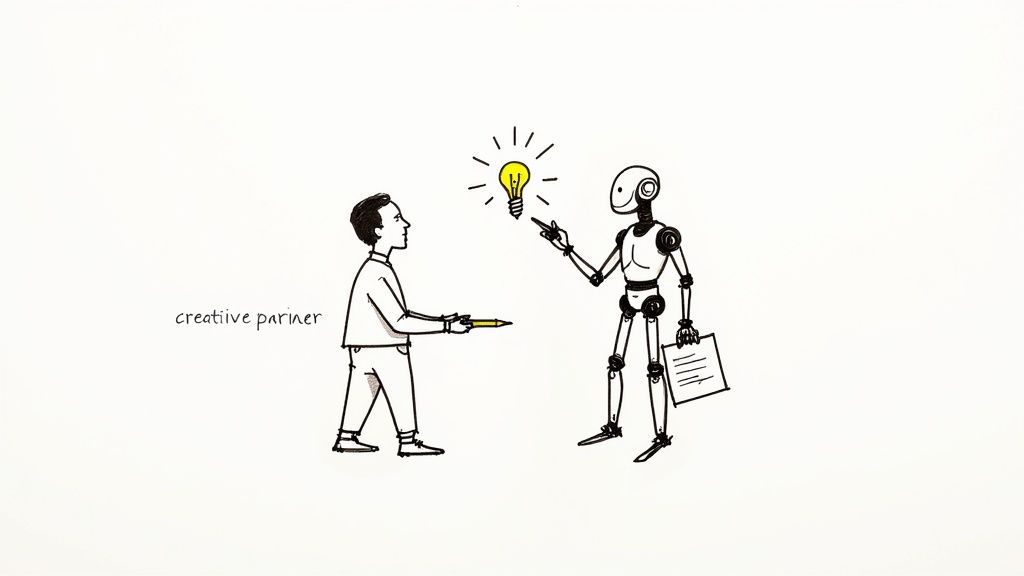
The idea of partnering with artificial intelligence isn’t science fiction anymore. For creators, marketers, and agencies, it’s a daily reality. This collaboration isn't about automating your job away; it’s about augmenting your skills.
Imagine an assistant that never gets tired, has read most of the internet, and can produce text, images, or video concepts the moment you ask.
This kind of partnership completely changes the creative workflow. The tedious, time-sucking tasks that used to bog down projects—like initial research, outlining, or finding the right stock photo—can now be handled in moments. It frees up a huge amount of mental energy, letting you focus on what really matters.
Accelerating From Idea To Execution
The most obvious win when using AI is speed. Instead of staring at a blank page for hours, you can generate a dozen blog post outlines or social media ad variations in minutes. This rapid-fire ideation lets you test more ideas and pivot your strategy on the fly.
Professionals are quickly integrating these tools to work smarter, not harder. A 2025 industry study shows just how fast this shift is happening: 90% of content marketers plan to use AI in their workflows, a massive jump from just 64.7% in 2023. It’s a clear signal that we've moved past simple experimentation and into deep operational use.
By handing off the initial heavy lifting to AI, creators can save their expertise for refinement, storytelling, and brand alignment—the very tasks where human insight is irreplaceable.
Expanding Your Creative Toolkit
AI tools now cover much more than just text, acting as a force multiplier for your skills across a huge range of media. This guide will get into the practical workflows and prompting techniques that turn you from a user into a skilled operator. To really tap into AI's power, it helps to understand how different AI writing tools can slot into your process.
Effective teamwork is also becoming a huge part of this new reality. Modern platforms are now built with collaboration in mind, offering shared workspaces and streamlined creative pipelines. You’ll see that bringing AI for content creation into the fold isn’t just about making one person more efficient—it’s about leveling up the entire team’s output.
Understanding How Generative AI Works
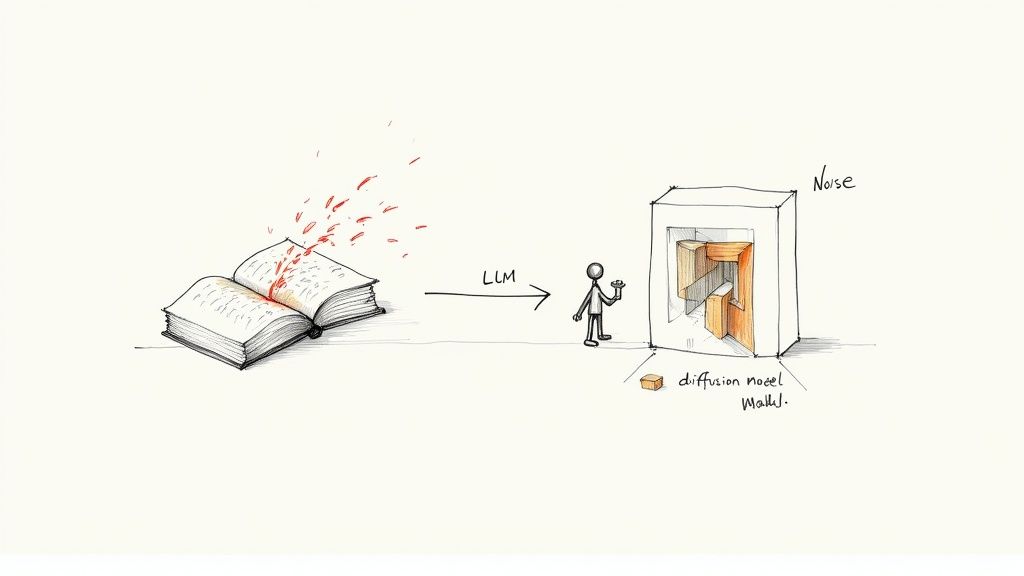
To really get the most out of AI for content creation, it helps to peek under the hood and understand how these tools "think." When you grasp the basic mechanics, you can craft much better prompts and get far superior results. It’s the difference between randomly pushing buttons and knowing exactly which levers to pull.
At the heart of any AI writer are Large Language Models, or LLMs. The best way to think of an LLM is as an incredibly sophisticated prediction machine. It has been trained on a truly massive dataset—we're talking billions of articles, books, and websites—allowing it to learn the intricate patterns, grammar, and relationships between words.
When you feed an LLM a prompt, it doesn’t "understand" your request the way a person does. Instead, it performs a complex calculation to predict the most statistically likely next word to follow what you’ve written. It does this over and over, word by word, stringing them together to build sentences and paragraphs that feel coherent and contextually relevant.
The Power of Prediction in Text Creation
This predictive superpower is what makes LLMs so versatile. They can draft emails, write entire blog posts, summarize dense documents, and even generate computer code. The quality of what they produce, however, depends entirely on the data they were trained on and the sophistication of their underlying architecture.
For example, a model trained heavily on academic papers will naturally excel at formal, structured writing. Another trained on endless social media conversations will be a pro at crafting casual, punchy dialogue. This is a big reason why different AI writing tools can give you noticeably different results for the same prompt.
It's not just looking at the last word you typed; it’s considering the entire context of your prompt to figure out what should come next. This is why giving clear, detailed prompts with plenty of context is absolutely critical for getting the best outcomes.
Crafting Images from Digital Noise
When it comes to creating images, the process is completely different but just as fascinating. Most AI image generators use what are called diffusion models. You can think of this process as the reverse of taking a photograph.
Instead of starting with a blank canvas, imagine starting with a screen full of random static, or "noise." A diffusion model has been trained to see objects and scenes hidden within this chaos. Guided by your text prompt, it begins to methodically remove the noise, step-by-step, until a clear, detailed image emerges.
The model acts like a digital sculptor. Your text prompt is the blueprint, guiding the AI as it carves away the noise to reveal the precise image you described.
This iterative process of denoising is what allows for such incredible detail and creativity. The model constantly cross-references its massive training library of images and their text descriptions to make sure the final output lines up with your request. Here's a simple breakdown of the steps:
- Text Encoding: The AI first translates your text prompt into a mathematical representation it can work with.
- Noise Generation: It starts with a field of pure digital static.
- Iterative Denoising: Guided by your encoded prompt, the model repeatedly refines the noise, gradually forming shapes, colors, and textures.
- Final Image Output: After many refinement steps, all the noise is gone, and you’re left with the final, coherent image.
Grasping these core concepts—predictive text generation for LLMs and guided denoising for diffusion models—elevates you from a casual user to a skilled operator. You're no longer just asking a machine for content; you're directing a powerful creative partner. This knowledge is the key to mastering prompt engineering and building efficient workflows, which we'll dive into next.
Developing Your Prompt Engineering Skills
The quality you get from any AI for content creation tool comes down to one thing: the quality of your instructions. This is where prompt engineering becomes your most valuable skill. A well-built prompt isn't just a question; it's a creative brief you hand to your AI assistant, pointing it exactly toward the specific, high-quality result you need.
Think of an AI model as a brilliant but incredibly literal junior employee. Give it vague instructions like "write a blog post," and you'll get a bland, uninspired first draft. But hand it a detailed brief—one that lays out the target audience, the core objective, the tone of voice, and the desired structure—and you'll get something that’s 90% of the way to being publishable. Mastering this communication is what separates frustrating results from incredible ones.
To get past basic requests, you need a reliable structure for your prompts. A simple framework can turn your vague ideas into the precise instructions the AI needs to do its best work.
The PTCF Prompting Framework
One of the most effective ways to structure your prompts is the PTCF framework. The acronym stands for Persona, Task, Context, and Format, and it’s a simple checklist to make sure you’re giving the AI everything it needs to knock it out of the park.
-
Persona: Who should the AI act as? Defining a persona gives the AI a specific voice, tone, and level of expertise. You can ditch the generic AI voice and get a "witty marketing expert" or a "compassionate customer service representative" instead.
-
Task: What, exactly, do you want the AI to do? This needs to be a clear, action-oriented instruction. "Write," "summarize," "brainstorm," "translate," and "create an outline" are all unmistakable tasks.
-
Context: What background information is essential for the task? This is where you feed the AI details about your topic, your audience, key points to include, and things it should absolutely avoid. The more relevant context you provide, the better the output will be.
-
Format: How should the AI deliver the final output? Specifying the format gets the content structured correctly from the get-go. You might ask for a bulleted list, a markdown table, a blog post with H2 and H3 headings, or even a video script.
When you bring these four elements together, you create a comprehensive brief that leaves very little to chance, dramatically improving the quality and relevance of the AI's response.
From Vague to Valuable: An Example
Let’s put the PTCF framework into action. Imagine you need a social media post to promote a new productivity app.
A Vague, Ineffective Prompt: "Write a social media post about our new app."
This prompt gives the AI almost nothing to work with. It lacks persona, context, and a specified format, so you’ll get something generic and forgettable, probably stuffed with marketing clichés.
A Detailed, Effective PTCF Prompt:
Persona: Act as a social media marketing expert with a friendly and energetic tone.
Task: Write three distinct Instagram post captions to announce the launch of our new productivity app, 'FocusFlow.'
Context: The app helps freelancers and students manage their tasks and reduce distractions using a minimalist interface and a 'deep work' timer. The target audience is tech-savvy individuals aged 18-30 who feel overwhelmed by their workload. Key features to highlight are the distraction-free mode and project progress tracking.
Format: Please provide the three captions as a numbered list. Each caption should be under 150 words and include 3-5 relevant hashtags.
This detailed prompt gives the AI a clear role, a specific goal, all the necessary background info, and precise formatting instructions. The captions you get back will be far more targeted, engaging, and ready to post. This same approach is critical whether you're drafting an article, brainstorming a business plan, or even figuring out how to use a text to video generator by asking the AI to script a concept. Getting your prompts right is the single most important skill for any AI for content creation workflow.
From Prompting to Production: Building Practical AI Workflows
Knowing how to write a good prompt is just the first step. The real breakthrough happens when you build that skill into a repeatable, efficient system. This is where we move beyond one-off requests and start creating structured AI for content creation pipelines. It’s all about chaining different AI tools together to turn a simple idea into a polished, multi-format content package.
Think of it like a digital assembly line. Each station has a specific job. One tool might handle brainstorming, another spits out the first draft, a third creates the visuals, and a fourth helps you get it in front of people. This assembly line approach doesn't just save a ton of time; it builds consistency and quality into everything you create.
A Workflow for Text-Based Content
Let's walk through a common workflow for getting a blog post or article from concept to completion using AI. Breaking the task into these manageable, AI-assisted chunks lets you stay focused on strategy and polish, not the heavy lifting of writing from scratch.
- Ideation and Keyword Research: Start by telling your AI to act as an SEO strategist. You can prompt it to brainstorm a list of blog topics, identify long-tail keywords your audience is actually searching for, and even size up competitor content to find gaps you can own.
- Structured Outline Generation: With a topic locked in, use a clear prompt to ask for a detailed outline. Be sure to specify the target audience, a rough word count, and the key points you want to cover. This AI-generated skeleton gives your article a logical flow right from the start.
- Drafting Initial Sections: Now, instruct the AI to write the first draft of each section individually. This modular approach gives you far more control and makes the editing process much less daunting. Treat this output as raw material, not the final word.
- Editing and Repurposing: Finally, use AI as your editing partner. Ask it to check for grammar and clarity, suggest better phrasing, or even condense the article into a punchy summary for your email list. You can also prompt it to pull out key takeaways and turn them into social media posts.
This systematic process turns a big job into a series of simple, AI-powered steps, radically shrinking the time it takes to get from an idea to a published piece.
Creating Visuals Through Iterative Prompting
Building a workflow for visual content is a similar game of starting broad and then dialing in the details. The growth of generative visual AI has been absolutely explosive. By 2025, industry estimates showed that around 34 million AI-generated images were being created every single day, with over 15 billion produced since 2022.
The key to harnessing this power is understanding that the best results come from a back-and-forth dialogue with the AI.
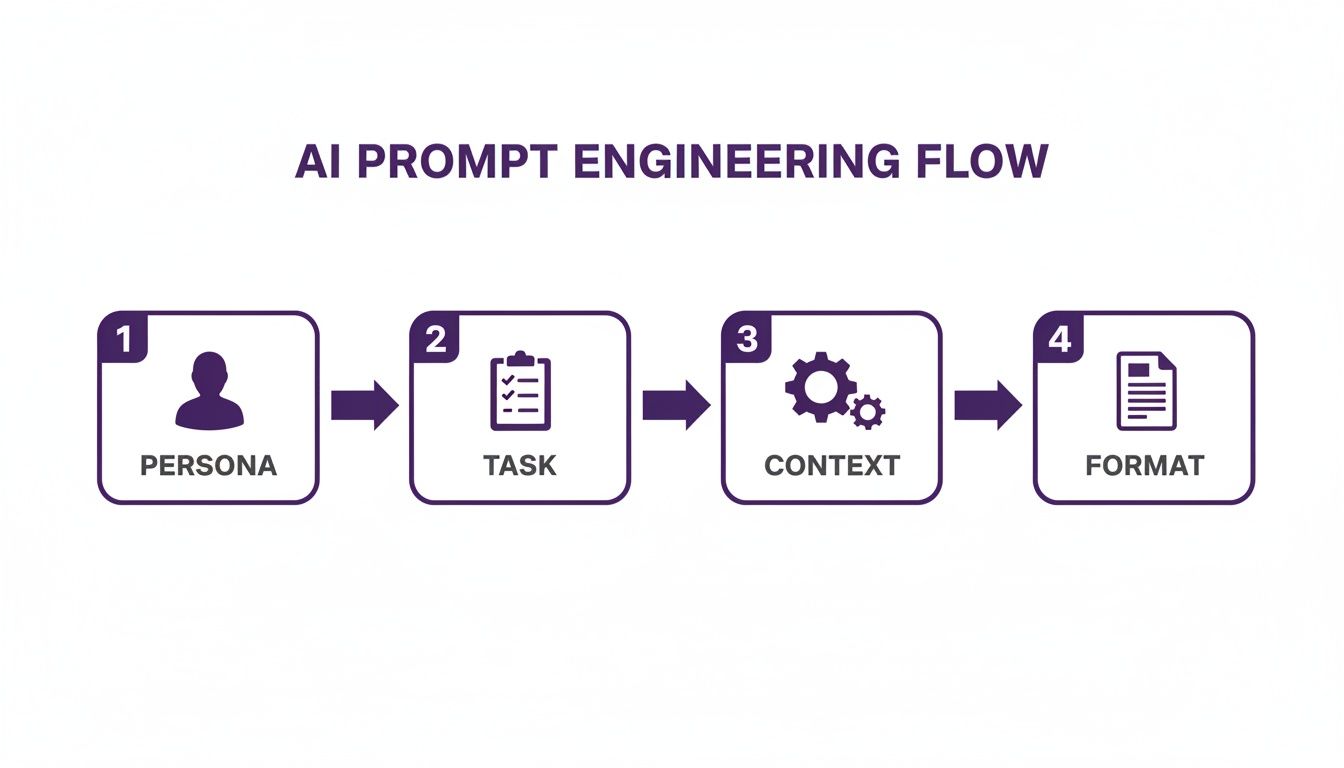
This process shows that a great prompt is really a complete creative brief. It tells the AI who to be, what to do, what it needs to know, and how the final product should look.
Here’s what an iterative visual workflow looks like in practice:
- Step 1: Concept Generation: Start with a simple, descriptive prompt to get a few different ideas on the screen. For example, "Concept art for a futuristic city with flying vehicles, cyberpunk style."
- Step 2: Iterative Refinement: Pick the image that’s closest to your vision and build on it. Refine your prompt by adding more detail: "Add neon signs in Japanese, a rain-slicked street, and a lone figure in a trench coat."
- Step 3: Style and Composition Control: Keep iterating to lock in the final details. Use specific commands to adjust the camera angle ("low-angle shot"), lighting ("dramatic cinematic lighting"), and artistic feel ("in the style of a vintage comic book").
This back-and-forth process is a creative dialogue between you and the AI. Each new prompt builds upon the last, guiding the model closer to the exact image you envision in your mind.
Exploring Emerging Video Workflows
Video production, traditionally the most complex and resource-intensive content format, is being completely reshaped by AI. While fully AI-generated video is still finding its footing, you can build incredibly powerful hybrid workflows today that save a huge amount of time and money. The trick is to chain together different AI tools for each part of the production process, creating a seamless pipeline from script to final cut.
For example, a modern AI for content creation video workflow could look like this:
| Stage | AI-Powered Task | Benefit |
|---|---|---|
| Pre-Production | Use an LLM to write a video script based on a blog post, then generate a storyboard with an AI image tool. | Rapidly visualizes the concept and narrative flow. |
| Production | Create a realistic voiceover using an AI text-to-speech tool, eliminating the need for recording equipment and studio time. | Reduces production costs and complexity. |
| Post-Production | Use an AI video editor to automatically generate captions, suggest background music, and even identify the most engaging clips for social media teasers. | Speeds up the editing process significantly. |
By combining these tools, you can build a highly efficient production machine. For those looking to go even further, an all-in-one AI video generator can consolidate many of these steps, offering a more integrated way to turn your text-based ideas into compelling video content.
Navigating the Ethical and Legal Landscape
Wielding AI for content creation is powerful, but doing it responsibly is essential. As these tools become a regular part of our creative process, we have to get smart about the ethical and legal guardrails. This isn't just about dodging trouble; it’s about building a foundation of trust with your audience and protecting the brand you’ve worked so hard to build.
The conversation really kicks off with ethics. AI models learn from enormous piles of data, and if that data is full of human biases, guess what the AI’s output will reflect? This can lead to content that accidentally reinforces stereotypes or leaves certain groups out. The best way to handle this is with transparency. Be upfront with your audience about when and how AI is part of your workflow. It shows you respect their intelligence and builds a ton of credibility.
Then there’s data privacy. Every prompt you feed into an AI tool could become part of its future training data. That means you should never, ever input sensitive company information, private customer data, or your secret sauce into public AI platforms unless you are absolutely sure about their privacy policies.
Understanding Copyright and Ownership
On the legal side of things, the ground is still shifting, but the big earthquake is all about copyright. The question on everyone's mind is: who actually owns AI-generated work?
Right now, the legal consensus bubbling up in many places, including guidance from the U.S. Copyright Office, points to a clear answer. Works created entirely by an AI without significant human creative input are not eligible for copyright protection. That's a huge deal for creators and businesses.
The core idea is that copyright protects original works of human authorship. If a person's contribution is just a simple prompt, it likely won't be enough to stake a claim of ownership over what the AI spits out.
So what does this mean for you? To secure a copyright, you have to prove you did more than push a button. You need to show meaningful creative intervention. Treat the AI's output as a lump of clay, not a finished sculpture. Your contribution—the editing, the arrangement, the combination of different outputs, and the injection of your original ideas—is what turns raw generation into intellectual property you can truly own.
Best Practices for Responsible AI Use
Staying on the right side of these lines isn't about luck; it’s about having a plan. The best thing you can do is create a clear set of internal guidelines so your team can use AI for content creation with confidence.
Here are a few practices you should build into your workflow right away:
- Always Fact-Check: AI models can "hallucinate," meaning they can invent facts, statistics, and sources that sound completely plausible but are totally wrong. Always verify any claims against trusted sources before you hit publish.
- Add Significant Human Value: Don't just copy and paste. Your unique insight, brand voice, and creative touch are what make content valuable in the first place. They're also what strengthens your claim to ownership.
- Disclose Your AI Use: When it makes sense, let your audience know AI played a role. A simple disclosure is an easy way to build trust and manage everyone's expectations.
- Establish Clear Internal Guidelines: Draft a simple policy for your team. It should cover acceptable use, rules for handling sensitive data, and where your brand stands on AI-generated content.
By putting these practices in place, you can sidestep the risks and get back to what matters: making great content that’s engaging, effective, and responsible.
Measuring the Real ROI of AI Content
Okay, let's get down to business. Shifting from the creative possibilities to the actual business results is where AI for content creation really proves its worth. How do you justify investing in new tools and workflows? The answer is in tracking tangible metrics that show a clear return on investment (ROI).
It’s about moving beyond “this is cool” to “this is profitable.”
The most immediate win you'll see is a massive jump in content velocity. Think of this as the speed at which your team can get high-quality content out the door. By automating first drafts, research, and brainstorming, teams can shrink production timelines from weeks down to just a few days. This means you can jump on trends faster and keep your channels flooded with valuable information.
This faster pace has a direct impact on your bottom line and market presence. To see what this looks like in the real world, check out this a case study on generating 50,000 LinkedIn impressions using AI, which shows a direct line between AI-driven output and audience growth.
Calculating Cost Savings and Productivity Gains
Speed is one thing, but AI also brings serious cost efficiencies to the table. Generating unique visuals, drafting copy, and creating audio means you can cut back on pricey stock media subscriptions and freelance contracts. These are direct, easy-to-track savings that make a compelling argument for adopting AI.
Here's a simple way to frame the calculation:
- Reduced Freelance Spend: Tally up your monthly or quarterly bills for writers, designers, and video editors before and after you bring AI into the mix.
- Lower Stock Media Costs: Compare what you're paying for stock photo, video, and music libraries against the cost of your AI tools.
- Time Savings as a Metric: This one is huge. Calculate the hours your team saves on routine tasks. Then, multiply those hours by their hourly rate to see the productivity gains in real dollars.
This kind of financial clarity is what gets budgets approved. The market is already reflecting this value, with the AI marketing sector projected to hit an estimated $47.32 billion in 2025, fueled by a compound annual growth rate of 36.6%.
Building Your Business Case for AI Adoption
A rock-solid business case for AI adoption isn't just about the numbers; it combines both quantitative and qualitative benefits. While cost and time savings are the hard data, don't forget the strategic advantages that fuel long-term growth.
The real ROI isn’t just about doing the same things cheaper; it’s about unlocking the ability to do things you couldn't do before—like personalizing content at scale or testing a dozen creative concepts in a single afternoon.
Here’s how to structure your argument for the higher-ups:
- Outline Current Pain Points: Start with what’s broken. Is it slow production? Sky-high costs? Inconsistent quality? Pinpoint the biggest bottlenecks in your current content workflow.
- Project Cost Reductions: Use the framework above to put a number on the direct savings from cutting back on freelance and stock media expenses.
- Quantify Productivity Gains: Show how automating tedious tasks frees up your team to focus on high-impact strategic work—the stuff that really moves the needle.
- Forecast Revenue Opportunities: Connect the dots between higher content velocity and potential wins in lead generation, search rankings, and customer engagement.
When you present a clear, data-backed case, you're not just asking for a new expense. You're showing that investing in AI for content creation is a strategic move that delivers measurable, substantial returns.
Frequently Asked Questions About AI in Content Creation
Diving into AI for content creation naturally brings up a few big questions. Getting clear, practical answers is the first step to using these powerful tools with confidence. Here are the most common things we hear from creators and marketers.
Will AI Replace Content Creators and Marketers?
No. Think of AI as a massively powerful co-pilot, not an autopilot. It's brilliant at handling the grind—the initial research, the first ugly draft, sifting through data. This doesn't replace creators; it frees them up to focus on the work that actually matters.
The skills that matter are shifting. The real experts will be the ones who can masterfully guide AI, then take its output and infuse it with brand voice, strategic insight, and creative flair. Strategy, critical thinking, and genuine audience connection are, and will remain, uniquely human skills.
How Can I Ensure My AI Content Is Unique and Avoids Plagiarism?
The golden rule is to treat anything an AI generates as a starting point, never the final word. Your job is to take that raw material and completely make it your own by adding unique perspectives, personal anecdotes, and brand-specific insights.
Always double-check any facts, stats, or key data points the AI provides. Before you hit publish, run the content through a reliable plagiarism checker as a final safety measure. For images, stick with tools trained on ethically sourced and licensed data to steer clear of copyright issues. Your own substantial creative input is always the best defense.
What Is the Best Way to Start Integrating AI?
Don't try to boil the ocean. Start small by targeting one specific, annoying pain point in your current workflow. Maybe it's the black hole of brainstorming blog topics, drafting dozens of social media variations, or just building a solid outline.
Pick a single, user-friendly tool and experiment with it for just that one task. Once you get the hang of it and see the time you're saving, you can start looking for other small problems to solve. This gradual approach makes the change feel manageable and lets your team build skills and confidence along the way.
Ready to elevate your visual content with the power of AI? AI Media Studio makes it easy to generate professional-quality images in seconds, no expertise needed. Start creating for free today at https://www.ai-media-studio.com.