Imagine this: you come up with an idea for a short film over your morning coffee, and by the afternoon, you're watching the first cut. No crew, no studio, no expensive camera gear—just you and your laptop. This isn't science fiction anymore. This is the new reality being shaped by AI movie generators, powerful tools that can translate your written ideas directly into moving pictures.
Welcome to the Future of Filmmaking
The barrier to entry for visual storytelling has all but disappeared. An AI movie generator is your digital director, production crew, and editor, all rolled into one. It takes simple text prompts and transforms them into everything from whimsical animated scenes to stunningly photorealistic clips. And this technology isn't just a toy for aspiring filmmakers; it's becoming a serious asset for professionals in just about every field you can imagine.
Think of this guide as your personal roadmap to this exciting new world. We're going to pull back the curtain and demystify what’s happening behind the screen, giving you a clear path from a simple concept to a finished creation. Our goal is to give you the practical, hands-on knowledge you need to start making your own AI-driven content right away.
What You Will Learn
We’ll cover several key areas to build your skills from the ground up. You’ll walk away knowing how to:
- Understand the core technology: We'll break down the models that make these tools work without drowning you in academic jargon.
- Create your first film: We’ll guide you through a step-by-step workflow, from the initial spark of an idea to the final edited movie.
- Master the art of the prompt: Learn how to write descriptive, effective prompts that deliver cinematic, high-quality results.
- Explore real-world uses: See how marketers, educators, and artists are already putting these generators to work.
- Navigate the tough questions: We’ll tackle the important legal and ethical issues that come with this powerful new capability.
The growth here is staggering. The global market for these tools is on a trajectory to explode from an estimated USD 534.4 million to over USD 2.5 billion by 2032. This isn’t just a trend; it’s a fundamental shift in how visual media gets made, moving from exclusive, high-cost productions to something anyone can access. You can dive deeper into the numbers with these AI video generator statistics to see the full picture.
By the time you finish this guide, you won't see an AI movie generator as just a piece of software. You'll see it as a creative partner—a collaborator that can help you visualize ideas, produce content at an incredible scale, and unlock a level of creative freedom you've never had before. Let's start bringing your vision to life.
How AI Movie Generators Actually Work
If you pull back the curtain on an AI movie generator, you won’t find magic, but something far more interesting. These aren't mysterious black boxes; think of them as highly specialized digital film crews, trained to translate your written ideas into moving pictures. At the heart of it all are powerful machine learning models working together in a kind of digital ballet.
The journey from a simple text prompt to a cinematic clip usually begins with a technology called a Diffusion Model. Here’s a simple way to picture it: imagine a sculptor who starts not with a clean block of marble, but with a block of pure static—like the "snow" on an old TV screen. Guided by your prompt, the AI methodically chips away at this digital noise, layer by layer, until a clear, coherent scene emerges.
It’s a process of refinement, moving from total chaos to perfect clarity. This is a huge shift from older methods that tried to build an image from scratch. Diffusion models learn to reverse the process of adding noise, effectively discovering the hidden scene buried within the static.
The AI Filmmaking Ensemble
Now, while diffusion models are brilliant at creating a single, beautiful frame, making that frame move realistically is a whole different ball game. A single AI model can't handle the entire production. Instead, different types of AI specialize in different parts of the filmmaking process.
This table breaks down the core technologies you'll find under the hood of most AI movie generators.
| Technology | Simple Analogy | Primary Role in Movie Generation |
|---|---|---|
| Diffusion Models | A sculptor carving a masterpiece out of a block of static. | Generates the initial high-quality images or video frames from text prompts. |
| Generative Models | An imaginative artist who creates entirely new works from scratch. | The overarching category of AI that creates new content (images, video, text). |
| Motion Synthesis | A digital choreographer teaching a still image how to move. | Adds realistic movement to static images or between video frames. |
| Text-to-Video | A translator converting the language of words into the language of film. | Interprets the written prompt to create a corresponding video sequence. |
| Image-to-Video | An animator bringing a single photograph to life. | Takes a starting image and generates motion, turning it into a short video clip. |
Each piece of technology plays a critical part, working together to turn a simple idea into a moving picture.
This concept map shows how these tools open up the filmmaking process, making it accessible to anyone with a story to tell.
Loading image...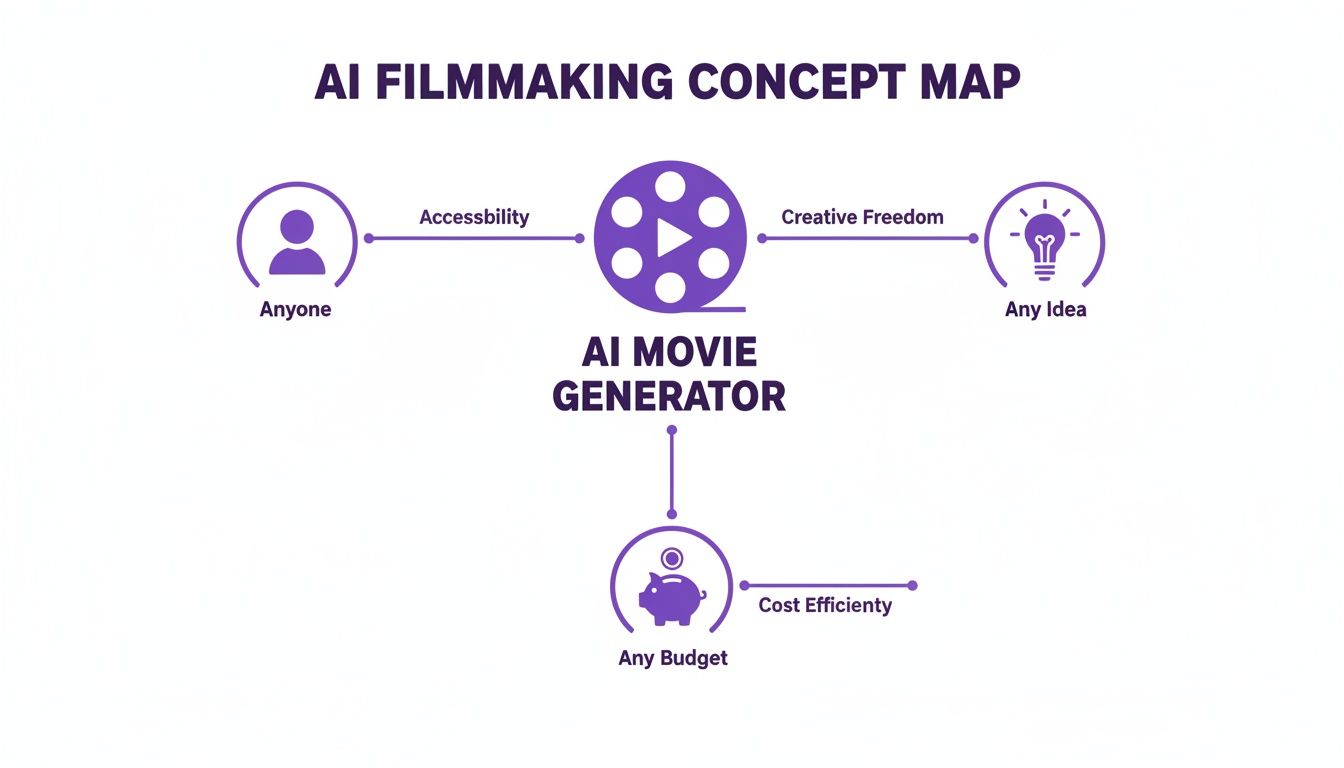
As you can see, the main idea is to tear down the traditional barriers to filmmaking—things like massive budgets, technical skills, and expensive equipment.
Tackling Cinematic Challenges
Creating one gorgeous frame is one thing, but creating a believable movie scene is another challenge entirely. One of the biggest hurdles developers are focused on right now is something called temporal consistency. It's a technical term for making sure a character looks exactly the same from one second to the next.
An AI has to learn that a character's blue jacket shouldn't flicker to red, or that a scar on their left cheek shouldn't suddenly jump to the right. Maintaining this continuity is absolutely essential for storytelling, and it's a huge focus of current AI research.
To pull this off, AI models are trained on gigantic datasets of existing films and videos. They aren't just learning what a car or a tree looks like; they're learning the fundamental language of cinema—things like camera movement, lighting, and pacing.
An advanced AI movie generator, for instance, understands the difference between a "dolly zoom" and a "tracking shot." It knows "golden hour lighting" means soft, warm light. By learning these cinematic rules, the AI can create results that feel intentional and artistically guided, not just random and chaotic.
To see how different platforms are trying to solve these creative problems, it's helpful to explore the various AI video tools out there. Each one takes a slightly different approach.
Ultimately, generating an AI movie is an intricate dance. Multiple AI systems collaborate, each contributing its specialty—from dreaming up the initial scene to ensuring smooth motion and maintaining a character's identity over time. It's this collaborative process that lets a simple line of text blossom into a fully realized, dynamic piece of film.
Creating Your First AI Film Step by Step
Alright, this is where the real fun begins. Moving from that spark of an idea in your head to a finished, moving scene is the most exciting part of using an ai movie generator. Think of the process less like programming and more like directing—it's a creative loop of brainstorming, generating, and tweaking until you get it just right.
We're going to break down the entire workflow into a clear, step-by-step guide to get you started. This hands-on approach will show you exactly how to translate your vision into a language the AI can understand and build upon. Let's walk through what it takes to produce your very first AI-generated clip.
Loading image...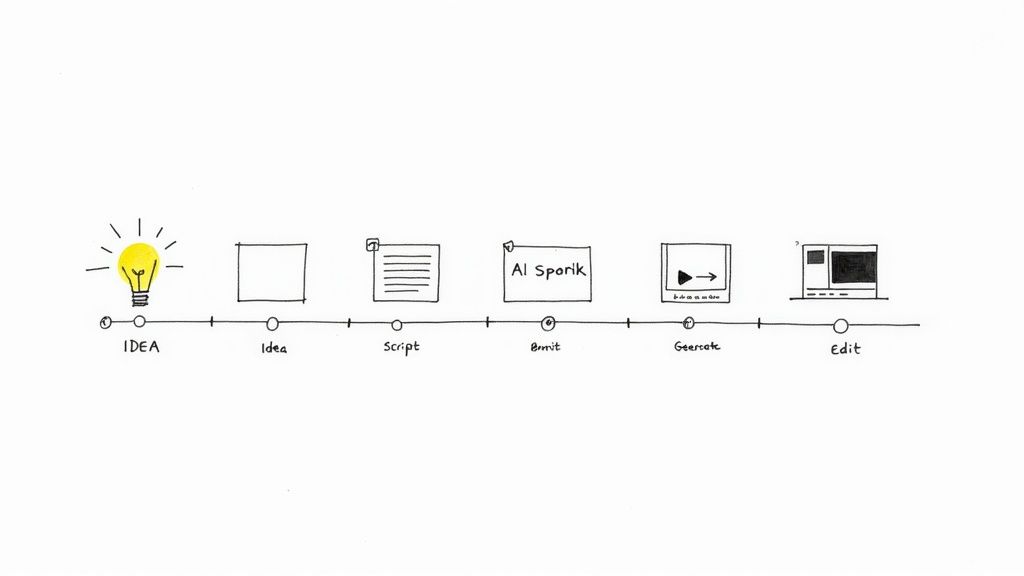
Stage 1: Start with a Solid Concept and Script
Every great film, no matter how short, starts with a solid idea. Before you even think about writing a prompt, take a minute to nail down the core of your story. Who's the main character? What's the setting? What's the one single action or emotion you absolutely need to convey in this scene?
Once you've got a clear concept, it's time to script it out. Don't worry, this doesn't have to be a professional screenplay. For a short AI clip, a simple shot list or a few descriptive sentences will do the trick. An AI Video Script Generator can be a great co-pilot here, helping you flesh out the narrative beats.
For instance, here's a simple script for a 15-second clip:
- Scene 1 (5 seconds): Wide shot of a futuristic, neon-lit city street at night. Rain is falling, reflecting the glowing signs.
- Scene 2 (5 seconds): Medium shot of a lone detective in a trench coat looking up at a towering skyscraper.
- Scene 3 (5 seconds): Close-up shot on the detective's face, a look of determination in their eyes.
This basic structure provides a perfect roadmap for the next phase.
Stage 2: Generate and Refine Your Scenes
With your script in hand, it's time to start prompting. This part of the process is all about iteration—you'll almost never get the perfect shot on the first try. The key is to generate multiple versions of each scene by experimenting with your prompt details, then picking the clips that nail your vision.
Think of yourself as a director shooting multiple takes. Your workflow will look something like this:
- Prompt for Scene 1: Enter your detailed prompt. Something like: "A wide, cinematic shot of a rainy, neon-lit cyberpunk city street at night. Glistening pavement, steam rising from vents. Photorealistic, 8K, dark and moody."
- Generate Variations: Create three to five different versions of this shot. Pay attention to the subtle differences in camera angles, lighting, and atmosphere.
- Select the Best Take: Choose the one clip that best captures the mood you're going for.
- Repeat for All Scenes: Do the same thing for scenes 2 and 3, making sure the visual style stays consistent.
Don't be afraid to tweak your prompts based on what you see. If the AI isn't quite capturing that "moody" vibe, try adding phrases like "film noir aesthetic" or "dramatic shadows" to give it a clearer direction.
This iterative process is at the heart of any good ai video generator. It's how you fine-tune your final product with real precision. If you're still looking for the right platform, our guide to choosing an ai video generator can help you find the best fit.
Stage 3: Assemble and Finalize Your Film
Once you have your favorite take for each scene, the final step is to piece them all together. This is where you shift from AI generation to classic video editing. You can use any standard video editing software for this, from simple free tools to professional programs.
Here's a quick post-production checklist:
- Scene Assembly: Import your clips and arrange them on the timeline in the right order.
- Pacing and Transitions: Trim each clip to the perfect length and add cuts or fades to control the film's rhythm.
- Audio Enhancement: This is huge. Add a soundtrack, sound effects, or even a voiceover to bring your visuals to life. Plenty of AI music and voice tools can complement your AI-generated video.
This final editing stage is where your project really becomes a movie, transforming a handful of clips into a cohesive story. And this workflow is quickly becoming the new normal. By 2025, it's predicted that AI will handle 35% of digital video creation worldwide. We're seeing this trend explode in fields like education, where AI can slash content creation costs by up to 80%. You can discover more insights about the AI video generator market on marknteladvisors.com.
Mastering the Art of Cinematic Prompting
The real magic of an ai movie generator isn't in the software's complexity, but in the quality of your instructions. This is a new creative skill called prompt engineering, and it's the single biggest factor that separates a flat, generic clip from something genuinely powerful and cinematic.
Think of yourself as a director guiding a crew. You wouldn't just tell an actor to "walk across the room." You’d give them motivation and context: "Walk slowly, with a heavy heart, like you just received terrible news." The same idea applies here. To get the AI to create something truly special, you have to learn to speak the language of cinema.
Loading image...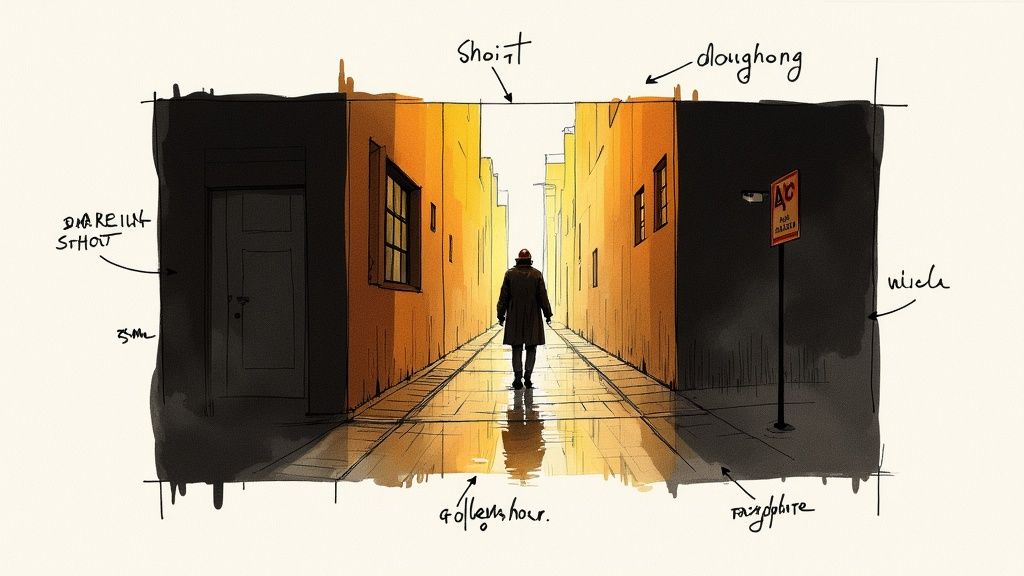
From Vague Ideas to Vivid Scenes
The difference between a lazy prompt and a well-crafted one is night and day. A vague command forces the AI to fill in the blanks, and its guesses are often way off the mark. A detailed, descriptive prompt, on the other hand, leaves nothing to chance.
Let's break down just how dramatic this shift can be.
- Weak Prompt:
a man walking - Strong Prompt:
Wide shot, a lone man in a trench coat walks down a rain-slicked neon-lit alley at night, cinematic, 35mm film grain, moody lighting.
See the difference? The first prompt could be anything—a guy in a park on a sunny day. The second one immediately paints a picture. It gives the AI the camera angle ("wide shot"), character details ("lone man in a trench coat"), the setting ("rain-slicked neon-lit alley at night"), and a specific aesthetic ("cinematic, 35mm film grain").
Your prompt is your script, your storyboard, and your director's notes all rolled into one. The more detail you provide about lighting, camera work, and mood, the closer the AI will get to producing the exact scene you envision.
Building Your Cinematic Vocabulary
To direct your AI effectively, you need to use the right language. Sprinkling professional filmmaking terms into your prompts gives you an incredible amount of control over the final look and feel.
Here are a few essential concepts to start building into your prompts for better, more predictable results:
- Camera Shots: Tell the AI how to frame the action. Use terms like
close-up shot,medium shot,long shot, orestablishing shot. - Camera Angles: Direct the camera's position. A
low-angle shotmakes a subject look powerful, while ahigh-angle shotcan make them seem small or vulnerable. You could even try adutch angleto create a sense of unease. - Camera Movement: Inject some energy into your scenes. Try a
tracking shotto follow a character, adolly zoomfor that classic dramatic effect, or a simplepan left. - Lighting: This is your best tool for setting the mood.
Golden hour lightingcreates warm, beautiful light,harsh midday sungives you sharp, dramatic shadows, andRembrandt lightingis perfect for moody portraits. - Lens and Film Style: Define the actual texture of the image. Phrases like
shot on 35mm film,8K photorealistic,anamorphic lens flare, orfound footage stylegive the AI clear stylistic guardrails.
Learning how to combine these is where the real art lies. If you want to go deeper on crafting a specific visual mood, you can learn more about how to develop a unique cinematic style that brings your vision to life.
Maintaining Character and Style Consistency
One of the trickiest parts of using any ai movie generator is keeping things consistent, especially when you're trying to tell a story across multiple clips. How do you make sure your main character doesn't change their face from one scene to the next?
A powerful technique is to use reference images. Many of the more advanced tools let you upload a picture to guide the AI. If you generate a character design you love, you can feed that image back into the generator as a style guide for every scene that follows. It's like telling the AI, "See this person? Make the character in the video look just like them."
Another method involves using "seed numbers," if the platform supports them. A seed is basically a unique ID for a specific generation. By reusing the same seed number, you're encouraging the AI to create visuals that are very similar to the original, which helps keep character features and overall style consistent. Mastering these techniques is how you go from being a user to being a director.
Real-World Uses for AI-Generated Movies
An ai movie generator is much more than a creative toy for filmmakers. It's a seriously practical tool that professionals in dozens of industries are already putting to work. Its real value becomes clear when you look past the artistic experiments and see how it solves tangible business problems—from marketing and sales to education and internal training.
The applications are exploding, quickly shifting this technology from a niche interest into a mainstream business asset. Let's dig into some of the most powerful ways people are using AI to create video right now.
Marketing and Social Media Content
For marketers, speed and volume are the name of the game. An AI movie generator is the perfect sidekick for churning out dynamic, eye-catching content for social media campaigns at an incredible pace. Instead of dedicating weeks to a single video ad, teams can now spit out dozens of variations in an afternoon.
This opens the door to rapid A/B testing, allowing you to throw different visuals, messages, and calls to action at the wall to see what sticks with your audience.
- Product Explainer Videos: Quickly create animated videos that break down complex features into simple, easy-to-follow scenes.
- Social Media Ads: Generate short, thumb-stopping video clips tailor-made for platforms like Instagram Reels, TikTok, and YouTube Shorts.
- Brand Storytelling: Visualize your company's mission or a customer success story without the headache and cost of a live-action shoot.
Example Prompt: "A vibrant, upbeat animated explainer video for a new mobile banking app. Show a user easily tapping their phone to pay for coffee, then checking their budget. Clean, minimalist style with the brand's colors of blue and white."
This fast, scalable approach to video is exactly why the media and entertainment sector—including marketing—is the biggest user of this technology. In fact, projections show that AI-driven content is on track to make up 35% of all worldwide digital video creation by 2025, with North America leading the charge in marketing applications. You can discover more insights about the AI video generator market on Dimension Market Research.
Education and Corporate Training
Educators and corporate trainers can use an AI movie generator to breathe life into dry, text-heavy material, turning it into visual lessons that actually stick. This is a game-changer for explaining abstract scientific concepts, historical events, or complicated internal workflows.
Instead of another boring slide deck, you can create a short animated film that walks learners through a process step-by-step, dramatically boosting how much information they retain. To get a better handle on the underlying tech, check out our guide on how a text-to-video tool works.
Music Videos and Artistic Expression
Independent artists and musicians are almost always working with tight budgets, where a professional music video can be completely out of reach. AI video generation flips the script, letting them produce stunning, surreal, or narrative-driven visuals that perfectly match their sound.
This levels the playing field, giving creators the power to build a high-quality visual identity for their music without needing a record label's budget.
Example Prompt: "A dreamlike, surreal music video for an ambient electronic track. A figure made of stardust floats through a cosmic nebula. Slow, flowing movements, deep purples and blues, ethereal lighting, shot on 35mm film."
From storyboarding film concepts to creating full-blown animated shorts, the use cases for an ai movie generator are as wide as your imagination. The technology offers a fresh, accessible way to bring any visual idea to life quickly and affordably.
Navigating the Challenges and Ethics of AI Film
While the creative power of an ai movie generator feels almost limitless, it's a tool that comes with its own set of technical quirks and serious ethical baggage. Getting the most out of this technology means going in with your eyes wide open, ready to tackle the hurdles on both the technical and societal fronts.
On a purely practical level, AI-generated video is still a work in progress. One of the biggest walls creators hit is the 'uncanny valley'—that strange, unsettling feeling you get when an AI-generated person looks almost real, but subtle flaws in their eyes or movements make them feel creepy and wrong. Models today can really struggle with nuance; a prompt for "sadness" might give you a comically exaggerated frown instead of the quiet, complex expression of real sorrow.
Then there are the visual glitches. You’ll see a character's shirt flicker between two different colors from one frame to the next, or an extra finger will pop into existence for a split second. While the tech is getting better at smoothing these things out, these little artifacts can completely shatter the audience's immersion and derail your story. For developers, achieving flawless consistency over time is still the holy grail.
The Legal and Ethical Maze
Beyond the technical headaches, the world of AI-generated content is an ethical minefield. The technology is advancing so fast that the laws and rules meant to govern it are lagging far behind, leaving creators to navigate a murky, undefined landscape.
This has sparked some critical debates that everyone—from solo creators to massive studios—is trying to figure out:
- Copyright and Ownership: So, who actually owns an AI-generated film? Is it the person who wrote the prompt? The company that built the AI? Or does it just become public domain? In many places, if a work doesn't have significant human authorship, it might not even qualify for copyright protection at all.
- Misinformation and Deepfakes: The same tools that can conjure a fantasy epic can also be used to create scarily convincing fake videos of real people, spreading lies or creating malicious content. Figuring out how to put guardrails in place to prevent this kind of misuse is a massive, ongoing challenge.
- Data and Training: These AI models learn by analyzing colossal datasets of existing videos and images, much of which is scraped from the internet. This has kicked off a huge debate about whether it's fair to use copyrighted material from artists and filmmakers without their permission or compensation.
Navigating this new territory requires a commitment to responsible creation. Understanding the source of the AI's training data, respecting intellectual property, and refusing to create harmful or deceptive content are essential practices for any ethical creator.
At the end of the day, using an ai movie generator effectively is a balancing act. You have to weigh its incredible creative potential against its current technical flaws and the profound ethical questions it raises. Being an informed and responsible user is every bit as important as being a creative one.
Got Questions About AI Movie Generators? We've Got Answers.
As you start experimenting with an AI movie generator, a bunch of questions are bound to pop up. It's a new frontier, after all. Let's tackle some of the most common ones to give you a clear picture of what this tech can—and can't—do right now.
Can I Actually Make a Full-Length Movie with AI?
Not yet. At least, not in one go. Right now, the idea of typing a prompt and getting a 90-minute feature film is still in the realm of science fiction. The tech is incredible for creating short, powerful clips and individual scenes.
Think of it as a tool for short films, music videos, striking ads, or even as a powerful storyboarding assistant to pre-visualize scenes for a bigger live-action project. Long-form consistency for characters and plot just isn't there yet.
Who Owns the Copyright to a Movie I Make with AI?
This is the big question, and the answer is... it's complicated. Copyright law for AI-generated media is still a major gray area, with rules that can change depending on where you are in the world. In many places, something created only by an AI might not be eligible for copyright at all.
Your creative input is what really matters. The more you guide the process—through detailed prompts, curating the right shots, and meticulously editing the final piece—the stronger your claim to ownership becomes. Always, always check the terms of service for the tool you're using. Different platforms have very different rules about ownership and commercial use.
What's the Single Biggest Limitation of AI Movie Generators Right Now?
The number one hurdle is consistency, or what developers call temporal coherence. It’s the challenge of keeping a character looking exactly the same—same face, same clothes, same hairstyle—from one shot to the next.
Other major challenges the technology is still working through include:
- Generating human motion that looks natural and fluid, without that slightly "off" or awkward feel.
- Showing subtle, nuanced emotions beyond just a simple smile or frown.
- Making sure the laws of physics stay consistent within a scene (no weird floating objects, unless you asked for them!).
These are the exact areas where the technology is evolving the fastest. What seems impossible today might be standard in just a few months.
Paid plans for AI Media Studio start at $19/month.