If you’ve typed “kanva” into a search bar, chances are you’re looking for Canva, the powerhouse graphic design platform that’s become a household name. It’s an easy typo to make, but what you’re searching for is the same thing millions of others are: a simple, effective tool to create great-looking visuals without the headache.
This guide will clear up everything you need to know about Canva.
Searching for Kanva? You Probably Mean Canva
The search for "kanva" usually ends up pointing to unrelated topics, like an ancient dynasty in India. But if your goal is to whip up a social media post, a business presentation, or a quick invitation, then Canva is exactly what you need. It was built from the ground up to make design accessible to everyone, no matter their skill level.
Think of Canva as a digital art studio where all the tools are laid out for you, but you don't need years of training to use them. Its magic lies in its simplicity. Instead of facing a scary blank canvas, you start with a massive library of ready-to-use templates. This completely removes that initial creative block and gets you producing high-quality work, fast.
The Powerhouse Behind Modern Design
Canva isn't just a handy tool; it's a global phenomenon. Its explosive growth has led to a jaw-dropping $42 billion valuation, with its monthly active user base soaring past 240 million.
The numbers speak for themselves: $3.3 billion in annual recurring revenue and 21 million paying users, which includes 85% of Fortune 500 companies. It's clear that Canva dominates the market.
At its core is an intuitive drag-and-drop interface that makes designing feel more like putting together a puzzle than a technical chore.
Loading image...
As you can see, templates for presentations, social media, and videos are organized right where you need them, letting you dive straight into a project. It’s this blend of user-friendliness and powerful features that has made it the default choice for millions.
While Canva is an incredible all-in-one platform, it’s also useful to see how it stacks up against more specialized tools, like AI Media Studio, especially when you need specific AI-generative features.
Unpacking the Core Features That Power Your Designs
At its heart, Canva's appeal comes down to a collection of powerful yet surprisingly simple tools. It isn't just a blank page waiting for you to fill it; think of it more like a fully stocked workshop where every tool feels intuitive, whether you're a design veteran or a complete beginner. This laser focus on user-friendly, practical features is what lets you turn complex ideas into polished visuals.
The experience usually starts with Canva’s massive template library. And I don't mean just a few options. We're talking a huge collection of over 250,000 free templates (and millions more for Pro users) for everything from Instagram stories to slick corporate presentations. It’s like having a professional designer give you a head start on every single project. You just find a layout you like and start making it your own.
Loading image...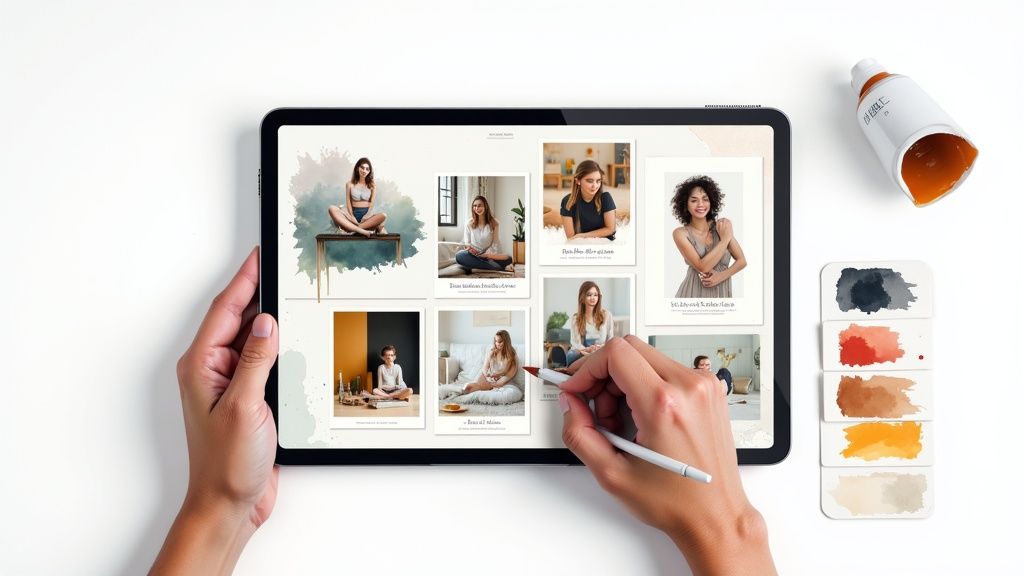
All of this is made possible by the famous drag-and-drop editor, which is really the cornerstone of the whole Canva experience. Instead of fumbling through confusing menus or trying to remember keyboard shortcuts, you simply click, drag, and place elements right where you want them. It makes designing feel less like a technical chore and more like you're just assembling a visual puzzle.
Essential Tools for Every Creator
Beyond the editor itself, Canva is a rich ecosystem of assets and features that all work together to bring your vision to life. These aren't just tacked-on extras; they're essential parts of a fast, efficient workflow.
Here’s a quick look at the key features you'll probably use all the time:
- Extensive Content Library: You get access to millions of stock photos, videos, audio clips, and graphics right inside the platform. This built-in library is a lifesaver, keeping you from having to jump over to third-party sites and breaking your creative flow.
- Brand Kit (Pro feature): This is an absolute game-changer for businesses. You can upload your company’s logos, define its color palettes, and set its fonts. After that, keeping every design perfectly on-brand is just a matter of a few clicks. It makes consistency effortless.
- One-Click Background Remover (Pro feature): A task that used to demand advanced software and some serious skill can now be done in a second. With a single click, you can pull a subject out from its background—perfect for product photos, headshots, or getting creative with compositions.
Canva’s mission is pretty clear: empower the world to design. The platform pulls this off by tearing down the usual barriers of high cost and steep learning curves, making great visual communication possible for everyone, not just trained designers.
Simplifying Complex Design Tasks
But what really makes Canva stand out is how it simplifies tasks that are traditionally a huge pain. Features like the Magic Resize tool let you take one design and instantly adapt it for multiple platforms. You can turn an Instagram post into a Facebook banner and a Twitter graphic in seconds.
This saves a mind-boggling amount of time for marketers and content creators trying to keep a consistent look across different channels. It’s this focus on solving real, practical problems that makes Canva such an indispensable tool for so many people.
How Canva's AI Magic Studio Speeds Up the Creative Process
For years, Canva was the go-to tool for simple, clean design. But it's grown into something much more powerful, thanks in large part to its suite of AI features, bundled together as Magic Studio. This isn't some clunky, separate app you have to learn from scratch. Instead, Canva has woven a collection of smart tools directly into the workflow you already know.
The whole point of Magic Studio is to get rid of the tedious stuff. It automates the annoying tasks, helps you blast through creative blocks, and ultimately lets you get better work done, faster. Think of it as a creative assistant who anticipates what you need, whether you're staring at a blank canvas or just trying to tweak a design to perfection. It makes AI feel practical and helpful, not scary.
Loading image...
From Blank Page to Full Campaign in an Instant
One of the biggest hurdles in any creative project is just getting started. Magic Studio tackles this problem head-on with tools built to spark ideas and generate content from nothing, making it a lifesaver when you're on a tight deadline.
-
Magic Write: This is your cure for writer's block. If you're stuck on a snappy headline or need some engaging copy for a social media post, just feed it a simple prompt. Magic Write can generate text in any tone you want, from buttoned-up professional to playful and casual. It can even summarize long documents or brainstorm ideas for your next blog post.
-
Magic Design: This feature is a massive time-saver. You can upload an image or just type out what you're looking for—something like "a promotional flyer for a summer bake sale"—and Magic Design instantly spits out a whole range of fully customized, professional-looking templates for you to pick from.
Transform Your Visuals with Simple Commands
Magic Studio doesn't just help you start projects; it gives you powerful editing tools that feel like, well, magic. These features let you manipulate your images and videos without ever needing to open up specialized software like Photoshop. This is where the AI really flexes its muscles, turning what used to be complex edits into simple text commands.
A great example is Magic Edit. You can select any part of a picture and just describe what you want to change. You could swap the color of someone's shirt, add a bouquet of flowers to an empty vase, or even place a completely different product into a scene. If you want that kind of edit from a photo file without Canva’s design canvas, see our Canva Magic Edit alternative. For a look at how AI is being used in more specialized fields, you can check out platforms dedicated to AI ad creation.
With Magic Studio, Canva has brought advanced creative power to the masses. Things that once took hours of painstaking work and technical skill can now be done in seconds with a simple sentence.
For anyone looking to explore generative AI, it's useful to see how Canva's user-friendly tools stack up against more specialized platforms. You can get a better sense of the different technologies out there by learning more about the specifics of image generation capabilities. This kind of context helps you figure out which tool is right for the job.
Ultimately, Canva’s AI is all about keeping you in a state of creative flow, helping you turn your ideas into finished work with incredible speed and ease.
Comparing Canva Against Specialized AI Design Tools
So, with Canva’s Magic Studio bringing a ton of AI features to the table, the big question is: how does it really measure up against the more specialized AI generators out there?
Think of it like this: Canva is your all-in-one Swiss Army knife. It’s incredibly versatile, handling a huge range of tasks really well, which is exactly what most people need. A specialized AI tool, on the other hand, is like a surgeon's scalpel—it’s built for one specific job, offering a level of precision and depth that a multi-tool just can't match.
For most businesses, marketers, and creators, Canva’s integrated setup is a massive win. You can use Magic Media to generate a custom image, get Magic Write to nail the ad copy, and then drop both into a social media template without ever leaving the platform. This seamless, all-in-one workflow is ridiculously efficient for creating finished, polished marketing assets from start to finish.
But if your main goal is to push the absolute limits of AI generation, a dedicated tool offers a whole different level of creative firepower. These platforms are built from the ground up to explore what AI can do, often featuring more sophisticated models, finer controls, and niche features designed for artists who need highly specific, often mind-blowing results. The trade-off? They almost always lack the broad design and layout muscle that makes Canva so indispensable for day-to-day business.
Where Canva Shines The Most
Canva's real magic isn't just its AI; it's the way AI is woven into a powerful, user-friendly design editor. It’s the perfect solution for anyone who needs to produce a high volume of quality content without spending all day on it. The AI tools are there to speed up your process, not be the entire process.
This makes Canva the ideal choice for:
- Marketers: Churning out social media campaigns, ads, and presentations at lightning speed.
- Small Business Owners: Designing everything from a new logo to event flyers without hiring a pro.
- Content Creators: Efficiently producing branded thumbnails, infographics, and visuals for their next blog post.
Canva's AI is built for practical, real-world application. It’s less about generating a single, hyper-realistic masterpiece from a complex prompt and more about accelerating the creation of functional, great-looking designs that fit your brand.
The core difference really comes down to philosophy. Canva uses AI to enhance and assist an existing design workflow. Specialized tools use AI as the entire workflow itself. One is your creative assistant; the other is the primary creator.
When to Choose a Specialized AI Tool
A specialized tool starts to make a lot more sense when the AI generation itself is the main event. If you're a digital artist exploring new aesthetics, a filmmaker who needs unique B-roll clips, or a designer prototyping wild concepts, you’ll benefit from a platform that puts generative power above all else.
For example, a dedicated AI video generator gives you granular control over scenes, character movements, and camera angles that a multi-purpose tool just isn't built to handle.
These focused platforms typically provide:
- More advanced prompt engineering and model customization options.
- Higher-fidelity outputs for photorealistic images or complex artistic styles.
- Niche features like AI-powered inpainting, outpainting, or style training on your own images.
To give you a better idea of how these tools stack up, here’s a quick head-to-head comparison.
Canva vs Specialized AI Tools Feature Showdown
This table breaks down the key differences to help you see which platform is the right fit for your specific needs. It compares the all-in-one convenience of Canva with a hypothetical specialized tool focused purely on AI generation.
| Feature | Canva | Specialized AI Tool (Hypothetical) |
|---|---|---|
| Primary Goal | To create complete design assets (social posts, ads, presentations). | To generate a single, high-quality media file (image, video, audio). |
| Workflow | Integrated: Generate, edit, and publish all in one place. | Disconnected: Generate media, then export it to a separate editing tool. |
| Ease of Use | Extremely high. Designed for non-designers and marketers. | Varies. Can be complex, often requiring prompt engineering skills. |
| AI Control & Precision | Good, but simplified for ease of use. | Exceptional. Offers deep control over models, styles, and parameters. |
| Output Quality | High quality, optimized for practical business and marketing use. | Can achieve state-of-the-art, hyper-realistic, or artistic results. |
| Template Library | Massive. Thousands of professionally designed templates. | None. The focus is on generation from a blank slate. |
| Collaboration Tools | Excellent. Real-time team collaboration and brand kits. | Typically designed for solo users or have limited team features. |
| Ideal User | Marketers, small business owners, content creators. | Digital artists, designers, filmmakers, AI enthusiasts. |
Ultimately, the choice comes down to what you're trying to accomplish. Canva is for creating the whole meal, while a specialized tool is for perfecting a single, star ingredient.
If you're curious about the broader landscape of AI-powered creative solutions, exploring a list of the best AI tools for content creators can provide a ton of context. The final decision really depends on whether you need a versatile design suite with helpful AI features built-in, or a dedicated AI powerhouse that lives on the cutting edge.
Choosing the Right Canva Plan for Your Needs
Picking the right design software is one thing, but choosing the correct subscription plan is where you really make sure you’re getting the most bang for your buck. Canva keeps it simple with a few clear tiers, each built for a different kind of creator. It’s not about finding the “best” plan, but the one that’s the right fit for you and your goals.
Getting this choice right means you avoid paying for features you'll never touch while ensuring you have the tools you need to get your work done without hitting a wall. The decision usually boils down to the trade-off between the surprisingly generous free version and the powerful, time-saving features you unlock with a paid plan.
The Perfect Starting Point Canva Free
For anyone just dipping their toes into design or who only has occasional creative needs, the Canva Free plan is a fantastic place to start. This is far from some crippled trial version; you get access to thousands of templates, a massive library of free photos and graphics, and all the core editing tools you need. It’s perfect for students, hobbyists, or anyone tackling a one-off project like a birthday invite or a personal resume.
But if you're trying to run a business, you'll start to feel the limitations pretty quickly. You can't upload your own fonts, save your brand colors for easy access, or use any of the premium stock content without a watermark.
Unlocking Your Potential with Canva Pro
Once design becomes a regular part of your job, upgrading to Canva Pro is the logical next move. This plan is practically built for solopreneurs, freelancers, and small business owners who need to churn out professional, on-brand content day in and day out. The small investment unlocks a suite of productivity tools that can genuinely save you hours every single week.
The most valuable features you get with Pro include:
- Brand Kit: This is a lifesaver. You can store your logos, specific brand colors, and custom fonts all in one place. It ensures every single design you create is perfectly consistent with just a few clicks.
- Magic Resize: Instantly rework a single design for multiple platforms. In seconds, you can turn an Instagram post into a Facebook banner and a YouTube thumbnail.
- Premium Content: This unlocks access to millions of premium stock photos, videos, audio tracks, and graphics at no extra cost.
- Background Remover: With a single click, you can remove the background from any image. It’s an incredibly useful feature for everything from product shots to professional headshots.
Collaborating at Scale with Canva for Teams
As your business grows, so does the need to work together without tripping over each other. Canva for Teams includes everything in the Pro plan but adds features specifically designed for managing a brand across a group of people. It offers centralized brand controls, team folders for shared assets, and even approval workflows to make sure everything that gets published is on-brand.
Choosing a plan is like picking a vehicle. The Free plan is a reliable bicycle—perfect for getting around town. Pro is a versatile car for daily commutes and business trips. Teams is a company van, designed to move everyone forward together, efficiently and in sync.
So, Which Tool Is Actually Right for You?
Alright, let's bring this all home. The choice between a powerhouse like Canva and a dedicated AI generator really boils down to your day-to-day work and what you’re trying to create. There’s no single "best" tool—just the right tool for the job.
Think of it like this: Canva is a fully-stocked workshop. It has every tool you could possibly need to build a complete piece of furniture from start to finish—saws, sanders, paint, and varnish. A specialized tool like AI Media Studio is more like a high-tech 3D printer, engineered to create one perfect, intricate component with incredible precision.
To figure out which one you need, let's look at who you are and what you do.
Find Your Persona
See which of these roles sounds the most like you. Your answer will make the decision crystal clear.
-
The Small Business Owner: You’re the chief everything officer. Your world is a mix of social media graphics, flyers, business cards, and keeping the brand looking sharp. Canva Pro is your best friend. Its Brand Kit, endless templates, and all-in-one editor are practically a design team in a box.
-
The Social Media Manager: You live and breathe content calendars. Your mission is to pump out a high volume of eye-catching visuals, fast. Canva Pro is non-negotiable. Features like Magic Resize and the Content Planner were built for your workflow, letting you batch and schedule a week's worth of posts in one sitting.
-
The AI Artist or Digital Creator: Your goal isn't just to make a graphic; it's to create something entirely new. You're pushing boundaries, experimenting with styles, and you need fine-tuned control over the creative process. A specialized tool is a much better fit. Platforms that focus purely on AI generation give you the advanced models and granular control needed to produce truly original work.
When you get right down to it, the choice is simple. If your goal is to build a complete, branded design, start with Canva. If you just need to generate a unique, standalone AI image, a dedicated platform is the way to go.
Ultimately, the best tool is the one that lets you do better work, faster. For the vast majority of business and marketing pros, Canva's integrated ecosystem is the clear winner. For artists and creators exploring the frontiers of AI, a dedicated generator will be far more rewarding.
Frequently Asked Questions About Canva
Even after getting a good handle on what Canva is all about, a few practical questions always seem to pop up. Let's tackle some of the most common ones to help you figure out your next steps.
Can I Use My Canva Designs Commercially?
Yes, you absolutely can. Anything you create in Canva—from social media ads and marketing flyers to t-shirts and coffee mugs—is fair game for commercial use.
The one major rule to remember is that you have to follow Canva’s content license agreement. The gist is this: as long as you're using their templates and elements to create a new, original design, you're good to go. You can't just take one of their stock photos or icons and resell it as is. The final product has to be your own creation.
How Good Is Canva's AI Image Generator?
Canva's AI image generator, which is part of its Magic Studio suite, is fantastic for convenience. It's built right into the design workflow, making it perfect for marketers or business owners who need to quickly whip up a specific image for a blog header or presentation slide without leaving the platform.
However, if you stack it up against specialized AI art generators, you’ll notice it offers less granular control. It might not produce the same level of hyper-realistic detail or artistic nuance. For creators whose main goal is generating standalone, high-fidelity AI art, a dedicated tool will almost always provide more powerful models and advanced settings.
This decision tree can help you visualize which tool is best for your specific needs.
Loading image...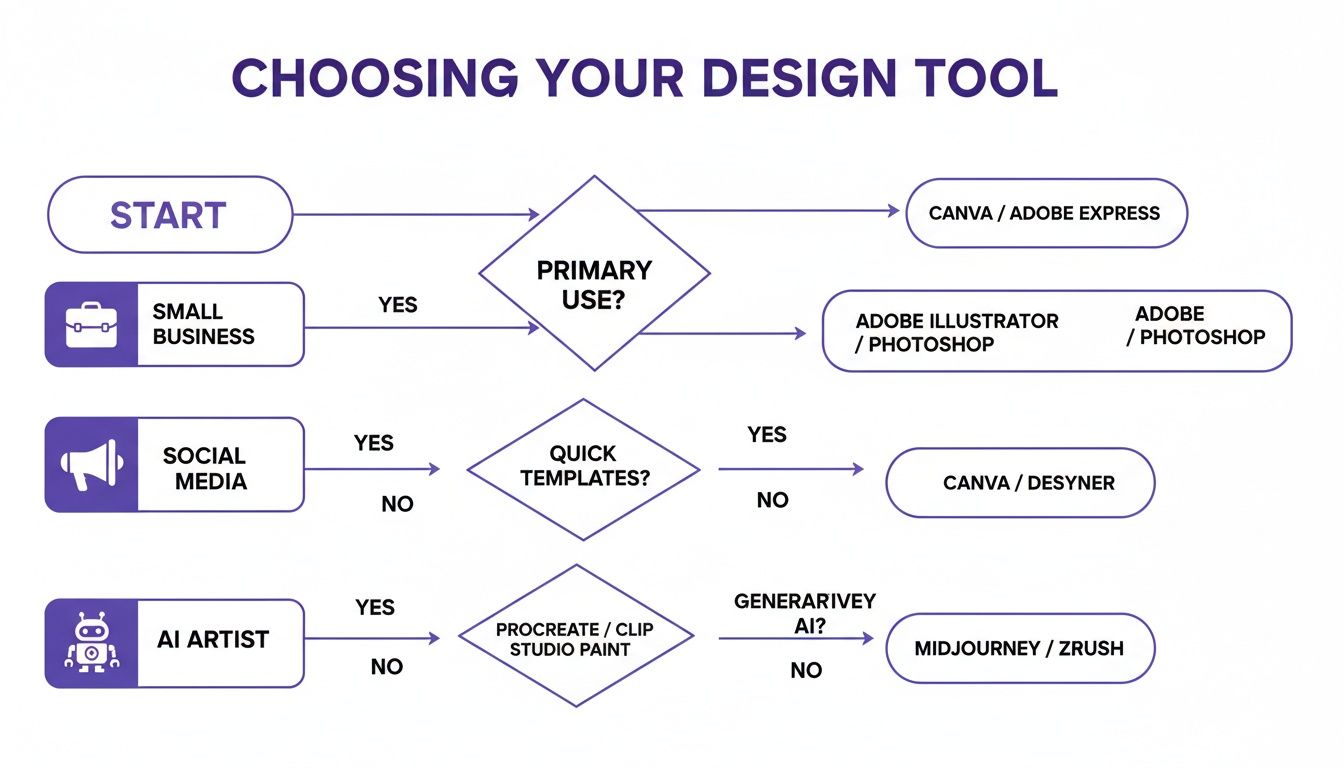
As the chart shows, a small business or social media manager gets the most mileage out of an all-in-one tool, while a dedicated AI artist will need more specialized software to really push their creative boundaries.
Do Professional Graphic Designers Use Canva?
They absolutely do. While a professional designer's core toolkit will always be advanced software like the Adobe Creative Suite, many use Canva for specific tasks. It's often their go-to for whipping up quick social media graphics, client mockups, or internal presentations where speed and efficiency trump complex vector work.
Professionals use the right tool for the job. For rapid, template-based work, Canva is often the smartest choice, even for a seasoned designer. It complements their workflow rather than replacing their core software.
Paid plans for AI Media Studio start at $19/month.