Instead of a standalone app, think of a ChatGPT photo editor as a creative powerhouse built right into the ChatGPT interface. It's less like traditional software and more like having a conversation with a creative partner who understands your visual goals and can execute them with simple text commands.
The New Era of Conversational Photo Editing
For decades, editing a photo meant wrestling with complex menus, learning your way around layers, and mastering a whole suite of technical tools. This put a real barrier between an idea and the final image, reserving high-quality results for people with specialized skills.
The photo editor inside ChatGPT flips that entire dynamic on its head. It shifts the focus from technical know-how to pure creative intent.
Instead of hunting for the right button, you just describe the change you want to see. It’s this conversational approach that finally makes advanced photo editing accessible to absolutely anyone.
From Clicks to Commands
The core idea is brilliantly simple: your words are now your tools. This is a massive step in democratizing creativity, letting anyone perform complex tasks that used to require expensive, professional software and years of practice.
- Object Removal: You can ask it to "remove the tourists from the background of this beach photo."
- Background Swaps: Or tell it to "change the office background to a serene mountain landscape."
- Generative Fills: You could even instruct it to "add a steaming cup of coffee on the empty table."
This screenshot gives you a sense of how a simple prompt can conjure a detailed, imaginative scene completely from scratch.
The key thing to grasp is that the AI isn't just following orders; it's interpreting the creative vision behind them to produce a final visual.
This shift towards conversational commands represents one of the biggest leaps in creative accessibility we've ever seen. It empowers individuals and businesses to produce high-quality visuals without the steep learning curve of traditional editing suites.
The impact of this newfound accessibility is hard to overstate. Once advanced photo editing was integrated, it supercharged ChatGPT's growth. Multimedia queries shot up from 2% to 7% as people jumped at the chance to generate and edit images.
In the US, 28% of Americans have recently used AI for these kinds of creative tasks. And it's not just individuals—a staggering 92% of Fortune 500 companies now use these tools, often for creating marketing visuals and social media content. You can read more about these ChatGPT statistics and their impact on creative workflows.
How AI Translates Words into Visuals
So, when you type "make the ocean look stormy" into a ChatGPT-powered photo editor, what’s really going on under the hood? It’s not quite magic, but it’s close. At its core, the AI is translating your everyday language into precise, pixel-by-pixel changes on the image.
Think of an AI model like DALL-E 3 as having access to a colossal visual encyclopedia. This isn't just a collection of images; it’s a web of interconnected concepts. It's learned what "stormy" means not just as a word, but as a visual recipe: dark clouds, choppy waves, dramatic lighting, and a more muted, intense color palette.
When you give it a prompt, the AI instantly cross-references your words with this massive library of visual data. It doesn't just slap a dark filter over the sky. Instead, it understands that stormy light should reflect differently off rough water and cast softer, more diffused shadows than bright sunlight would.
From Concepts to Cohesive Edits
The real power here is the AI's ability to understand the context of your photo. Before it makes a single change, it analyzes the existing image to identify all the key elements—the people, the landscape, the objects—and how they all relate to each other.
This initial analysis is what makes the final edit believable. For instance, if you ask it to "add a small wooden boat on the water," the AI will instinctively:
- Identify the main light source in your photo to cast a realistic shadow.
- Adjust the boat's scale and perspective so it doesn't look pasted on.
- Generate subtle reflections on the water that match the existing waves.
The AI acts less like a simple tool and more like an artist's assistant. It gets the fundamentals of light, shadow, and composition, allowing it to integrate your ideas in a way that feels completely natural.
This is how a simple text command gets translated into a complex series of visual calculations. This quick flowchart breaks down that simple path from your idea to the finished image.
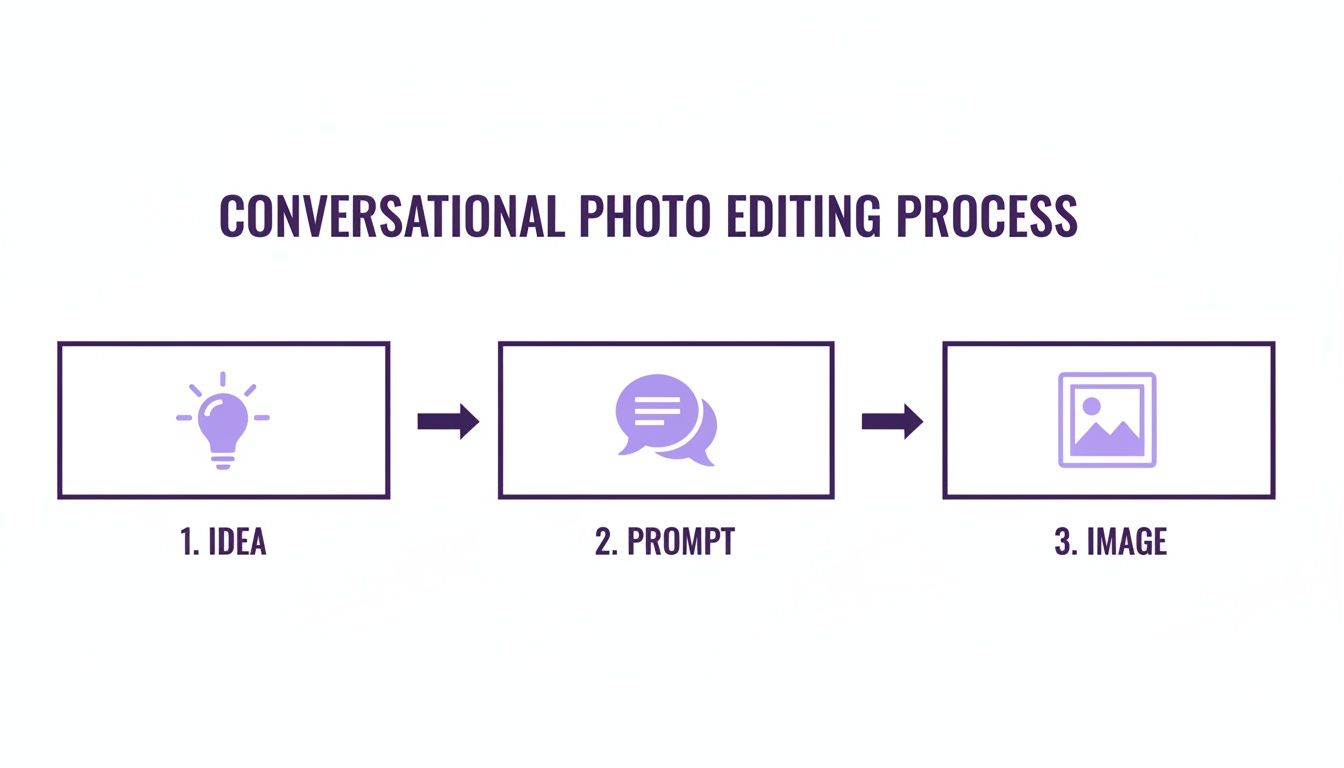
As you can see, the quality of your prompt is the bridge between your imagination and the final output. The better the input, the better the result.
The Logic of Generative Changes
This deep contextual understanding is what separates modern AI editors from older tools. Whether you're removing a distracting tourist from the background of a landmark photo or generating an entirely new object in the scene, the AI is constantly working to maintain visual harmony. The goal is always to make the final image look like it was shot that way in the first place.
By getting a feel for how these models "think," you can write much more effective prompts and gain far more control over the final result. For anyone looking to go deeper, you can learn more about AI-powered image generation and see how different models handle creative instructions. Grasping this translation process is the key to pushing the creative boundaries of your work.
Exploring Core AI Photo Editing Features
Diving into a ChatGPT photo editor feels less like using software and more like directing a creative assistant. It swaps out confusing menus and intimidating toolbars for simple, conversational commands, letting you manipulate images in ways that used to demand hours of training on specialized programs.
At the heart of this new approach are a few core features that are completely changing the game for creators. These tools are built to handle everything from a quick touch-up to a complete visual overhaul. Getting a handle on how each one works is the key to unlocking the full power of conversational editing.
Inpainting and Outpainting: Redrawing Your Canvas
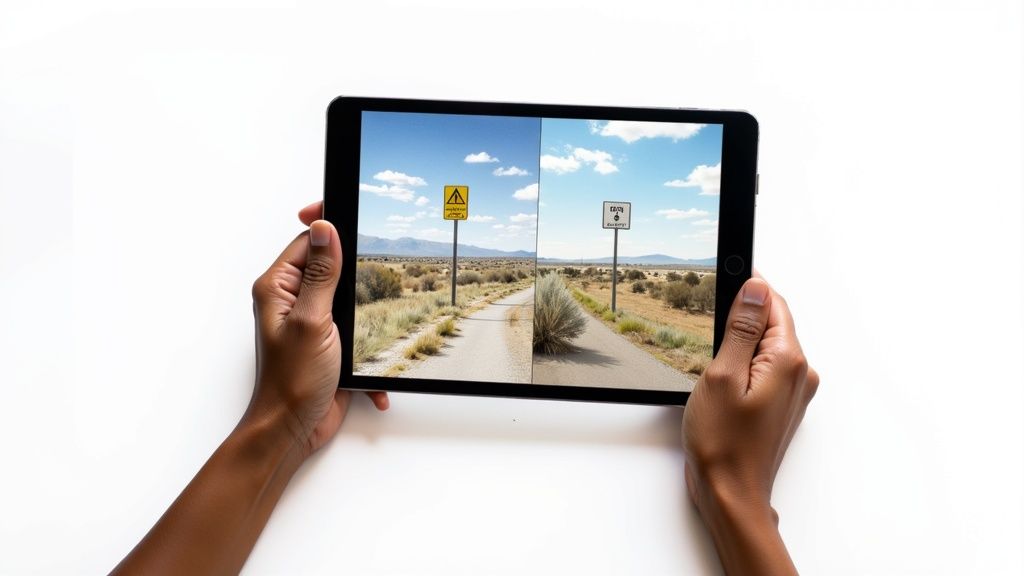
Think of inpainting as a magic eraser with a brain. It lets you highlight any part of your image and tell the AI to either remove something unwanted or add something new. The AI doesn't just crudely delete the pixels; it studies the surrounding area—the light, texture, and patterns—to generate a patch that blends in perfectly.
For instance, you could take a gorgeous landscape shot that’s ruined by a stray power line and just type, "Remove the power line from the sky." The editor will intelligently fill that space with clouds and sky that match the rest of the photo. It’s seamless.
On the flip side, outpainting is all about expanding your canvas. Let's say you have a fantastic portrait, but it’s cropped too tightly for a website banner. You can ask the AI to "extend the image to the left and right, continuing the background." It will generate brand-new content that logically fits the original scene, giving you a wider, more flexible image to work with.
Style Transfer and Background Replacement: Changing the Vibe
Style transfer is where the AI truly becomes an artist. This feature lets you take the complete aesthetic of one image and apply it to another. You can upload a standard photo and command, "Apply a Van Gogh-esque oil painting style," and watch as it transforms your picture into a piece of impressionist art.
This is an incredibly useful tool for marketers and creators aiming for a consistent visual theme. It’s far more sophisticated than a simple filter because it reinterprets the entire image—textures, colors, and brushstrokes—in the new style. You can explore dozens of artistic directions with a simple AI image editor, a core function in platforms like AI Media Studio.
The real breakthrough with these features is their contextual awareness. The AI doesn't just perform a mechanical edit; it interprets your creative goal and executes it with an understanding of light, shadow, and composition.
Finally, background replacement gives you a lightning-fast way to completely change an image's environment. This is way beyond the old-school green screen effect. The AI isolates your subject and drops it into a new setting, automatically adjusting the lighting and shadows to make the final composition look natural. You could snap a product shot on your office desk and say, "Place this water bottle on a sandy beach at sunset," and the AI does the rest.
These features have exploded in popularity. After the launch of the new 'ChatGPT Images,' multimedia queries shot up from 2% to 7% in just one year. This growth was driven by users returning for precise edits, pushing user retention to a staggering 82%. You can dig into more of these ChatGPT usage trends on Exploding Topics.
To put it all together, these core capabilities are what make AI photo editors so powerful. Here’s a quick breakdown of how they apply in the real world.
Key AI Photo Editing Features and Their Applications
| Feature | Primary Function | Example Use Case |
|---|---|---|
| Inpainting | Removes unwanted objects or adds new elements seamlessly into an image. | A real estate photographer removing a car from a driveway to create a cleaner exterior shot. |
| Outpainting | Expands the image canvas by generating new background content that matches the original. | A social media manager extending a vertical photo into a horizontal banner for a website header. |
| Style Transfer | Applies the artistic style of one image (e.g., a painting) to another photo. | A brand creator applying a consistent "vintage comic book" style across all campaign images. |
| Background Replacement | Isolates a subject and places it in a completely new environment with realistic lighting. | An e-commerce seller placing their product on a clean, white background or a lifestyle setting. |
Ultimately, these tools aren't just about fixing photos; they're about expanding what's creatively possible, all through simple text commands.
Crafting Prompts for Professional Results
The real magic of any ChatGPT photo editor isn't the AI—it's the quality of your instructions. It's a classic case of garbage in, garbage out. If you give it vague commands, you'll get vague results back. The secret to creating professional-grade images is learning how to write precise, descriptive prompts.
Think of it like learning to direct a highly skilled but very literal artist. You have to be crystal clear about the vision in your head. The difference between "make the sky blue" and "brighten the sky to a vibrant, clear azure, similar to a summer afternoon" is huge. The first is a simple order; the second is creative direction, and it's what guides the AI toward producing exactly what you want.
The Anatomy of a Powerful Prompt
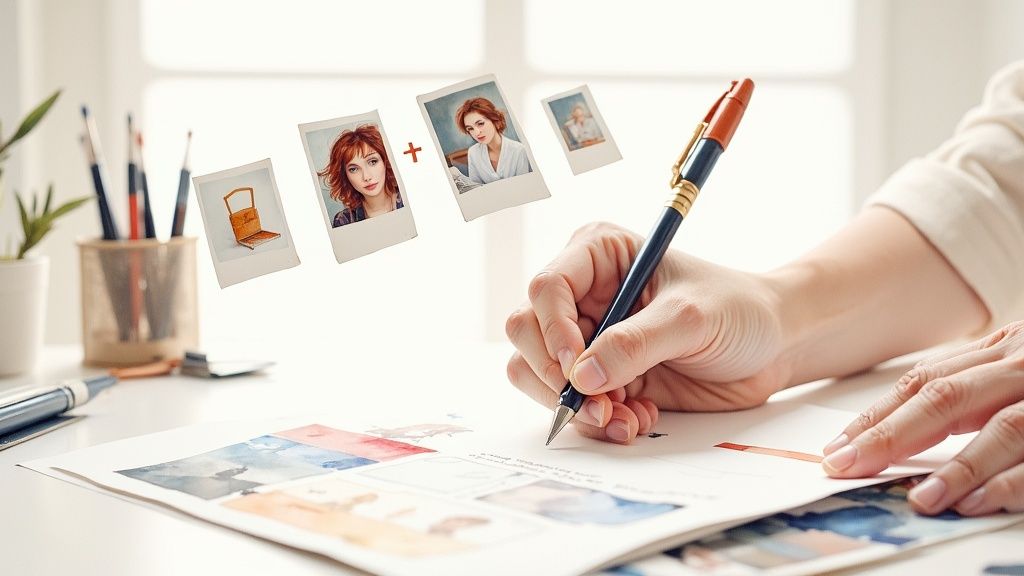
A great prompt is like a recipe with a few key ingredients. Instead of just barking a single command, you build your instructions by layering details that cover the subject, the action, the context, and the style. A simple but incredibly effective formula is [Action] + [Subject] + [Details] + [Style].
For example, instead of just "Add a cat," a much stronger prompt would be: "Add a fluffy ginger cat (Subject) sleeping peacefully (Action) in the patch of sunlight on the wooden floor (Details), maintaining a warm, photorealistic style (Style)." This structure doesn't leave much room for the AI to misinterpret your goal.
The goal is to eliminate ambiguity. The more specific your language, the more control you have over the final image. Think like a photographer giving instructions on a photoshoot.
This approach is what separates a quick fix from a high-quality edit, especially when you need the final image to match a specific brand aesthetic.
Specifying Light and Atmosphere
Lighting can completely change the mood of a photo, and it's one of the most powerful elements you can control with a prompt. Don't just ask for "better lighting." Instead, define the specific feeling you want to create. This is absolutely essential for anyone trying to master a https://ai-media-studio.com/styles/photorealistic-style and create believable composites.
Here are a few ways to think about it:
- For drama: "Cast long, dramatic shadows from the trees, with golden hour light."
- For softness: "Add soft, diffused morning light coming through the window."
- For energy: "Make the lighting bright and high-contrast, like a studio flash."
This is the kind of control that separates amateur edits from professional work. The AI understands concepts like "golden hour," "softbox lighting," and even "film noir," which lets you sculpt the atmosphere like an artist.
Using Negative Prompts to Refine Results
Just as important as telling the AI what you want to see is telling it what to leave out. This is where negative prompts come in. By specifying what you don't want, you can steer the AI away from common mistakes or unwanted distractions.
If you're looking for a good starting point, exploring these 10 powerful prompt types for AI images can give you a solid foundation. Effective negative prompts often include simple exclusions like:
--no text, watermarks--no extra limbs, poorly drawn hands--no blurry background, oversaturation
Using negative prompts is a pro-level technique that cleans up your results and saves you from the frustration of having to regenerate an image over and over. It's a small step that makes a big difference.
Comparing ChatGPT With Dedicated AI Editors
While ChatGPT’s built-in photo editor is a seriously powerful tool, it doesn’t exist in a vacuum. It's part of a bustling ecosystem of specialized AI image generators, and understanding where it fits in helps you pick the right tool for the job. ChatGPT absolutely nails accessibility and conversational ease, but dedicated platforms often give you a deeper level of creative control.
Think of ChatGPT as the ultimate creative Swiss Army knife—it’s versatile, fast, and surprisingly good at a whole bunch of different things. You can generate an image, edit it with a few simple instructions, and then write the social media copy to go with it, all within a single, continuous conversation. This seamless, all-in-one workflow is its killer feature, making it a dream for marketers and creators who need to work quickly without juggling a half-dozen different apps.
Where Dedicated Editors Shine
Platforms like Midjourney and Adobe Firefly, on the other hand, are more like finely tuned, professional-grade instruments. Midjourney is famous for its artistic, almost opinionated style. It excels at producing highly stylized, often dramatic visuals with a distinct aesthetic that’s hard to replicate elsewhere. Digital artists love it because its complex prompting and parameters offer granular control over the final look and feel.
Adobe Firefly is built for a different purpose: commercial safety and deep integration into the Adobe Creative Cloud. Because it’s trained on Adobe Stock imagery, the assets it generates are designed to be commercially viable, which is a huge relief for anyone worried about copyright issues. For professional designers already living in Photoshop or Illustrator, Firefly feels less like a separate tool and more like a natural, super-powered extension of their existing workflow.
To really see how ChatGPT's photo editing stacks up, it helps to compare it directly against some of the best AI tools for content creation out there today. Each one has its own unique strengths that might make it a better fit depending on what you're trying to accomplish.
The choice between ChatGPT and a dedicated editor often comes down to a simple trade-off: Do you need the all-in-one convenience of a conversational workflow, or the specialized control of a purpose-built image generator?
A head-to-head comparison really brings these differences into focus.
Comparison of AI Photo Editing Platforms
Here’s a quick breakdown of how ChatGPT’s image editing compares to other major players in the space. Each platform is built with a different user in mind, from the casual creator to the enterprise-level design team.
| Platform | Best For | Key Strengths | Limitations |
|---|---|---|---|
| ChatGPT | All-in-one content creation & quick edits | Conversational editing, integrated workflow, ease of use | Less artistic control, style can be more generic |
| Midjourney | Highly artistic and stylized images | Unique aesthetic, deep community support, powerful parameters | Steeper learning curve, less focused on photorealism |
| Adobe Firefly | Professional designers & commercial use | Commercially safe, deep Adobe Creative Cloud integration | Outputs can be less imaginative, requires Adobe subscription |
| AI Media Studio | Business users needing versatile, on-brand visuals | Large style library, collaborative tools, simple interface | Advanced features are on paid tiers |
This table shows that while ChatGPT is an incredible generalist, the best tool for you really depends on your specific goals—whether that’s creating a one-off social media graphic or a full-blown commercial campaign.
Key Differentiators at a Glance
When you’re deciding which tool to fire up, keep these crucial factors in mind:
- Ease of Use: ChatGPT is the undisputed champion here. Its natural language interface makes complex edits accessible to complete beginners, wiping out the steep learning curve you find on other platforms.
- Artistic Control: For fine-tuning a specific artistic style, Midjourney often has the upper hand. Its model is a favorite among artists for its unique and opinionated outputs, giving it a stylistic depth that can be harder to coax out of ChatGPT.
- Commercial Use: Adobe Firefly was designed from the ground up for commercial safety. This makes it the default choice for businesses and marketing teams where brand safety and legal compliance are non-negotiable.
- Integration: ChatGPT’s power comes from its self-contained ecosystem. Firefly’s strength is its deep integration with other Adobe products, making it a no-brainer for designers already invested in that world.
Ultimately, the best chatgpt photo editor is the one that solves your immediate problem. For quick, high-quality edits and fast content creation cycles, ChatGPT is tough to beat. But for highly specialized artistic projects or enterprise-level commercial work, a dedicated editor might just be the smarter pick.
Common Questions About AI Photo Editing
Whenever you start playing with a new piece of tech like a ChatGPT photo editor, a few questions always seem to bubble up. Getting a handle on these answers upfront helps you use the tool with more confidence and less frustration.
Think of this as the practical cheat sheet for AI-powered creativity. We'll cover everything from data privacy to managing the AI's weird little quirks, so you can have a much smoother ride.
Is It Safe to Upload My Photos to ChatGPT?
This is the big one, and for good reason. When you upload a picture, it has to travel to OpenAI's servers to be processed. While the company has extensive privacy policies in place, it’s always a smart move to glance over their latest terms of service to see exactly how your data is being handled.
Here’s a good rule of thumb: avoid uploading anything with sensitive personal information. For creative projects, marketing assets, or just fun, non-confidential images, millions of people trust and use the platform every day for both personal and professional work.
Can AI Match the Precision of Photoshop?
This is less of a competition and more of a partnership. AI and Photoshop are brilliant at different things. Photoshop gives you god-tier, pixel-level control. You are the master of every single layer, brush stroke, and selection.
A ChatGPT photo editor, on the other hand, thinks conceptually. You tell it what you want in plain English, and the AI interprets that vision to make it happen. This is ridiculously fast for big, sweeping changes or just brainstorming ideas, but it won't give you the same fine-tuned precision for technical work like complex color grading or intricate layer masking.
Think of a ChatGPT editor as a brilliant creative director and Photoshop as your master technician. One is for ideation and broad strokes; the other is for surgical precision.
What Are the Limitations of a ChatGPT Photo Editor?
Knowing what a tool can't do is just as important as knowing what it can. AI editors, for all their magic, can sometimes get tripped up on notoriously difficult details. We've all seen the results: mangled hands, weirdly generated text that looks like a forgotten language, or extra limbs.
They can also take an ambiguous prompt and run in a completely bizarre direction, giving you something you never expected. Trying to keep a character's face perfectly consistent across multiple images can also feel like a wrestling match. Knowing these weak spots helps you write better prompts and adopt a more iterative process to nudge your image closer to perfection.
How Do I Get a Consistent Style Across Edits?
Nailing a consistent look is a huge deal, especially for branding or a series of creative works. The secret is to get hyper-specific with your prompts. Clearly spell out the artistic style, the exact color palette, and any recurring features you want to see.
There's also a powerful trick you can use with DALL-E 3 (the engine behind ChatGPT's images). You can reference the gen_id (generation ID) of an image you really like. Just ask the AI to find the gen_id of a previous image and then tell it to use that specific image as a strong stylistic guide for new ones. This simple move can dramatically boost consistency in your aesthetics, characters, and overall vibe.
Ready to create stunning, professional-quality visuals with ease? AI Media Studio offers over 50 unique art styles, advanced editing tools, and a simple interface designed for creators and marketers. Start generating for free today!