Tired of the constant scramble for social media content? A well-structured social media posting schedule template transforms chaos into a streamlined, effective strategy. It’s the foundational tool that helps you plan content themes, track performance, and maintain a consistent brand voice across all your platforms. Instead of treating social media as a daily chore, a good template allows you to think weeks or even months ahead, aligning your posts with marketing goals, product launches, and key industry events.
This shift from reactive posting to proactive planning is crucial for building a strong online presence. It ensures your content is not only consistent but also strategically aligned with your broader objectives. To further refine your strategy and build a consistent online presence, explore insights on creating a social media posting schedule for your church, which offers valuable principles applicable to any niche. A solid framework prevents content gaps and maximizes your impact, turning your social channels into reliable assets for audience engagement and growth.
This guide moves beyond generic lists, offering a curated collection of the best templates across different formats, from versatile spreadsheets (Excel, Google Sheets) to dynamic project management boards (Notion, Trello, Airtable). We will analyze the practical use cases for each option, highlighting their unique strengths and limitations with direct links and screenshots. Our goal is to provide actionable tips to help you choose and customize the perfect social media posting schedule template for your specific workflow, whether you're a solo creator, a small business owner, or part of a growing marketing team.
1. Hootsuite's Spreadsheet Template for Foundational Planning
Hootsuite, a leader in social media management, provides a foundational social media posting schedule template perfect for teams that prefer a traditional spreadsheet workflow. Available for both Google Sheets and Excel, this resource is more than just a calendar; it's a comprehensive planning tool designed to integrate with a broader content strategy. It's an ideal starting point for startups and small businesses looking to establish a structured posting routine without an initial financial investment in software.
This template stands out by including dedicated tabs for weekly and monthly views, plus an essential library for evergreen content. This structure encourages users to not only plan immediate posts but also to build a repository of reusable content, saving significant time in the long run.
Key Features and User Experience
The user experience is straightforward for anyone familiar with spreadsheets. The template is well-organized with clear columns for date, time, copy, links, and platform-specific notes. While it requires a form fill with your email to download, the process is quick, and the file is delivered instantly. The accompanying blog post provides excellent guidance on best practices for populating and using the calendar effectively.
- Format: Google Sheets, Microsoft Excel
- Access: Free download after submitting an email form.
- Unique Offering: Includes a built-in tab for managing an evergreen content library.
Pros and Cons
Pros:
- Completely Free: An excellent no-cost tool from a reputable source.
- Highly Customizable: Easily adaptable for any team size or content strategy.
- Educational Resources: Paired with extensive guides on social media strategy.
Cons:
- Manual Process: Lacks automation; all posting must be done manually.
- Lead Generation Gate: Requires personal information to access the download.
- Upsell Path: Naturally encourages upgrading to Hootsuite's paid scheduling platform for advanced features.
Download Hootsuite's Template Here
2. Later's Quick-Start Google Sheets Calendar
Later, a platform renowned for its visual-first approach to social media, offers a free and accessible social media posting schedule template in Google Sheets. This resource is perfectly suited for individual creators and small teams needing a straightforward way to plan their content themes, post dates, and weekly schedules without a steep learning curve. It serves as an excellent entry point that conceptually complements Later’s powerful scheduling software.
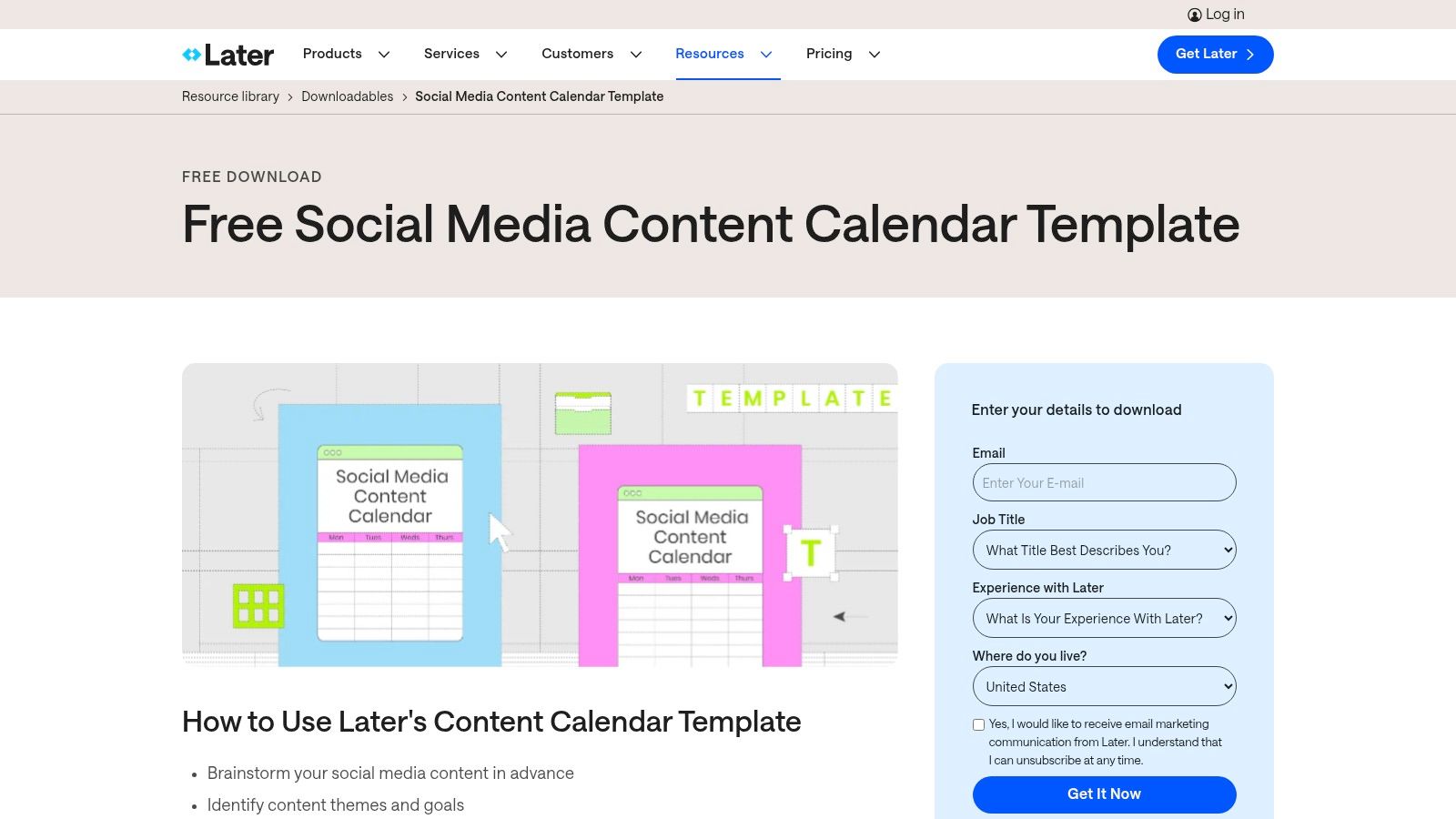
The template's key advantage is its simplicity and immediate usability. It includes helpful prompts for content themes and important social media holidays, giving users a launchpad for brainstorming. Its design as a shareable Google Sheet makes it inherently collaborative, allowing team members to contribute and view the content plan in real-time. This ease of use aligns with Later's user-friendly ethos and is ideal for those who are just starting to formalize their content strategy.
Key Features and User Experience
The user experience is incredibly smooth. After a quick email submission, you receive instant access to the Google Sheets template, which you can copy to your own Drive. The layout is clean, with intuitive columns for planning visual and written content across major platforms. The design encourages a high-level overview of your monthly strategy while still allowing for detailed weekly planning. The template is a great manual tool that also provides a glimpse into the structured planning offered by the main Later platform, which many users find helpful when creating visual content.
- Format: Google Sheets
- Access: Free download after submitting an email form.
- Unique Offering: Includes built-in tips for content themes and a list of key social media holidays.
Pros and Cons
Pros:
- Ideal for Beginners: A simple, non-intimidating layout perfect for those new to content calendars.
- Collaboration-Ready: Easily shareable and editable for small teams using Google Workspace.
- Strategic Alignment: Acts as a great precursor to using Later’s full-featured scheduling tool.
Cons:
- Email Gate: Requires providing an email address for access.
- Lacks Advanced Features: It's a basic calendar and doesn't include asset libraries or analytics tabs.
- Promotes Paid Tiers: Naturally directs users toward Later's paid software for automation and advanced scheduling.
Download Later's Template Here
3. HubSpot's Excel-First Content Calendar for Startups
HubSpot, a giant in the inbound marketing space, offers a robust social media posting schedule template specifically geared towards startups and SMBs. This Excel-based tool is a comprehensive planning system, not just a simple calendar. It is designed for marketers who want a detailed, offline-first planning document that can optionally integrate with HubSpot's wider marketing ecosystem. It’s an excellent choice for teams that value thorough documentation and a structured approach to content planning.
What makes this template stand out is its meticulous organization. It includes platform-specific tabs, a dedicated content repository for tracking past posts, and a monthly planning overview. For teams already using HubSpot's suite, the template includes bulk scheduling CSV/XLS formats, streamlining the transition from planning to execution and improving team collaboration.
Key Features and User Experience
The user experience is familiar for anyone comfortable with Microsoft Excel. Its platform-specific tabs allow for tailored planning, while the content repository aids in performance analysis and content repurposing. Accessing the template requires filling out a form, but the included how-to guide is exceptionally detailed, providing clear instructions and strategic advice. This extensive documentation is a significant value-add, making it more of a mini-course than a simple download.
- Format: Microsoft Excel (can be converted to Google Sheets)
- Access: Free download after submitting a lead form.
- Unique Offering: Includes templates for bulk scheduling directly into the HubSpot platform.
Pros and Cons
Pros:
- Comprehensive Documentation: Comes with extensive training materials and guides.
- Offline Accessibility: Perfect for users who prefer working in Excel.
- Platform Integration: Designed to work seamlessly with HubSpot’s marketing tools.
Cons:
- Lead Generation Gate: Requires providing contact information for access.
- Excel-Centric: Google Sheets users may need to make formatting adjustments.
- Complex for Beginners: The level of detail might be overwhelming for absolute novices.
Download HubSpot's Template Here
4. Buffer's Notion Template for Collaborative Teams
Buffer, a well-regarded name in social media scheduling, offers a unique social media posting schedule template built for Notion. This resource is tailored for modern marketing teams that thrive on collaboration and flexibility within a database-driven environment. Instead of a static spreadsheet, Buffer provides a dynamic Notion workspace designed for the entire content lifecycle, from ideation to publication, making it perfect for teams already using or considering Notion as their central hub.
This template stands out by not only providing the tool but also by sharing insights into how Buffer’s own marketing team uses it. This transparency offers a practical, real-world example of how to manage a content pipeline effectively. It combines the organizational power of Notion with the strategic expertise of a leading social media company.
Key Features and User Experience
The user experience is incredibly fluid for those familiar with Notion. The template is a pre-configured database with multiple filtered views, allowing users to toggle between a calendar, a kanban board for status tracking, and a table for all content ideas. Access is instant; you simply duplicate the template into your own Notion workspace with a single click, no email required. It's a powerful framework that connects your content planning directly to a potential publishing workflow via Buffer's own platform.
- Format: Notion Database
- Access: Free, one-click duplication into your Notion account.
- Unique Offering: Includes transparent examples of Buffer's own internal content workflows and multiple pre-built database views.
Pros and Cons
Pros:
- Highly Flexible: The Notion database structure allows for infinite customization and multiple views.
- Collaboration-Focused: Built for team use, with clear status tracking and assignment capabilities.
- Transparent Workflow: Provides a valuable look into how a professional marketing team organizes content.
Cons:
- Notion Learning Curve: Can be intimidating for users completely new to Notion's database functions.
- No Direct Publishing: This is a planning template; scheduling and publishing still require Buffer's app or manual posting.
- Upsell to Buffer App: Naturally guides users toward Buffer's paid scheduling features for a complete workflow.
Get Buffer's Notion Template Here
5. Canva's Integrated Visual Content Planner
Canva has evolved beyond a design tool into an all-in-one visual content creation and scheduling powerhouse. It offers a social media posting schedule template in the form of its "Content Planner," which is ideal for visually-driven creators and teams. This feature uniquely combines graphic design with a scheduling calendar, allowing users to create a post and immediately slot it into their publishing timeline without ever leaving the platform. It's perfect for those who prioritize aesthetic consistency and workflow efficiency.
This integrated system stands out by displaying social media holidays directly on the calendar, providing timely inspiration for content. The ability to design with a vast library of templates and then schedule directly to platforms like Instagram, Facebook, and Pinterest streamlines the entire content creation process. You can learn more about how Canva's tools can enhance your social media presence in this guide to AI images for social media.
Key Features and User Experience
The user experience is seamless and intuitive, especially for existing Canva users. The Content Planner features a drag-and-drop interface within the familiar Canva environment. You can start from a template, create a design, and with a few clicks, schedule it for a specific date and time. It centralizes brand assets, team collaboration, and scheduling, significantly reducing the need to switch between different applications.
- Format: Integrated visual calendar and scheduler.
- Access: Included with Canva Pro, Canva for Teams, and Canva for Nonprofits plans.
- Unique Offering: Direct scheduling from the design editor and a calendar pre-populated with social media holidays.
Pros and Cons
Pros:
- All-in-One Workflow: Combines graphic design, content planning, and scheduling in a single platform.
- Visually Focused: Excellent for maintaining brand aesthetics across all social channels.
- Massive Template Library: Provides endless inspiration and quick-start options for post creation.
Cons:
- Requires Paid Plan: The Content Planner is a premium feature not available on the free version.
- Limited Analytics: Lacks the in-depth performance analytics found in dedicated social media management tools.
- Fewer Advanced Features: May not satisfy users who need bulk scheduling or complex approval workflows.
Explore Canva's Content Planner Here
6. Notion Template Marketplace for Integrated Content Hubs
For those who crave a fully integrated workspace, the Notion Template Marketplace offers a powerful social media posting schedule template ecosystem. Unlike static spreadsheets, Notion templates are built on dynamic databases, allowing users to switch between calendar, board, and list views effortlessly. This flexibility makes it an exceptional choice for creators and teams who want to manage their entire content lifecycle, from ideation and asset storage to scheduling and post-mortems, all in one place.
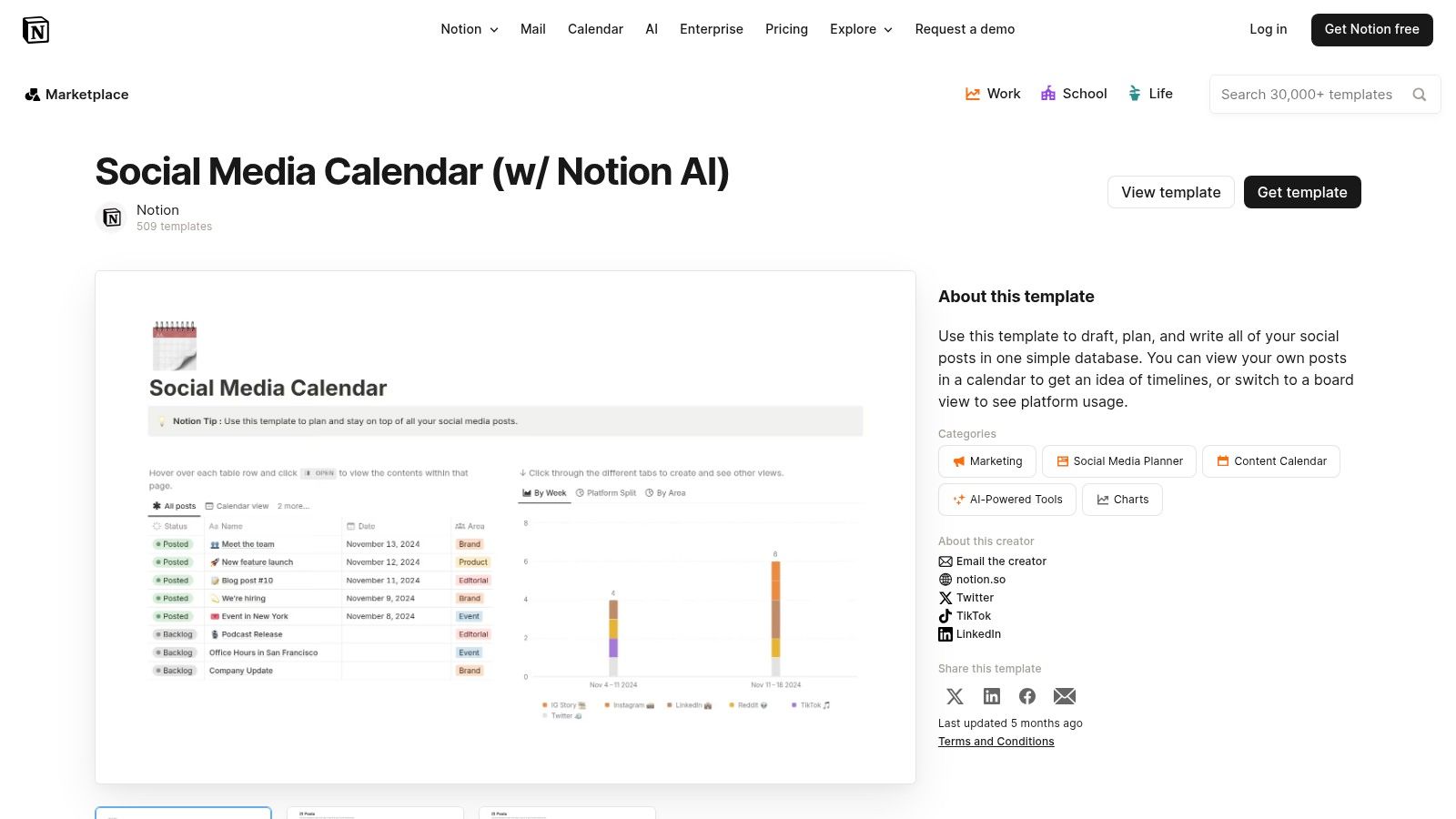
The marketplace is rich with both free and paid options, each leveraging Notion's unique features like relational databases and custom properties. This allows a template to not only schedule posts but also link them directly to broader campaign documents, task lists, and creative asset libraries, creating a true command center for your social media strategy.
Key Features and User Experience
The user experience in Notion is fluid and highly visual, though it presents a steeper learning curve than a simple spreadsheet. Once a user understands database properties and views, the potential for customization is nearly limitless. Templates can be duplicated into your workspace with a single click, and the community-driven marketplace includes ratings and reviews to help you find the best fit for your workflow.
- Format: Notion Database
- Access: Free and paid options available; requires a free or paid Notion account.
- Unique Offering: Dynamic multi-view databases (calendar, Kanban, list, timeline) and deep integration with other documents and project management tools within Notion.
Pros and Cons
Pros:
- Highly Customizable: Can be adapted and expanded to grow with your team’s processes.
- All-in-One Solution: Excellent for combining content planning, task management, and documentation.
- Collaborative: Built for real-time team collaboration with comments and assignments.
Cons:
- Learning Curve: Requires time to master Notion’s database features and properties.
- Account Required: You must have a Notion account to use any template.
- No Direct Publishing: Lacks native automation for posting directly to social platforms.
Explore Notion's Social Media Templates Here
7. ClickUp's Modern Social Media Calendar Template
ClickUp, a comprehensive project management platform, offers a dynamic social media posting schedule template designed for teams who want to embed their content planning directly into their operational workflows. This template transcends a simple calendar by functioning as an end-to-end content production hub. It's an excellent choice for marketing teams and agencies that need to manage content from ideation through design, review, and final scheduling within a single, collaborative environment.

This template stands out by integrating powerful project management features directly into the scheduling process. With pre-built custom fields for different platforms, content types, and campaign goals, it provides a highly structured framework. Users can switch between calendar, list, and Kanban-style board views to visualize their content pipeline in the way that best suits their needs.
Key Features and User Experience
The user experience is seamless for those already using or willing to adopt the ClickUp ecosystem. The template comes pre-configured with logical workflow statuses like 'To Do', 'In Progress', 'In Review', and 'Scheduled', which helps teams track the progress of each post visually. While it exists within a larger, more complex tool, the template itself is intuitive and guided by a helpful 'Getting Started' view.
- Format: ClickUp Template
- Access: Free with any ClickUp account (including the Free Forever plan).
- Unique Offering: Combines a content calendar with robust task and workflow management features.
Pros and Cons
Pros:
- Integrated Workflow: Connects content scheduling directly to task management and team collaboration.
- Highly Structured: Pre-built statuses and custom fields create a clear content production pipeline.
- Multiple Views: Offers flexibility in how users visualize their content schedule and workflow.
Cons:
- Platform Dependent: Most beneficial when used within the ClickUp ecosystem, which may require tool adoption.
- Potential Overkill: Can be overly complex for individuals or small teams needing a simple calendar.
- Feature Limitations: The full power of automations and advanced features is tied to paid ClickUp plans.
8. Airtable for Dynamic Database-Driven Calendars
Airtable elevates the concept of a social media posting schedule template by transforming it from a static spreadsheet into a dynamic, relational database. This approach is perfect for content teams managing complex, multi-channel strategies that require robust filtering, asset management, and workflow automation. Airtable's templates are less like simple calendars and more like powerful content operations hubs, ideal for agencies and in-house marketing teams.
What sets Airtable apart is its flexibility. Users can toggle between calendar, Kanban, gallery, and grid views to visualize their content pipeline in the most effective way. This multi-view capability allows teams to track a post from initial idea to final publication, all within a single, collaborative base.
Key Features and User Experience
The user experience feels more like a powerful application than a simple document. The database structure requires a learning curve, but it unlocks unparalleled organizational capabilities. You can link campaign assets directly to posts, create intake forms for new content ideas, and use helper fields like character counters to ensure posts meet platform requirements. The templates are immediately usable upon signing up for a free account.
- Format: Airtable Base (Cloud-based database)
- Access: Free, with advanced features on paid tiers.
- Unique Offering: Multiple views (Kanban, gallery, calendar) and relational database functionality for linking assets and campaigns.
Pros and Cons
Pros:
- Highly Flexible: The database structure is incredibly powerful for complex content operations.
- Visual Workflow: Kanban and gallery views are excellent for tracking progress visually.
- Multi-Channel Management: Easily filter and view content by platform, status, or owner.
Cons:
- Learning Curve: The database paradigm can be intimidating for users accustomed to spreadsheets.
- Setup Time: Requires more initial configuration to tailor it to your specific workflow.
- Paid Tier for Automation: Advanced automations and integrations are locked behind paid plans.
Explore Airtable's Templates Here
9. Smartsheet's Spreadsheet-First Content Calendars
Smartsheet, a platform known for its powerful project management tools, offers a robust social media posting schedule template designed for teams deeply integrated with spreadsheet workflows. Their free, downloadable templates for Google Sheets provide a structured environment for planning, executing, and tracking social media content without requiring an immediate shift to a new software platform. This approach is ideal for marketing teams that need detailed planning capabilities and prefer the familiarity and flexibility of a spreadsheet.
The templates go beyond simple scheduling, offering dedicated sections for content creation elements like copy, assets, and links, as well as post-mortem analysis with engagement metrics. Smartsheet also provides complementary resources, including templates for social media audits and reporting dashboards, creating a cohesive planning ecosystem within the Google Sheets environment.
Key Features and User Experience
The user experience is immediately accessible for anyone proficient with Google Sheets. Smartsheet’s templates are well-documented and logically structured, with clear columns for each stage of the content lifecycle. The package includes multiple variations, such as an editorial calendar, allowing teams to choose the format that best fits their workflow. While access is free, it serves as an introduction to Smartsheet’s broader, more automated project management capabilities.
- Format: Google Sheets
- Access: Free download; no email signup required.
- Unique Offering: A suite of related templates for auditing and reporting, not just scheduling.
Pros and Cons
Pros:
- Easy to Adapt: The spreadsheet-first approach allows for straightforward customization.
- Comprehensive Suite: Provides multiple template variations to cover the entire content lifecycle.
- Excellent Documentation: Comes with clear instructions and best practices for implementation.
Cons:
- Manual Scheduling: Lacks automation and requires a separate tool to schedule and publish posts.
- Needs Customization: May require significant adjustments for teams managing multiple brands or complex campaigns.
- Implicit Upsell: Designed to showcase the benefits of upgrading to the full Smartsheet platform.
Download Smartsheet's Templates Here
10. Trello's Visual Kanban-Style Calendar Template
Trello offers a flexible and visual approach to creating a social media posting schedule template using its popular Kanban-style boards. Instead of traditional rows and columns, Trello uses cards, lists, and boards to organize content ideas from inception to publication. This method is perfect for visual thinkers and collaborative teams who need a dynamic overview of their entire content workflow, not just a static schedule.
The platform’s strength lies in its editorial calendar board template, which can be copied and customized. By enabling the Calendar Power-Up, users can transform their board into a traditional weekly or monthly calendar view, providing the best of both worlds. This integration of a fluid workflow with a structured calendar makes Trello a powerful planning hub.
Key Features and User Experience
The user experience is highly intuitive, centered around a drag-and-drop interface that makes moving content through different stages (e.g., "Ideas," "In Progress," "Scheduled") seamless. Each card can hold detailed information, including copy, attachments from Google Drive, checklists, and due dates. The Calendar Power-Up is a key feature that visualizes all cards with due dates on a calendar, simplifying scheduling at a glance.
- Format: Trello Board (Kanban-style) with Calendar Power-Up
- Access: Free, with a copyable template board to get started.
- Unique Offering: A visual, card-based workflow that can be switched to a calendar view.
Pros and Cons
Pros:
- Highly Visual and Collaborative: Excellent for teams to track content creation stages in real-time.
- Flexible Workflow: Easily customizable lists and cards to fit any content process.
- Helpful Integrations: Connects with tools like Google Drive, Slack, and Zapier to streamline workflows.
Cons:
- Requires Power-Ups: The essential calendar view relies on a Power-Up, with limits on the free plan.
- No Native Posting: Requires third-party integrations like Zapier to connect with a social media scheduler.
- Can Become Cluttered: Without disciplined organization, boards can quickly become overwhelming.
11. Creative Market's Designer-Made Templates
Creative Market offers a unique marketplace approach, providing access to a vast collection of professionally designed social media posting schedule template files. Instead of a single standardized option, it features hundreds of templates created by independent designers, available as one-time purchases. This is perfect for users who value polished aesthetics and want an annual or monthly planner without committing to a recurring subscription.
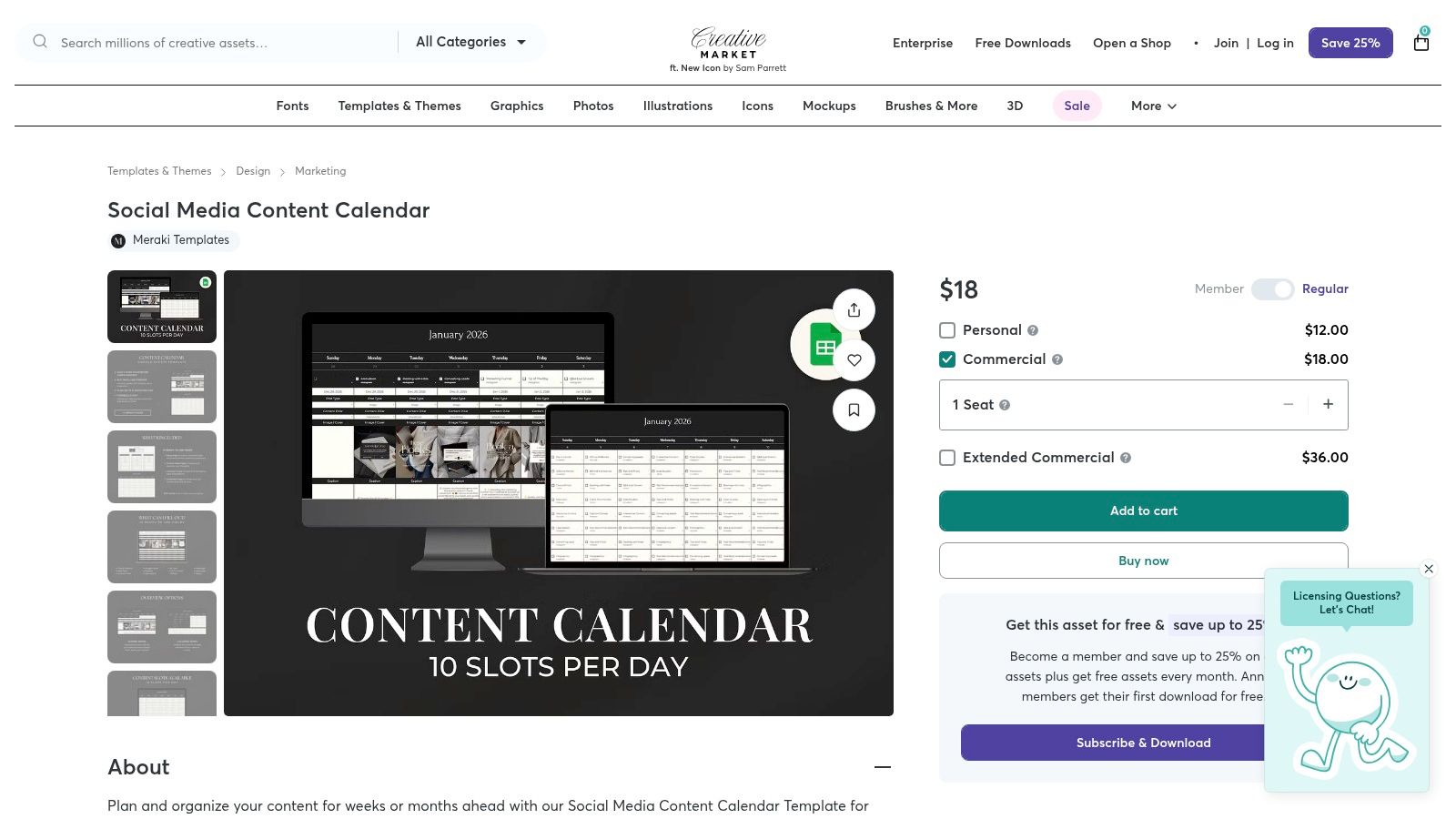
This platform stands out by offering highly specialized and visually appealing layouts that go beyond basic spreadsheets. You can find templates specifically designed for Google Sheets, Notion, or even printable planners, often featuring multiple daily content slots, goal trackers, and analytics dashboards. It's a fantastic resource for securing a high-quality, pre-formatted template that you can own and reuse indefinitely.
Key Features and User Experience
The user experience involves browsing a marketplace, similar to Etsy, where you can filter by format and style. Each product listing has detailed descriptions, images, and user reviews to help you make an informed decision. Once purchased, the files are available for immediate download. The key is to carefully review each seller's offering, as the features and quality can vary significantly.
- Format: Varies by seller (Google Sheets, Excel, Notion, Printable PDFs, etc.)
- Access: One-time purchase, with prices varying per template.
- Unique Offering: Access to professionally designed, visually distinct templates with lifetime usage rights after purchase.
Pros and Cons
Pros:
- Professional, Polished Layouts: Access to a wide variety of beautifully designed calendars.
- No Subscription: A single payment provides lifetime use of the purchased files.
- Wide Selection: Find templates tailored to specific niches or platforms.
Cons:
- Variable Quality: As a marketplace, quality and support differ between sellers.
- Static Files: Templates are manual and do not offer any automation or direct posting capabilities.
- Cost Factor: While a one-time fee, premium templates can be more expensive than free options.
Browse Templates on Creative Market
12. Etsy's Marketplace of Creative Templates
Etsy, the popular marketplace for independent creators, is a treasure trove of budget-friendly social media posting schedule template options. For those seeking something beyond a standard corporate layout, Etsy offers a vast selection of aesthetically driven templates in formats like Google Sheets, Notion, Trello, and even printable PDFs. Buyers get instant digital downloads and often receive detailed instructions and bonus assets directly from the sellers.
This platform stands out by providing unparalleled variety. You can find templates designed for specific niches like real estate, authors, or wellness coaches, often featuring unique visual styles that align with a particular brand identity. The user-review system is crucial for vetting the quality and usability of a template before purchasing.
Key Features and User Experience
The user experience is centered around discovery and choice. You can filter by file type, price, and style to find the perfect fit. Since you are purchasing from individual creators, the quality, complexity, and included features can vary dramatically from one listing to another. Reading reviews and carefully examining product images is essential.
- Format: Google Sheets, Notion, Trello, Canva, Printables, and more.
- Access: One-time purchase for an instant digital download.
- Unique Offering: A massive selection of niche-specific and aesthetically designed templates from independent creators.
Pros and Cons
Pros:
- Highly Affordable: Many templates are available for just a few dollars.
- Extensive Variety: Unmatched selection of styles, formats, and niche-focused designs.
- Supports Small Creators: Your purchase directly supports an independent designer.
Cons:
- Inconsistent Quality: Quality and support are dependent on the individual seller.
- No Standardization: Features and structure differ significantly between listings; careful vetting is required.
- Potential for Abandonment: Unlike a company, an individual seller may stop updating a template or offering support.
Browse Templates on Etsy Here
12-Resource Social Posting Schedule Comparison
| Tool | Core features | UX (★) | Value & pricing (💰) | Target audience (👥) | Unique selling points (✨/🏆) |
|---|---|---|---|---|---|
| Hootsuite | Weekly & monthly sheets, evergreen library, guides | ★★★★ | 💰 Free (form fill); paid scheduler optional | 👥 Spreadsheet-driven teams, beginners | ✨ Simple templates + best-practice guides |
| Later | Prebuilt Google Sheets calendar, theme tips, team-ready | ★★★★ | 💰 Free (email); pairs with paid scheduler | 👥 Creators & small teams | ✨ Quick-start + social holiday guidance |
| HubSpot | Platform-specific tabs, content repo, CSV bulk templates | ★★★★ | 💰 Free (form fill); integrates with HubSpot paid tools | 👥 Startups & SMBs needing detailed planning | 🏆 Comprehensive docs & training |
| Buffer | Notion DB calendar template, filtered views, workflow examples | ★★★★ | 💰 Free (Notion); advanced scheduling paid | 👥 Teams using Notion | ✨ Flexible Notion database + transparent workflows |
| Canva | Visual calendar, one-click scheduling, brand asset mgmt | ★★★★★ | 💰 Free tier; Pro for some scheduling destinations | 👥 Design-first teams & marketers | 🏆 Design + schedule in one platform |
| Notion Template Marketplace | Multi-view databases, ratings, many free/paid options | ★★★★ | 💰 Mix of free & paid one-time templates | 👥 Cross-functional teams using Notion | ✨ Highly customizable + community reviews |
| ClickUp | Prebuilt statuses, calendar/list views, custom fields | ★★★★ | 💰 Free template; full features usually paid | 👥 Teams combining tasks & content workflows | 🏆 Strong workflow structure & scalability |
| Airtable | Kanban/gallery/calendar views, asset libraries, forms | ★★★★ | 💰 Free starter; advanced automations paid | 👥 Complex multi-channel content ops | ✨ Database power for filtering & ownership |
| Smartsheet | Spreadsheet-first calendars, copy/asset/link sections, reports | ★★★ | 💰 Free templates; manual scheduling | 👥 Spreadsheet-oriented teams | ✨ Structured, familiar sheet-based planning |
| Trello | Copyable editorial board, Calendar Power-Up, integrations | ★★★ | 💰 Free; Power-Up or integrations may be premium | 👥 Visual/kanban teams & small groups | ✨ Simple visual workflow + easy integrations |
| Creative Market | Designer-made downloadable templates, licensing options | ★★★★ | 💰 💰 One-time purchases (varies by seller) | 👥 Users wanting polished, no-subscription assets | 🏆 Professional layouts; lifetime files |
| Etsy | Instant digital downloads in Sheets/Notion/Trello/printables | ★★★ | 💰 Affordable one-time buys | 👥 Budget-conscious creators & niche needs | ✨ Wide variety + seller extras/instructions |
From Template to Traction: Activating Your Social Media Schedule
You now have an extensive toolkit of resources, from robust project management platforms like Airtable and ClickUp to versatile spreadsheet solutions in Google Sheets and Excel, and visually-driven organizers in Canva and Notion. We’ve explored a dozen powerful options, each offering a unique approach to organizing your digital presence. The core takeaway is clear: a social media posting schedule template is not a passive document but an active, strategic asset. Its true power isn't in the download; it's in the daily execution and adaptation.
Choosing the right template is the foundational step, but transforming that template into a growth engine requires a commitment to a strategic process. The most effective social media managers treat their schedules as living documents, constantly evolving based on performance data and audience feedback. What works in one quarter may need adjustment in the next.
Key Takeaways for Activating Your Schedule
To move from planning to performance, keep these core principles at the forefront of your strategy:
- Customization is Crucial: The best template is one that fits your specific workflow. Don't hesitate to add, remove, or rename columns and properties. Incorporate fields for campaign tags, content pillars, approval statuses, or specific platform notes to make the template truly your own.
- Consistency Over Complexity: A simple schedule that your team uses consistently is far more valuable than a complex, feature-rich system that gets ignored. Whether it's a straightforward Trello board or an intricate Smartsheet Gantt chart, choose the tool that reduces friction, not one that adds it.
- Integrate Data and Analytics: Your schedule should not exist in a vacuum. Regularly import key performance indicators (KPIs) like engagement rates, reach, and click-through rates. Use this data to inform future content decisions, identifying top-performing formats and optimal posting times.
Turning Your Template into a Content Engine
A well-organized schedule prevents the stress of last-minute content creation, but it can also expose gaps in your content pipeline. To ensure you always have high-quality material ready to post, it's essential to think beyond single-use content. To truly get traction from your social media schedule and ensure a consistent flow of valuable posts without constant content creation, consider exploring smart content repurposing strategies. This approach allows you to transform one core piece of content, like a blog post or video, into dozens of unique social media assets, maximizing your efforts and filling your calendar efficiently.
Ultimately, the perfect social media posting schedule template is the one that empowers you to be more strategic, creative, and consistent. It frees up mental energy, allowing you to focus on what truly matters: building a genuine connection with your audience. Start with the template that best aligns with your team's needs, customize it for your unique goals, and commit to the iterative process of posting, analyzing, and refining. This disciplined approach is what turns a simple plan into tangible traction and sustainable growth.
Ready to supercharge your content creation and fill your new schedule with stunning, on-brand visuals? With ai-media-studio, you can generate unique images and videos in seconds, perfectly tailored to every post in your calendar. Stop searching for stock photos and start creating compelling visuals that capture your audience's attention by visiting ai-media-studio today.