At its core, digital illustration is simply the craft of creating art with digital tools instead of traditional ones like graphite, ink, or oil paints. Think of it as the modern-day painter's studio.
The Modern Artist's Digital Canvas
Your screen becomes the canvas, software brushes replace the ones with bristles, and the final masterpiece is a versatile digital file, not a single physical object.
An artist isn’t mixing pigments on a palette; they’re dialing in colors on a color wheel. They’re not sketching on paper; they’re drawing on a graphics tablet with a pressure-sensitive stylus. The process feels familiar, echoing the fundamentals of traditional art, but it's supercharged with a level of control and flexibility that only technology can offer.
The final piece exists as pure data—either pixels (raster) or mathematical paths (vector). This is what makes digital art so incredibly adaptable. A single illustration can be resized for a social media post, animated for a slick video intro, or blown up for a massive billboard, all without losing its original spark.
Why It's More Than Just Drawing on a Computer
It's easy to dismiss digital illustration as a high-tech pencil, but that's missing the forest for the trees. The real power comes from the unique tools that give artists near-total command over their work.
- Limitless Revisions: Traditional art can be unforgiving—one wrong stroke and it's permanent. Digital art, however, has the legendary "undo" button. This simple function completely changes the creative process, encouraging experimentation and the pursuit of perfection.
- Powerful Layering: Imagine painting a character and their background on two separate sheets of glass stacked on top of each other. That's essentially how layers work. Artists can isolate different elements, allowing them to tweak a character's outfit without ever touching the scenery behind them. It’s a game-changer for complex compositions.
- Endless Textures and Effects: Digital software opens up a universe of custom brushes, textures, and special effects. An artist can paint with the texture of a dry brush, an oil impasto, or something completely otherworldly, all with a single tool.
As a contemporary art form, digital illustration is an integral part of the broader discipline of Art and Design, offering endless creative possibilities. It empowers both seasoned professionals and aspiring creators to bring their visions to life with precision and efficiency.
A quick way to grasp the core differences is to see them side-by-side.
Digital Illustration vs Traditional Illustration At a Glance
The table below breaks down the fundamental distinctions between creating art on a screen versus with physical materials.
| Aspect | Digital Illustration | Traditional Illustration |
|---|---|---|
| Medium | Screen, tablet, and software (e.g., Photoshop, Procreate) | Paper, canvas, and physical tools (e.g., paint, pencils) |
| Revisions | Easy and infinite with "Undo" and layers | Difficult or impossible; mistakes are often permanent |
| Cost | High initial investment, low ongoing costs | Low initial cost, high ongoing costs for materials |
| Duplication | Perfect, lossless copies made instantly | Requires scanning or photography; copies are never perfect |
| Distribution | Instantaneous sharing via the internet | Physical shipping or digital reproduction required |
| Workspace | Minimal physical space needed; portable | Requires a dedicated physical space for materials |
Ultimately, both paths demand skill and creativity. While the tools are different, the artistic principles of color, composition, and storytelling remain the same.
The Journey From Pen and Paper To Pixels
To really get a feel for how powerful and flexible digital illustration is today, we need to rewind the clock. Long before anyone dreamed of an iPad and stylus, the very idea of drawing on a screen was pure science fiction. The leap from physical canvas to digital pixels is a story of bold ideas and technological breakthroughs that completely changed the creative game.
This didn't happen overnight. It all started in university labs with a few pioneers who saw a different way for people to work with computers. Their early experiments laid the foundation for every single digital artist working today.
The Dawn of Computer Graphics
You can trace the conceptual birth of digital illustration back to 1963 with a groundbreaking program called Sketchpad, created by Ivan Sutherland. Often called the world's first graphical user interface, Sketchpad let a user draw directly on a screen using a "light pen." For the first time, a computer wasn't just a machine for crunching numbers; it was a potential canvas.
Sutherland's invention was a peek into the future, introducing concepts we now take for granted, like drawing geometric shapes, zooming in, and saving your work. It showed that art and technology could merge, sparking the imagination of computer scientists and artists. This single breakthrough set the stage for two distinct paths in creating digital images.
The core idea behind Sketchpad was to create a more natural, symbiotic relationship between human and machine. It demonstrated that computers could be partners in the creative process, not just tools for calculation.
After Sketchpad, computer graphics split into two core technologies that still define digital art: raster and vector. Raster graphics, made from a grid of pixels, were perfect for mimicking the texture and feel of painting. Vector graphics, built on mathematical equations, offered clean lines and could be scaled infinitely, making them ideal for logos and design.
The timeline below shows just how quickly this technology took off, moving art from cave walls to computer screens in a historical blink of an eye.
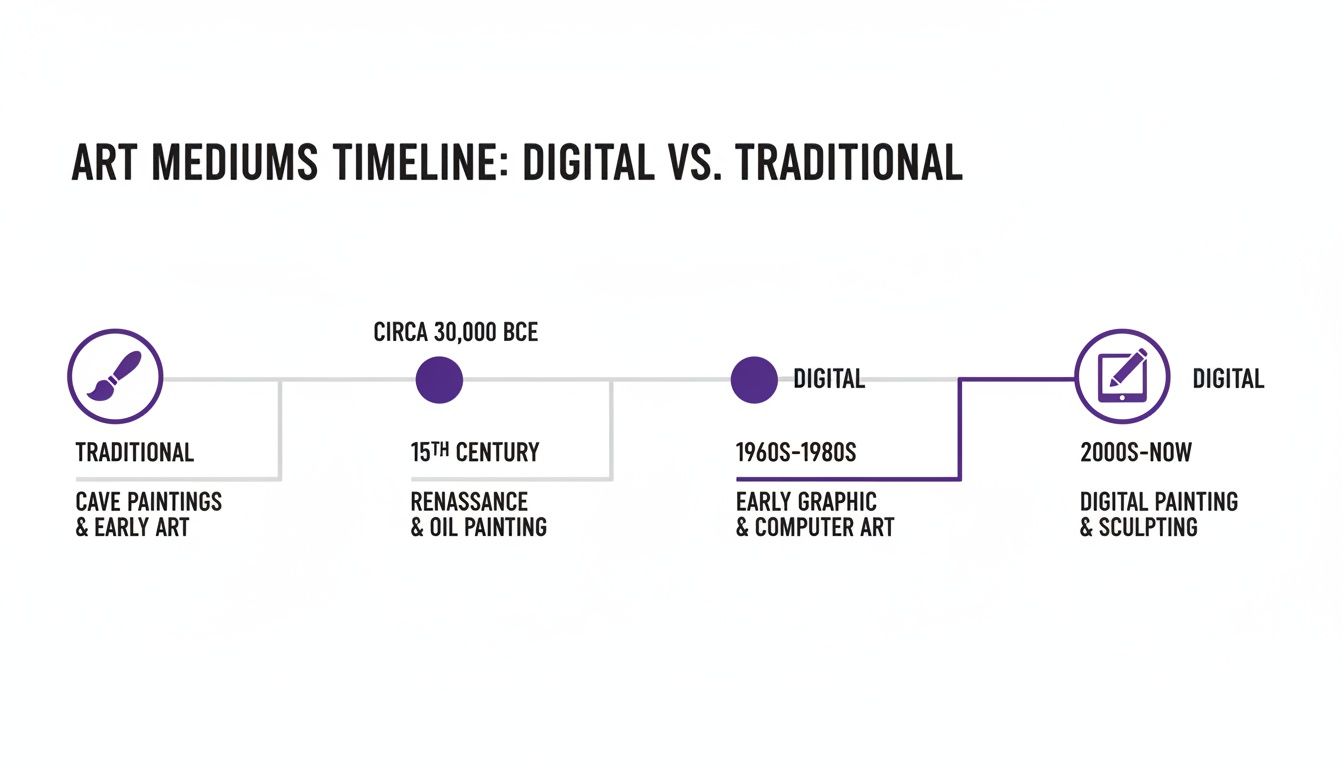
This visual journey highlights the incredible shift from thousands of years of traditional art-making to the rapid-fire innovation in digital tools over just a few decades.
Bringing Art to the Masses
For years, this technology was locked away in expensive mainframe computers at universities and big corporations. The real turning point came in the 1980s with the arrival of the personal computer. Suddenly, the power to create digitally wasn't just for a select few anymore.
This era brought us software that put digital art into homes and studios everywhere:
- Adobe Illustrator (1987): This program made vector graphics accessible to designers, giving them unheard-of control over lines and shapes. It quickly became the gold standard for logo design and technical drawings.
- Early Paint Programs: Software like MacPaint gave everyday users simple, fun interfaces to experiment with digital drawing, popularizing the whole idea of a "digital canvas."
These tools opened up the creative process to everyone. Artists who had only ever worked with traditional media started to see what was possible with pixels and vectors. The ability to undo mistakes, work in layers, and change colors instantly blew the doors open on creative frontiers. What started as a niche lab experiment had grown into a mainstream artistic movement, paving the way for the powerful, intuitive software we use today.
Understanding Core Digital Illustration Techniques
To really get what digital illustration is all about, you have to look past the fancy screens and software and peek inside the artist's digital toolbox. The magic isn't in the gear; it's in the techniques used to build an image from a blank canvas. At the very heart of this process are two completely different ways of creating art on a screen: raster and vector.
Think of it like building with LEGOs versus sculpting with clay. Both can create a masterpiece, but the way you get there is fundamentally different. An artist's choice between them defines how an illustration will look, feel, and ultimately, how it can be used.
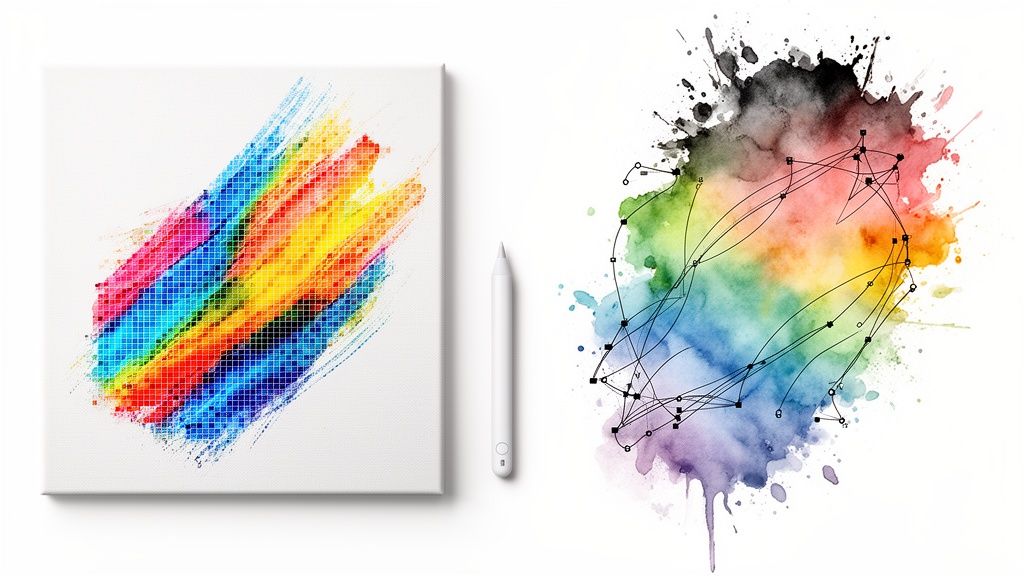
Raster Illustration: The Digital Mosaic
Raster illustration is basically painting, but with pixels instead of paint. The entire image is constructed from a grid of tiny colored squares called pixels. Imagine a massive mosaic made from millions of minuscule tiles—each tile is a pixel, and together they create a complete, detailed picture.
This pixel-based approach is perfect for art that needs rich textures, soft, blended gradients, and complex colors. It’s brilliant at mimicking the organic feel of traditional media like oil paints, watercolors, or charcoal. Software like Procreate and Adobe Photoshop are masters of raster, giving artists a seemingly infinite library of brushes that can simulate anything from a scratchy, dry brush to a wet, drippy ink pen.
The key thing to remember about raster art is that it's resolution-dependent. It has a fixed number of pixels. If you try to blow up a raster image too much, it gets blurry and "pixelated" because you start seeing the individual squares it's made of.
Vector Illustration: The Power of Precision
If raster art is painting, then vector illustration is more like a highly sophisticated connect-the-dots drawing. Instead of being built from pixels, vector art is constructed from mathematical equations that define points, lines, and curves. These paths create clean, precise shapes that are then filled with color.
This method is the backbone of logo design, iconography, and most typography. Because the image is defined by math instead of a grid of pixels, it is infinitely scalable. A vector logo can be shrunk to fit on a tiny business card or blown up to cover the side of a building, and it will stay perfectly sharp and crisp every single time. Adobe Illustrator is the undisputed king of vector software.
Vector illustrations are known for their clean lines and solid colors, making them perfect for graphics that need to be versatile. You can see just how creative you can get with this precise medium by exploring different approaches, like those in our guide to the line art style. The ease of editing colors and shapes makes vector an incredibly powerful tool for branding and design.
The choice between raster and vector isn't about which is "better"—it's about choosing the right tool for the job. An artist might sketch a raster concept in Procreate and then build the final, scalable logo in Illustrator.
The Artist's Secret Weapons
Beyond the foundational choice between raster and vector, digital illustration software is packed with powerful features that give artists an incredible amount of control. These tools are what truly set digital art apart from traditional media, enabling complex and non-destructive workflows.
Three of the most important tools in any digital artist's kit are:
- Layers: Imagine drawing on a stack of transparent sheets. You could draw a character on one, the background on another, and the special effects on a third. That's exactly what layers do. They allow artists to edit, move, or even delete individual parts of an illustration without messing up the rest of the image. This is a total game-changer for creating complex scenes and handling client revisions.
- Blending Modes: This feature dictates how different layers interact with each other. An artist can use a blending mode to make one layer multiply, screen, or overlay another, creating sophisticated lighting effects, shadows, and color shifts that would be incredibly difficult, if not impossible, to achieve with traditional paint.
- Custom Brushes: Digital artists are not stuck with a few standard brushes. They can create or download thousands of custom brushes that mimic any texture you can dream of. Whether you need the effect of a gouache brush, a can of spray paint, or a gritty charcoal stick, there’s a digital brush for it. This opens up a universe of stylistic possibilities.
These core techniques—raster and vector art, combined with the amazing flexibility of layers, blending modes, and custom brushes—are the building blocks of all modern digital illustration. They give artists the power to experiment freely, refine their work with pinpoint precision, and create stunning visuals that were once unimaginable.
The Modern Illustrator's Essential Toolkit
Just like a traditional painter has their favorite brushes, paints, and canvas, a digital illustrator needs a specific set of tools to bring ideas to life. Today's toolkit is a powerful blend of hardware that captures the artist's hand movements and software that translates those gestures into incredible art. Getting started is all about finding the right combination that fits your style, budget, and creative goals.
The jump into digital illustration usually starts with picking the right hardware. This is the physical bridge between your imagination and the digital canvas, with options ranging from simple, grab-and-go devices to highly specialized professional gear. Your choice here will shape your entire workflow and the tactile feel of making art.
Choosing Your Digital Canvas and Brush
Hardware is where your hands do the work. The best and most common tools are pressure-sensitive, which means they can tell how hard you're pressing with the stylus. This allows you to create lines of varying thickness and opacity, just like you would with a real pencil or brush.
You'll generally come across three main types of hardware:
- Graphics Tablets: These are the classic starting point. A graphics tablet is a simple plastic pad you connect to your computer. You draw on the pad with a stylus, and your strokes magically appear on your monitor. Brands like Wacom are legendary for these, offering a reliable and affordable way to get into the game.
- Pen Displays: Think of this as the next step up. A pen display is a monitor that you can draw on directly, which creates a much more natural and intuitive experience. Seeing the art appear right under the tip of your stylus gives you a direct connection to your work that many artists swear by.
- All-in-One Tablets: Devices like the Apple iPad have absolutely exploded in popularity for digital illustration. Paired with the incredible precision of the Apple Pencil, they offer a complete, portable studio. Their sheer versatility has made them a favorite for beginners and seasoned pros alike.
The Software That Powers Creativity
Once you have your hardware, you need the software—your digital paint, ink, and paper. The market for digital illustration apps is booming, reflecting a huge demand for these creative programs. In fact, the market is projected to soar from $10.62 billion in 2025 to $27.62 billion by 2035, a clear signal of just how essential these tools have become. While North America currently leads this market, the Asia-Pacific region is the fastest-growing, showing a worldwide embrace of digital art. You can read the full research on the digital illustration app market to see the data for yourself.
This growth has given us a fantastic range of software options, each with its own unique strengths.
The best software for you depends entirely on your needs. A vector-focused program is essential for logo design, while a raster-based app is better suited for painterly, textured illustrations. Many artists use a combination of tools to achieve their desired results.
To make sense of the options, let's look at some of the top choices in the industry. The table below breaks down a few heavy hitters and who they're best for.
Popular Digital Illustration Software
| Software | Primary Type | Best For |
|---|---|---|
| Adobe Illustrator | Vector | Logo designers, brand artists, and anyone creating scalable graphics for web or print. |
| Adobe Photoshop | Raster | Digital painters and concept artists who need powerful brush engines and photo editing tools. |
| Procreate | Raster | iPad artists who want an intuitive, powerful, and portable painting and drawing experience. |
| Krita | Raster | Beginners and professionals on a budget looking for a free, open-source painting program. |
Whether you're creating a clean vector logo in Adobe Illustrator or a rich digital painting in Procreate, there's a tool out there designed for the job. While Adobe Photoshop is famous for photo editing, it's also a raster beast for illustration with endless brushes. And you can't overlook Krita, an incredible free and open-source option that delivers professional-grade features without the price tag.
The Rise of AI in the Artist's Toolkit
A new category of tool is quickly becoming a staple in the modern illustrator's workflow: artificial intelligence. AI art generators aren't here to replace artists; they're here to act as creative partners. They can be incredibly powerful for brainstorming, helping you generate initial concepts, unique color palettes, or background textures in a matter of seconds.
For an artist staring at a blank canvas with a creative block, AI can offer that first visual spark to build upon. This lets you explore new directions much faster and experiment with ideas you might not have thought of otherwise. If you're curious about what's possible, you can check out a variety of AI art generation tools to see how they can fit into your process. These platforms are becoming invaluable assistants, handling the tedious stuff so artists can focus on bringing the final, polished piece to life.
Why Artists and Businesses Are Making the Switch to Digital
The move from traditional pencils and paint to digital styluses and screens isn't just about new gadgets. It's a fundamental shift driven by huge gains in efficiency, creative freedom, and pure cost savings. Whether you're a freelance artist or a multinational corporation, digital illustration solves real-world problems in ways physical media just can't.
Think about the single biggest game-changer: the "undo" button. This one feature completely transforms the creative process. It removes the fear of that one misplaced brushstroke ruining hours of work, encouraging artists to take risks and experiment. Combine that with the power of layers, and you can tweak a single element—like changing a character's shirt color—without touching anything else in the scene.
This kind of flexibility is a lifesaver on commercial projects, where client feedback and revisions are part of the deal. An artist can whip up five different color schemes for a client in a matter of minutes. With traditional paint, that would take days.
The Incredible Flexibility of a Digital File
Once the artwork is done, the digital file itself is a powerhouse. A single vector illustration can be shrunk down to a tiny app icon or blown up to the size of a billboard, all without losing a single pixel of quality. That kind of scalability is non-negotiable for modern branding, where a logo has to look sharp on everything from a website favicon to a trade show banner.
This digital-native format comes with a ton of other perks:
- Instant Delivery: Send your finished piece to a client on the other side of the world in seconds. No shipping costs, no delays.
- Seamless Integration: Digital files drop effortlessly into websites, can be animated for videos, or become part of a user interface.
- Perfect Copies: You can create an infinite number of flawless duplicates with a click. That's simply impossible with a physical painting.
These benefits make digital illustration an essential tool for any business needing consistent, high-impact visuals. For marketing teams, having a library of scalable, editable assets is a massive advantage. You can see just how critical strong visuals are in our guide to AI for marketing.
The ability to quickly iterate and adapt visuals isn't just a convenience; it's a competitive advantage. It allows businesses to respond faster to market trends and maintain a cohesive brand identity across all channels.
It Just Makes Good Financial Sense
The economic argument for going digital is just as strong. Sure, there’s an upfront cost for a tablet and software, but the long-term savings are significant. You’re no longer paying for an endless supply of paint, canvases, brushes, and other materials that run out. This makes it a far more sustainable and accessible career path for many artists.
The market numbers back this up. The global digital artwork market, valued at US$5.8 billion in 2025, is expected to skyrocket to US$17.72 billion by 2032, growing at a blistering 17.3% each year. North America is leading the pack, holding over 38.5% of the market share, thanks to a robust network of galleries and creative industries. You can find more details on the digital artwork market growth on coherentmarketinsights.com.
This trend sends a clear message: digital illustration isn't just an artistic preference anymore. It's a central pillar of the modern creative economy.
Digital Illustration At Work In The Real World
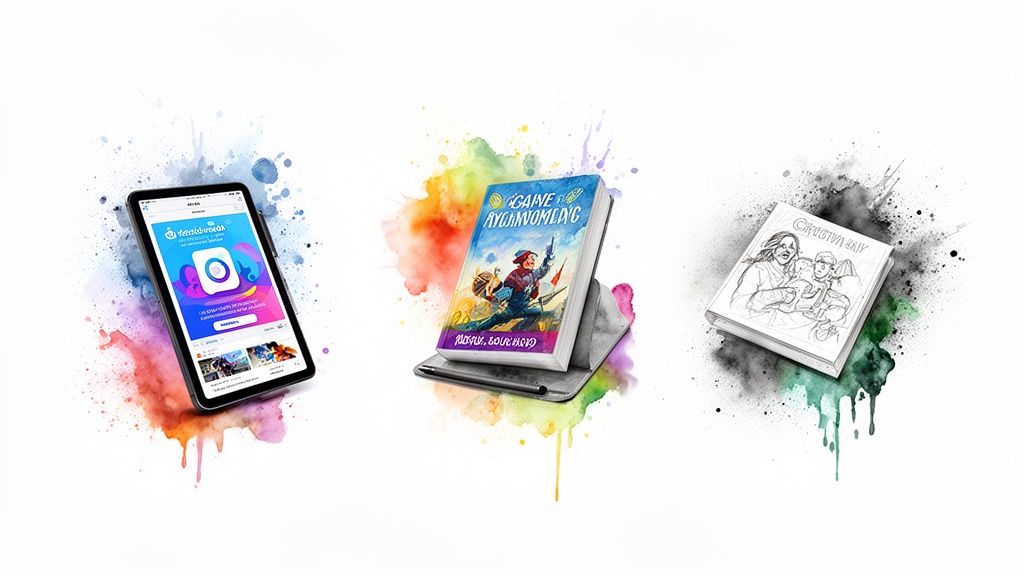
The real power of digital illustration isn't just theoretical; it’s happening all around you, right now. It’s in the ads you scroll past and the apps on your phone. This art form has become the engine of modern communication, blending raw creativity with the practical needs of business.
Take marketing and advertising. Digital illustration is the secret sauce for stopping the endless scroll. It lets brands create custom social media graphics, slick website banners, and animated ads that feel far more personal than generic stock photos. A unique illustration can instantly communicate a brand's entire personality—whether it's fun, elegant, or edgy.
From Book Covers To Blockbusters
The publishing world runs on digital illustration. Artists create book covers that practically leap off the shelves, crafting visuals that nail a story's mood and genre before you even read the first page. Inside magazines and online articles, editorial illustrations break up dense text and make complex topics feel approachable.
And in the entertainment industry? It’s everything. Long before a single line of code is written for a video game or a scene is shot for a movie, concept artists are busy designing the entire universe. They use digital illustration to dream up the characters, invent fantastical worlds, and storyboard the key moments that define the final product.
Digital illustration gives creators the power to build entire universes from scratch. Every monster, spaceship, and enchanted forest you see in a game or movie likely started as a digital painting.
This demand is fueling some serious growth. The global market for digital illustration software was valued at around $3,500 million in 2025 and is on track to grow by about 12% every year through 2033. That boom is a direct reflection of just how hungry our world is for rich visual content. You can explore more data on the digital illustration software market at datainsightsmarket.com.
The Unseen Art of Everyday Life
Beyond the obvious, digital illustration is the invisible hand guiding you through your favorite apps and websites. It’s a huge part of the user experience (UX) and user interface (UI) design that makes technology feel intuitive.
Here are a few places you interact with it every day:
- Logos and Icons: The clean, scalable logos that define a brand's identity are almost always created as vector illustrations.
- App Interfaces: Those friendly onboarding illustrations showing you how to use a new app? All digital.
- Custom Icons: The small, intuitive icons you tap on are carefully designed illustrations that make navigation a breeze.
This incredible versatility proves that knowing what is digital illustration is recognizing its influence everywhere. But all that clicking and drawing can take a physical toll. For a long and healthy career, it’s vital for artists to focus on ergonomics and look into preventing repetitive strain injury.
Common Questions About Digital Illustration
Jumping into the world of digital art can bring up a few big questions. If you're a curious beginner or even a traditional artist thinking about making the switch, getting straight answers can make the whole thing feel a lot less intimidating. Let's clear up some of the most common things people wonder about digital illustration.
Think of this as your quick guide to bust some myths and tackle the practical concerns so you can move forward with confidence.
Do I Need to Be Good at Drawing to Start?
Not anymore. While having traditional drawing skills is definitely a bonus, it’s no longer a deal-breaker. Modern software and accessible tools have kicked the door wide open for just about anyone to create amazing visuals. Your creativity is what really matters, not whether you can draw a perfect circle by hand.
Plenty of digital illustration styles, like vector art for logos or creating cool visual collages, lean more on a good eye for design, color, and composition. You can get professional results by mastering those principles, even if freehand drawing isn't your strong suit.
Is Digital Illustration Considered Real Art?
Absolutely. The old idea that digital art is somehow "less real" than a painting on canvas is a myth that just won't quit. The medium doesn't define the art—the artist's vision, skill, and creative message do.
Art is all about the artist's intent and execution, not the tools they pick up. Digital illustration demands the same deep understanding of composition, color theory, light, and form as a physical painting. It's just a different toolbox for bringing a creative vision to life.
Today, digital work hangs in galleries, drives major advertising campaigns, and provides the visual backbone for entire industries. Its impact and legitimacy are undeniable.
What Is the Difference Between Digital Illustration and Graphic Design?
This is a common point of confusion because they often work hand-in-hand, but their core jobs are different. Think of digital illustration as the art of creating an image to tell a story, set a mood, or bring a concept to life. Its main purpose is artistic expression.
Graphic design, on the other hand, is all about communication and solving problems. A designer uses visual elements—which can include illustrations, photos, and text—to organize information and get a specific message across. An illustrator might create a beautiful piece of art, and a graphic designer might arrange that art on a poster to sell a product or promote an event.
Ready to create stunning visuals without the steep learning curve? With ai-media-studio, you can generate professional-quality illustrations in over 50 unique styles, all from a simple text prompt. Get started for free and bring your creative ideas to life in seconds. Explore AI Media Studio today!