The world of digital creation has been revolutionized. What once required years of artistic training or complex software can now be achieved with a simple text prompt. The best AI image generator tools are not just for artists; they're powerful assets for marketers, content creators, small business owners, and anyone needing high-quality visuals on demand. But with a rapidly growing market, choosing the right platform can feel overwhelming. This guide cuts through the noise to provide a detailed, hands-on comparison of the top 12 tools available today.
We'll explore their unique strengths, practical use cases, pricing models, and honest limitations, helping you find the perfect creative partner to bring your vision to life. Whether you're designing a marketing campaign, illustrating a blog post, or simply exploring the boundaries of your imagination, this resource is designed to help you make an informed decision. For each platform reviewed, you'll find direct links and screenshots to give you a clear look at its interface and capabilities.
Beyond visual creation, harnessing AI extends to crafting compelling narratives. For those looking to optimize their social media presence, an AI Instagram Caption Generator can assist in generating engaging text to accompany your AI-generated visuals. Our comprehensive breakdown will provide the clarity needed to select the ideal image generator, ensuring your choice aligns perfectly with your specific project goals, technical skill level, and budget. Let's find the tool that will transform your ideas into stunning visuals.
1. AI Media Studio
Best For: All-in-one creative suite for business and marketing.
AI Media Studio positions itself as a powerhouse in the AI creative space, earning its place as one of the best AI image generator tools by combining remarkable ease of use with a feature set built for professional output. It’s an ideal choice for marketers, agencies, and small businesses who need to produce high-quality visual content without the steep learning curve often associated with advanced prompt engineering. The platform's core strength lies in its streamlined workflow: users select from a vast library of styles, input a simple text description, and generate professional-grade images or videos in seconds.

What truly distinguishes AI Media Studio is its comprehensive, business-centric approach. Paid plans come standard with full commercial usage rights, eliminating licensing concerns for marketing campaigns or client projects. Furthermore, the platform integrates essential workflow tools like team collaboration workspaces and cross-platform access, making it a scalable solution for growing creative teams.
Standout Features & Analysis
- Extensive Style Library: With over 50 distinct art styles, from photorealistic and cinematic to specialized aesthetics like its impressive anime-style generator, the creative range is substantial. This allows for consistent brand visuals across various campaigns.
- Integrated AI Editing: The suite includes powerful inpainting and outpainting tools, plus AI-driven enhancements. This allows users to refine and perfect their generations directly within the platform, streamlining the post-production process.
- Privacy-First Policy: AI Media Studio explicitly states that user prompts and generated images are private by default and are not used for model training without consent, a critical consideration for businesses handling proprietary concepts.
- Commercial Licensing: A key differentiator for professional users. The Starter and Pro plans provide the legal clearance needed to use generated assets in commercial projects confidently.
Pricing Structure
AI Media Studio offers a tiered pricing model that caters to different usage levels, starting with a risk-free trial.
- Free Trial: 3 free generations per month, no credit card required.
- Light Plan: $10/month for 200 credits (personal use only).
- Starter Plan: $19/month for 1,000 credits, commercial license, team tools, and advanced editing.
- Pro Plan: $35/month for 2,000 credits, adding priority support and higher generation limits.
| Pros | Cons |
|---|---|
| Extremely intuitive interface requires no technical prompting skills. | Some advanced features like batch generation are still listed as "coming soon." |
| A massive library of 50+ diverse art and video styles. | Marketing claims of "unlimited generation" conflict with the credit-based system on pricing pages; users should verify their plan's limits. |
| Paid plans include full commercial use rights for marketing and client work. | |
| Features collaborative workspaces for teams. | |
| Strong privacy policy protects user-generated content and prompts. |
Website: ai-media-studio.com
2. Adobe Firefly
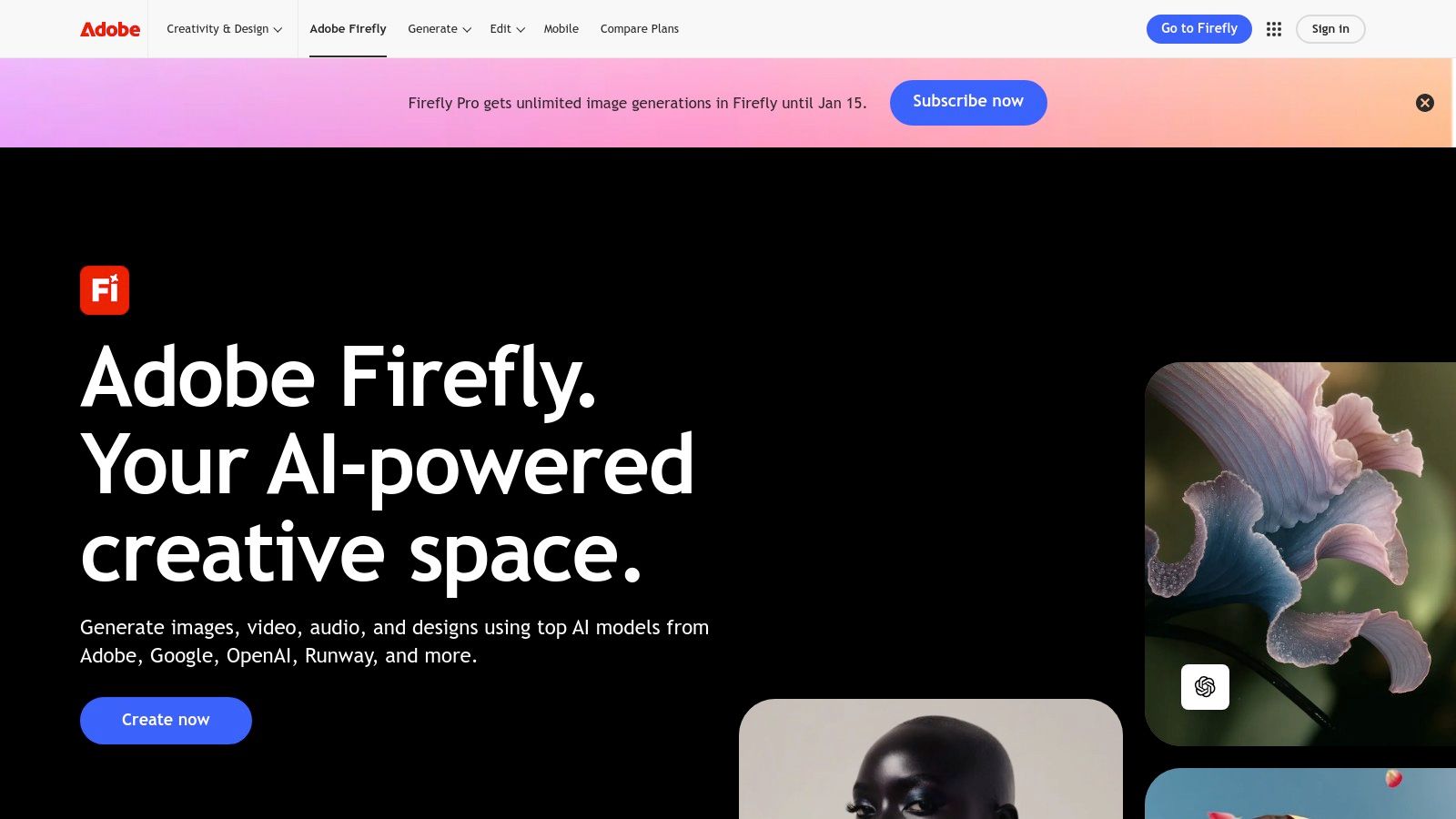
Adobe Firefly is the creative giant’s powerful entry into the generative AI space, standing out as one of the best AI image generator tools due to its deep integration with the Adobe Creative Cloud ecosystem. Designed with professional workflows in mind, Firefly isn't just a standalone web tool; it’s a feature woven directly into applications like Photoshop and Adobe Express. This allows for a seamless creative process where you can generate images and then immediately refine them with industry-standard editing tools.
Its key differentiator is its commercial-use focus. Adobe trained Firefly on its own stock library and openly licensed content, which provides a clearer, safer path for commercial projects. This commitment is reinforced by its Content Credentials feature, which adds a layer of transparency to AI-generated assets.
Core Features & Use Cases
Firefly excels at both text-to-image generation and in-context editing. The Generative Fill and Generative Expand tools are game-changers within Photoshop, allowing users to seamlessly add, remove, or extend parts of an image with AI. You can easily remove unwanted objects from a photo or expand a vertical shot into a wide banner image. For creators already invested in Adobe's software, this native integration is a massive workflow enhancement. It's an excellent choice for marketers creating campaign assets, designers mocking up concepts, and photographers performing complex edits.
Pricing and Access
Adobe integrates Firefly access through a generative credits system. A free plan is available, providing 25 monthly credits. Paid Creative Cloud plans (starting from around $9.99/month for the Photography plan) include a larger monthly allocation of "fast" credits, with slower generation available after they are used.
- Pros: Deep integration with Photoshop and Express, commercially safe model, robust inpainting and outpainting tools. For a deeper look at this technology, you can learn more about AI inpainting.
- Cons: The credit system can be complex, and some advanced partner models consume more credits per generation.
Website: https://www.adobe.com/products/firefly.html
3. OpenAI ChatGPT (Images / DALL·E & GPT‑Image)
OpenAI’s ChatGPT has evolved beyond a text-based tool to become a versatile creative partner, integrating powerful image generation directly into its chat interface. By leveraging models like DALL·E 3 and the newer GPT-4o image capabilities, it has become one of the best AI image generator tools for users seeking convenience and conversational creativity. Instead of a dedicated interface, you generate and refine images through simple, natural language prompts, making the process highly intuitive.
Its primary advantage is its seamless integration into the ChatGPT ecosystem. Teams and individuals already using ChatGPT for writing or coding can now generate visuals without switching platforms. This unified workflow is ideal for quickly creating blog post illustrations, social media graphics, or conceptual art. Furthermore, OpenAI offers a robust Images API, providing developers with granular control and per-image pricing for integrating AI generation into their own applications.
Core Features & Use Cases
ChatGPT excels at in-chat image creation and iterative editing. You can ask the model to generate a scene, then follow up with requests to change specific elements, styles, or compositions in a conversational manner. For example, you can ask it to "make the dragon red" or "add a castle in the background" without starting a new prompt. This makes it perfect for content creators brainstorming visuals, developers needing API access for dynamic image generation in apps, and marketers looking for a quick, all-in-one content solution across desktop and mobile.
Pricing and Access
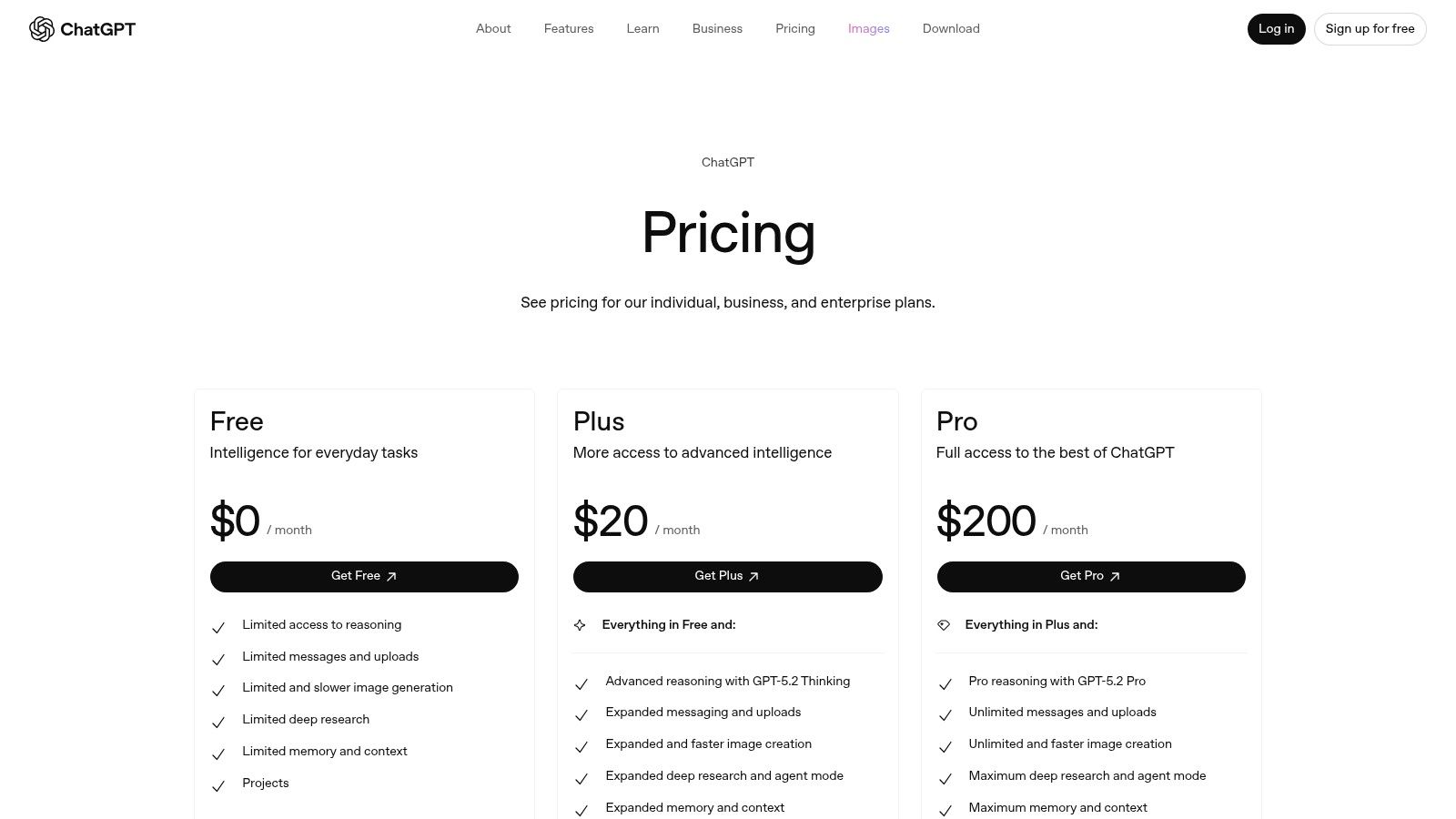
Image generation is available to users on paid ChatGPT tiers, such as ChatGPT Plus (around $20/month), which provides access to the more advanced models. For developers, the Images API offers a flexible pay-as-you-go model with different costs based on the image size and quality selected, allowing for scalable and predictable spending.
- Pros: Simple conversational workflow across desktop and mobile, flexible developer API with granular costs, great for users already in the OpenAI ecosystem.
- Cons: Generation speed can vary, and API or high-volume usage requires careful budget management.
Website: https://openai.com/chatgpt/pricing/
4. Midjourney
Midjourney has established itself as one of the best AI image generator tools, renowned for producing highly artistic, stylized, and often painterly images. It operates primarily through a Discord server, where users interact with a bot to generate creations. This unique community-centric approach allows for real-time inspiration as you see what others are creating, fostering a collaborative and dynamic environment.
While its initial learning curve is tied to mastering Discord commands, the quality of its output is consistently top-tier, making it a favorite among artists and designers seeking a distinct aesthetic. Its model excels at interpreting complex, abstract prompts and transforming them into visually stunning, coherent compositions that often feel hand-crafted.
Core Features & Use Cases
Midjourney's core strength is its prompt-based image generation, which includes powerful parameters for controlling aspect ratios, style intensity, and model versions. Users generate a grid of four initial images and can then choose to create variations or upscale a specific image for higher detail. Features like Remix mode allow for iterative changes to prompts, making it perfect for fine-tuning a concept. It is exceptionally well-suited for creating conceptual art, fantasy illustrations, and unique character designs. Many creators use it as an advanced AI character generator due to its stylistic flair.
Pricing and Access
Midjourney is a subscription-based service with no free tier for image generation. Plans start at around $10/month, providing a set number of "Fast" GPU minutes for prioritized processing. Higher-tier plans (starting from $30/month) include more Fast hours and access to "Relax mode," which allows for unlimited image generation at a slower pace, making it cost-effective for high-volume users.
- Pros: Produces exceptionally high-quality, artistic images with a distinct aesthetic; strong community for inspiration; unlimited "Relax" generation on higher plans.
- Cons: The Discord-based interface can be unintuitive for new users; requires a paid subscription to generate any images.
Website: https://www.midjourney.com
5. Stability AI (Stable Assistant & Stable Artisan)
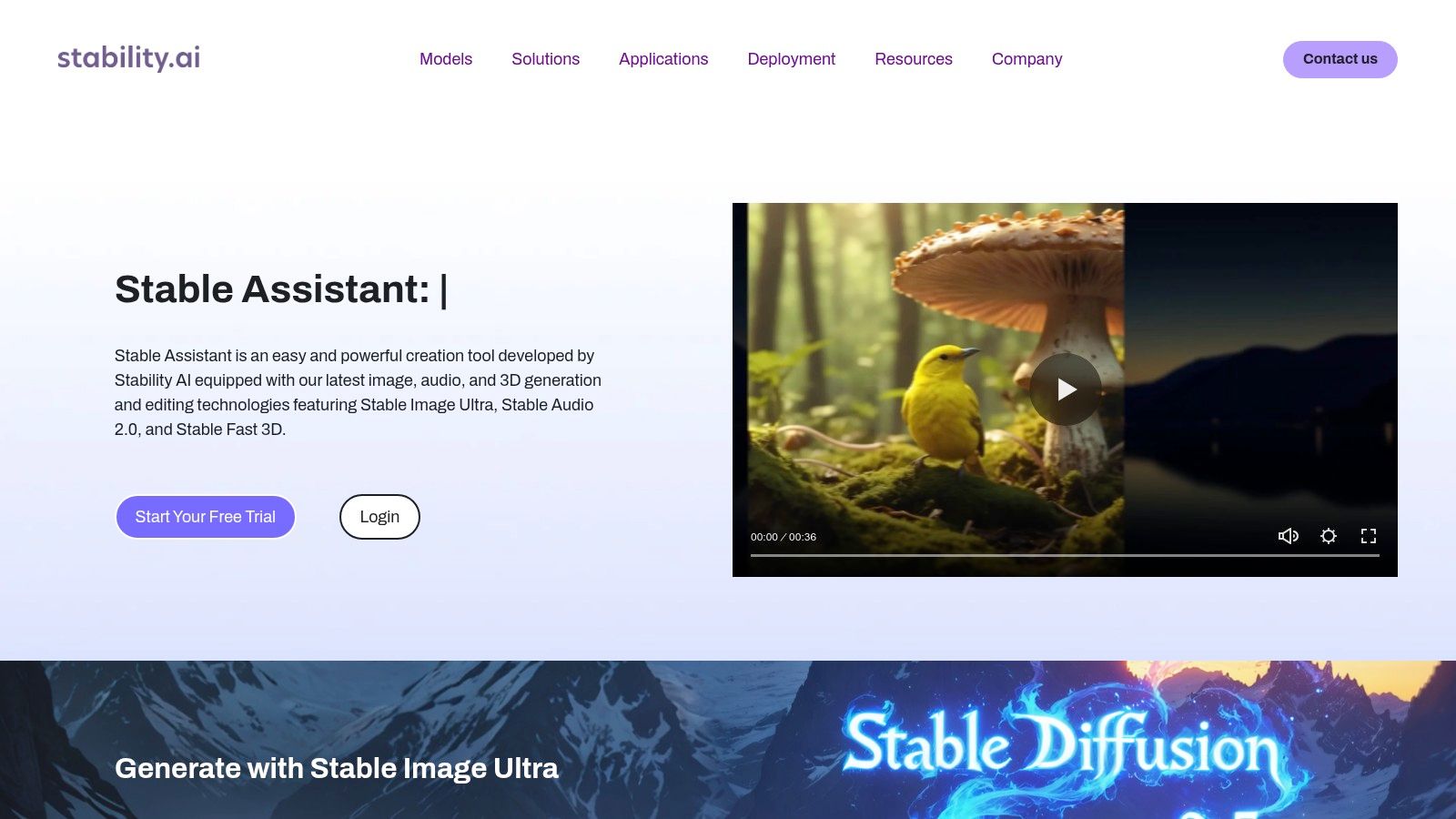
Stability AI, the company behind the revolutionary Stable Diffusion models, offers its own suite of official tools: Stable Assistant (a web app) and Stable Artisan (a Discord bot). These platforms provide direct access to the latest models like Stable Image Ultra and the SD3 series, making them a top choice among the best AI image generator tools for those who want to experience the technology straight from the source. This direct access ensures users get the intended, unfiltered output from some of the most powerful open-weight models available.
The platform distinguishes itself by offering not just powerful text-to-image generation but also a robust set of image-editing tools. Furthermore, its flexible licensing and self-hosting options cater to everyone from individual creators to large enterprises, providing a level of control and scalability that is hard to find elsewhere.
Core Features & Use Cases
Stable Assistant and Stable Artisan are built for both creation and refinement. Beyond standard text-to-image prompting, the tools provide powerful editing features like Inpaint/Erase for targeted fixes, background replacement, and a Zoom Out function to expand an image's canvas. This makes the platform highly versatile for tasks ranging from initial concept generation for artists to creating polished marketing visuals. Businesses and developers can leverage the API and self-hosting options to build custom AI workflows or integrate generation capabilities directly into their own applications.
Pricing and Access
Stability AI operates on a credit-based system, with a free 3-day trial available for new users to test the platform's capabilities. Paid plans are competitively priced and come in multiple tiers, starting from a base plan offering a set number of monthly credits. This structure allows users to choose a plan that best fits their usage volume, from occasional hobbyists to high-demand professional teams.
- Pros: Competitive pricing across multiple plan sizes, flexible licensing and self-hosting options suitable for businesses and enterprises.
- Cons: The credit accounting for each specific tool can be intricate, and APIs or endpoints may change as the models evolve.
Website: https://stability.ai/stable-assistant
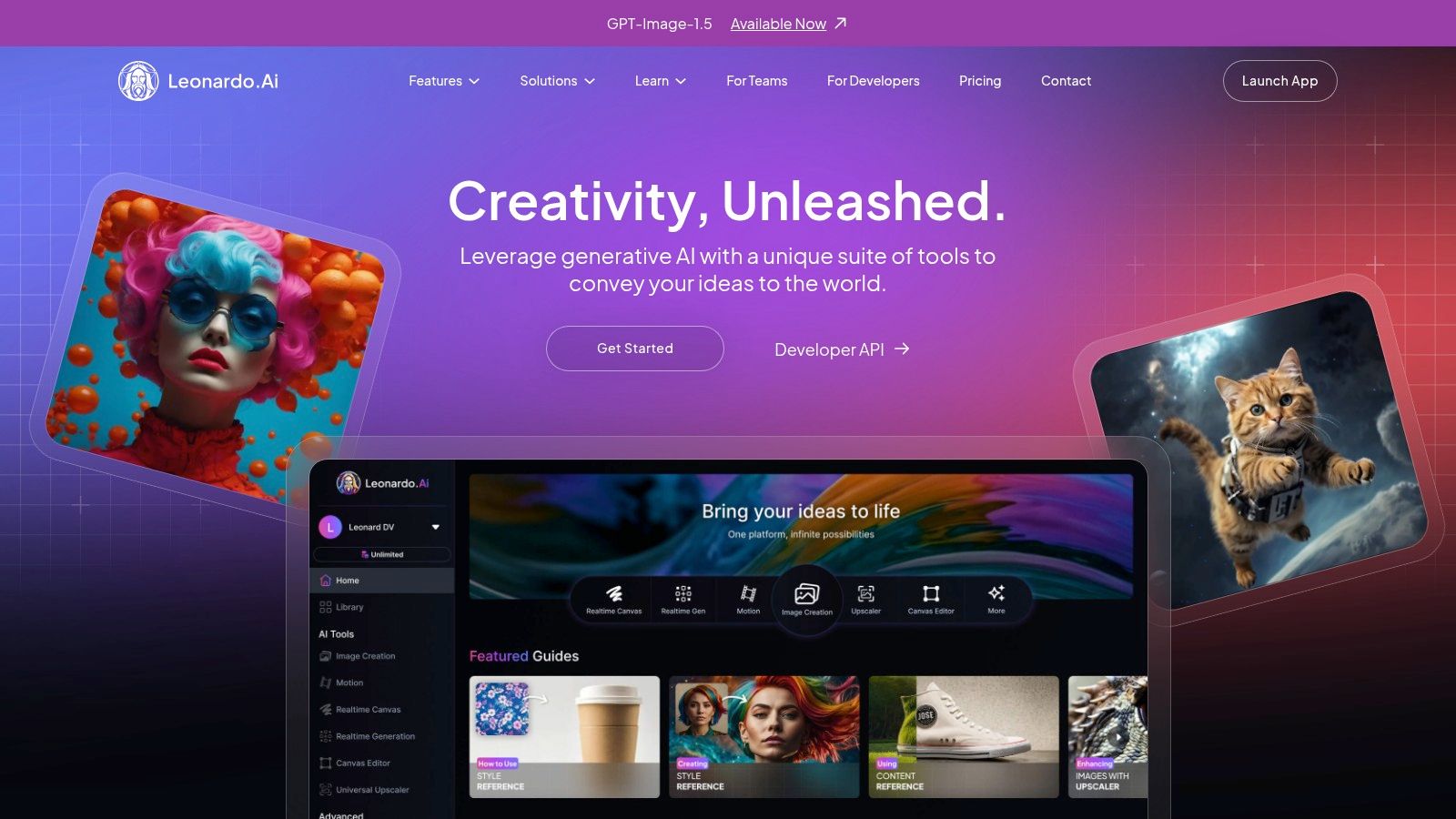
6. Leonardo AI
Leonardo AI has carved out a niche as a comprehensive creative suite, positioning itself as one of the best AI image generator tools for users who want to go beyond simple text-to-image prompts. It’s a powerful platform designed for generating assets, training custom models, and managing creative workflows, making it a favorite among game developers, artists, and production studios. The platform's strength lies in its balance of user-friendly tools for beginners and advanced features for professionals.
Its key differentiator is the ability to fine-tune custom datasets. This allows creators to train their own AI models on specific art styles, characters, or objects, ensuring consistent and unique outputs that align perfectly with a project's aesthetic. This feature, combined with a highly active community and a library of pre-trained models, provides a robust ecosystem for artistic creation.
Core Features & Use Cases
Leonardo AI excels in both asset generation and model customization. Its suite includes tools for image generation, AI canvas for inpainting and outpainting, and even early-stage 3D texture generation. The platform is ideal for creating game assets like characters and environments, concept art for film or marketing, and unique artistic pieces. The ability to manage concurrent jobs and organize work into collections is a significant advantage for teams and power users who need to run multiple experiments simultaneously.
Pricing and Access
The platform operates on a token-based system, with a generous free plan that offers 150 daily tokens. Paid plans (starting from $10/month) provide a larger monthly token allowance, access to premium features, and faster generation speeds. A unique aspect is the "Relaxed" generation mode available on certain paid tiers, which allows for unlimited, albeit slower, image creation without consuming tokens, offering a great balance between speed and volume.
- Pros: Excellent for training custom models, strong community and model library, offers a good balance of speed (tokens) and volume (Relaxed mode).
- Cons: The token system can be a bit confusing for new users, and the unlimited Relaxed mode has limitations on which models can be used.
Website: https://leonardo.ai
7. Ideogram
Ideogram has quickly carved out a niche for itself among the best AI image generator tools by excelling at a task that many others struggle with: rendering coherent and accurate text within images. This platform is a go-to choice for anyone needing to create logos, posters, or memes where typography is a central element. Its ability to generate clean, legible text makes it uniquely powerful for specific design and marketing needs.
The web-based platform is designed for accessibility, allowing users to quickly generate ideas and iterate on designs. It focuses on simplifying the process of creating visually appealing images that effectively combine graphics with typography, a feature that sets it apart in a crowded market. Ideogram's model is particularly adept at understanding prompt nuances related to lettering and composition.
Core Features & Use Cases
Ideogram’s standout feature is its reliable text rendering. This makes it an invaluable tool for graphic designers creating initial logo concepts, social media managers producing text-heavy promotional images, and marketers developing ad creatives. The "Magic Prompt" feature helps enhance and elaborate on simple user ideas to generate more detailed and stylized results. It’s also a great option for personal projects like creating custom t-shirt designs or personalized greeting cards where text is key. Its API also provides options for character consistency, which is useful for developing branded assets.
Pricing and Access
Ideogram uses a credit-based system with a free tier that provides 25 generations (100 images) per day. Paid plans (starting at $7/month) offer "Priority" generations for faster results, private generation modes, and access to the editor. The system distinguishes between fast Priority credits and slower, lower-cost generations, giving users flexibility. Top-up packs are available to add more Priority credits as needed, and an API is available for higher-volume, programmatic use cases.
- Pros: Exceptional and reliable text rendering in generated images, flexible usage model with Slow vs. Priority credits.
- Cons: Priority credit management can add complexity for some users, and API minimums for custom models are aimed at higher-volume clients.
Website: https://ideogram.ai
8. Playground AI
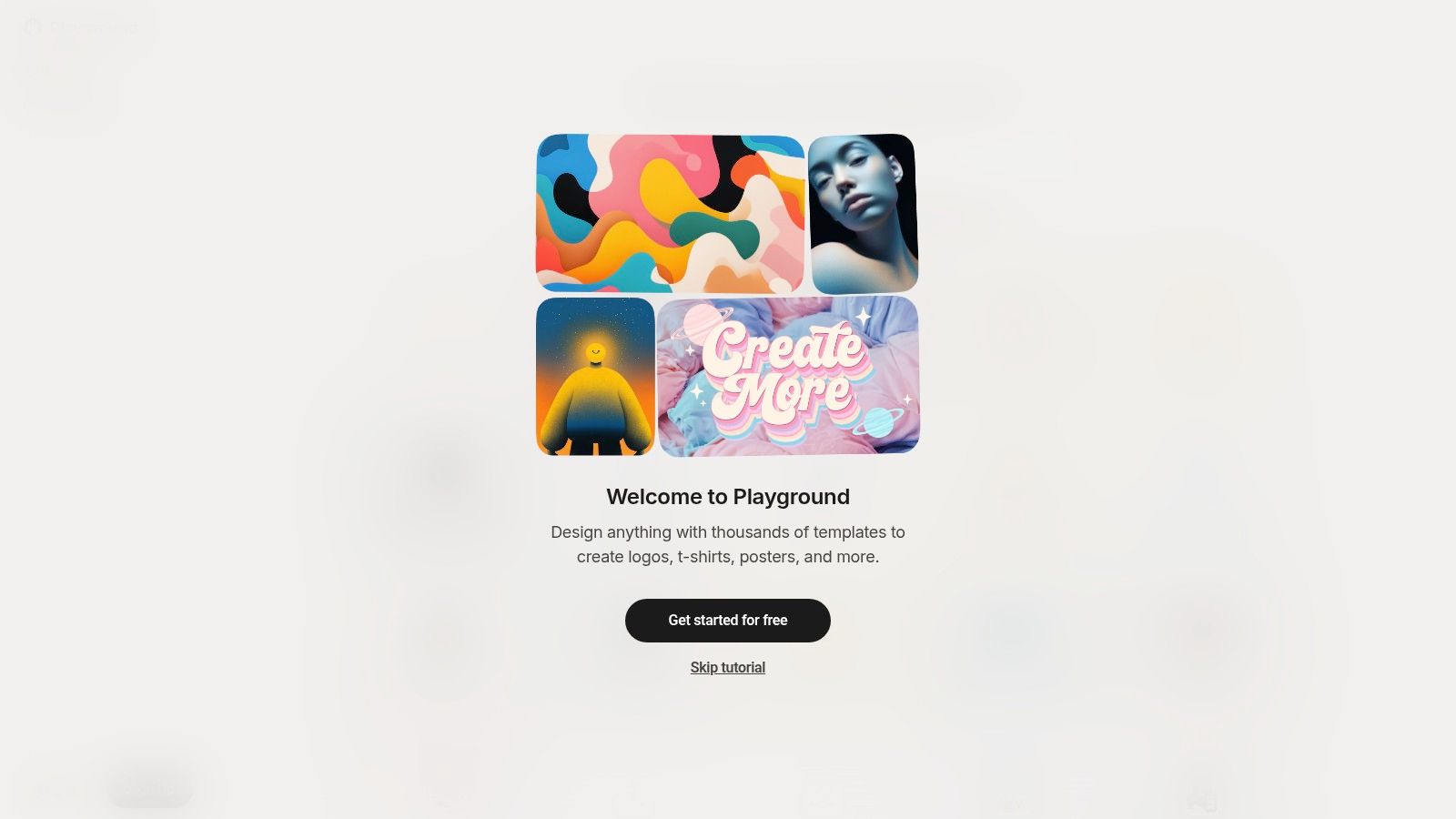
Playground AI serves as a versatile, browser-based design workspace that bundles its proprietary model with access to several third-party generators. It stands out among the best AI image generator tools by providing a unified interface where users can experiment with different AI technologies, including its own capable Playground v3 and OpenAI's DALL-E 3 and 4o models. This multi-model approach makes it a fantastic sandbox for creators who want to compare outputs and find the perfect engine for their specific needs without juggling multiple subscriptions.
The platform is built around a "canvas" where users can generate, edit, and iterate on images. This design-centric environment encourages a more fluid creative process, moving beyond simple text-to-image generation into a more comprehensive image editing and composition workflow, all within the same browser tab.
Core Features & Use Cases
Playground AI's core strength is its flexibility. Users can easily switch between models like Playground v3, DALL-E 3, and even the newer OpenAI 4o, allowing for direct A/B testing of prompts. The platform also offers image-to-image editing, background removal, and upscaling on its paid plans. It's an excellent choice for users who are still exploring different AI art styles or for teams that need to test various models for a project before committing to a specific tool. The canvas-style interface is particularly useful for creating social media graphics, blog post headers, or marketing materials where multiple elements need to be composed.
Pricing and Access
Playground offers a free plan with daily generation limits. For more intensive use, it provides paid plans starting from $12/month, which unlock features like downloads without watermarks, upscaling, and higher usage caps. A unique aspect is its low-commitment options, including a Day Pass and small à la carte credit packs, perfect for short-term projects or for testing premium models without a monthly subscription.
- Pros: Access to multiple models (including OpenAI 4o) in one place, flexible pricing with a Day Pass option, user-friendly canvas interface.
- Cons: No unlimited generation option, premium models have stricter usage limits than the native Playground v3 model.
Website: https://playground.com/design
9. NightCafe Studio
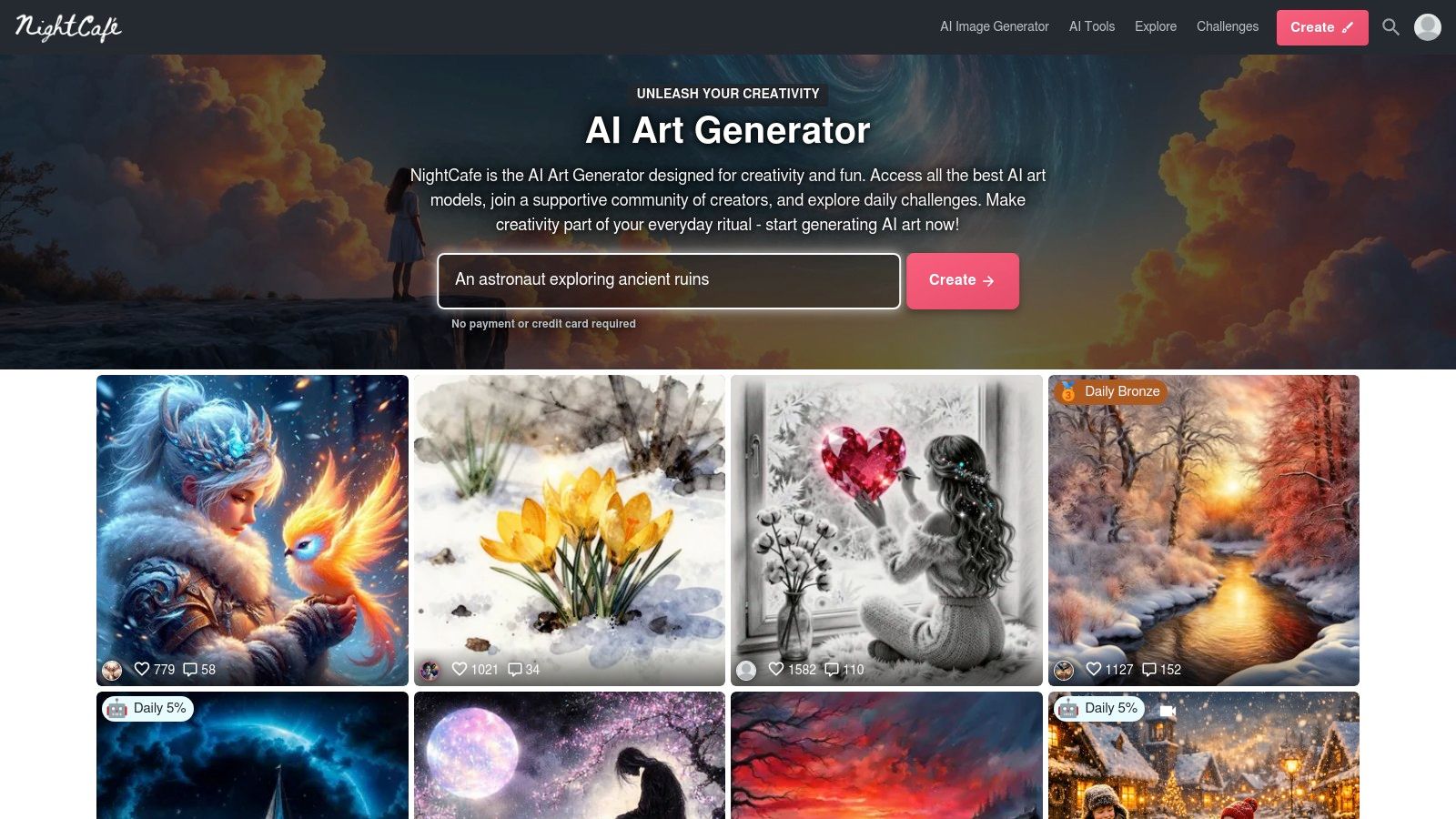
NightCafe Studio is one of the more established names in the AI art scene, carving out a niche with its strong community focus and unique print-on-demand integration. It functions as a hub where users can not only generate images using various models but also participate in daily challenges, browse creations from other artists, and even turn their favorite outputs into physical products. This makes it more than just a utility; it’s a complete creative ecosystem.
The platform's standout feature is its integrated storefront. With just a few clicks, you can order high-quality prints, framed art, or even mugs featuring your AI-generated artwork, which are then shipped directly to you. This seamless transition from digital concept to tangible product is a major draw for artists and hobbyists looking to bring their creations into the physical world.
Core Features & Use Cases
NightCafe supports multiple generation methods, including text-to-image and style transfer, giving users a range of creative tools. The platform is particularly well-suited for users who enjoy community engagement, as the daily challenges and public galleries provide a constant source of inspiration and feedback. It's an excellent choice for individuals looking to explore AI art as a hobby, creators wanting to sell physical prints of their work without handling logistics, or anyone who values a social and interactive creative process.
Pricing and Access
The platform operates on a credit-based system. Users receive a number of free daily credits and can purchase more via one-time credit packs or subscribe to a monthly PRO plan for a larger allocation. Credits are used for generating and upscaling images, with costs varying based on the algorithm and settings used. A key benefit is that purchased credits do not expire and will roll over each month.
- Pros: Strong community features with challenges and galleries, integrated print-on-demand store for physical products, credits never expire.
- Cons: The user interface and feature set can feel less advanced than newer platforms, and the credit pricing structure can be complex.
Website: https://nightcafe.studio
10. Canva (Create an Image / Magic Studio)
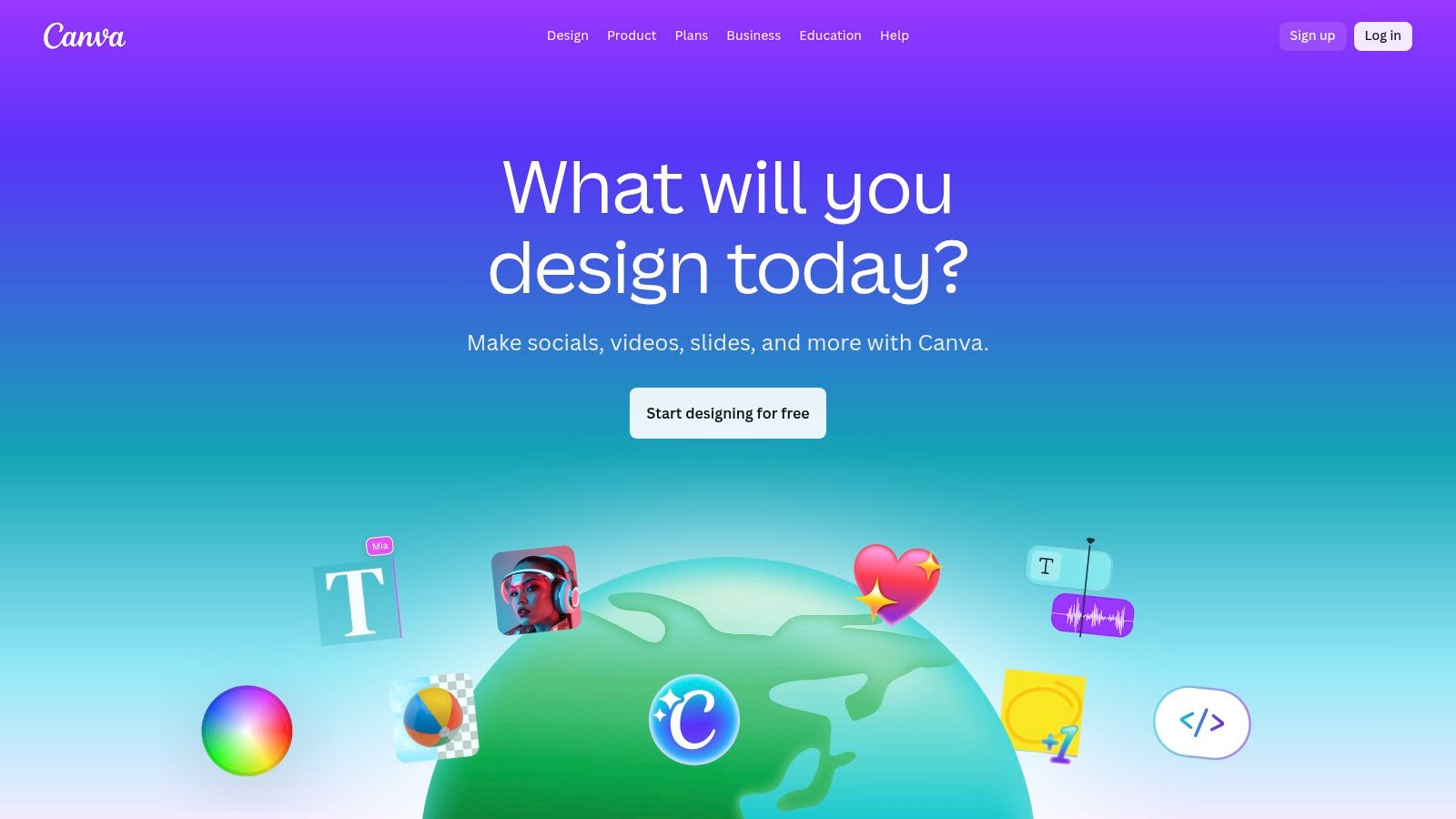
Canva is much more than a simple image generator; it’s a comprehensive design platform where AI is a core part of a larger creative workflow. Its suite of tools, branded under Magic Studio, includes a text-to-image generator and Generative Fill capabilities directly within the editor. This makes it one of the best AI image generator tools for users who need to create complete designs, not just standalone images. Its strength lies in taking a generated concept and immediately placing it into a social media post, presentation, or marketing document.
The platform is built for end-to-end design, making it ideal for creating polished assets without ever leaving the ecosystem. Beyond generating unique images, platforms like Canva allow you to incorporate your AI art into practical designs. If you're looking to turn your digital masterpieces into impactful physical displays, consider these valuable insights on how to design a banner that truly stands out.
Core Features & Use Cases
Canva’s AI features are seamlessly integrated with its vast library of templates, fonts, and stock assets. You can generate a custom image for a social media post, then use Magic Edit to alter or replace objects within it. The workflow is designed for speed and convenience, perfect for marketers, small business owners, and social media managers who need to produce high-quality, branded content quickly. Its collaborative tools also allow teams to work together on designs in real time.
Pricing and Access
Canva offers a generous free plan that includes a limited number of lifetime text-to-image credits. The Canva Pro plan (around $14.99/month for one person) provides a much larger monthly allowance of credits and unlocks premium features. Team and Enterprise plans offer even more credits and advanced brand management tools.
- Pros: All-in-one design workflow, extensive template library, strong team collaboration and brand asset management features.
- Cons: Less granular control over image generation compared to specialized tools, and pricing can vary by region.
Website: https://www.canva.com
11. Microsoft Designer (Image Creator)
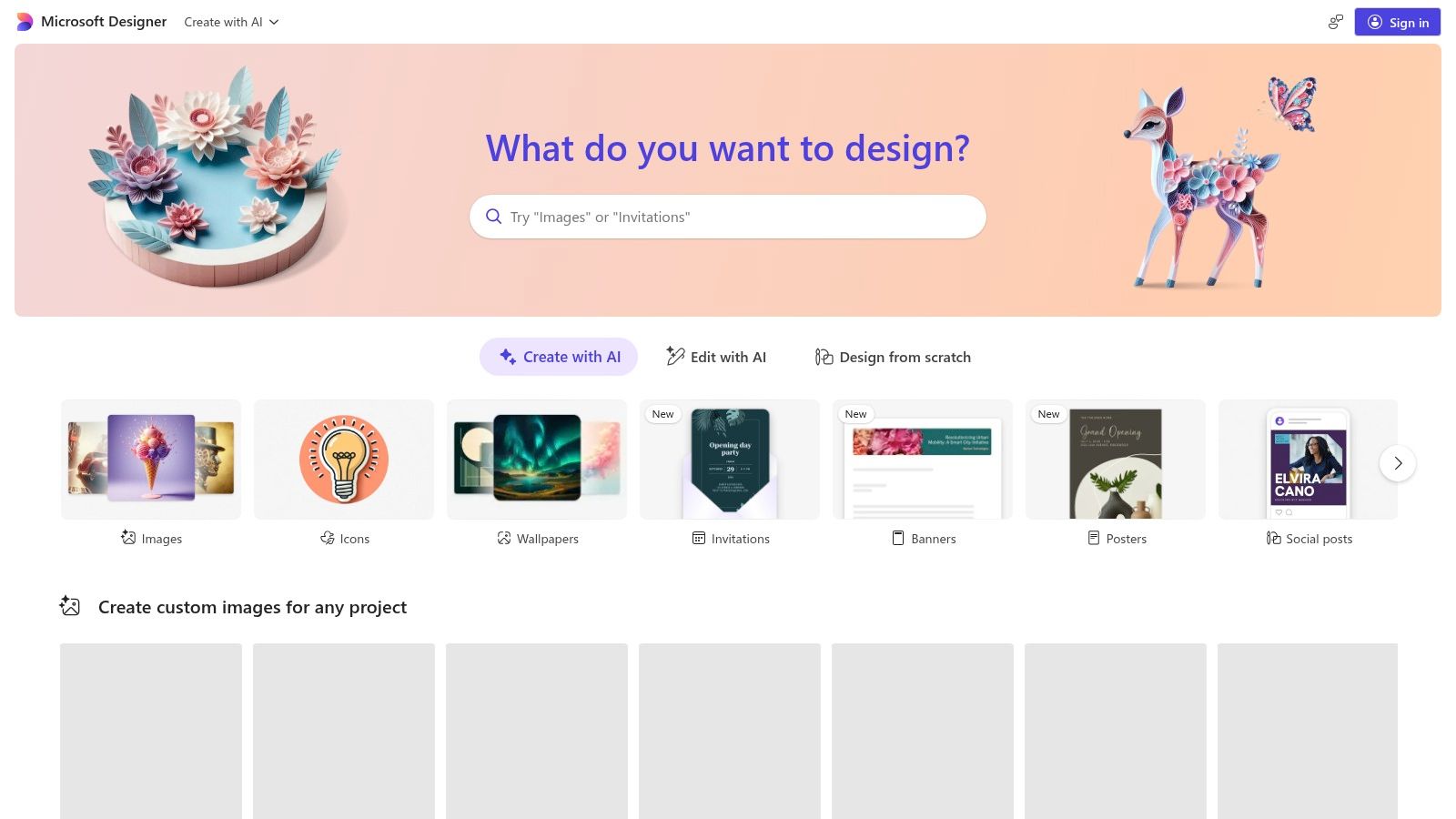
Microsoft Designer enters the AI creative space as a user-friendly and highly accessible graphic design app, integrating powerful text-to-image generation powered by DALL-E. Its primary strength lies in simplifying the creative process for everyday users, especially those needing quick designs for social media, presentations, or digital invitations. The platform combines AI image creation with template-based design tools, making it one of the best AI image generator tools for users without professional design experience.
The tool is positioned as a direct competitor to platforms like Canva but with a deep, native AI integration at its core. By leveraging a user's Microsoft account, it offers a seamless entry point for anyone already within the Microsoft ecosystem, bridging the gap between simple prompts and polished, ready-to-use marketing or social assets.
Core Features & Use Cases
Microsoft Designer is built for speed and convenience. Users can input a simple text description, and the tool not only generates a unique image but also suggests multiple design layouts incorporating it. This workflow is perfect for social media managers creating daily posts, bloggers needing custom featured images, or small business owners crafting quick promotional materials. The Image Creator is complemented by an intuitive editor that allows for text overlays, background removal, and other basic design tweaks, all within a single web-based interface.
Pricing and Access
Microsoft Designer is largely free to use with a standard Microsoft account. Signing in grants you a set number of "boosts" (credits) for faster image generation. Some advanced features and tighter integrations, particularly for business use, may be bundled with Microsoft 365 and Copilot Pro subscriptions, but the core functionality remains accessible to everyone.
- Pros: Free to use and very beginner-friendly, seamlessly combines image generation with design templates, integrated into the familiar Microsoft ecosystem.
- Cons: Less advanced control compared to dedicated image generators, availability of some AI features can have regional limitations.
Website: https://designer.microsoft.com
12. Shutterstock — AI Image Generator
Shutterstock’s AI Image Generator integrates the power of generative AI directly into one of the world's largest stock media libraries. This makes it one of the best AI image generator tools for businesses and creators seeking a streamlined workflow for both generated and traditional stock assets. The platform leverages powerful partner models like DALL·E and Google's Imagen, but its primary differentiator is the commercial assurance it provides. Every downloaded image comes with Shutterstock's standard license, simplifying legal concerns for commercial projects.
This tool is designed for predictability and safety rather than artistic experimentation. It offers a straightforward interface that allows users to quickly generate high-quality, commercially viable images without the complexities of advanced parameter tuning. For teams already using Shutterstock, this AI tool is a natural and convenient extension of their existing content acquisition process.
Core Features & Use Cases
The main strength of Shutterstock's tool is its seamless integration of licensed AI outputs. You can generate an image and immediately acquire a commercial license for it, just as you would with a regular stock photo. This is ideal for marketers creating ad visuals, corporate teams producing presentation graphics, and publishers needing blog post illustrations who require legal peace of mind. The Generative AI Plus subscription provides a set number of monthly generations, making it a predictable and budget-friendly option for consistent content needs.
Pricing and Access
Shutterstock offers a "Generative AI Plus" subscription which provides a monthly allocation of generations (each prompt yields multiple image options). There are also options to purchase additional generation packs as needed. The pricing structure is separate from traditional stock photo subscriptions, though it can be used alongside them.
- Pros: Simple, low-cost entry for licensed AI outputs, every download comes with a standard commercial license, option to purchase additional generations when needed.
- Cons: Model choice is abstracted with fewer fine-grained controls than creator-centric tools, separate fees may apply if you also need high volumes of traditional stock downloads.
Website: https://www.shutterstock.com/ai-image-generator/
Top 12 AI Image Generators — Side-by-Side Comparison
| Product | Key features (✨) | Quality / UX (★) | Pricing / Value (💰) | Target audience (👥) | Notable USP (🏆) |
|---|---|---|---|---|---|
| ai-media-studio 🏆 | ✨ 50+ image/video styles; inpainting/outpainting; team workspaces; high‑res export | ★★★★☆ — simple, fast | 💰 3 free/mo → Light $10, Starter $19, Pro $35 | 👥 Creators, marketers, agencies, SMBs | 🏆 Privacy‑first, commercial rights, all‑in‑one studio |
| Adobe Firefly | ✨ Text→image, Generative Fill/Expand, upscaling | ★★★★☆ — polished CC UX | 💰 Credit system; included in Adobe subs | 👥 Photoshop users, designers, enterprises | 🏆 Deep Creative Cloud integration |
| OpenAI ChatGPT (DALL·E & GPT‑Image) | ✨ In‑chat generation & edits; Images API | ★★★★☆ — conversational workflow | 💰 Pay‑per‑image API; ChatGPT tiers | 👥 Developers, teams using ChatGPT | ✨ API‑first + iterative editing |
| Midjourney | ✨ Prompt-driven, upscales, variations; Discord workflow | ★★★★☆ — highly stylized outputs | 💰 Subscription (Fast GPU minutes; Relax modes) | 👥 Artists, stylists, community creators | 🏆 Distinctive aesthetic & strong community |
| Stability AI | ✨ Inpaint/erase/zoom‑out; credit plans; self‑hosting | ★★★☆☆ — flexible but technical | 💰 Credit‑based; competitive pricing | 👥 Businesses, enterprises, self‑hosters | ✨ Self‑host & flexible licensing |
| Leonardo AI | ✨ Fast Tokens + Relaxed unlimited; custom models; queues | ★★★★☆ — fast + scalable | 💰 Token/plan mix; team & API options | 👥 Creators → teams, API users | ✨ Speed / volume balance (Fast/Relaxed) |
| Ideogram | ✨ Strong text rendering; Priority vs Slow credits; API | ★★★★☆ — reliable typography | 💰 Priority/Slow credit tiers; top‑ups | 👥 Designers needing text‑in‑images | 🏆 Best for text‑inside‑image fidelity |
| Playground AI | ✨ Proprietary v3 + third‑party models; day passes | ★★★☆☆ — model testing hub | 💰 Day passes & credit packs; no unlimited | 👥 Experimenters, testers | ✨ Mix multiple models in one UI |
| NightCafe Studio | ✨ Multiple gen methods; credits; print storefront | ★★★☆☆ — community & discovery | 💰 Credit packs & PRO subs; rollover credits | 👥 Hobbyists, community artists | ✨ Integrated print/store fulfillment |
| Canva (Magic Studio) | ✨ AI image, Generative Fill inside full editor; templates | ★★★★☆ — end‑to‑end design UX | 💰 Free tier; Pro/Business/Enterprise subs | 👥 Marketers, teams, non‑designers | 🏆 End‑to‑end design + brand tools |
| Microsoft Designer | ✨ Text→image, templates, MS ecosystem integration | ★★★☆☆ — quick & simple | 💰 Free; some features tied to M365/Copilot | 👥 Quick social/marketing creators | ✨ Free + Microsoft account integration |
| Shutterstock — AI Image Generator | ✨ Licensed outputs; partner models; Generative AI Plus | ★★★☆☆ — predictable licensed results | 💰 Generative AI Plus subscription; add‑ons | 👥 Businesses needing licensed assets | 🏆 Commercially‑safe licensed downloads |
Choosing Your Creative Co-Pilot: Which AI Generator Is Right for You?
The landscape of AI image generation has exploded, offering an unprecedented array of creative power to artists, marketers, and innovators. We've journeyed through twelve of the best AI image generator tools, from the artistic powerhouse of Midjourney to the seamlessly integrated Adobe Firefly and the versatile DALL·E 3 within ChatGPT. Each platform presents a unique blend of features, strengths, and user experiences, proving that there is no single "best" tool, only the best tool for your specific needs.
Your journey into AI-powered creativity starts with defining your core objective. Are you a digital artist aiming for breathtaking, photorealistic masterpieces or surreal concept art? Or are you a marketer needing a consistent stream of on-brand visuals for social media campaigns? The answer will guide your choice.
Key Takeaways for Selecting Your Tool
Making a decision can feel overwhelming, so let's distill the key insights from our exploration. The choice often comes down to a trade-off between control, convenience, and cost.
- For Maximum Artistic Control: Tools like Midjourney and Leonardo AI offer deep customization and a community-driven environment perfect for artists who enjoy fine-tuning prompts and exploring stylistic nuances. They require a learning curve but reward users with unparalleled creative freedom.
- For Seamless Workflow Integration: If your work lives within a specific ecosystem, platform integration is paramount. Adobe Firefly is the undeniable champion for Creative Cloud users, while Canva and Microsoft Designer offer incredible convenience for those already using their respective suites for broader design tasks.
- For Simplicity and Speed: When the goal is to generate high-quality images quickly without a steep learning curve, platforms like AI Media Studio and Ideogram shine. AI Media Studio, in particular, streamlines the process with its style-based generation, removing the need for complex prompt engineering.
- For Commercial and Team-Based Use: For businesses, agencies, and marketing teams, the decision goes beyond image quality. Factors like clear commercial licensing, team collaboration features, and brand consistency tools become critical. This is where a solution like AI Media Studio provides a distinct advantage, offering built-in workflows designed for professional environments.
Your Actionable Next Steps
Before you commit to a paid subscription, it's crucial to get hands-on experience. Most of the platforms we've covered, including Stability AI, Playground AI, and NightCafe Studio, offer free credits or trials. Use this opportunity to test the same prompt across different generators to compare their outputs, interfaces, and overall feel.
Consider these final implementation points:
- Define Your Primary Use Case: Is it for blog posts, social media, product mockups, or fine art? Your primary application will dictate the features you need most.
- Assess Your Technical Skill: Be honest about how much time you want to invest in learning. If you prefer a plug-and-play experience, user-friendly interfaces are a must.
- Review the Licensing Terms: This cannot be overstated for commercial projects. Always verify the terms of service to ensure you have the rights to use the generated images as intended.
The world of generative AI is not just about technology; it's about augmenting human creativity. These tools are your co-pilots, not autopilots. The best results emerge from a partnership between your vision and the algorithm's capabilities. By experimenting, learning, and adapting, you can unlock a new dimension of visual storytelling. The perfect creative partner is out there waiting for you to discover it.
Ready to create stunning, on-brand visuals without the complex learning curve? ai-media-studio is designed for marketers and creators who need professional results, fast. Explore our intuitive style library and collaborative tools to see why we are one of the best AI image generator tools for streamlining your creative workflow. Start creating for free at ai-media-studio.