If you want to generate AI images from text, all you really need is a decent AI image generator, a clear idea, and a way to describe it. This process turns your words into unique, high-quality visuals in seconds. It’s a huge leap forward, letting you skip the headache of complex design software or the cost of stock photography.
The New Reality of Visual Content Creation
The way we create visual content has fundamentally changed. Generating images with AI isn't some futuristic fantasy anymore; it’s a practical, everyday tool for creators, marketers, and businesses looking for an edge. This guide is all about how you can use this tech, going from a simple thought to a finished visual in minutes, not days.
We'll be focusing on AI Media Studio, a platform that puts professional-grade image creation in everyone's hands, no matter their technical skill. It's really about giving your ideas a fast track to becoming reality and unlocking a much more efficient way to work.
A Rapidly Growing Field
This shift isn't just a small trend—it's a market explosion. The AI image generator market has absolutely skyrocketed, jumping from USD 418.5 million to a projected USD 2,633.2 million by 2035. This massive growth is driven by huge steps forward in deep learning that let anyone create amazing visuals instantly.
This incredible growth proves there’s real-world demand for faster, more flexible visual content. Businesses now have the power to:
- Produce visuals on-demand for social media, blog posts, and ad campaigns.
- Keep brand visuals consistent by creating a whole library of custom images that fit a specific aesthetic.
- Test out creative concepts in a flash, without sinking a ton of resources into photoshoots or graphic design work.
The real win here is speed and creative freedom. You can take a fleeting thought for a marketing campaign and turn it into a compelling image before the idea even has a chance to fade. That gives you an incredible ability to react and create on the fly.
As we get into this, it's worth thinking about the bigger picture of how simple text commands are reshaping all kinds of digital tools. For instance, look at the prompt to app workflow, where simple instructions are used to build complex software. The same core idea applies here, turning your words directly into visual assets.
Your First Steps in AI Media Studio
Jumping into a new creative tool can sometimes feel like you’re staring at a blank canvas with too many brushes. But getting started with AI Media Studio is surprisingly simple, designed to get you from idea to image in just a couple of clicks.
Paid plans for AI Media Studio start at $19/month. Start from text on the AI image generator. If you already have a photo, use the AI photo editor.
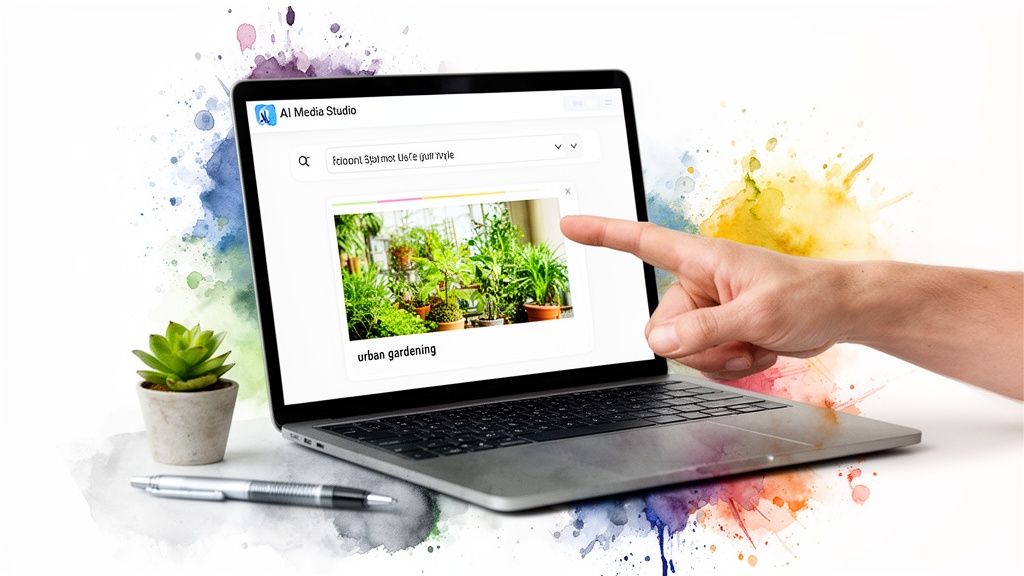
Once you’re signed in, you’ll find yourself on a clean, uncluttered dashboard. Everything important is right there in front of you, designed to get you creating right away.
Navigating the Creative Dashboard
Your eyes will immediately be drawn to the big prompt bar at the top of the screen—that’s where the magic starts. Right next to it is a dropdown menu packed with artistic styles. This is your creative palette, offering everything from ultra-realistic photos to dreamy watercolors.
Every image you create is automatically tucked away in your personal gallery, which you can easily get to from the main menu. This keeps all your work organized and ready to download whenever you need it. The whole setup is built to keep you in a creative flow, not lost in menus.
If you want to see all the features in one place, the AI Media Studio image generator page has a great overview. But for now, let’s jump in and create our first image. We'll use a real-world scenario: making a hero image for a blog post on "urban gardening."
Confidence comes from that first successful creation. The goal isn't to master every feature at once, but to see how quickly a simple idea can become a compelling visual.
Creating Your First Image
So, you need that perfect hero image for your new article. Instead of just typing "urban garden," we'll give the AI a bit more direction to get something truly special.
Let's try this prompt: A vibrant rooftop garden in a modern city, with lush green tomato plants and herbs growing in wooden planters, soft morning sunlight, photorealistic style.
Here’s a quick look at why this prompt works so well:
- Subject: We're specific—a rooftop garden with tomato plants and herbs.
- Environment: We've set the scene in a modern city with wooden planters.
- Lighting: Soft morning sunlight gives it a warm, inviting mood.
- Style: We've requested a photorealistic look so it feels like a real photo.
After typing that into the prompt bar and choosing the "Photorealistic" style from the dropdown, just hit "Generate." In less than a minute, AI Media Studio will deliver a unique image based on your exact description.
That first result is usually an "aha!" moment. You see just how easy it is to get professional-quality visuals without a steep learning curve, building your confidence right from the very first click.
Mastering the Art of Prompt Crafting
The secret to getting jaw-dropping results when you generate ai images from text isn’t buried in some complex setting; it’s all about the prompt. Think of it less like coding and more like a creative conversation with the AI. The more clearly and vividly you can describe your vision, the better AI Media Studio can bring it to life on screen.
Tossing in a generic prompt like "a car" will get you exactly that—a boring, generic car. But the real magic happens when you start layering in the details. A truly killer prompt is built from a few key ingredients that work together to paint a specific, compelling picture.
The Anatomy of a Powerful Prompt
To go from basic to brilliant, I find it helps to think about prompts in four distinct parts. Breaking it down this way is a great mental checklist to make sure you’re giving the AI everything it needs to nail your idea.
- The Subject: What’s the absolute star of the show? Get specific. "A person" is vague, but "a young female astronaut with short, dark hair" gives the AI a solid starting point.
- The Action: What is your subject doing? Give it some life. Instead of just "standing there," try "planting a flag on a red, dusty planet."
- The Environment: Where is all this happening? Build a world around your subject. Add details like, "with two moons visible in the dark purple sky."
- The Artistic Style: How should the final image look and feel? This is crucial. Specify the vibe you're after, like "cinematic lighting, photorealistic, 8k, detailed."
By combining these elements, a simple idea completely transforms. "An astronaut" becomes "a young female astronaut with short, dark hair planting a flag on a red, dusty planet, with two moons visible in the dark purple sky, cinematic lighting, photorealistic, 8k, detailed." That’s the level of detail that separates amateur images from professional-quality visuals.
Prompt Crafting From Basic to Brilliant
It's amazing how small tweaks in your wording can lead to wildly different outcomes. The table below shows just how much a little specificity can elevate a simple idea into a genuinely useful asset for a marketing campaign, a blog post, or just a cool piece of art.
| Goal | Basic Prompt | Brilliant Prompt |
|---|---|---|
| Marketing Ad | A person drinking coffee | A businesswoman in a sharp blazer smiling, holding a branded coffee cup in a bright, modern office, soft morning light, shallow depth of field |
| Blog Post Image | A computer on a desk | A sleek laptop open on a rustic wooden desk next to a steaming mug and a notebook, cozy atmosphere, warm lighting, photorealistic |
| Social Media Art | A fantasy castle | A towering gothic castle perched on a cliffside overlooking a stormy sea, dramatic lightning in the sky, oil painting style, epic fantasy |
This really drives home the main point: adding specific, descriptive details is what gets you the best results.
The takeaway is simple: specificity is your greatest tool. The more precise you are with nouns, verbs, and adjectives, the less guesswork the AI has to do, and the closer the final image will be to what you envisioned.
Using Negative Prompts for Finer Control
Sometimes, what you don't want in an image is just as important as what you do. This is exactly where negative prompts come in handy. They act as a set of instructions telling the AI what to exclude, whether it’s specific objects, styles, or qualities.
For instance, imagine you're trying to create a pristine, untouched forest scene, but the AI keeps adding hikers or random buildings in the background. By adding a negative prompt like "no people, no buildings, no signs," you can steer the generation back toward that perfect, natural landscape you wanted.
Exclusions can guide a model, but they do not guarantee precise control. Use a separate negative-prompt field only when the tool supports it; otherwise describe what to avoid in the main instruction. Try a few variations and compare the results rather than assuming one prompt will work everywhere.
Exploring Different Artistic Styles
Once you've got a feel for writing prompts, the real fun begins when you start playing with different artistic styles. This is where a single idea can explode into a dozen different visual directions. The power to generate ai images from text really clicks when you realize one prompt can become a photorealistic shot, a dreamy watercolor, or a gritty cyberpunk poster just by changing one setting.
AI Media Studio organizes its styles into practical categories that actually make sense for real-world projects, not just a random list. Think about the final look you're after. Are you making a slick graphic for a tech ad or something charming for an online boutique? The style you pick is just as important as the words in your prompt.
This flowchart breaks down how the three core parts of a great prompt—subject, action, and style—all work together.
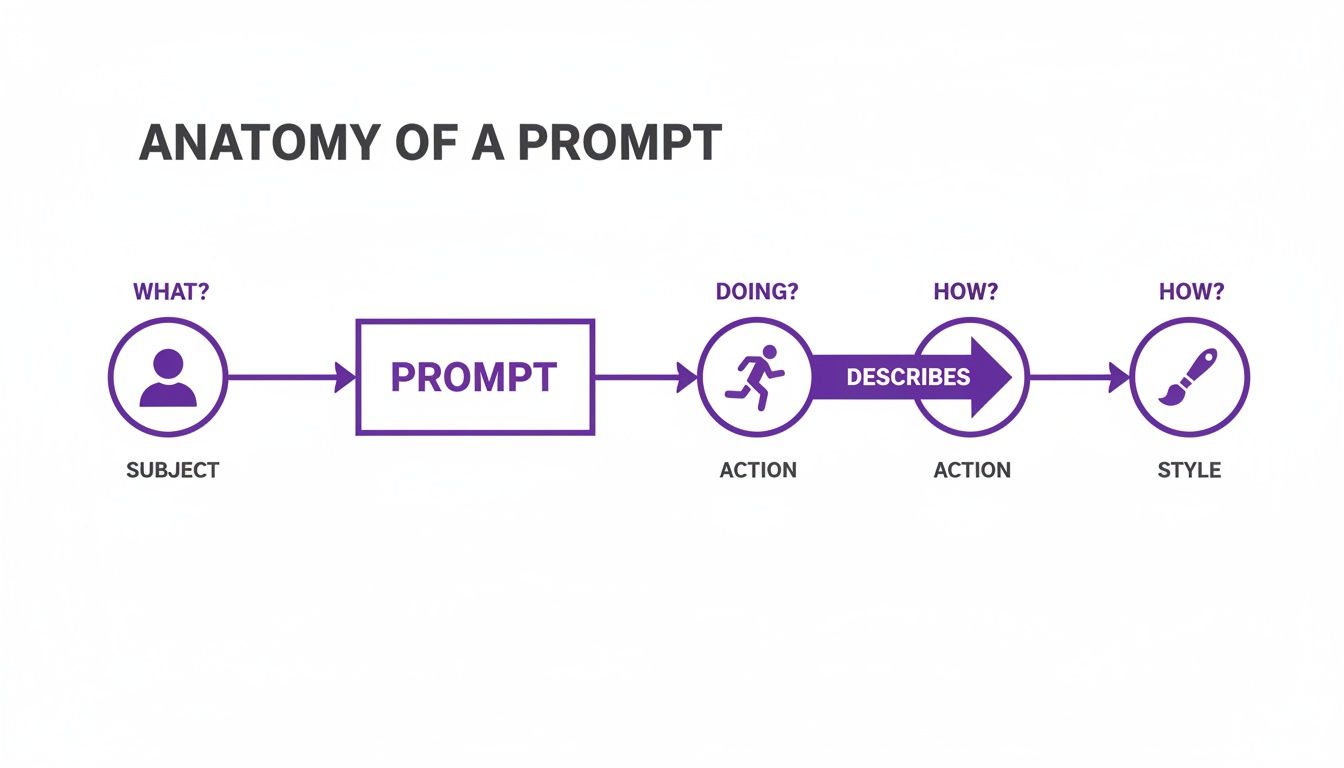
As you can see, style is that final, crucial layer that sets the entire mood and aesthetic of the final image.
Photorealistic and Cinematic Styles
When your goal is an image that looks like it came straight from a camera, your go-to options are Photorealistic and Cinematic. These are perfect for marketing materials, website hero images, or any other time you need your audience to believe what they're seeing.
Let’s stick with our base idea: 'an astronaut discovering a glowing alien flower.'
- Photorealistic: This style will render the scene with crisp focus, realistic textures on the spacesuit, and natural-looking light. It feels like a genuine photograph taken on another world.
- Cinematic: This adds a layer of drama. You'll get specific lighting choices, a wider aspect ratio, and a color grade that feels like a still from a blockbuster movie. It’s less about pure reality and more about storytelling.
The distinction is important. A photorealistic image says, "This looks real," while a cinematic one says, "This is part of an epic story."
Digital and Abstract Art Styles
Moving away from realism, the digital art styles unlock a universe of vibrant, imaginative visuals. These are fantastic for social media graphics, branding elements, or anything that needs to pop off the screen and grab attention.
Let's apply these to our astronaut prompt:
- Cyberpunk: This style drenches the scene in neon, adds high-tech details to the astronaut's gear, and gives the alien flower a glitchy, digital glow. Perfect for a tech company's branding.
- Anime: Reimagines the scene with the classic features of Japanese animation—large, expressive eyes, bold lines, and a cel-shaded color palette.
- Abstract: Deconstructs the core idea into shapes, colors, and textures. You get an evocative piece that captures the feeling of discovery rather than a literal picture of it.
The key is to match the style to your message. A playful cartoon style might be perfect for a children's educational post, while a sleek, minimalist style would be a better fit for a corporate announcement.
Classic Mediums and Handcrafted Looks
Finally, AI Media Studio is brilliant at mimicking traditional art forms. These styles add a warm, human touch to your digital creations, making them ideal for projects that need an artistic or bespoke feel, like event invitations, book covers, or online store banners.
When we give our astronaut a classic makeover:
- Watercolor: The scene gets soft, blended edges and a gentle, dreamy quality, looking as if it were painted on textured paper.
- Oil Painting: This style creates rich textures with visible brushstrokes, giving the image a sense of classical artistry and weight.
The best way to figure out what works for your project is simply to experiment. You can see the full collection of options over on the AI Media Studio styles page. I often find that running the same prompt through a few different styles is the best way to stumble upon a creative direction I never would have thought of on my own.
Advanced Features for Professional Results
Once you’ve gotten the hang of writing solid, descriptive prompts, it’s time to dig into the tools that separate good images from genuinely professional-grade assets. Moving beyond just generating an image unlocks a new level of control that lets you fix annoying imperfections, push your creative boundaries, and make your entire workflow more efficient. This is where you graduate from simply creating to refining.
These are the features that make it possible to generate ai images from text that are actually ready for real-world use, whether for a marketing campaign or a brochure that needs to be printed. It’s this kind of powerful, accessible tooling that’s fueling some pretty incredible growth in the market.
In fact, global projections show the AI image generator market is set to explode from USD 8.7 billion to a staggering USD 60.8 billion by 2030. That massive jump is happening because generative AI slashes the time and cost of media production—a huge win for any business that needs quality visuals on a tight deadline.
Refining Images with Inpainting
Ever generate an image that's almost perfect, but there’s one distracting object in the background or an awkward detail you just can't ignore? That's exactly what inpainting is for. Think of it as a smart, context-aware eraser.
All you have to do is mask the area you want to fix and then give the AI a simple prompt describing what should be there instead.
- Scenario: You have a great product shot of a watch on a wooden table, but the AI randomly decided to add a coffee cup in the corner.
- Action: Mask the coffee cup, then use a prompt like "natural wood grain." The AI will intelligently fill in that space, perfectly matching the existing table texture and lighting.
This tool is an absolute lifesaver for cleaning up minor flaws without having to scrap the entire image and start over from scratch.
Expanding Your Canvas with Outpainting
So you've got a fantastic vertical image, but what you really need is a wide banner for your website header. That’s where outpainting (sometimes called "uncropping") comes in. This feature intelligently extends the borders of your image, creating brand new content that logically fits the scene.
Outpainting lets you change an image's aspect ratio without having to awkwardly stretch or crop it. It literally builds out the world of your image, adding more sky, a wider landscape, or a more expansive room.
For instance, take a portrait-oriented shot of a hiker on a mountain trail. With outpainting, you can expand the canvas horizontally to create a sweeping panoramic view of the entire mountain range. It’s the perfect way to adapt your visuals for different platforms and formats. You can see the full suite of AI Media Studio image generation features to get a sense of how all these tools work together.
Scaling Production with Batch Generation
When you're working on a big project, generating images one by one is a huge time sink. Batch generation is built for working at scale, letting you run a whole bunch of prompts at the same time.
This is a game-changer if you're creating a series of social media posts, A/B testing different ad creatives, or producing a set of consistent icons for an app.
You can queue up your prompts and just let the AI work through the list, freeing you up to focus on more important things. For marketers and content creators who need a high volume of visuals, this feature is a massive productivity boost. Pair that with high-resolution exports, and you've got a full production pipeline for both digital and print media.
Common Questions About AI Image Generation
As you start to generate ai images from text, a few practical questions almost always pop up. It’s one thing to create a single, jaw-dropping image; it’s another to do it consistently for real-world projects. Let's get into some of the most common hurdles you're likely to face.
One of the first frustrations is when the AI just doesn’t seem to “get” what you’re asking for. You’ve got a crystal-clear picture in your head, but the results are completely off base. This is incredibly common, and thankfully, it's usually an easy fix.
What if the AI Misunderstands My Prompt?
When an image isn't turning out right, don't just scrap the whole idea and start over. The trick is to refine your language, not your concept. AI models think very literally, so ambiguity is your biggest enemy.
A few simple tweaks can make a world of difference:
- Rephrase Your Request: If "a person looking at the sunset" gives you a strange result, get more descriptive. Try "a silhouette of a person standing on a hill, watching the vibrant sunset over the ocean." Adding context and evocative language clarifies your intent.
- Add Clarifying Details: Instead of "a fast car," specify exactly what you mean. "A red Ferrari sports car, blurring with motion on a rain-slicked racetrack at night" paints a much clearer picture for the AI.
- Use Negative Prompts: As we covered earlier, telling the AI what not to include is a game-changer. It’s one of the most powerful tools for getting rid of weird artifacts or unwanted elements and dialing in your final image.
Can I Use These Images for My Business?
This is the big one, and the answer is a confident yes—with the right plan. The world of digital copyright can be a minefield, but with AI Media Studio, we make it simple. All of our paid plans come with full commercial usage rights for every image you create.
This means you can use your generated visuals for anything from marketing campaigns and product packaging to website banners and social media ads, all without worrying about licensing headaches. For any business, that peace of mind is non-negotiable.
How Do I Create a Consistent Character or Style?
Maintaining a consistent look and feel is crucial for branding or any kind of storytelling project.
To create a consistent character, you need to lock in a core set of highly specific descriptors and reuse them in every prompt. For example, make sure every prompt includes key phrases like "a young woman with fiery red hair in a high ponytail, wearing a futuristic silver jacket and cybernetic glasses." Repetition is your best friend here.
For a consistent style, you do the same thing with your stylistic keywords. If you want a cohesive set of images for your brand, always include descriptors like "minimalist, soft pastel colors, clean lines, studio lighting." By repeating these exact phrases, you’re essentially training the AI on your specific aesthetic, ensuring all your visuals feel like they belong together.
Paid plans for AI Media Studio start at $19/month.