In today's fast-paced educational environment, holding student attention is more challenging than ever. Traditional teaching methods often struggle to compete with the dynamic digital world students inhabit. The solution? Integrating powerful visual aids for teaching. These tools do more than just illustrate concepts; they bridge understanding gaps, cater to diverse learning styles, and make complex information digestible and memorable. Research consistently shows that visual learning significantly boosts retention, turning passive listening into active engagement.
This guide moves beyond generic advice to provide a comprehensive roundup of the 10 most effective visual aids for the modern classroom. We'll explore each tool's unique strengths, provide actionable tips for implementation, and show you how to leverage modern technology like AI Media Studio to create compelling, professional-quality visuals effortlessly. To truly supercharge your lessons with modern visuals, consider exploring resources on setting up an effective virtual classroom to create the perfect foundation for these tools. Get ready to transform your lessons from a lecture into an interactive learning experience.
1. Infographics
Infographics are the powerhouse of data visualization, masterfully blending text, images, and charts to present complex information with clarity and impact. Far from being simple posters, they are structured visual narratives. They guide learners through data, making connections and highlighting key insights that paragraphs of text could never convey as effectively.
As one of the most versatile visual aids for teaching, a well-designed infographic can transform a dry topic into an engaging visual journey, boosting retention and understanding.
Best-Use Scenarios
- Summarizing Research: Condense a lengthy historical event, scientific study, or literary analysis into a single, digestible visual. For example, a timeline infographic of the Civil Rights Movement can show key dates, figures, and legislative acts in a clear sequence.
- Explaining Processes: Break down complex, multi-step processes like the water cycle, photosynthesis, or a mathematical formula into easy-to-follow visual steps.
- Comparing & Contrasting: Use a side-by-side format to highlight the differences and similarities between two concepts, such as democratic versus republican platforms or mitosis versus meiosis.
AI Media Studio Pro-Tip
Use AI Media Studio’s icon and chart generators to quickly produce custom visuals that align with your data. Input your key statistics or process steps, and let the AI suggest layouts and graphic elements. This saves significant design time and ensures your infographic is both accurate and visually appealing, making it a superior educational tool.
2. Mind Maps
Mind maps are powerful, non-linear diagrams that visually organize information around a central concept. They radiate outwards, branching into related ideas, keywords, and tasks, which mirrors the brain's natural way of thinking through association. This structure makes them an intuitive tool for brainstorming, note-taking, and synthesizing complex topics.
As exceptional visual aids for teaching, mind maps encourage students to see the big picture and the connections between different pieces of information, fostering deeper comprehension and creativity.

Best-Use Scenarios
- Brainstorming & Idea Generation: Use a mind map to explore all facets of a topic, such as character traits for a literary analysis in an English class or potential solutions for a case study in business school.
- Organizing Complex Information: Map out scientific classification systems in biology or the intricate cause-and-effect relationships of a major historical event. The visual hierarchy makes the structure clear.
- Note-Taking & Study Guides: Students can create mind maps during lectures to capture key concepts and their connections, resulting in a more dynamic and memorable study aid than linear notes.
AI Media Studio Pro-Tip
Leverage AI Media Studio’s brainstorming feature to kickstart your mind map. Enter your central topic, and the AI will generate a web of related subtopics, keywords, and questions. You can then use the platform's drag-and-drop shapes and connectors to quickly build out a polished and color-coded mind map, turning a brainstorming session into a structured and effective teaching asset.
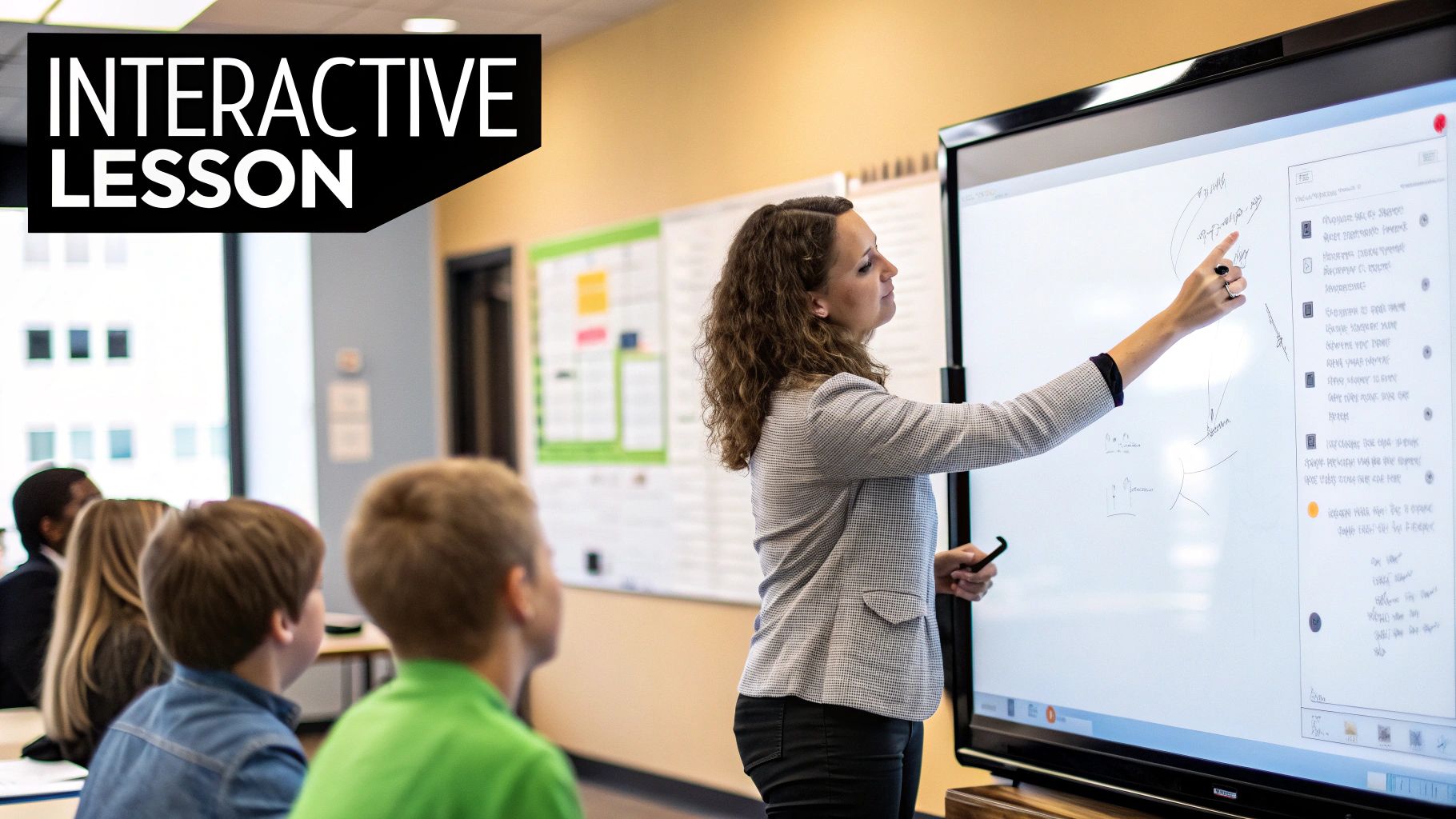
3. Interactive Whiteboard Presentations
Interactive Whiteboard Presentations transform the traditional display into a dynamic, hands-on learning environment. These digital displays, such as SMART Boards, allow educators to manipulate content in real-time by drawing, dragging objects, and controlling multimedia elements directly on the screen. This interactive capability turns passive viewing into active participation.
As powerful visual aids for teaching, they foster a collaborative atmosphere where both teachers and students can engage with the material directly, making abstract concepts tangible and lessons more memorable.
Best-Use Scenarios
- Demonstrating Processes: Show how to solve a complex math problem step-by-step, allowing students to come to the board and contribute. Annotations can highlight crucial formulas or common mistakes.
- Virtual Experiments & Simulations: Conduct a science simulation, like a virtual frog dissection or a physics experiment, where variables can be manipulated safely and repeatedly for the entire class to see.
- Collaborative Brainstorming: Use the board as a digital canvas for a group mind map or a KWL (Know, Want to Know, Learned) chart, capturing student ideas in a structured and visible format.
AI Media Studio Pro-Tip
Use AI Media Studio's animation tools to create dynamic elements for your presentation before loading it onto the interactive whiteboard. Generate short, animated clips or interactive quizzes that students can trigger with a touch. This adds a layer of professional polish and engagement that captures student attention and makes lessons more impactful. For more ideas on crafting compelling visuals, discover our essential presentation design tips.
4. Flowcharts
Flowcharts are essential for mapping out processes, workflows, and decision-making pathways. They use standardized symbols and connecting lines to break down complex procedures into a logical sequence of manageable steps. This visual representation clarifies logic and order, showing how each stage connects to the next.
By transforming an abstract process into a concrete map, flowcharts serve as powerful visual aids for teaching. They are invaluable for subjects where understanding sequence and causality is critical, making them a cornerstone for procedural and logical instruction.
Best-Use Scenarios
- Illustrating Scientific Methods: Map out the steps of a lab experiment, from hypothesis to conclusion, including decision points for interpreting results. This helps students visualize the structured nature of scientific inquiry.
- Troubleshooting & Problem-Solving: Create a diagnostic guide for a common technical issue, like fixing a software bug or a mechanical failure, allowing learners to follow a logical path to a solution.
- Explaining Administrative Processes: Detail the steps involved in a bureaucratic or organizational procedure, such as a university admissions process or a government approval workflow, making it transparent and easy to navigate.
AI Media Studio Pro-Tip
Leverage AI Media Studio’s shape and connector tools to build your flowchart effortlessly. You can input the steps of your process, and the AI will suggest an optimal layout, automatically aligning symbols and generating clean connector lines. Use the tool to insert brief descriptions or notes at each step, ensuring your flowchart is not just a diagram but a comprehensive educational guide.
5. Concept Maps
Concept maps are structured diagrams that visually represent the relationships and hierarchies between different ideas. Unlike more freeform mind maps, concept maps use nodes for concepts and labeled links to explicitly define the connections, such as "causes," "leads to," or "is a type of." This creates a logical framework that mirrors how the brain organizes knowledge.
By externalizing complex mental models, concept maps serve as powerful visual aids for teaching that foster deep, meaningful learning rather than rote memorization. They encourage students to actively build connections and understand the bigger picture.
Best-Use Scenarios
- Illustrating System Dynamics: Map out the intricate flow of energy in an ecosystem, the cause-and-effect relationships leading to a historical event, or the interconnected symptoms and etiology of a disease in healthcare education.
- Organizing Knowledge: Use them as a pre-writing tool to structure an essay or a post-reading activity to summarize the key themes and character relationships in a novel.
- Assessing Understanding: Ask students to create their own concept map to reveal their comprehension of a topic, quickly identifying any misconceptions or gaps in their knowledge.
AI Media Studio Pro-Tip
Use AI Media Studio’s shape and text tools to quickly build and organize your concept map's structure. You can generate a set of core concept nodes and then ask the AI to suggest potential relationship labels based on your topic. This accelerates the initial setup, allowing you to focus on refining the hierarchical and cross-linked connections that make the map a robust educational resource.
6. Diagrams and Illustrations
Diagrams and illustrations are the architectural blueprints of knowledge, offering detailed visual representations that clarify complex systems, structures, and abstract concepts. From simple line drawings to intricate scientific renderings, they break down intricate subjects into labeled, understandable components. Their power lies in making the invisible visible, such as the inner workings of a cell or the flow of an electrical circuit.
These visual aids for teaching serve as a critical bridge between theoretical knowledge and concrete understanding, allowing learners to see how individual parts form a cohesive whole.

Best-Use Scenarios
- Explaining Anatomy and Biology: Illustrate the human skeletal system, the process of photosynthesis in a plant cell, or the life cycle of a butterfly with clear, labeled drawings.
- Visualizing Scientific Processes: Show abstract concepts like chemical reactions, geological formations, or the mechanics of a simple machine in a way that is easy to grasp.
- Detailing Technical Systems: Use blueprints or technical drawings to explain engineering concepts, architectural plans, or the components of a computer network. Find out more about using diagrams and illustrations for effective online learning.
AI Media Studio Pro-Tip
Leverage AI Media Studio’s image generation tools to create custom diagrams and technical illustrations from simple text prompts. Describe the system you need to visualize, such as "a labeled diagram of a volcano's cross-section," and the AI will produce a clear, accurate illustration. You can then refine the output by specifying color schemes, label placements, and line styles, ensuring your diagram is a perfect fit for your lesson.
7. Video and Animation
Video and animation bring concepts to life through motion, sound, and narrative, offering a dynamic way to demonstrate processes and explain abstract ideas. This form of media captures attention by showing change over time, making it uniquely suited for illustrating sequences, transformations, and complex interactions that static images simply cannot convey.
As powerful visual aids for teaching, videos and animations can break down intricate topics into engaging, story-driven content. From a quick animated explainer to a detailed tutorial, moving visuals make learning more accessible and memorable for a diverse audience.
Best-Use Scenarios
- Demonstrating Procedures: Show the exact steps for a scientific experiment, a surgical technique, or how to solve a complex math problem. Khan Academy's step-by-step videos are a prime example of this in action.
- Visualizing Abstract Concepts: Use animation to explain phenomena that are invisible or difficult to imagine, such as atomic bonding, the spread of a virus, or economic theories.
- Telling a Story: Engage learners with historical reenactments or narrative-driven lessons. The animated educational series from channels like TED-Ed and Crash Course excel at making history and science compelling.
AI Media Studio Pro-Tip
Leverage AI Media Studio’s video tools to streamline production. Use the text-to-video feature to generate a base animation from a script, complete with scene suggestions. Then, use the AI voiceover generator to create clear, professional audio narration in seconds. This allows you to produce high-quality educational videos without needing extensive animation skills or recording equipment.
8. Charts and Graphs
Charts and graphs are the quintessential tools for translating raw numerical data into understandable visual formats. They use elements like bars, lines, and pies to reveal patterns, trends, and relationships that are often hidden in spreadsheets or tables. This transformation of data into a visual story makes complex information accessible and easier to analyze.
By making data tangible, charts and graphs serve as powerful visual aids for teaching, enabling learners to interpret evidence, draw conclusions, and grasp quantitative concepts with greater ease and precision.
Best-Use Scenarios
- Illustrating Trends Over Time: Use a line graph to show historical temperature changes in a climate science lesson or track stock market performance over a decade in an economics class.
- Comparing Categories: A bar chart is perfect for comparing different categories, such as population statistics across various demographics in a sociology course or sales figures for different product lines in a business presentation.
- Showing Proportions: Employ a pie chart or donut chart to demonstrate parts of a whole, like the distribution of grades in a class or the allocation of a national budget.
AI Media Studio Pro-Tip
Use AI Media Studio’s chart generation feature to instantly create accurate and visually compelling graphs. Simply input your dataset, and the AI will recommend the most effective chart type-be it bar, line, or pie-and customize the design with clear labels and a professional color palette. This eliminates manual design work and ensures your data is presented with maximum clarity and impact.
9. Infographic Posters and Handouts
Infographic posters and handouts transform complex information into tangible, easy-to-reference assets. Unlike purely digital infographics, these physical or downloadable documents serve as persistent learning tools that students can interact with directly, post in their study spaces, or carry with them. They excel at distilling a core message into an at-a-glance format.
By combining compelling visuals with concise text, these materials are powerful visual aids for teaching that reinforce lessons long after a class has ended. Their physical presence makes learning feel more concrete and accessible.
Best-Use Scenarios
- Summarizing Key Concepts: Create a handout summarizing the key figures and events of a historical period, like the Renaissance, for students to use as an exam study guide.
- Outlining Procedures: Design a poster detailing lab safety protocols or the steps for a scientific experiment. This provides a constant, visible reminder of the correct process.
- Raising Awareness: Develop posters for school hallways on topics like environmental conservation or digital citizenship, communicating important messages to a broad audience quickly and effectively.
AI Media Studio Pro-Tip
Use AI Media Studio to generate high-resolution layouts optimized for both print and digital distribution. You can input your core topic, and the AI will suggest balanced compositions, high-contrast color schemes for readability from a distance, and appropriate iconography. It can also auto-format your design into various sizes, creating a consistent poster, flyer, and digital handout from a single project.
10. Virtual and Augmented Reality (VR/AR) Visualizations
Virtual and Augmented Reality represent the frontier of immersive learning, transporting students from the classroom into dynamic, interactive environments. VR creates fully synthetic worlds for exploration, while AR overlays digital information onto the real world. This technology moves beyond passive observation, allowing learners to manipulate, inspect, and experience concepts in three dimensions.
As two of the most advanced visual aids for teaching, VR and AR create unparalleled opportunities for hands-on, contextual learning that would otherwise be impossible, dangerous, or prohibitively expensive, leading to deeper comprehension and skill mastery.
Best-Use Scenarios
- Simulating Complex Procedures: Medical students can perform virtual anatomical dissections or surgical simulations, gaining practical experience without real-world risk.
- Exploring Inaccessible Places: Take a virtual field trip to reconstruct a historical site like ancient Rome, explore the surface of Mars, or visualize complex molecular structures in a chemistry lab.
- Visualizing Abstract Concepts: In architecture or engineering, students can walk through a 3D model of a building before it’s built, understanding spatial relationships and design principles in an intuitive way.
AI Media Studio Pro-Tip
Use AI Media Studio’s 3D model generator to create assets for your AR and VR experiences. Simply describe an object, like a "human heart with labeled chambers" or a "T-Rex skeleton," and the AI will generate a detailed 3D model ready for import into your chosen platform. This dramatically reduces the technical barrier to creating custom, curriculum-aligned immersive content.
Visual Teaching Aids: 10-Item Comparison
| Item | Implementation complexity 🔄 | Resource requirements ⚡ | Expected outcomes 📊 | Ideal use cases 💡 | Key advantages ⭐ |
|---|---|---|---|---|---|
| Infographics | Moderate — requires design skill and time | Design tools, data, designer; moderate cost | ⭐⭐⭐⭐ — high retention & shareability | Summarizing complex data, social media, classroom visuals | Clear at‑a‑glance storytelling; engages quickly |
| Mind Maps | Low–Moderate — easy to start, practice improves skill | Paper/whiteboard or mapping software; low cost | ⭐⭐⭐ — boosts creativity and memory | Brainstorming, planning, note‑taking | Encourages associative thinking; flexible structure |
| Interactive Whiteboard Presentations | High — hardware setup and teacher training | Interactive board, software, IT support; high cost | ⭐⭐⭐⭐ — strong engagement and participation | Interactive lessons, collaborative classroom activities | Real‑time annotation and multimodal interaction |
| Flowcharts | Low — straightforward logic mapping | Diagram software or drawing tools; low cost | ⭐⭐⭐ — clarifies processes and decision paths | Workflows, troubleshooting, SOPs | Makes sequences explicit; highlights bottlenecks |
| Concept Maps | Moderate — needs analysis of relationships | Mapping tools or whiteboard; moderate time | ⭐⭐⭐⭐ — deepens conceptual understanding | Teaching complex systems, knowledge assessment | Explicit labeled links; reveals knowledge gaps |
| Diagrams and Illustrations | Moderate — quality requires illustration skill | Illustrator/software or professional artist; moderate–high cost | ⭐⭐⭐⭐ — makes abstract concepts concrete | Anatomy, technical processes, textbooks | Precise, customizable visuals; universal clarity |
| Video and Animation | High — scripting, production, editing workload | Cameras/animation software, editors; high cost/time | ⭐⭐⭐⭐⭐ — excellent for procedures and temporal change | Demonstrations, procedural training, online courses | Shows dynamics over time; high engagement and reviewability |
| Charts and Graphs | Low — easy with data literacy | Spreadsheet/visualization tools; low cost | ⭐⭐⭐⭐ — reveals trends and comparisons quickly | Data analysis, reports, research presentations | Rapid insight into numerical patterns; professional appearance |
| Infographic Posters and Handouts | Moderate — single‑page design focus | Design tools, printing/digital distribution; low–moderate cost | ⭐⭐⭐ — good for reference and retention | Classroom posters, public info, study guides | Portable reference; easy to distribute and display |
| Virtual & Augmented Reality (VR/AR) Visualizations | Very high — complex development and testing | Specialized hardware, 3D models, developers; very high cost | ⭐⭐⭐⭐⭐ — immersive learning with strong transfer | Surgical sims, spatial training, hazardous scenarios | Deep immersion; safe, repeatable practice of risky tasks |
From Theory to Practice: Your Next Step in Visual Teaching
Throughout this guide, we've navigated a comprehensive landscape of visual aids for teaching, from the logical precision of flowcharts to the immersive potential of virtual reality. The journey has revealed a core truth of modern education: visual aids are not just decorative elements; they are powerful cognitive tools that bridge the gap between abstract information and tangible understanding. They transform passive listening into active engagement, making complex topics accessible and memorable for a diverse range of learners.
The central takeaway is the importance of strategic implementation. An infographic excels at distilling data-heavy topics, while a mind map is unparalleled for brainstorming and showing relationships between ideas. Interactive whiteboards foster real-time collaboration, and animated videos can bring static concepts to life. Your strength as an educator or content creator will grow as you learn to match the specific visual tool to the unique learning objective at hand, ensuring every asset serves a clear and impactful purpose.
Cultivating a Visual-First Mindset
Adopting these tools is about more than just adding images to a presentation; it's about fundamentally shifting to a visual-first teaching philosophy. This approach prioritizes clarity, engagement, and retention by acknowledging that a significant portion of your audience processes information most effectively through sight. By consistently using visual aids for teaching, you are not only enhancing comprehension but also developing crucial visual literacy skills in your students or audience members, preparing them for an increasingly visual world.
This doesn't require a complete overhaul of your existing curriculum overnight. The key is to start small and build momentum.
- Identify One Opportunity: Look at your lesson plan for the coming week. Pinpoint one specific concept that students often struggle with.
- Select a Tool: Could a simple concept map clarify the relationships between key terms? Would a custom-generated diagram make a biological process easier to understand?
- Create and Iterate: Use a tool like AI Media Studio to quickly generate a high-quality visual. Test it in your learning environment and gather feedback.
Even integrating simple visual elements into foundational subjects can have a profound impact. For integrating visual aids into core subjects, exploring resources like fun and effective math coloring pages can be incredibly beneficial for younger learners, blending creativity with core skill-building.
Your Path Forward
The power to transform your teaching is at your fingertips. By embracing the principles we've discussed and consistently applying these various visual aids for teaching, you will create a more dynamic, inclusive, and effective learning environment. You will empower your audience to not just see the information, but to truly understand and connect with it. This journey from theory to practice begins with a single, deliberate step.
Ready to create stunning, professional-quality visuals in minutes? ai-media-studio is your all-in-one platform for generating infographics, diagrams, illustrations, and more with the power of AI. Elevate your educational content and bring your lessons to life by visiting ai-media-studio today.