The world of digital art has been revolutionized. Just a few years ago, creating stunning visuals required expensive software and years of training. Today, anyone can generate photorealistic images, intricate illustrations, and unique digital art from a simple text prompt. The key is finding the right tool. While many premium options exist, a powerful and accessible ecosystem of free AI image generators has emerged, empowering creators, marketers, and hobbyists alike.
But with so many choices, how do you find the best ai image generator free for your specific needs? This guide cuts through the noise. We have meticulously tested and analyzed the top contenders of 2025, focusing on output quality, ease of use, unique feature sets, and the practical realities of their 'free' offerings. This isn't just a list; it's a comprehensive resource designed to match you with the ideal platform for your projects.
We'll dive deep into each tool, providing practical use cases, an honest assessment of limitations, and direct links to get you started. You'll learn which generators excel at photorealism, which are best for graphic design integration, and which offer the most creative freedom. Whether you're a marketer needing blog images, a small business owner creating social media posts, or an artist exploring new mediums, you'll find a solution here. Beyond just images, AI can streamline your entire content workflow. Learn more about comprehensive AI social media content creation to see how these tools fit into a larger strategy. This guide ensures you can start creating compelling visuals today without spending a dime.
1. ai-media-studio
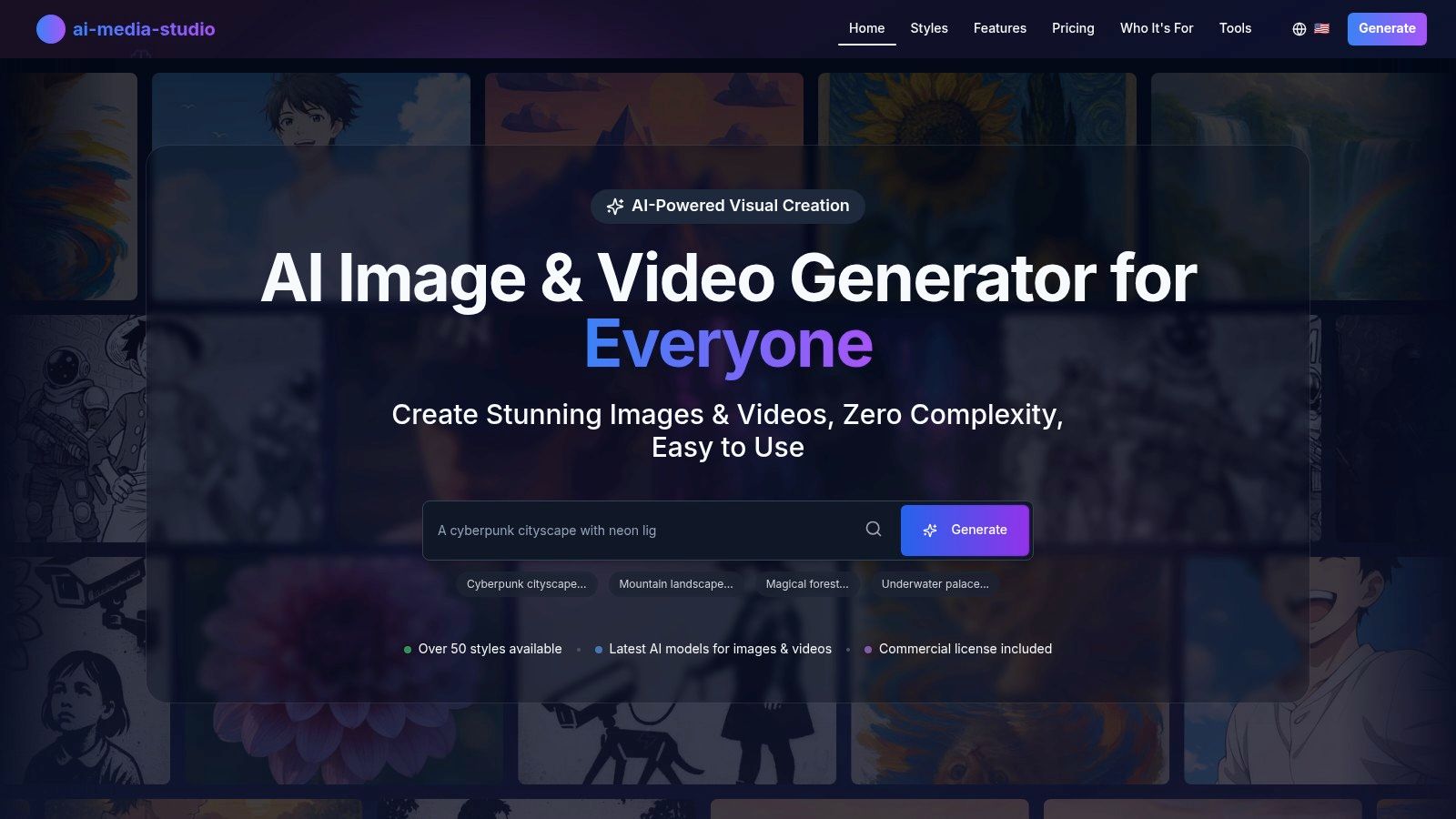
AI Media Studio secures its position as our top recommendation by delivering a potent combination of user-centric design and professional-grade output. It stands out as an exceptionally well-rounded platform, effectively bridging the gap between novice users and creative professionals. The core strength lies in its streamlined workflow; instead of requiring users to master complex prompt engineering, it offers a vast library of over 50 distinct art styles with a simple one-click selection process. This makes it an ideal choice for marketers, bloggers, and small business owners who need high-quality visuals without a steep learning curve.
Why It Excels
What truly elevates AI Media Studio is its comprehensive feature set that supports a full creative lifecycle. The platform integrates advanced editing tools like inpainting and outpainting, allowing for precise modifications and canvas extensions directly within the interface. For teams, collaborative workspaces facilitate seamless project management, a feature often reserved for enterprise-level tools. Furthermore, its commitment to privacy is a significant differentiator; the platform explicitly states that private prompts and generated images are not used for model training without user consent, providing crucial peace of mind for commercial projects.
Use Cases and Practical Tips
AI Media Studio is versatile enough for a wide array of applications, making it a powerful contender for the best ai image generator free for those starting out.
- For Marketers: Quickly generate a cohesive set of campaign assets, from social media posts in a "Photorealistic" style to blog hero images in a "Watercolor" finish.
- For Content Creators: Design unique YouTube thumbnails or bespoke digital art for online portfolios using styles like "Cyberpunk" or "Art Nouveau."
- Practical Tip: Start with a simple prompt and explore different styles first. Once you find a visual direction you like, refine your text prompt to add more specific details like "golden hour lighting" or "dynamic angle" to perfect the final image.
Plans and Features Overview
The free tier is best suited for testing the platform's capabilities, offering 3 generations per month. For consistent use, a paid plan is necessary. The tiered structure provides a clear upgrade path with tangible benefits at each level, including commercial licenses, credit rollover, and access to the advanced editing suite.
- Free: 3 generations/month (No credit card required).
- Light: $10/month for 200 credits.
- Starter: $19/month for 1,000 credits.
- Pro: $35/month for 2,000 credits.
Pros:
- Extremely easy to use with a one-click style library.
- Includes built-in advanced editing tools like inpainting.
- Offers collaborative workspaces and strong privacy protections.
- Paid plans include commercial use and credits that roll over.
Cons:
- The free plan is highly restrictive (3 images/month).
- Some features like batch generation are still in development.
Website: https://www.ai-media-studio.com
2. OpenAI – ChatGPT (built-in image generation)
For those already immersed in the world of conversational AI, ChatGPT offers one of the most convenient ways to generate high-quality images. By integrating its powerful DALL·E 3 model directly into the chat interface, OpenAI has created a seamless workflow where you can create, refine, and edit images using simple, conversational prompts. This makes it an outstanding choice for users who prefer an iterative creative process without switching between different applications.
The platform’s major advantage is its exceptional prompt comprehension. DALL·E 3 excels at interpreting complex, detailed sentences and accurately rendering text within images, a common weak point for many other generators. This makes it a top-tier best ai image generator free option for creating specific compositions, marketing mockups, or illustrations that require precise details.
Key Features and User Experience
The user experience is incredibly straightforward: you describe the image you want, and ChatGPT delivers it. You can then follow up with commands like "make it more vibrant" or "change the background to a cityscape." This conversational editing is what sets it apart. The platform also conveniently saves all your generated images in an accessible library, synced across devices.
- Access: The free version of ChatGPT provides access to image generation, but it comes with limitations on the number of images you can create and may be slower during peak times.
- Pricing: For more intensive use, upgrading to ChatGPT Plus unlocks faster generation speeds, higher volume caps, and access to more advanced features. API access is also available for developers with pay-as-you-go pricing.
- Pros: Excellent prompt adherence, simple chat-based workflow, and reliable text rendering.
- Cons: Free tier limits are restrictive and can be slow; consistent, high-volume usage requires a paid subscription.
To explore this further, you can find a helpful guide on how to generate images with AI for a deeper look at the process.
Website: https://chat.openai.com
3. Microsoft Designer / Bing Image Creator / Copilot
Microsoft has seamlessly integrated powerful AI image generation across its ecosystem, making it one of the most accessible and versatile options available. Whether through the dedicated Microsoft Designer, Bing Image Creator, or directly within Copilot Search, users can access DALL·E 3 and GPT-4o models for free. This integration is perfect for users who want to generate images quickly within their existing browser or search workflow without needing a separate application.

The primary advantage of Microsoft's offering is its generous free tier. While many platforms have hard limits, Microsoft provides daily "fast" generation boosts and then allows unlimited creations in a slower queue. This makes it an excellent best ai image generator free choice for casual users and those experimenting with different concepts who don't need instant results every time. For users looking to refine their creative output, exploring a robust ChatGPT prompts database can offer valuable inspiration and techniques for crafting effective prompts.
Key Features and User Experience
The experience is straightforward across all platforms: type a prompt and get an image. Microsoft Designer takes it a step further by providing a full design canvas, allowing you to incorporate your generated images into social media posts, presentations, or other marketing materials. This production-focused environment sets it apart from simple prompt-and-generate tools.
- Access: Free access is tied to a Microsoft account. Users receive a daily allotment of "boosts" (e.g., ~15) for fast generation, after which generation is slower but still unlimited.
- Pricing: The core image generation is free. Microsoft Designer has its own credit system and features that are separate from the Bing Image Creator, which can be a bit confusing.
- Pros: Generous free access with unlimited (slower) generation, easy login with a Microsoft account, and direct integration with Edge and Copilot.
- Cons: The daily cap on fast generations limits high-speed use; the different credit and feature systems between Designer and Bing can complicate access.
Website: https://designer.microsoft.com
4. Adobe Firefly (web)
For creative professionals and those embedded in the Adobe ecosystem, Firefly is an exceptional generative AI tool designed for production-ready workflows. Unlike many standalone generators, Firefly is built with commercial use in mind, trained on Adobe Stock and public domain content to ensure its outputs are commercially safe. Its web interface provides powerful text-to-image capabilities, generative fill, and unique stylization tools that integrate seamlessly with Creative Cloud apps like Photoshop and Express.
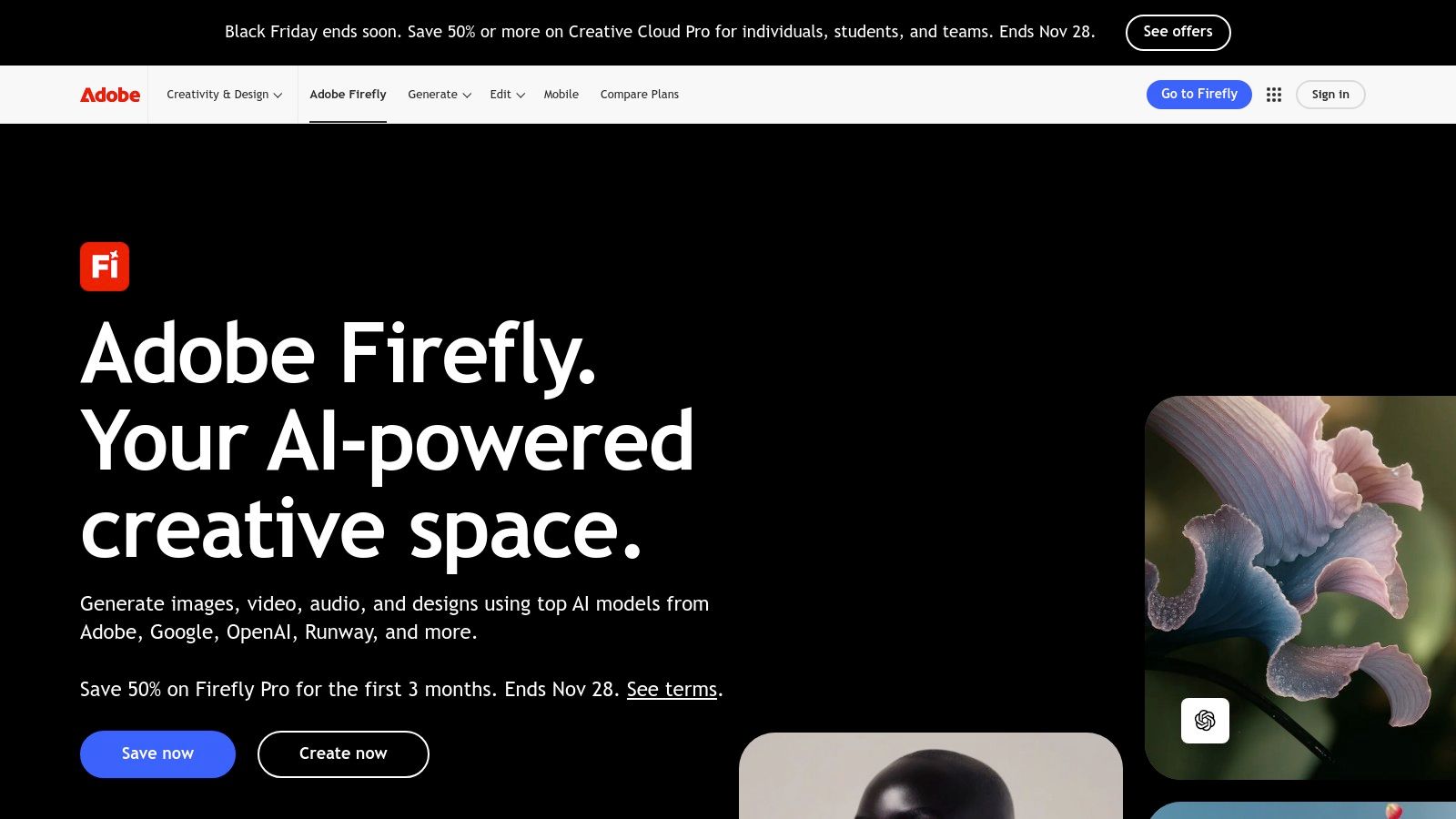
The platform's key strength lies in its deep integration and professional-grade features. Features like Generative Fill allow you to expand images or add/remove objects non-destructively, making it a fantastic tool for photographers and designers. This focus on practical, workflow-enhancing tools makes Firefly a top contender for the best ai image generator free for those who need reliable, high-quality assets for professional projects.
Key Features and User Experience
Adobe Firefly operates on a credit-based system, providing a set number of "generative credits" to free users each month. The interface is clean and intuitive, offering clear controls for aspect ratio, content type (photo or art), and styles. Generated images also come with Content Credentials, which provide transparency about their AI origins.
- Access: Free access is available with a monthly allotment of generative credits. These credits are used for generating images, text effects, and using features like Generative Fill.
- Pricing: Paid Creative Cloud plans include a higher number of monthly credits and faster processing. Additional credit packs can be purchased as needed.
- Pros: Outputs are designed for commercial safety, tight integration with Photoshop and Express, and an enterprise-grade ecosystem.
- Cons: The free tier's monthly credit limit is restrictive for heavy use, and the most powerful features are best utilized within a paid Creative Cloud subscription.
Website: https://www.adobe.com/products/firefly
5. Canva – Magic Media
For designers and marketers seeking an all-in-one solution, Canva’s Magic Media integrates a capable AI image generator directly into its widely used design platform. This seamless integration allows users to generate custom visuals and immediately drop them into social media posts, presentations, or marketing materials. It eliminates the need to switch between different tools, streamlining the entire creative workflow from concept to final export.
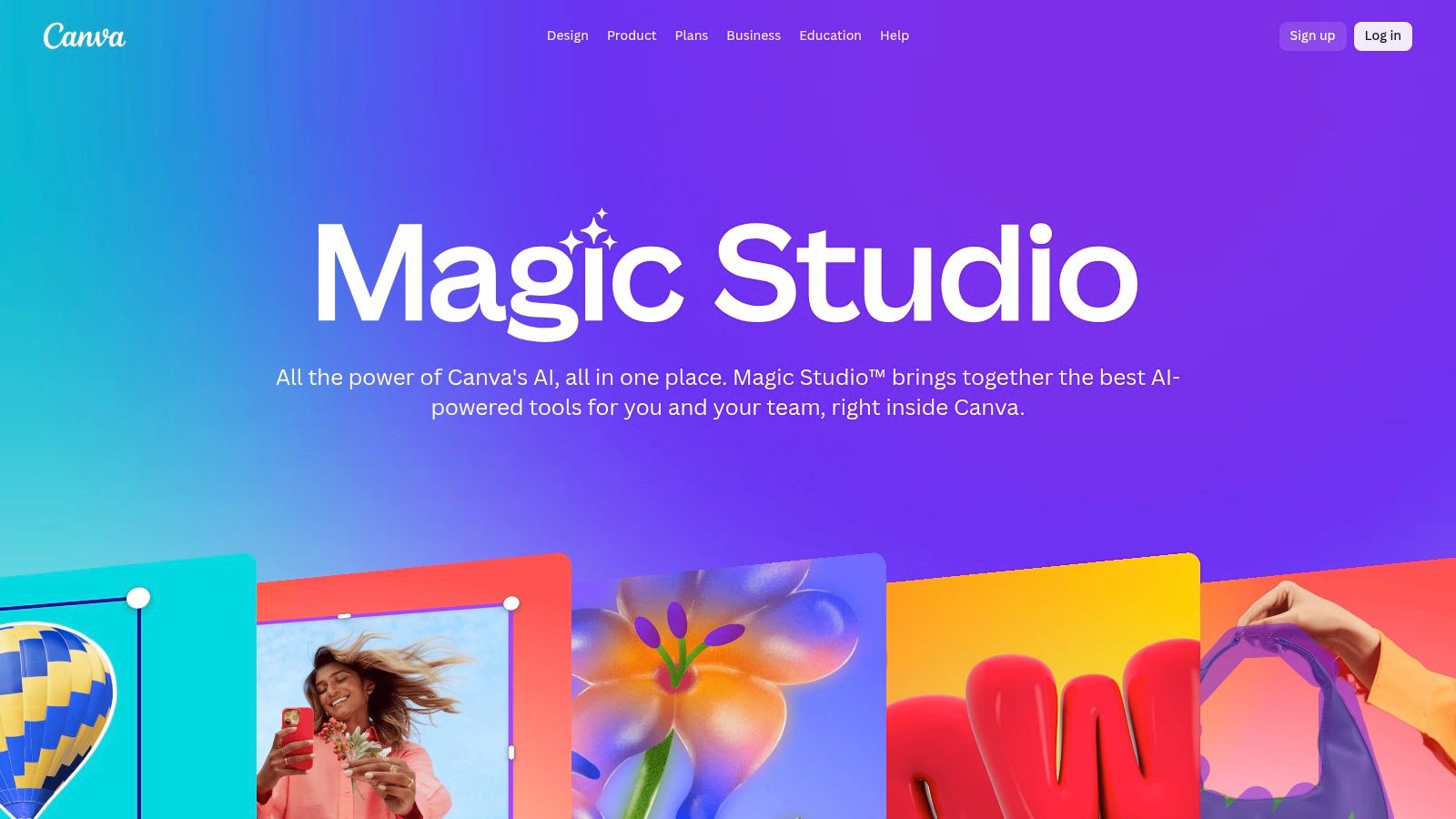
The platform's main strength is its context-aware design environment. You can generate an image and instantly apply it to thousands of templates, resize it for different platforms, and enhance it with text or other graphic elements. This makes it the best ai image generator free choice for teams and individuals who need to produce branded content quickly and efficiently, especially when leveraging its collaborative features.
Key Features and User Experience
The user experience is designed for simplicity. Inside any Canva project, you can open the Magic Media app, type a prompt, choose a style, and generate images that appear directly in your asset panel. This end-to-end workflow is perfect for creating polished, ready-to-publish visuals without any technical friction. Its team features also allow for shared brand kits and collaborative editing on designs incorporating AI-generated assets.
- Access: The free plan includes a limited number of "credits" for Magic Media, allowing you to generate a small number of images.
- Pricing: Upgrading to Canva Pro or Teams increases the monthly credit limit significantly and unlocks premium features like the Brand Kit and Magic Resize.
- Pros: Fully integrated into a comprehensive design suite, massive library of templates and assets, and excellent for quick social media content creation.
- Cons: Free tier has very low AI usage limits; most powerful branding and collaboration tools require a paid subscription.
For more insights, discover how to use AI images for social media to elevate your content strategy.
Website: https://www.canva.com/magic
6. Leonardo.ai
For creators seeking more than just a simple image generator, Leonardo.ai offers a comprehensive production suite. This platform is geared towards users who need control and consistency, particularly for creating game assets, concept art, and other style-driven visuals. It distinguishes itself by allowing users to train their own AI models on specific art styles or subjects, providing an unparalleled level of creative direction.
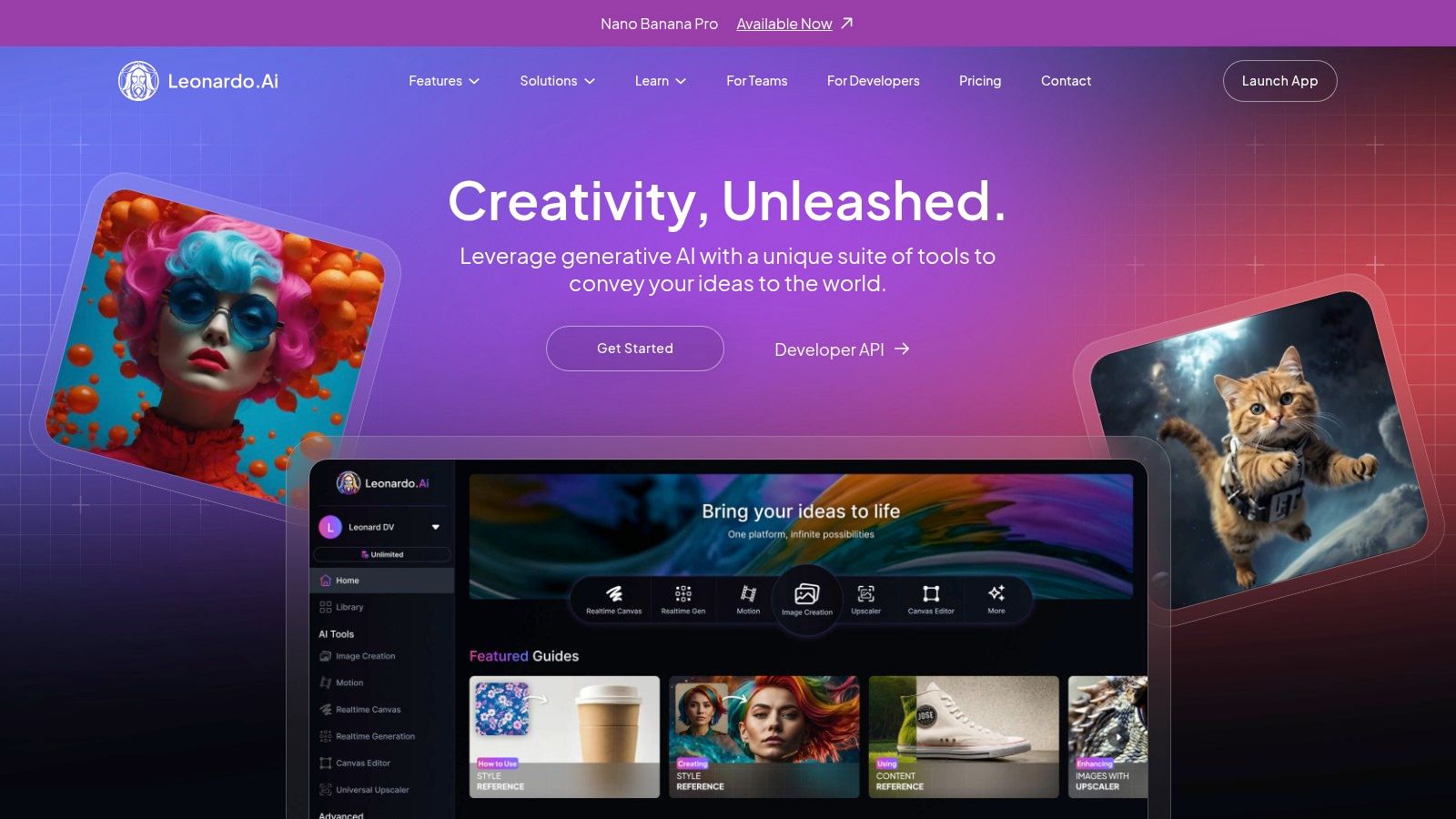
At its core, Leonardo.ai is a powerful and versatile tool that bridges the gap between casual creation and professional production. Its combination of a robust feature set, including multiple finely-tuned models and advanced editing tools, makes it a top contender for the best ai image generator free for those willing to learn its more advanced capabilities. The active community and constant development also ensure the platform stays on the cutting edge.
Key Features and User Experience
The platform operates on a token-based system, providing a daily allotment of tokens that can be used for various actions, from image generation to model training. Users can choose between a fast, higher-cost generation mode or a slower, free "Relaxed" mode once they run out of daily tokens. The interface is a feature-rich studio environment, offering granular control over every aspect of the image creation process, which may be complex for beginners but is a significant advantage for experienced users.
- Access: The free plan provides a generous daily allowance of 150 tokens, which can be used for generating images, upscaling, or other features. Generations on the free tier are public by default.
- Pricing: Paid plans start at $10/month, offering more tokens, private generations, faster job processing, and access to premium features like custom model training.
- Pros: Strong control features, personal model training for consistent styles, and an active development roadmap with team options.
- Cons: The token system can be confusing for new users, and the free plan’s public-by-default image generation may not be suitable for all projects.
Website: https://leonardo.ai
7. Playground AI
Playground AI distinguishes itself as a versatile, browser-based platform that combines powerful image generation with an intuitive editing canvas. It offers users a choice between its proprietary Playground v3 model and the advanced GPT-4o image model, providing flexibility for different creative needs. This combination makes it an excellent tool for users who want to not only generate images from text but also fine-tune them directly within the same interface, streamlining the entire creative workflow.
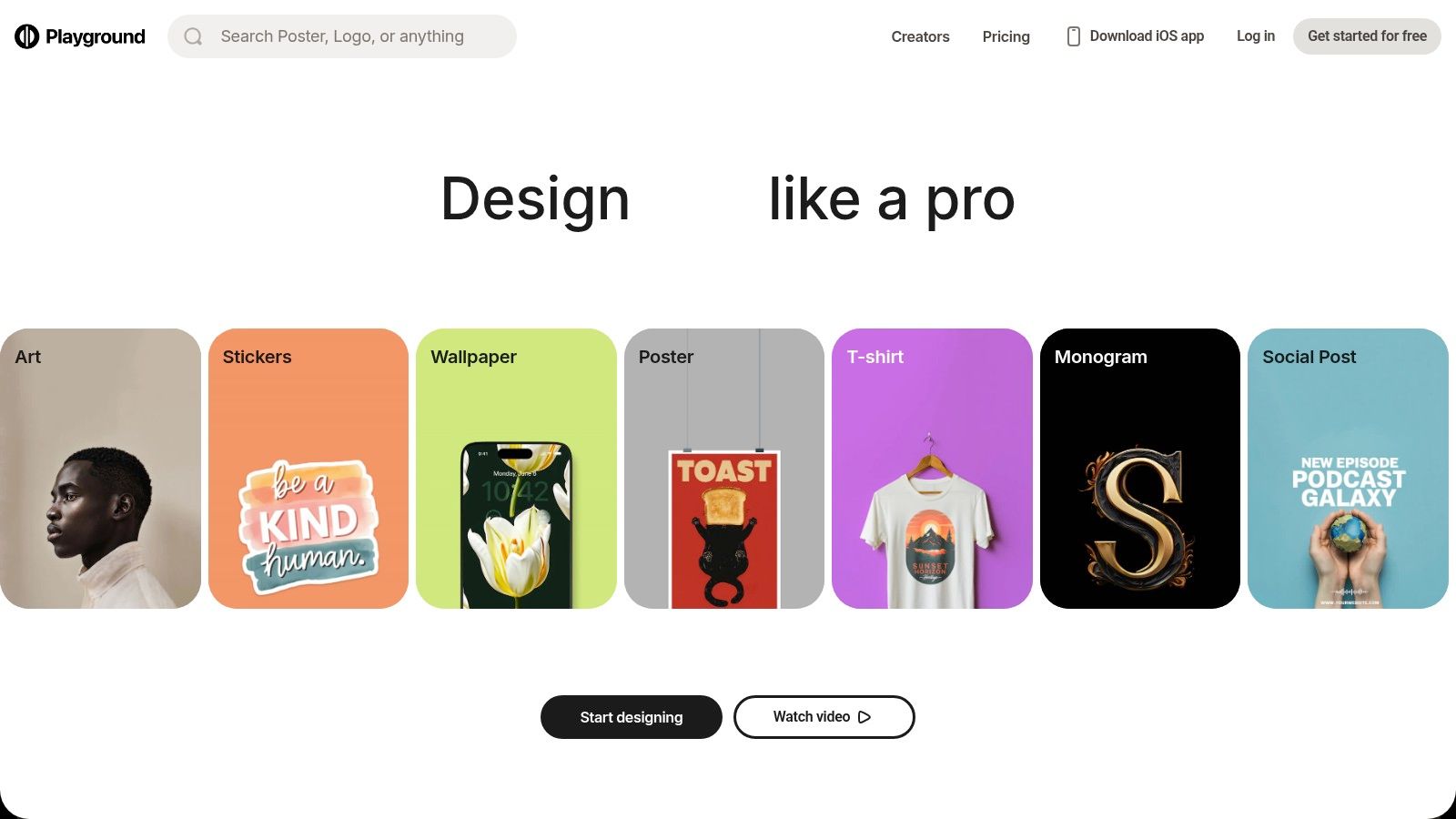
The platform's standout feature is its hybrid generator-editor approach, which supports both text-to-image creation and direct manipulation on a canvas. This setup is ideal for designers, marketers, and content creators who need to quickly iterate on concepts. Its accessible free plan and flexible payment options make Playground AI a strong contender for the best ai image generator free, especially for those who want to experiment without a long-term commitment.
Key Features and User Experience
The user experience is centered around a clean, web-based interface where you can easily switch between generating new concepts and refining existing ones. The canvas editor allows for in-painting, out-painting, and other modifications, giving you a level of control that many standalone generators lack. The ability to choose different models for specific tasks adds another layer of utility.
- Access: The free plan provides a generous number of daily image generations with the Playground v3 model, though it has caps and can experience delays during peak usage.
- Pricing: Beyond the free tier, Playground AI offers paid subscriptions, day-pass options for short-term projects, and the ability to purchase extra credits for premium models like GPT-4o.
- Pros: Flexible and low-commitment entry with a free plan or day pass; clear per-model usage limits are useful for experimentation.
- Cons: The free plan has usage caps and can be slow; access to advanced features and some models requires a paid plan or extra credits.
Website: https://playgroundai.com
8. NightCafe Studio
NightCafe Studio stands out as a community-driven platform, making it a fantastic choice for artists and hobbyists who enjoy sharing their work and participating in a creative ecosystem. It supports a diverse range of AI models, including Stable Diffusion and DALL·E, giving users the flexibility to experiment with different artistic styles. The platform is built around a credit system, with a generous daily top-up of free credits that encourages consistent use.
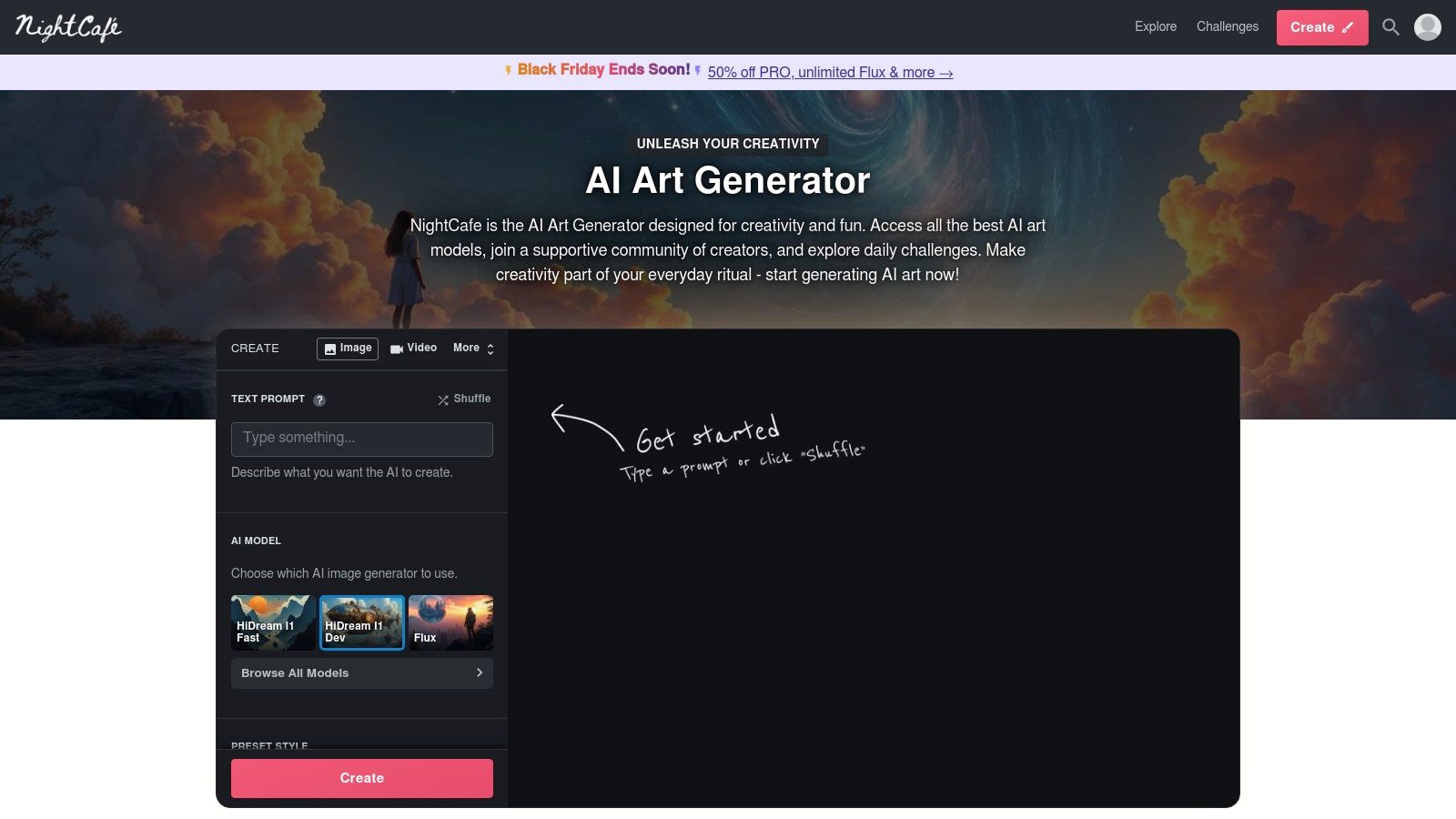
The platform's biggest appeal is its vibrant community. NightCafe hosts daily challenges where users submit creations based on a specific theme, vote on entries, and earn extra credits. This gamified approach makes it more than just a tool; it's a social space for creative exploration, making it a compelling best ai image generator free for those who thrive on interaction and inspiration from others.
Key Features and User Experience
The interface is welcoming to newcomers, with clear settings for choosing models, styles, and advanced options. Users can browse a massive public gallery, see the prompts others have used, and even "evolve" existing images to build upon them. This open-source approach to prompting is invaluable for learning and refining your skills. Advanced features like upscaling and animation are also available, though they consume more credits.
- Access: Free to use with a daily allotment of credits. More credits can be earned through community participation or purchased.
- Pricing: Beyond the free daily credits, NightCafe offers both subscription plans (PRO) for a monthly credit stipend and one-time credit packs for more flexibility.
- Pros: Reliable daily free credits, an active and engaging community with daily challenges, and access to multiple AI models in one place.
- Cons: The credit economy can feel complex, and some high-quality models or advanced features can deplete free credits quickly.
Website: https://nightcafe.studio
9. Ideogram
Ideogram has carved out a distinct niche for itself by mastering one of the most challenging aspects of AI image generation: typography. The platform excels at rendering coherent and stylistically integrated text directly within images, a task where many other models struggle. This makes it an invaluable tool for creating posters, logos, memes, or any visual content that requires crisp and accurate lettering combined with imaginative visuals.
Its focus on high-quality text-in-image capabilities makes Ideogram a top-tier best ai image generator free for designers, marketers, and social media managers. The platform also features a simple user interface with tools like Remix, which allows you to iterate on existing generations, providing a more guided creative process.
Key Features and User Experience
The platform operates on a unique credit system that separates "slow" and "priority" generation. Free users receive a weekly allowance of slow credits, which places their requests in a queue, while paid subscribers get faster priority credits. The experience is straightforward: enter your prompt, select an aspect ratio, and generate. Pro users can even upload a CSV file to generate images in batches, streamlining professional workflows.
- Access: Free access is provided with a weekly allotment of slow credits. Signing up with a Google account is quick and easy.
- Pricing: Paid plans (Basic and Plus) offer a monthly supply of priority credits for faster generation, unlimited slow generation, private generations, and access to the editor and Pro batch tools.
- Pros: Exceptional text rendering and typography, straightforward interface with remix tools, and a clear path from free casual use to professional batch generation.
- Cons: The free tier's slow generation can be quite delayed during peak times; consistent and fast production requires a paid subscription for priority credits.
Website: https://ideogram.ai
10. Craiyon
Craiyon, widely known by its former name DALL·E mini, stands out for its sheer accessibility and simplicity. It is an ideal starting point for anyone curious about AI image generation, offering a no-frills, browser-based experience that requires no account or login to start creating. This makes it perfect for quick brainstorming, casual experimentation, or generating simple visuals without any commitment.
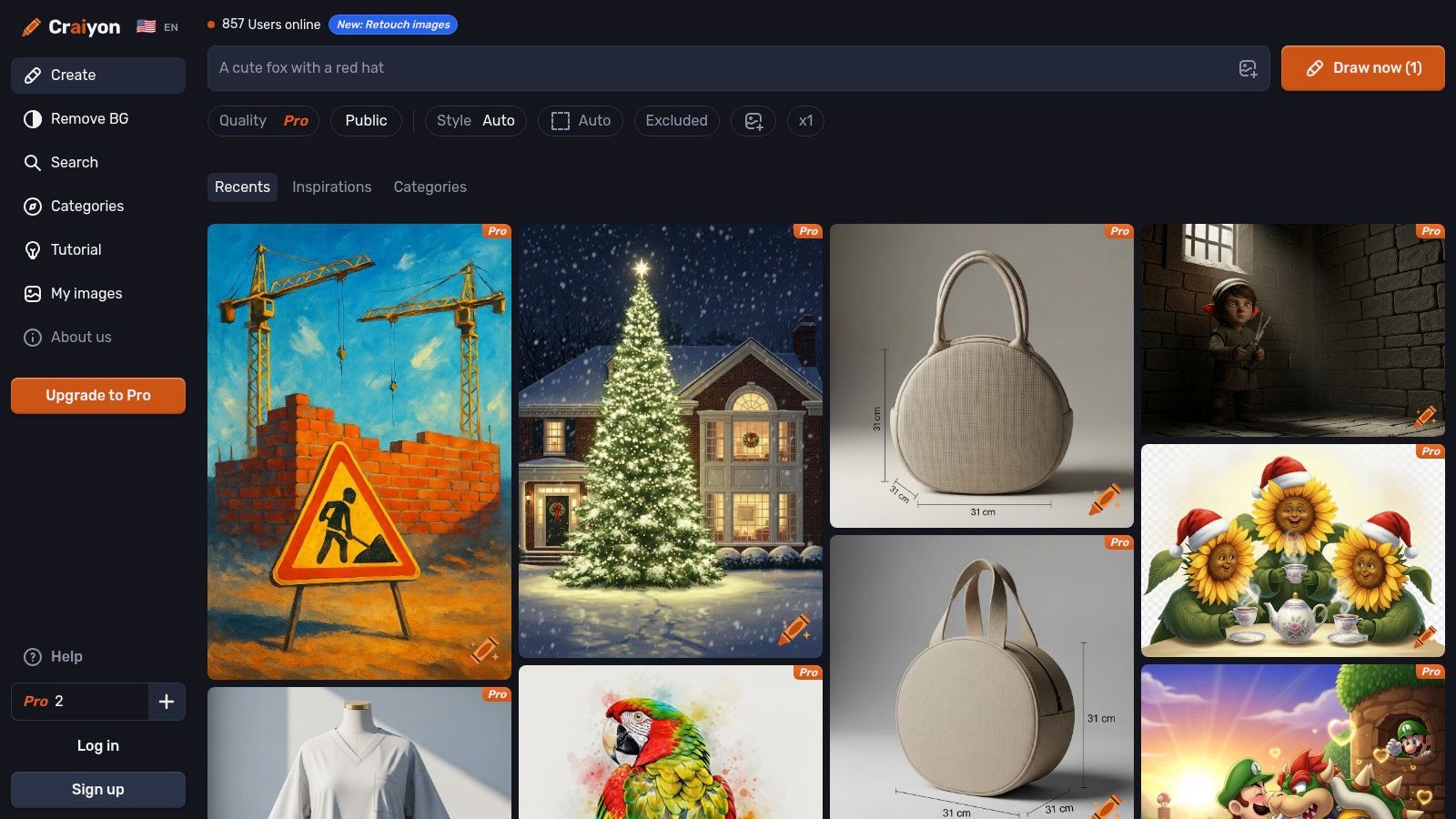
The platform's main advantage is its barrier-free entry. You simply type a prompt and receive a grid of nine images in about a minute. While the free version's quality is lower than more advanced models, it serves as an excellent tool for visualizing concepts rapidly. For users who want to try the best ai image generator free without any hassle, Craiyon is an unbeatable option for instant, unlimited creative exploration.
Key Features and User Experience
The user interface is as straightforward as it gets: a single text box for your prompt and a "Draw" button. Once generated, you can select an image for a basic upscale and download. The platform includes simple style presets and the ability to add negative prompts to exclude certain elements from your image, giving users a surprising amount of control for such a simple tool.
- Access: Completely free and unlimited for its base model with no signup required. Generations may have a short wait time and will include a watermark.
- Pricing: Paid plans (Supporter, Professional, and Enterprise) offer faster generation times, no watermarks, no ads, higher image quality, and private image generation.
- Pros: Genuinely free to use with unlimited prompts, incredibly easy to get started with no account needed.
- Cons: Free tier image quality is noticeably lower than competitors, and the interface includes ads and wait times.
Website: https://www.craiyon.com
11. Picsart (AI Image Generator)
Picsart is a comprehensive photo and video editing suite that has powerfully integrated AI generation capabilities, making it a go-to for creators who need an all-in-one platform. Unlike standalone generators, Picsart allows you to create an image with a text prompt and immediately jump into a rich editing environment. This seamless workflow is perfect for social media managers, marketers, and designers who need to add text, apply filters, or use advanced tools like object removal right after generation.
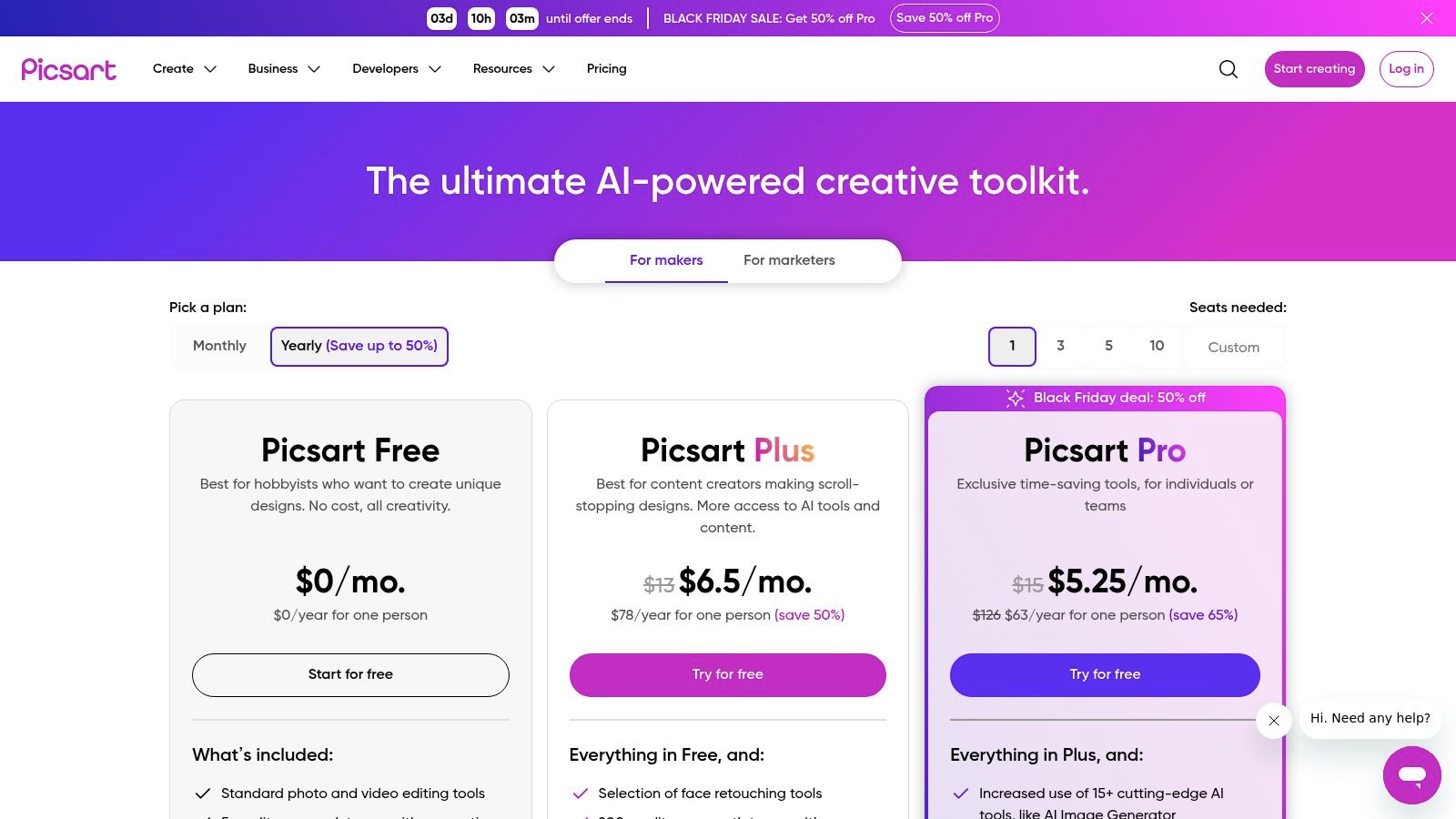
The platform’s core strength lies in its ecosystem. You can generate an asset and instantly use it within thousands of templates for social posts, flyers, or presentations. This makes it an incredibly efficient best ai image generator free solution for producing finished creative assets quickly. While the free plan is limited, it provides a solid taste of the platform’s potential for a unified creative process.
Key Features and User Experience
The user experience is designed for convenience, centralizing generation and editing in one place. You input your prompt, and the generated image opens directly in the Picsart editor, ready for further refinement. The platform uses a clear credit system for its suite of AI tools, so you always know your remaining allowance.
- Access: Free users receive a small weekly allowance of AI credits to use across all AI tools, including the image generator.
- Pricing: Paid plans, like Picsart Gold, substantially increase the monthly credit allowance and unlock the full suite of editing tools, templates, stock assets, and brand kit features.
- Pros: A stable, widely used platform with powerful post-generation editing tools and a vast library of templates and assets.
- Cons: The free plan’s AI credit allowance is very restrictive, and many advanced editing features are locked behind a paywall.
Website: https://picsart.com/pricing/
12. Freepik AI (Freepik’s AI tools)
For creators who need a unified solution for both stock assets and AI-generated content, Freepik presents a powerful and integrated platform. By combining its massive stock library with a suite of AI tools, Freepik allows users to seamlessly source traditional assets or create unique visuals from text prompts, all within a single subscription. This makes it an efficient choice for marketers, designers, and content creators who frequently switch between curated and generated imagery.
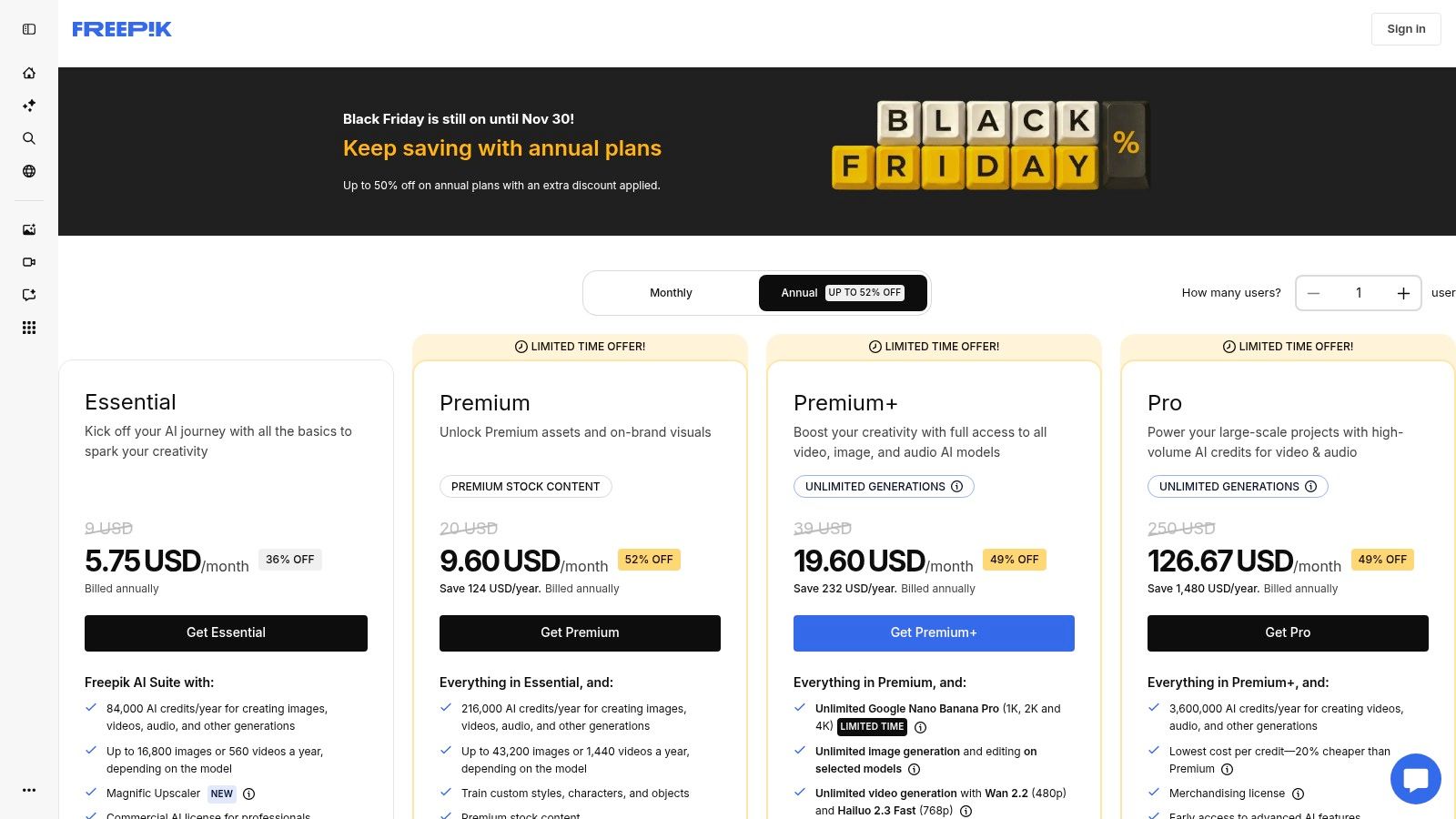
The platform's key advantage is its value proposition for high-volume users, offering large annual AI credit pools and even model-limited unlimited generation on its higher-tier plans. While the free offering is more of a trial, the paid plans make it a contender for the best ai image generator free of the constraints often found in credit-based systems, especially for professionals who require a consistent output.
Key Features and User Experience
Freepik’s user experience is designed for workflow efficiency, incorporating text-to-image and text-to-video models alongside practical editing tools like an upscaler, background remover, and retouching features. The commercial license included across all tiers adds significant value for business use. This integration simplifies the process of creating marketing materials, social media posts, and other professional assets.
- Access: The free plan offers limited AI generations and requires attribution for asset usage.
- Pricing: Paid plans are highly competitive, providing large annual credit allocations. Premium+ and Pro tiers offer "unlimited" image generation, though this is model-limited and may slow down after heavy usage.
- Pros: Combines a vast stock library with AI tools in one subscription; offers very high AI credit volumes for heavy users at a competitive price.
- Cons: The "unlimited" feature has limitations and can shift to a slower queue; the free plan is quite restrictive.
For those creating commercial content, understanding licensing is crucial. You can find more details in this guide on finding a royalty-free AI image generator.
Website: https://www.freepik.com/pricing
Top 12 Free AI Image Generators — Feature Comparison
| Product | Core features | UX / Quality (★) | Pricing / Value (💰) | Target (👥) | Unique selling points (✨) |
|---|---|---|---|---|---|
| ai-media-studio 🏆 | 50+ art styles, text→image & video, inpainting/outpainting, team workspaces | ★★★★☆ — fast, studio-grade outputs | 💰 Free (3/mo); Light $10/200cr, Starter $19/1,000cr, Pro $35/2,000cr; credit rollover; commercial rights | 👥 Creators, marketers, SMBs, agencies | ✨ Privacy-first, vast style library, built-in advanced editing, scalable/enterprise |
| OpenAI — ChatGPT (image) | Chat-based text→image, iterative editing, saved image library | ★★★★☆ — strong prompt fidelity, good text rendering | 💰 Free limited; Plus/API for higher speed/volume (paid) | 👥 Prompt-centric creators, rapid ideation | ✨ Inline chat workflow + iterative edits |
| Microsoft Designer / Bing / Copilot | Text→image across Designer, Bing, Copilot; model choice | ★★★★☆ — convenient, integrated with Edge | 💰 Free with MS account; daily fast boosts, slower unlimited queue | 👥 Casual users, Edge/Copilot workflows | ✨ Browser integration, daily fast generation boosts |
| Adobe Firefly (web) | Text→image, generative fill, stylize, upscaling; CC integration | ★★★★★ — production-grade, Photoshop-ready | 💰 Credit-based; most pro features behind paid plans | 👥 Professional designers, agencies | ✨ Tight Creative Cloud + content credentials for commercial use |
| Canva — Magic Media | Text→image inside design/editor, templates, brand kit | ★★★★☆ — end-to-end design UX | 💰 Free limited AI; Pro/Business raise AI limits & brand tools | 👥 Social creators, marketers, teams | ✨ Integrated templates + export sizes for social campaigns |
| Leonardo.ai | Multi-model studio, personal model training, upscaling/editing | ★★★★☆ — strong style control, consistent results | 💰 Free daily tokens; paid plans add private gens & capacity | 👥 Style-driven artists, teams testing models | ✨ Personal model training & token Fast/Relax modes |
| Playground AI | Text→image + canvas editor; choice of models (v3, GPT‑4o) | ★★★☆☆ — flexible, experimental UX | 💰 Free tier + day-passes & purchasable credits | 👥 Experimenters, low-commitment users | ✨ Day-pass & à‑la‑carte model access |
| NightCafe Studio | Multiple models, daily free credits, community challenges | ★★★★☆ — community-driven, reliable freebies | 💰 Free daily credits; subscriptions or credit packs | 👥 Hobbyists, community creators | ✨ Community challenges & ways to earn credits |
| Ideogram | Strong text-in-image rendering, editor, batch CSV tools | ★★★★☆ — excellent typography in images | 💰 Weekly slow credits free; priority credits paid | 👥 Producers needing text-heavy images | ✨ Superior text rendering + Pro batch generation |
| Craiyon | No-login, browser text→image; simple presets | ★★☆☆☆ — fast casual results, lower fidelity | 💰 Truly free to start; paid for higher quality/prio | 👥 Casual users, quick idea generation | ✨ Zero sign-up, instant and unlimited trialing |
| Picsart (AI) | Text→image + editing tools, background remover, templates | ★★★☆☆ — solid editing post-gen | 💰 Small weekly free AI credits; paid tiers increase credits | 👥 Social creators, mobile editors | ✨ Strong post-editing and template ecosystem |
| Freepik AI | Text→image, editing, video models + stock asset integration | ★★★★☆ — high-volume outputs for production | 💰 Free limited (attribution); paid plans with large annual credits | 👥 Heavy users, marketers needing stock + AI | ✨ Combines large stock library with high AI credit volumes |
Choosing Your Creative Partner: Final Thoughts on Free AI Image Generators
Navigating the landscape of free AI image generators can feel like exploring a new creative frontier. As we've journeyed through the capabilities of tools from the integrated power of Microsoft Copilot and ChatGPT to the artist-centric communities of Leonardo.ai and Playground AI, a clear picture emerges: the best ai image generator free for one user is not a one-size-fits-all solution for another. The ideal tool is a deeply personal choice, tethered directly to your specific needs, skill level, and ultimate creative goals.
The term "free" itself is multifaceted in this domain. It ranges from the completely open-access, albeit less refined, experience of Craiyon to the sophisticated freemium models offered by platforms like Adobe Firefly and AI Media Studio. These latter options provide a generous taste of professional-grade features, allowing you to test the waters before committing. This try-before-you-buy approach is invaluable, especially for professionals who require consistent quality and specific functionalities.
Making the Right Choice for Your Needs
To find your perfect creative partner, you must first define your mission. Are you a social media manager needing eye-catching visuals for daily posts? A tool like Canva’s Magic Media or Picsart, with their built-in design suites, offers a seamless workflow. Are you a digital artist or designer looking to experiment with unique styles and fine-tune compositions? Leonardo.ai's community models and Playground AI's detailed controls might be your ideal sandbox.
Consider these key factors when making your decision:
- Your Primary Use Case: A blogger needing quick, illustrative blog headers has different requirements than a marketing team developing a cohesive brand campaign. Match the tool's strengths to your most frequent tasks.
- Ease of Use vs. Control: Platforms like Microsoft Designer prioritize simplicity, making them perfect for beginners. In contrast, NightCafe Studio offers a plethora of algorithms and advanced settings for those who love to tinker and exert granular control over the output.
- Commercial Viability: This is a critical checkpoint. If you intend to use the generated images for business purposes, you must scrutinize the terms of service. Platforms like Adobe Firefly, trained on commercially safe datasets, offer peace of mind that others might not. Always verify the licensing for free-tier creations.
- The Freemium Gateway: Don't dismiss the limitations of a free plan. Instead, view it as a strategic evaluation period. Use your free credits to test a platform's prompt understanding, aesthetic range, and overall user experience. This hands-on trial is the most reliable way to determine if a paid upgrade would be a worthwhile investment for your workflow.
The Path Forward: From Experimentation to Integration
The journey into AI image generation is one of continuous discovery. The tools we've covered represent a dynamic and rapidly evolving field. Your initial experiments with a free AI image generator are the first step toward mastering a technology that is fundamentally changing the creative process. Embrace the learning curve, play with different prompting techniques, and don't be afraid to combine the outputs of various tools.
Ultimately, the goal is to find a generator that feels less like a machine and more like a collaborator. It should be a tool that closes the gap between the vision in your mind and the image on your screen, empowering you to create visuals that were previously out of reach. Whether you're generating your first quirky image for fun or developing a suite of assets for a major project, the power to create is now more accessible than ever. The key is to start exploring, find the platform that clicks with your creative style, and begin bringing your ideas to life.
Ready to experience a professional-grade tool that blends power with an intuitive interface? ai-media-studio offers a free tier that provides a perfect entry point into advanced AI image generation, designed for creators and marketers who demand quality and consistency. Explore the platform and see how its robust features can elevate your creative projects from concept to completion at ai-media-studio.