AI Virtual Staging
AI virtual staging workflows help real estate teams furnish empty rooms, preview interior styles, and create listing-ready room photos from one image.
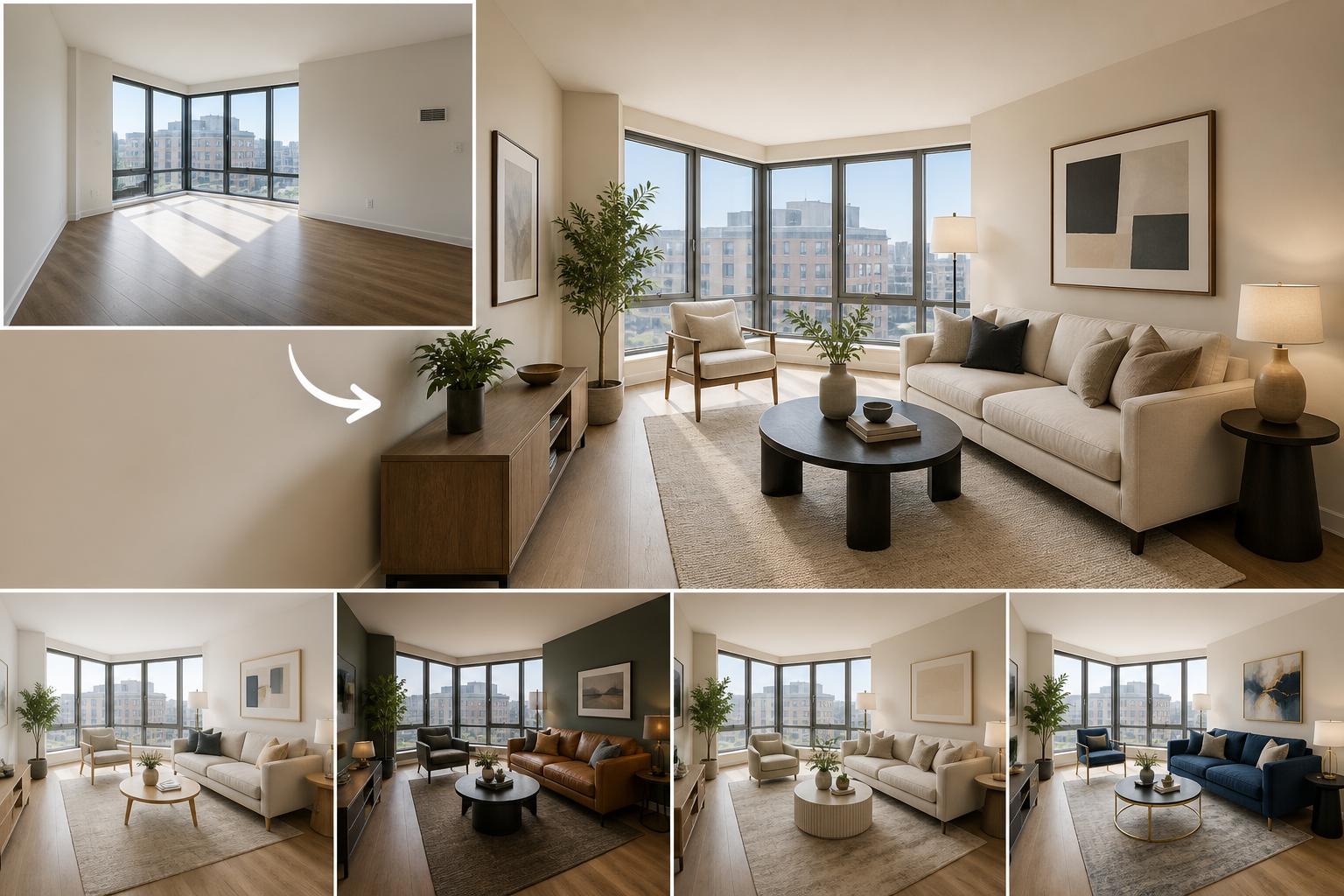
Stage empty rooms without a physical furniture setup
Upload a room photo, choose the staging style, generate furnished options, and export listing visuals for buyers or renters.
Export listing images and room previews
Create listing heroes, room views, detail crops, and client previews from the same staging brief.
Listing hero
Prepared from the same brief so your outputs stay aligned across placements.
Room view
Prepared from the same brief so your outputs stay aligned across placements.
Detail crop
Prepared from the same brief so your outputs stay aligned across placements.
Client preview
Prepared from the same brief so your outputs stay aligned across placements.
Templates for virtual staging
Start with common property needs like empty living rooms, bedrooms, rentals, neutral luxury staging, and warm modern interiors.
AI virtual staging examples
Use this workflow when an empty property needs warmer, clearer listing visuals before buyers or renters see it.
Furnish empty listing photos with realistic room layouts.
Compare interior styles before choosing the listing image.
Create room visuals without renting furniture or scheduling staging.
Frequently asked questions
Can I try ai virtual staging for free?
Three free edits after sign-up: your own uploaded photos, edited with Muse Image. Everything else needs a paid plan. Plans start at $19/month and include listing-ready formats, watermark-free exports, and commercial rights.
What can I create with ai virtual staging?
You can create staged room photos, listing heroes, rental visuals, and client preview images, compare variations, and export practical formats for campaigns, listings, websites, and social channels.
Do I need design experience?
No. The workflow starts with a focused brief and template choices, then keeps advanced prompt and model controls secondary.
Can I use the generated images commercially?
Paid plans include a commercial license. You must have rights to the source images, products and branding and review outputs for accuracy and third-party rights. The public terms retain user ownership but do not specify a separate commercial license for the three introductory photo edits; ask support before relying on it for a commercial project.
What formats are included?
The workflow is built around listing hero, room view, detail crop, client preview so one brief can cover multiple placements.