Restore Old Photos with AI
Restore old photos with AI.
Start with a scan or a clear photo of your print. Ask for a restrained restoration that repairs wear while keeping the character of the original.
Plans start at $19/month. Three free edits after sign-up: your own uploaded photos, edited with Muse Image. Everything else needs a paid plan. Commercial use is included on paid plans.
Same photo, four models: what we got
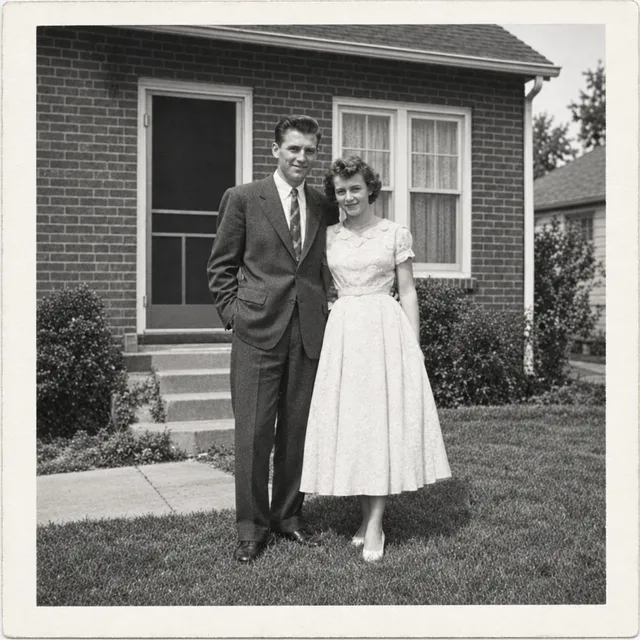
Two synthetic damaged prints, each restored once by four models with the same prompt. In our two test prints Nano Banana Pro was the most faithful and Muse Image a close second; Nano Banana 2.1 left a tint, and GPT Image 2.5 over-processed the 1970s print. Two prints are not a benchmark: your scans may behave differently, and every model can still invent detail in damaged areas.
Damaged 1950s black-and-white print
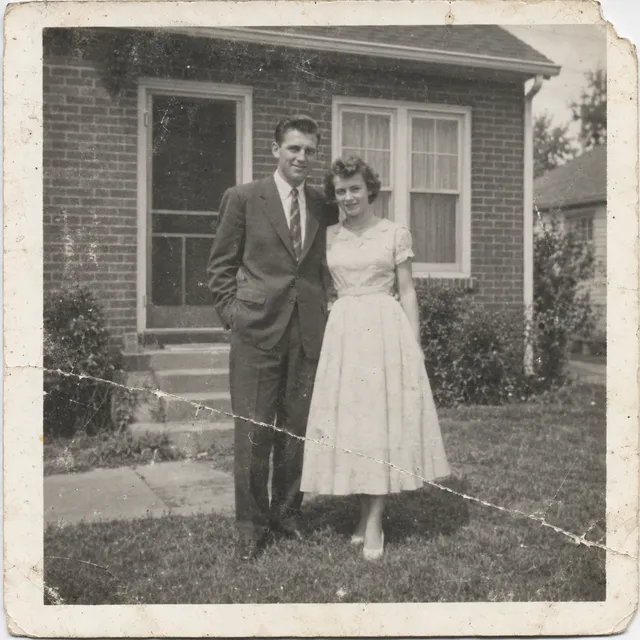
Source (synthetic print)
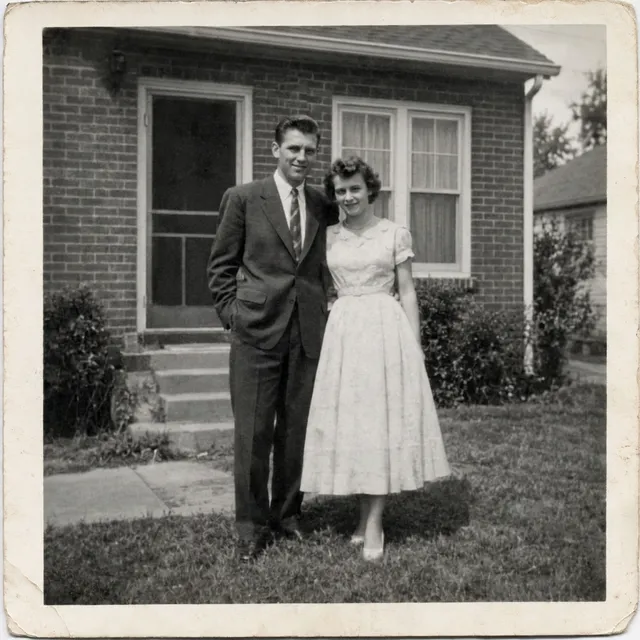
Nano Banana Pro
30 credits ($0.570 on Starter)Generated in 22 s
Damage removed; most faithful, neutral black and white.
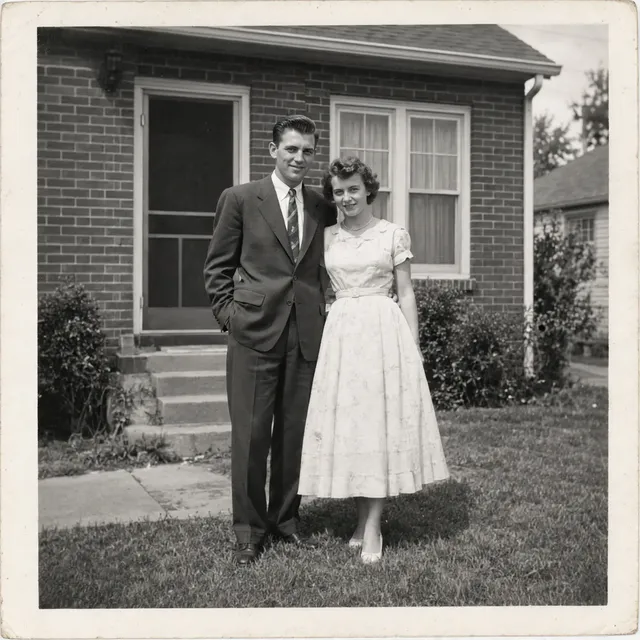
Muse Image
2 credits ($0.038 on Starter)Generated in 31 s
Damage removed; faithful, slightly flat.
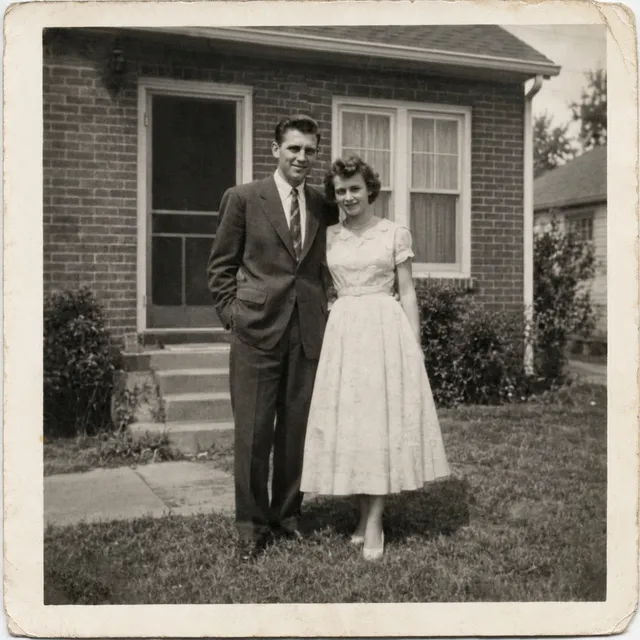
Nano Banana 2.1
9 credits ($0.171 on Starter)Generated in 19 s
Damage removed; a warm sepia tint remains.
GPT Image 2.5
11 credits ($0.209 on Starter)Generated in 29 s
Damage removed; contrast and sharpness boosted, looks less like a period print.
Restore this old photograph: remove the scratches, the crease, the dust spots and repair the torn corner. Improve contrast gently. Keep it black and white and keep both people's faces, clothes and poses exactly as they are.
Faded 1970s colour snapshot with a yellow-orange cast
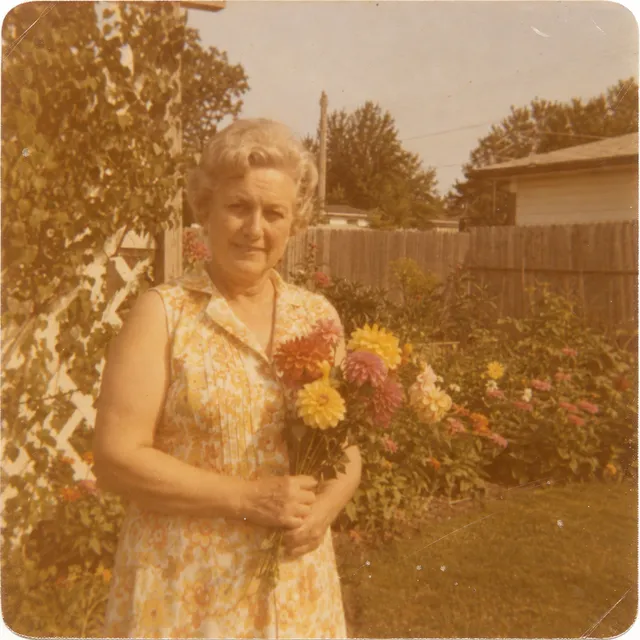
Source (synthetic print)
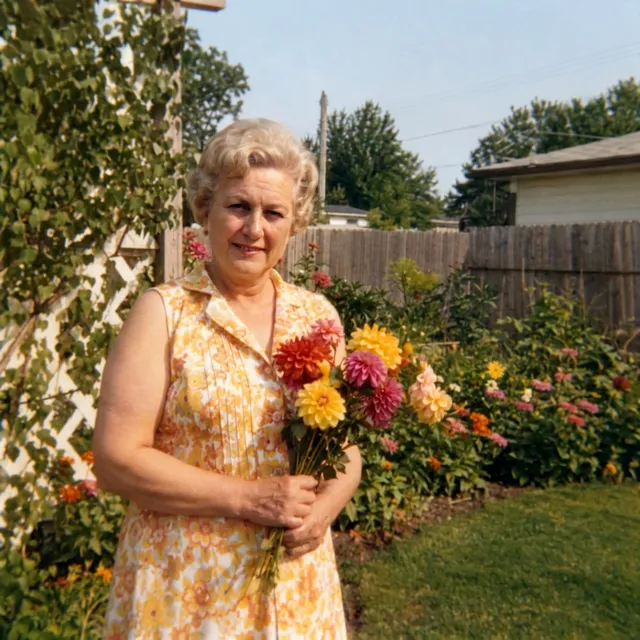
Nano Banana Pro
30 credits ($0.570 on Starter)Generated in 23 s
Cast removed; most natural colours; rounded corners squared.
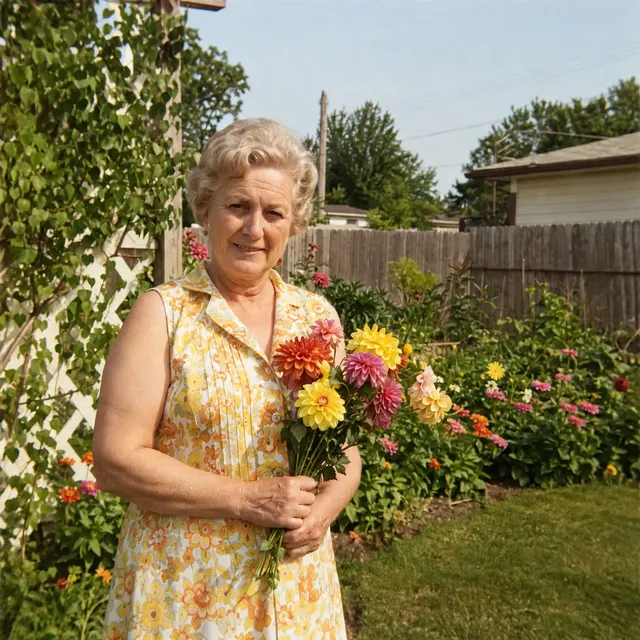
Muse Image
2 credits ($0.038 on Starter)Generated in 21 s
Cast removed; natural tones; rounded corners squared.
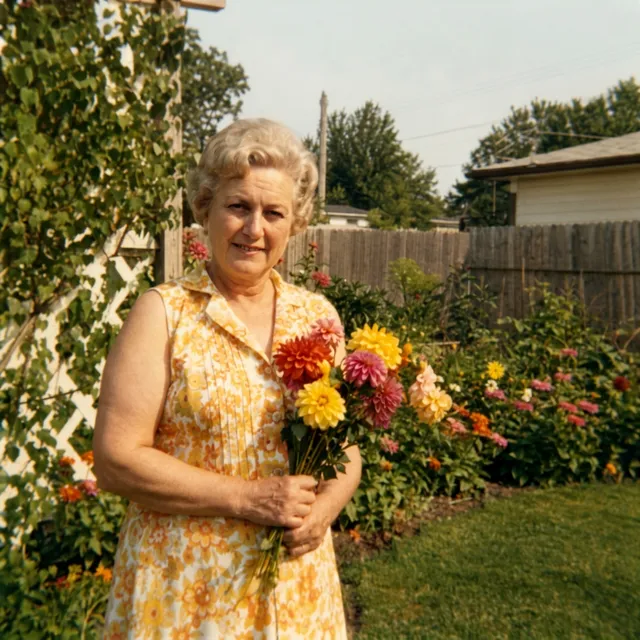
Nano Banana 2.1
9 credits ($0.171 on Starter)Generated in 19 s
Cast only partly removed; yellow-green tint remains.
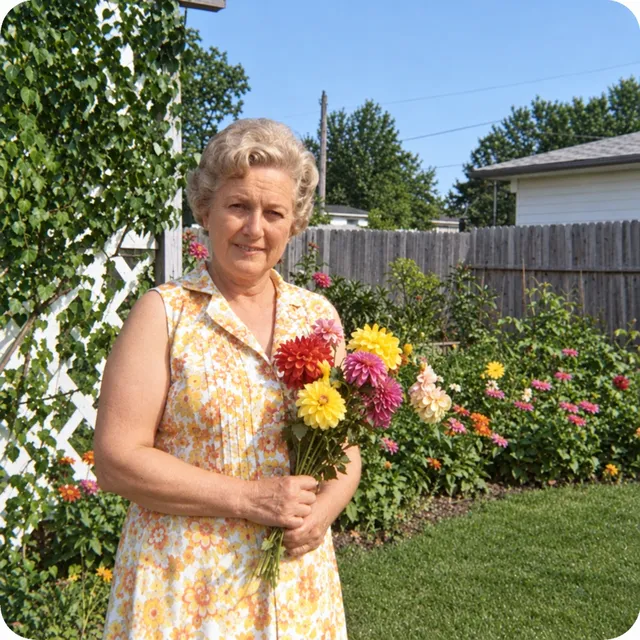
GPT Image 2.5
11 credits ($0.209 on Starter)Generated in 26 s
Cast removed; over-saturated sky and grass not supported by the source.
Restore this old photograph: remove the colour cast and the scratches and dust, bring back natural colours and contrast. Keep the woman's face, hair, dress, the flowers and the garden exactly as they are.
Start with these words
An instruction you can make your own
Restore this photo: repair scratches and fading, improve clarity, and preserve faces, clothing, composition, and the original black-and-white tones. Keep natural film grain. Do not invent details in damaged areas.
“Try this edit” opens this instruction in the editor. Upload your own photo, adjust the wording, and generate when you are ready.
Before you start: scan and photo tips
- Take the print out of its frame or album sleeve; glass and plastic add glare. Remove loose dust with a soft brush, never with a wet cloth.
- With a scanner, scan small prints at 600 dpi or more and larger prints at 300 dpi or more, in color even for black-and-white photos, so faded tones are kept.
- With a phone, lay the print flat in soft daylight, hold the phone parallel to it, turn the flash off and fill the frame without cutting the photo’s edges.
- Upload one photo per edit as JPEG or PNG under 10 MB, the editor’s upload limit. Keep the full-size scan as your untouched original.
From your photo to a finished edit
- 01
Digitize the original
Use a scan, or photograph the print straight on in even light. Avoid reflections and keep an untouched copy.
- 02
Repair one problem at a time
Begin with scratches and fading. Keep the original tones and grain; try colorization only as a separate creative edit.
- 03
Inspect familiar details
Compare faces, hands, clothing, and background objects. Refine gently or return to the original if important details change.
Which model to use, and what one edit costs
Every model runs in the same editor and draws from the same credits. Prices are per edit in the web app; the editor shows the cost before you generate.
| Model | Credits per edit | On Starter | Use it for |
|---|---|---|---|
| Muse Image | 2 | $0.038 | A close second in our two test prints, at the lowest price: damage and colour cast removed, people kept, the black-and-white result slightly flat. One output size of about 2.5 MP. |
| Nano Banana 2.11K | 9 | $0.171 | Removed the damage in our two test prints but left a tint (sepia on the black-and-white print, yellow-green on the colour one). Larger outputs: 14 credits at 2K and 31 at 4K. |
| GPT Image 2.5 | 11 | $0.209 | Over-processed our 1970s test print (over-saturated sky and grass) and boosted contrast on the 1950s one. Ask for a gentle restoration and compare closely. |
| Nano Banana Pro1K | 30 | $0.570 | The most faithful result on both of our test prints: neutral black and white, and the most natural colours. The most expensive option here (60 credits at 4K). |
What AI cannot do here
- Faces are the hardest part. Small or damaged faces can come back looking like someone else; compare each one with the original scan.
- Missing or badly damaged areas are filled with plausible detail, not recovered. The result is an interpretation, not evidence.
- Colorization is a guess. AI cannot know the original colors of clothes, eyes or rooms; treat a colorized version as a creative edit.
- Handwriting, dates and printed text on the photo can be altered or smoothed away.
Before you download
- Treat reconstructed detail as a guess, not recovered evidence.
- Compare facial features with the original scan.
- Keep the original file alongside every restored version.
Animate the restored photo
Once the restored still looks right, you can turn it into a short clip. A 5-second clip on Kling O3 Pro, the default video model, costs 85 credits with audio off.
Animate the restored photoQuestions about this edit
Can AI recover the exact missing details?
No. AI generates plausible detail; it cannot know what was in a missing or badly damaged part of a photograph. Keep the original for historical or family reference.
Can I keep the photo black and white?
Yes. The starter instruction explicitly preserves the original black-and-white tones. Check the result and repeat that constraint if a later refinement adds color.
Should I upscale before restoring?
Start with the best scan you have. Repair visible damage and inspect the result before a separate enlargement. A larger file does not by itself make the reconstruction more accurate.
Can AI colorize a black-and-white photo?
It can add color, but the colors are a guess: AI has no way of knowing what the original clothes, eyes or rooms looked like. Do it as a separate edit after the repair and keep the black-and-white version.
How many credits does one restoration edit use?
One edit costs 2 credits on Muse Image, 9 credits on Nano Banana 2.1 at 1K, 11 credits on GPT Image 2.5, 30 credits on Nano Banana Pro at 1K. On the Starter plan that is $0.038 to $0.570 per edit. The editor shows the cost before you generate, and each refinement is a new edit.
Can I animate the restored photo?
Yes. Send the restored still to the video composer with a small motion prompt. A 5-second clip on Kling O3 Pro costs 85 credits with audio off. The movement is generated, so label the clip as AI-animated when you share it.
What does it cost to try?
Plans start at $19/month. Three free edits after sign-up: your own uploaded photos, edited with Muse Image. Everything else needs a paid plan. Commercial use is included on paid plans.