Change a Photo Background to White
Change your photo background to white.
Replace a busy photo background with a simple white setting. Start with your image and a ready-to-use instruction.
Plans start at $19/month. Three free edits after sign-up: your own uploaded photos, edited with Muse Image. Everything else needs a paid plan. Commercial use is included on paid plans.
Same photo, two models: what we got
One synthetic sneaker snapshot, edited once by each model with the prompt shown. Both gave a clean cutout; Nano Banana 2.1 added a soft shadow, Muse Image a lighter one. We did not measure the background pixels: a generated white is not guaranteed to be exact #FFFFFF.
Sneaker snapshot to a white background
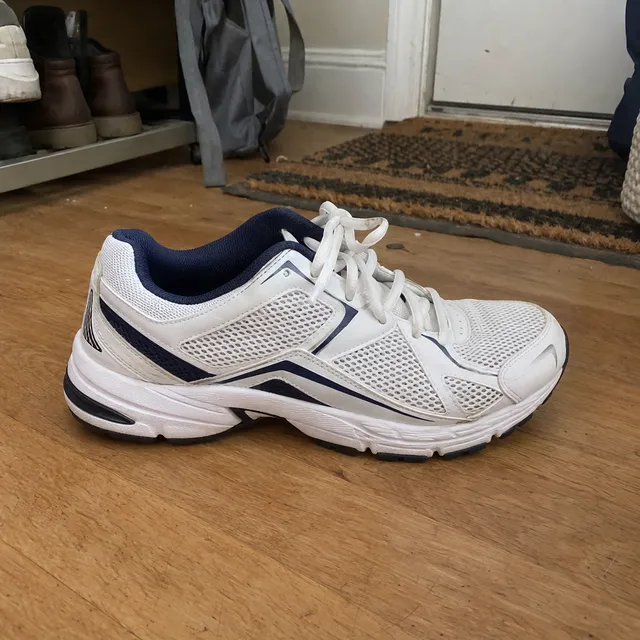
Source (synthetic photo)
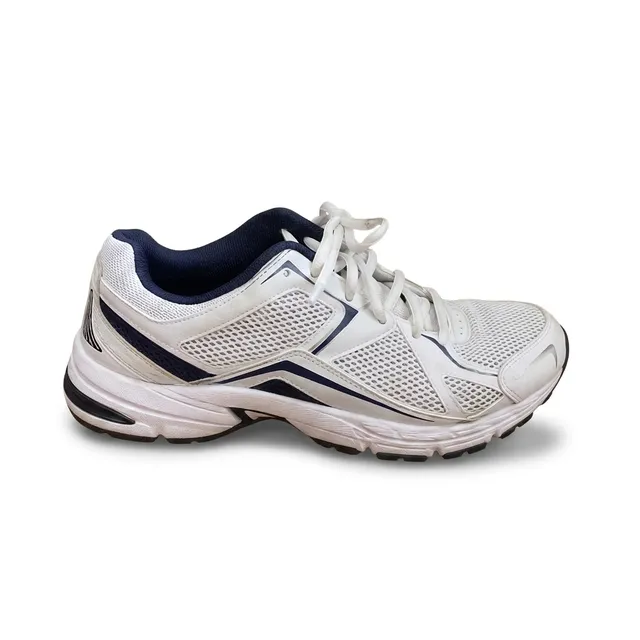
Nano Banana 2.1
9 credits ($0.171 on Starter)Generated in 17 s
Done; clean cutout with a soft shadow.
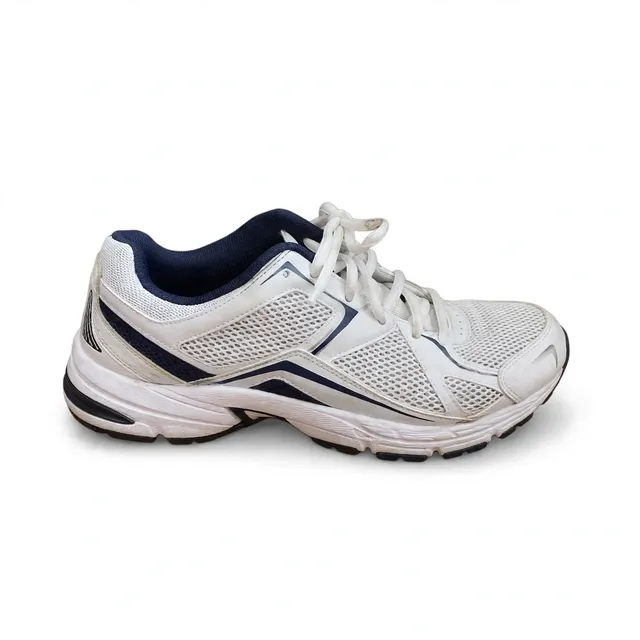
Muse Image
2 credits ($0.038 on Starter)Generated in 29 s
Done; clean cutout, lighter shadow.
Place the sneaker on a pure white background with a soft natural shadow underneath, like a product listing photo. Keep the sneaker exactly as it is: shape, colours, laces and stitching.
Start with these words
An instruction you can make your own
Replace the background with plain white. Keep the subject, its shape, colors, and position unchanged. Remove surrounding objects. Keep only a subtle natural contact shadow beneath the subject.
“Try this edit” opens this instruction in the editor. Upload your own photo, adjust the wording, and generate when you are ready.
From your photo to a finished edit
- 01
Upload the photo
Choose an image where the entire subject is visible. Cropped edges cannot reliably be recovered.
- 02
Ask for white
Specify a plain white background, remove surrounding objects, and say whether to keep a contact shadow.
- 03
Check your intended use
Inspect the edge and background color. For a marketplace listing, verify the current platform requirements before uploading.
Which model to use, and what one edit costs
Every model runs in the same editor and draws from the same credits. Prices are per edit in the web app; the editor shows the cost before you generate.
| Model | Credits per edit | On Starter | Use it for |
|---|---|---|---|
| Muse Image | 2 | $0.038 | The cheapest edit. In our tests it gave a clean white-background cutout, but its warmer relight in the park scene changed the man’s hair and skin slightly. One output size of about 2.5 MP. |
| Nano Banana 2.11K | 9 | $0.171 | Fast everyday edits, including a full scene change with new light. In our park test the face and jacket stayed closest to the source. 14 credits at 2K and 31 at 4K. |
| GPT Image 2.5 | 11 | $0.209 | Fine detail, logos and lettering that must stay legible. |
What AI cannot do here
- A generated white background is not guaranteed to be pure #FFFFFF, and it is not a transparent cutout. For a transparent PNG, use the separate background remover.
- White and translucent subjects (glass, white fabric, packaging) can lose their edges against white.
- The edit can change product details such as lettering, proportions or color. Compare with the original before you list it.
Before you download
- Check white and translucent objects for lost edges.
- Verify lettering and product proportions have not changed.
- Use a pixel editor if you need exact #FFFFFF or a precise cutout.
Questions about this edit
Will the background be exactly #FFFFFF?
Generative output may contain gradients, off-white pixels, or shadows. If exact white is required, verify the pixels and finish the background in a conventional image editor.
Can I use this for an Amazon main image?
You must check the current marketplace requirements and the finished image yourself. A white-looking background alone does not establish compliance, and AI may alter the product.
Can I remove the shadow too?
Yes. Add: remove all cast shadows and use a uniform white background. Inspect the output because the instruction does not guarantee an exact cutout.
How many credits does one white-background edit use?
One edit costs 2 credits on Muse Image, 9 credits on Nano Banana 2.1 at 1K, 11 credits on GPT Image 2.5. On the Starter plan that is $0.038 to $0.209 per edit. The editor shows the cost before you generate, and each refinement is a new edit.
What does it cost to try?
Plans start at $19/month. Three free edits after sign-up: your own uploaded photos, edited with Muse Image. Everything else needs a paid plan. Commercial use is included on paid plans.