Enhance Image Quality AI
Enhance image quality AI workflows fix blurry, dark, noisy, low-resolution, or flat-looking photos before you publish them on websites, ads, or listings.
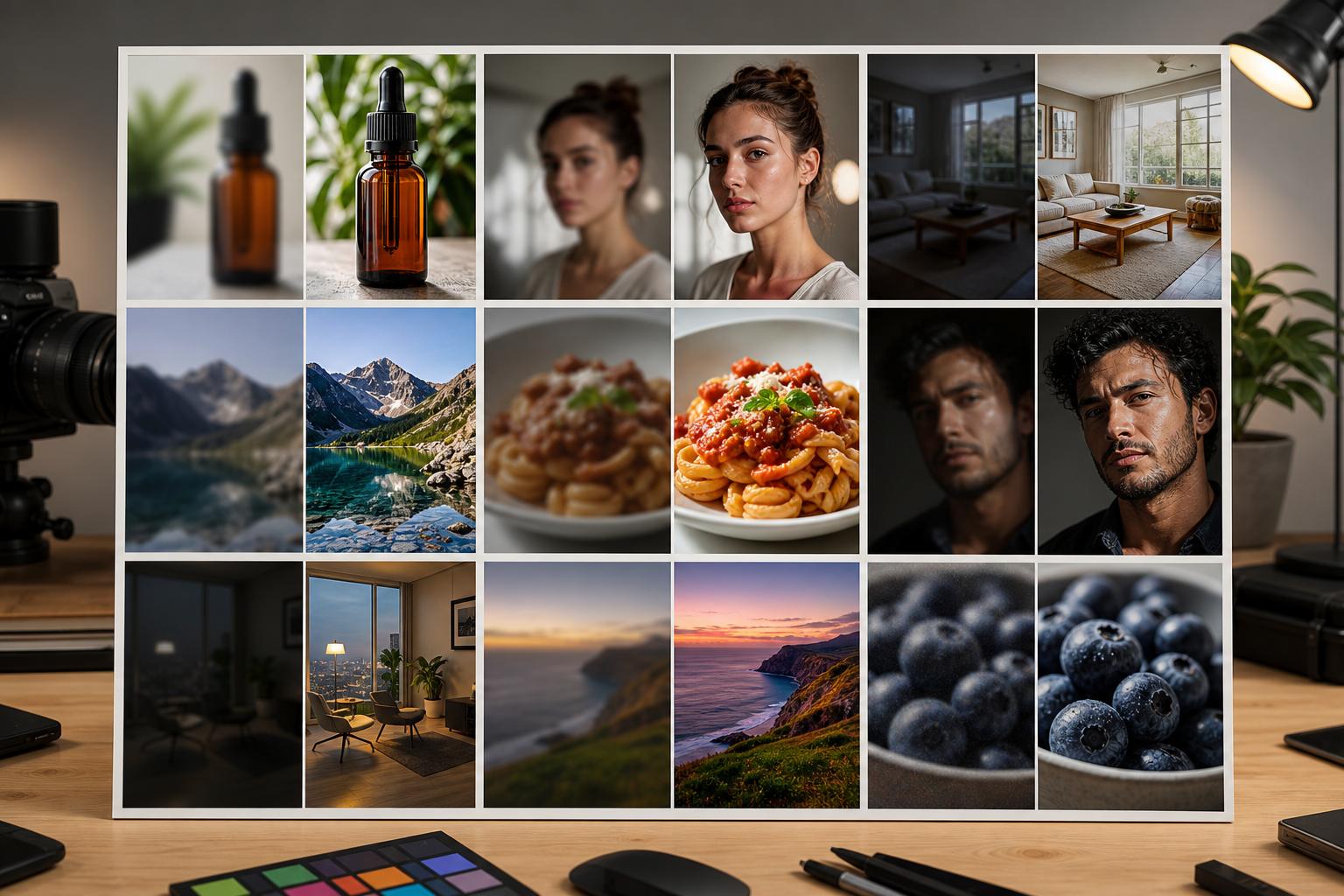
Fix common image quality problems in one workflow
Choose the issue you see in the image, generate improved versions, compare detail crops, and export the clean result.
Create better-looking photos for publishing
Generate the enhanced image, detail crop, clean background, and high-resolution export from the same source file.
Enhanced image
Prepared from the same brief so your outputs stay aligned across placements.
Upscaled export
Prepared from the same brief so your outputs stay aligned across placements.
Detail crop
Prepared from the same brief so your outputs stay aligned across placements.
Clean background
Prepared from the same brief so your outputs stay aligned across placements.
Templates for quality improvement
Use focused templates for low-light photos, soft product shots, noisy images, dull colors, and small image upscaling.
Enhance image quality AI examples
Use this workflow when a useful photo is held back by softness, noise, low light, or low resolution.
Improve images for listings, social posts, websites, and ads.
Compare multiple correction strengths before export.
Prepare sharper detail crops for product and portfolio pages.
Frequently asked questions
Can I try enhance image quality ai for free?
AI Media Studio is a paid product with no free tier. Plans start at $19/month and include listing-ready formats, watermark-free exports, and commercial rights.
What can I create with enhance image quality ai?
You can create quality-improved photos, sharper website images, cleaned listing visuals, and campaign-ready exports, compare variations, and export practical formats for campaigns, listings, websites, and social channels.
Do I need design experience?
No. The workflow starts with a focused brief and template choices, then keeps advanced prompt and model controls secondary.
Can I use the generated images commercially?
Yes. Exported assets are intended for commercial use when you own or have rights to the source images, products, properties, and brand assets you provide.
What formats are included?
The workflow is built around enhanced image, upscaled export, detail crop, clean background so one brief can cover multiple placements.