AI Image Upscaler
AI image upscaler workflows increase resolution, sharpen detail, and prepare small photos for ecommerce, websites, social posts, and print-ready use.
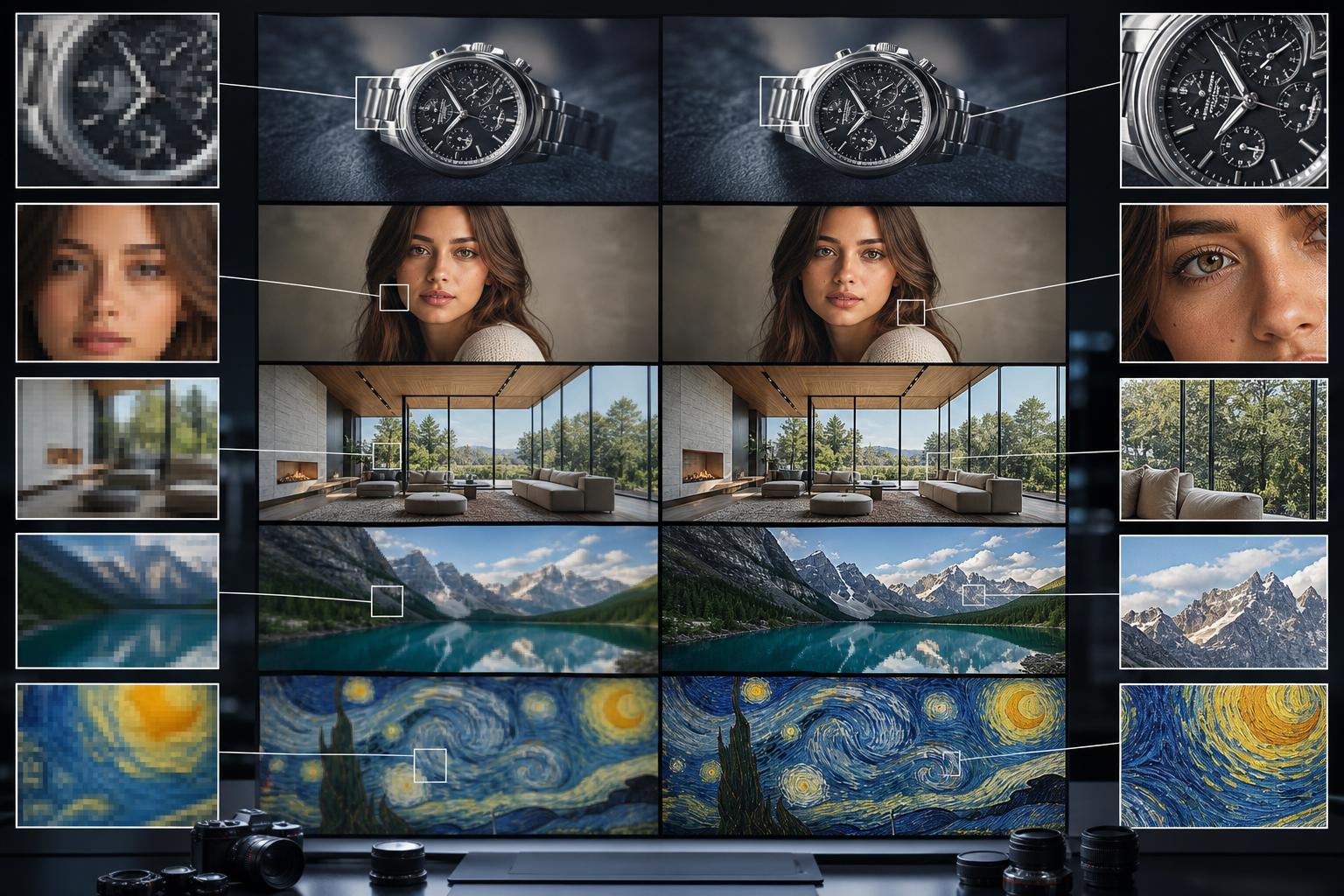
Turn small images into sharper usable assets
Upload a low-resolution image, choose the export goal, preview sharper detail, and download larger versions for production.
Export higher-resolution image variants
Prepare upscaled images, detail crops, clean previews, and campaign-ready exports without rebuilding the workflow.
Enhanced image
Prepared from the same brief so your outputs stay aligned across placements.
Upscaled export
Prepared from the same brief so your outputs stay aligned across placements.
Detail crop
Prepared from the same brief so your outputs stay aligned across placements.
Clean background
Prepared from the same brief so your outputs stay aligned across placements.
Templates for image upscaling
Use upscaling templates for ecommerce photos, real estate images, social content, artwork, and web hero images.
AI image upscaler examples
Use this workflow when a source image is useful but too small, soft, or low-detail for the placement you need.
Increase resolution for web, listing, and marketing placements.
Create sharper crops from older or supplier-provided images.
Preview detail improvements before downloading final exports.
Frequently asked questions
Can I try ai image upscaler for free?
AI Media Studio has no free tier. Every edit needs a paid plan. Plans start at $19/month. Every plan includes listing-ready formats, watermark-free exports, and commercial rights.
What can I create with ai image upscaler?
You can create upscaled images, high-resolution exports, sharper crops, and production-ready visuals, compare variations, and export practical formats for campaigns, listings, websites, and social channels.
Do I need design experience?
No. The workflow starts with a focused brief and template choices, then keeps advanced prompt and model controls secondary.
Can I use the generated images commercially?
Paid plans include a commercial license. You must have rights to the source images, products and branding and review outputs for accuracy and third-party rights.
What formats are included?
The workflow is built around enhanced image, upscaled export, detail crop, clean background so one brief can cover multiple placements.