Jewelry Product Images
Generate clean jewelry product images for rings, necklaces, earrings, and bracelets across storefronts, marketplaces, and ads — from a single source photo.

How do I plan campaign images for jewelry?
Use this page for campaign art direction: keep a real product reference, then explore a scene, placement and crop for one specific channel. This is not a substitute for a documentary main listing photo.
Example brief, not a demonstrated result: “Place the referenced a gold pendant necklace in a neutral linen gift scene. Keep the product unchanged. Leave negative space on the right for campaign copy; no added logos, claims or accessories. Create a square composition, then review a separate vertical crop.”
What should I check before publishing?
- Choose one placement before generation: a square social post and a vertical ad need different safe areas and focal positions.
- Count chain links and prongs; compare gemstone shape, metal color and clasp against the source.
- Review scene realism, product edges and crop safety separately. Disclose staged or illustrative content where the channel requires it; never imply that props are included.
Create jewelry product images from one product upload
Use jewelry product images to upload a rough product photo, choose the ecommerce goal, generate variants, and export the formats your jewelry ecommerce workflow needs.
Export jewelry ecommerce assets without rebuilding every crop
Generate marketplace squares, social squares, vertical ad crops, and website hero assets from the same product brief so your visual set stays consistent.
Marketplace square
Prepared from the same brief so your outputs stay aligned across placements.
Social square
Prepared from the same brief so your outputs stay aligned across placements.
Vertical ad
Prepared from the same brief so your outputs stay aligned across placements.
Website hero crop
Prepared from the same brief so your outputs stay aligned across placements.
Templates for jewelry product images
Start with marketplace cleanup, product studio, lifestyle product scene, white background listing, social ad set, or website hero templates instead of a blank prompt.
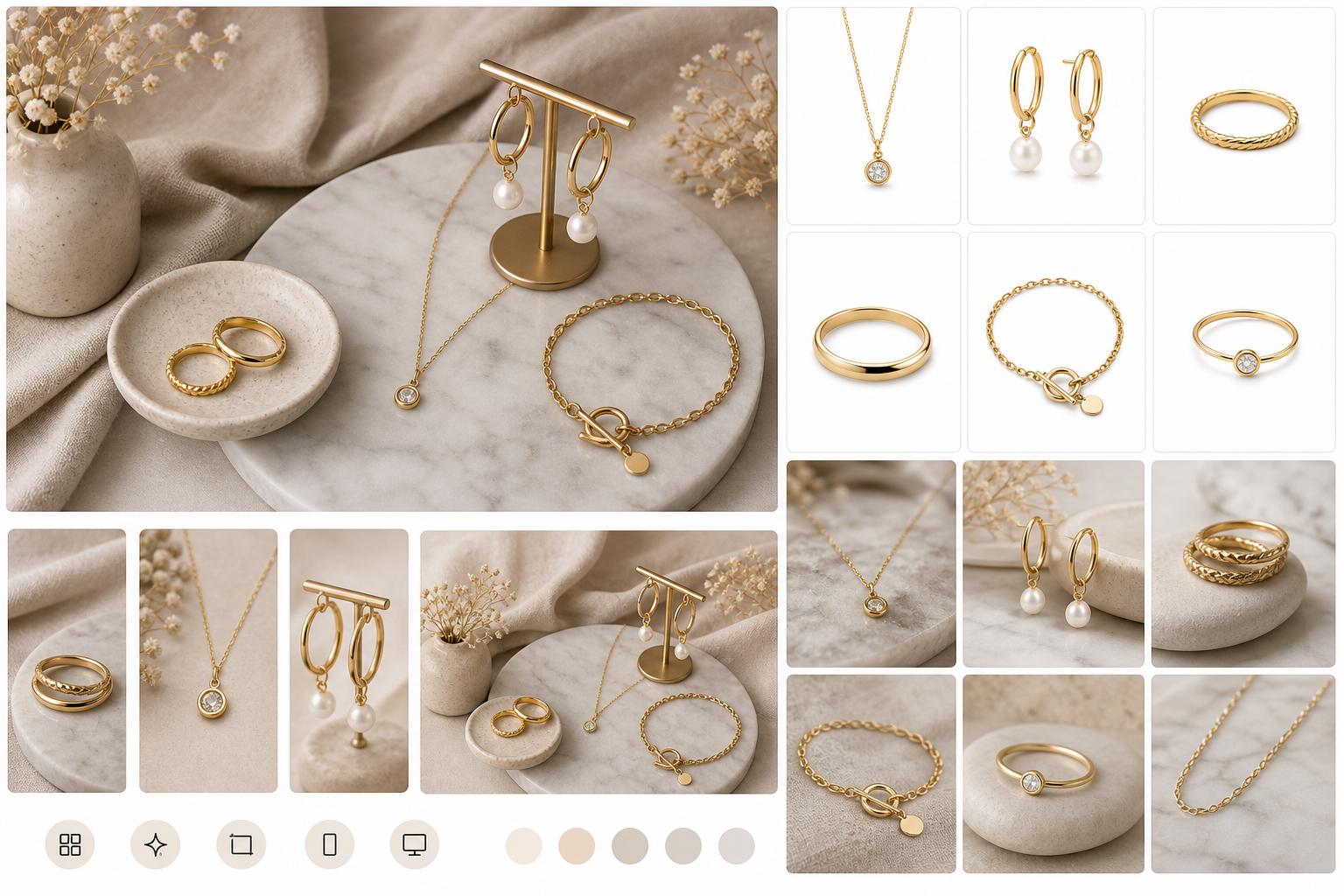
Jewelry Product Images examples
Use this workflow when your product is ready to sell, but the source photos need cleaner backgrounds, better lighting, sharper detail, or channel-specific output formats.
Refresh listings when supplier photos look inconsistent.
Create seasonal campaigns without a new studio shoot.
Preview first, then sign up only when you are ready to export.
Frequently asked questions
Can I try jewelry product images for free?
Three free edits after sign-up: your own uploaded photos, edited with Muse Image. Everything else needs a paid plan. Plans start at $19/month and include listing-ready formats, watermark-free exports, and commercial rights.
Can I use these images for jewelry ecommerce?
Yes. The workflow is designed for jewelry ecommerce assets, including clean listing images, lifestyle visuals, social crops, vertical ad crops, and website hero images.
Can it replace or clean up product backgrounds?
Yes. You can remove distracting backgrounds, create clean white listing images, or place products into studio and lifestyle scenes.
Can I use the generated images commercially?
Paid plans include a commercial license. You must have rights to the source images, products and branding and review outputs for accuracy and third-party rights. The public terms retain user ownership but do not specify a separate commercial license for the three introductory photo edits; ask support before relying on it for a commercial project.
What formats are included in the package?
The package focuses on marketplace square, social square, vertical ad, and website hero crops, with high-resolution exports available in paid plans.