ChatGPT photo editor
ChatGPT photo editor: what it does well and where it fails
Yes, ChatGPT can edit your photos: upload one and describe the change, or highlight an area with the selection tool first. It runs ChatGPT Images 2.5, which OpenAI also ships in its API as GPT Image 2.5 Flare. In our six test edits that model was the most precise at adding objects, lettering and gentle retouching, and the least faithful at removing people and restoring an old print. Here it costs 11 credits per edit, and you can switch models for the jobs it handles badly.
Every edit needs a paid plan. Plans start at $19/month.
How do I edit a photo in ChatGPT?
- 01
Upload the photo
Attach your photo in a chat, or open the image editor from Images in ChatGPT and upload it there.
- 02
Describe the change, or select an area first
Type the edit in the conversation, or use Select to highlight the part of the photo you want changed and then describe it. Name what must stay the same: faces, the people in the photo, the background.
- 03
Pick the shape
Choose a different aspect ratio with the aspect ratio picker or say it in the prompt, for example "square for a profile picture".
- 04
Refine in the conversation, then check
Ask for follow-up changes in the same chat. Before you download, compare the result with your original at full size: faces, hands, text and anything you asked it to remove.
Six edits with the model behind ChatGPT, next to two others
Each edit shows the source photo, GPT Image 2.5 and, where we ran them, the same prompt on Nano Banana 2.1 and Muse Image. Copy a prompt and try it in ChatGPT or here; your result will differ from ours.
1.Add an object: where GPT Image 2.5 is precise
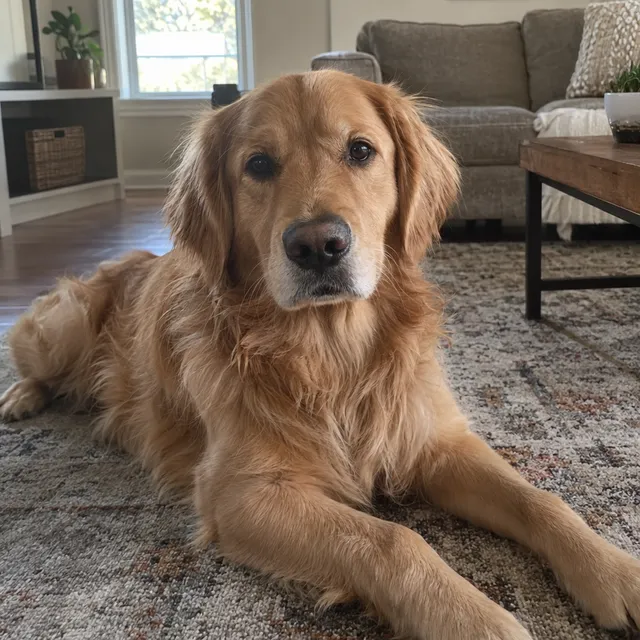
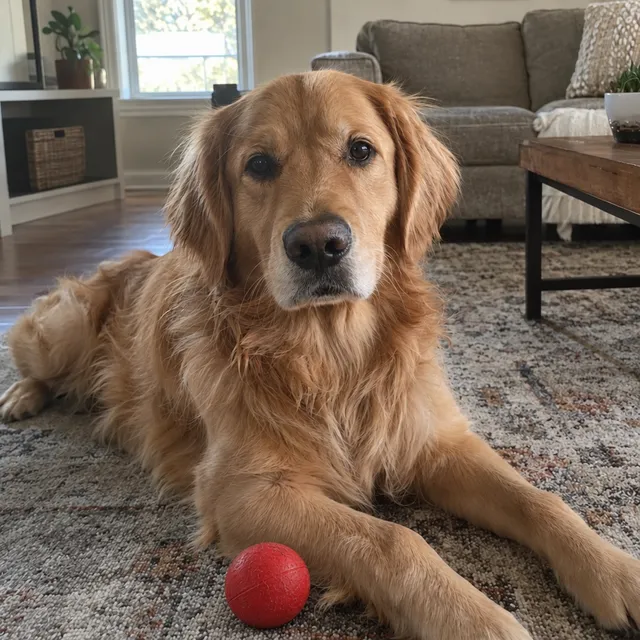
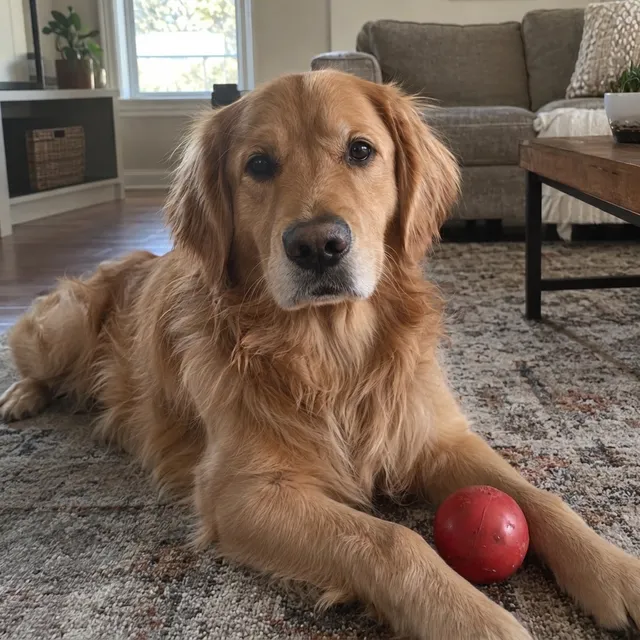
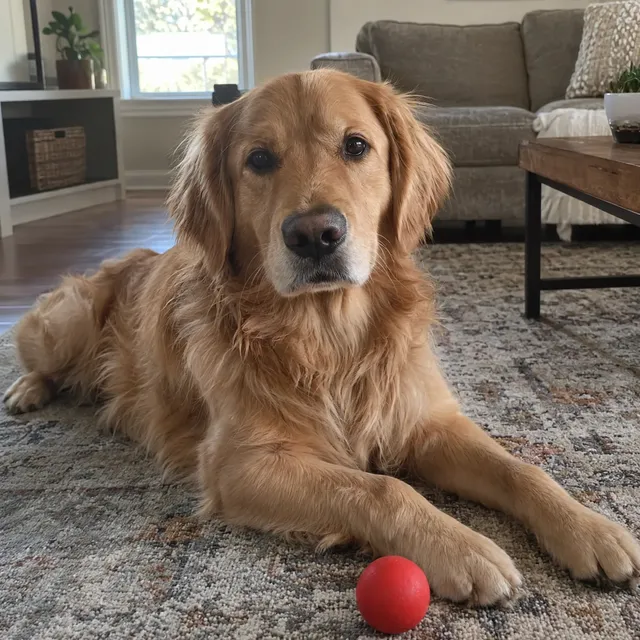
A red ball “just in front of the dog’s front paws”. GPT Image 2.5 put it exactly there and left the dog and the room alone. Nano Banana 2.1 placed it beside a paw; Muse Image got the place right with a smaller ball.
Prompt we ran
Add a red rubber ball on the rug just in front of the dog's front paws. Keep the dog, the rug and the room exactly as they are.
Suggested model: GPT Image 2.5
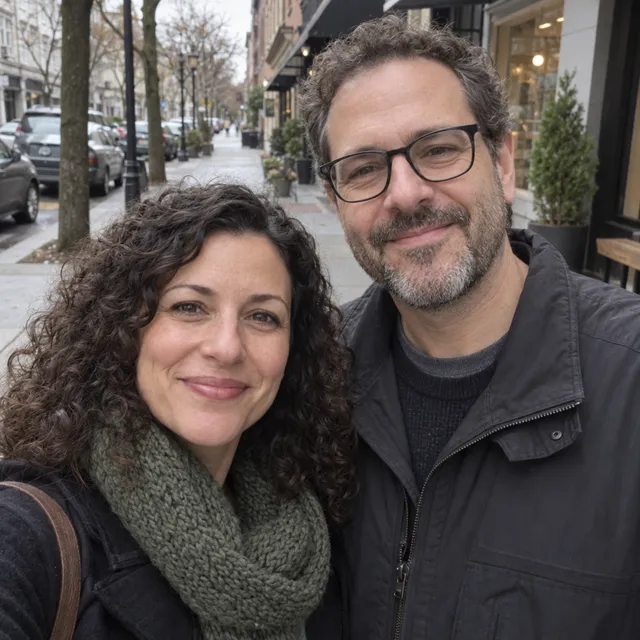
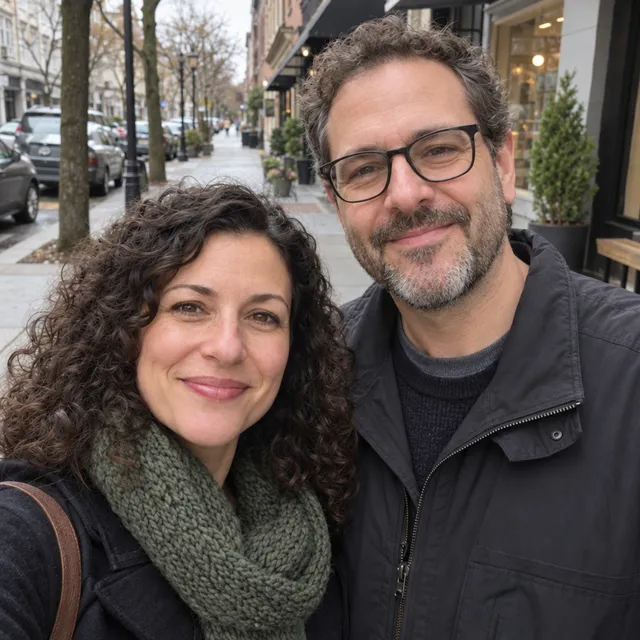
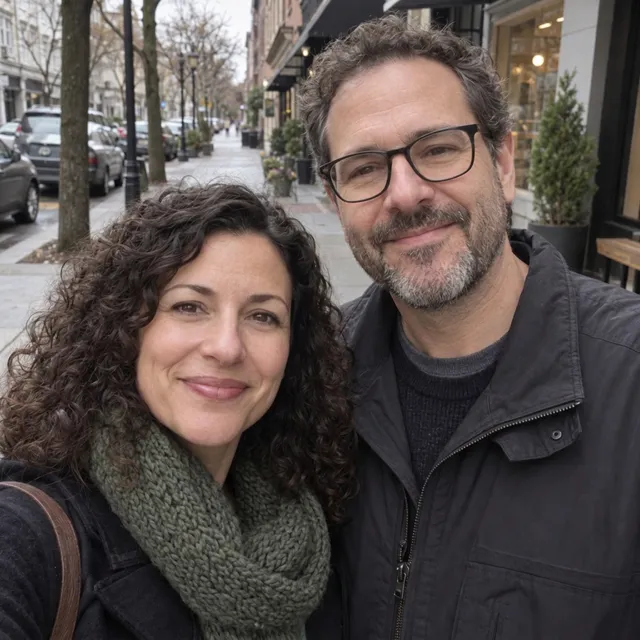
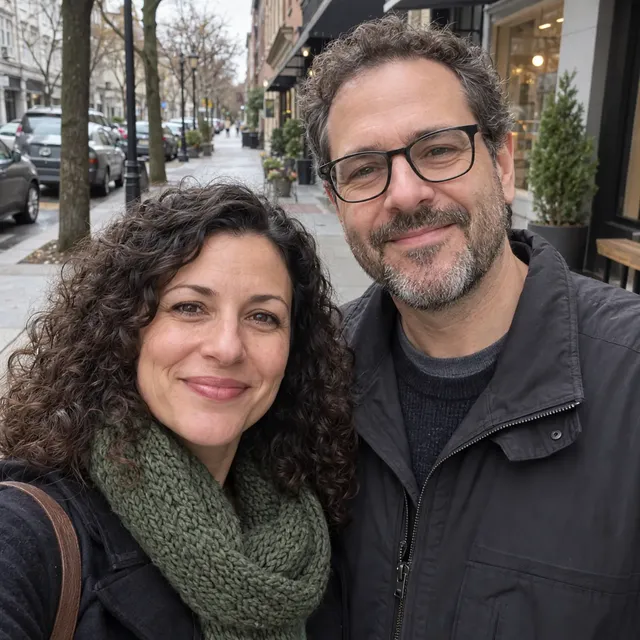
2.Gentle skin retouch
Soften under-eye shadows without changing faces. GPT Image 2.5 made the subtlest change and kept both faces. Nano Banana 2.1 smoothed more; Muse Image did the opposite of the request and sharpened the skin.
Prompt we ran
Gently retouch both faces: soften under-eye shadows and even out skin tone. Do not change their faces, features, age, hair, glasses or expressions.
Suggested model: GPT Image 2.5
We judged the faces at reduced size, not pixel by pixel. Check small details on your own photo.
3.Lettering on a photo
A card layout with a greeting. GPT Image 2.5 spelled “Merry Christmas from the Millers” correctly and kept all four people. Lettering is where it is strongest; still check every letter.
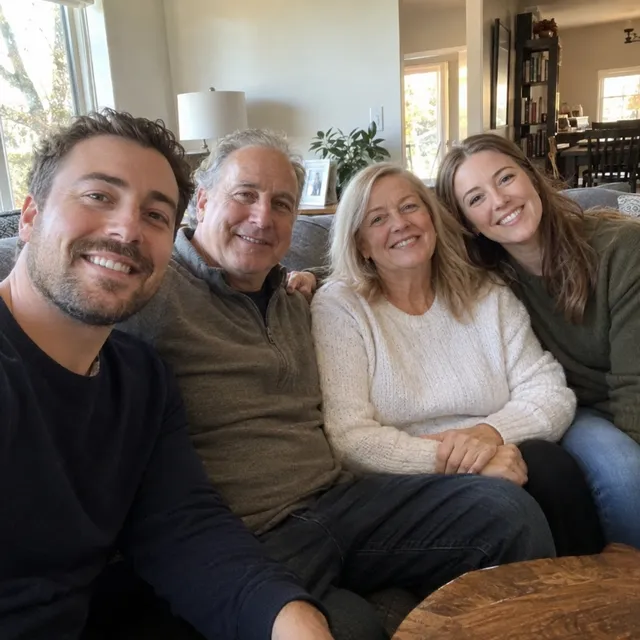
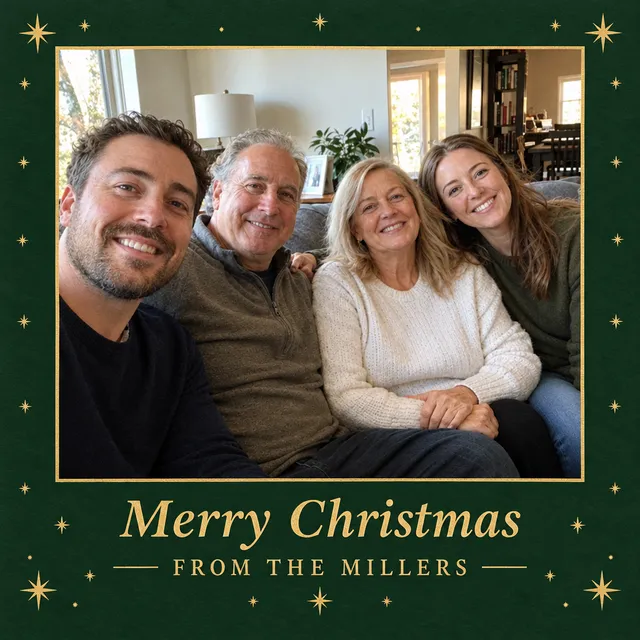
Prompt we ran
Turn this photo into a printable Christmas card: add a tasteful dark green border with small gold stars and, at the bottom, the greeting "Merry Christmas from the Millers" in an elegant serif font. Keep all four people exactly as they are: same faces, expressions, hair, number of people and poses.
Suggested model: GPT Image 2.5
4.Add a person
Santa as a fifth person behind the sofa. Both models kept all four family members once the prompt said how many people the photo must show; GPT Image 2.5 also gave Santa a natural pose with his hands on two shoulders.
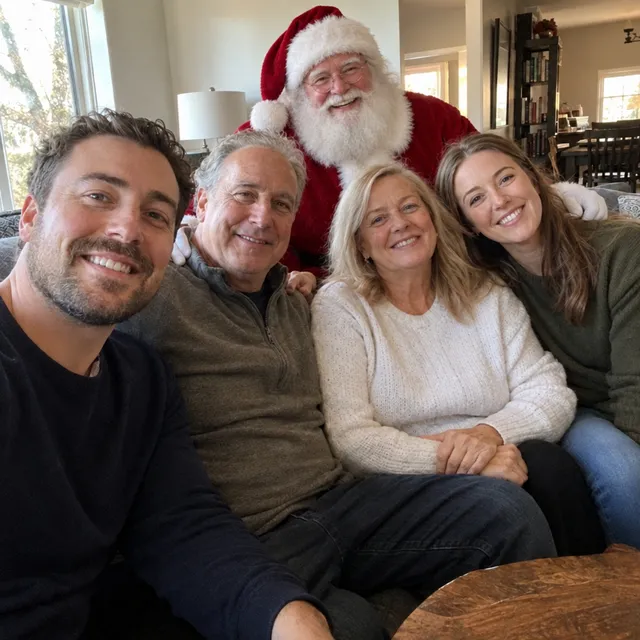
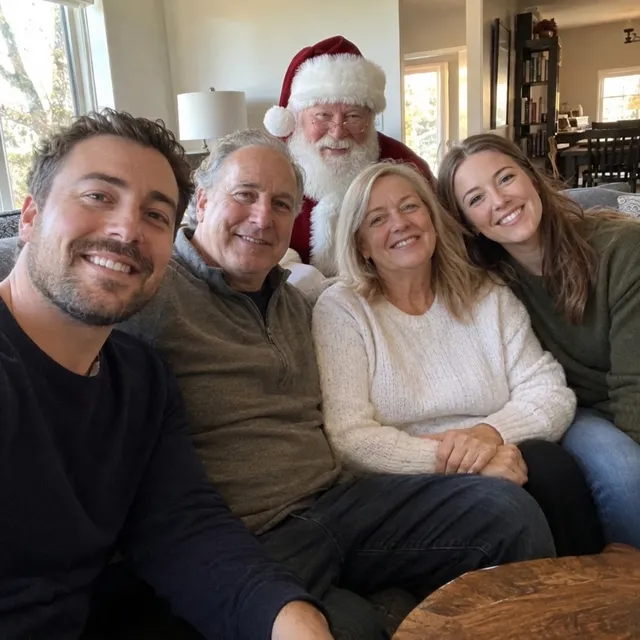
Prompt we ran
Add Santa Claus as a fifth person standing behind the sofa, between the father and the mother, smiling, in a classic red suit with a white beard, lit like the room. All four family members must stay in the photo exactly as they are: same faces, expressions, hair, clothes and seating. The photo must show five people.
Suggested model: GPT Image 2.5
Say how many people the result must show. In our first attempt, a prompt that only said to keep “all four people” made Santa replace one of them.
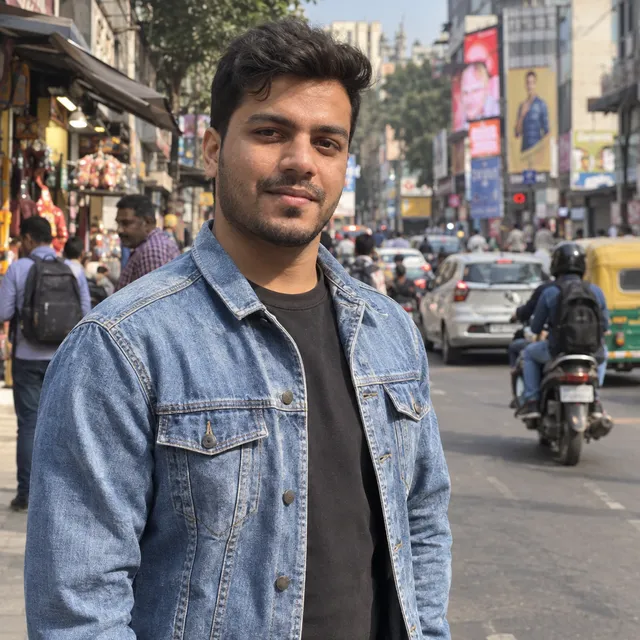
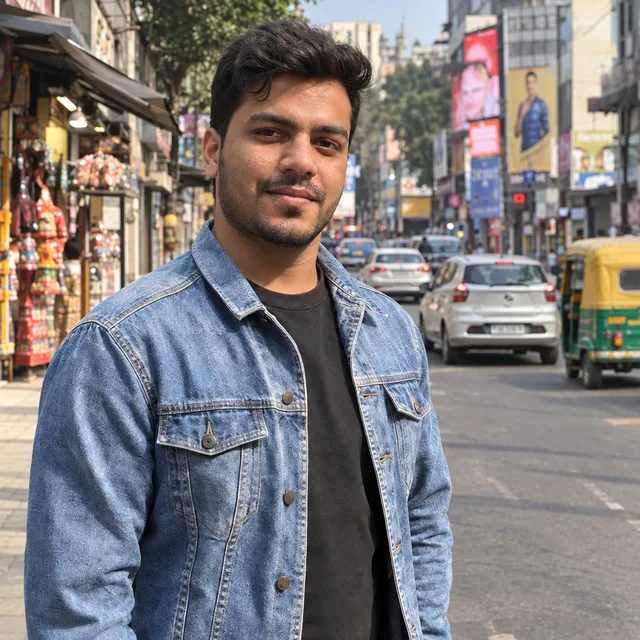
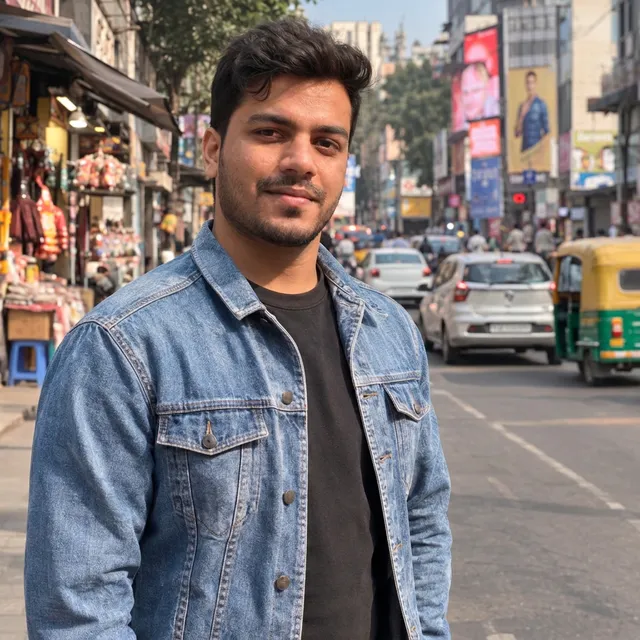
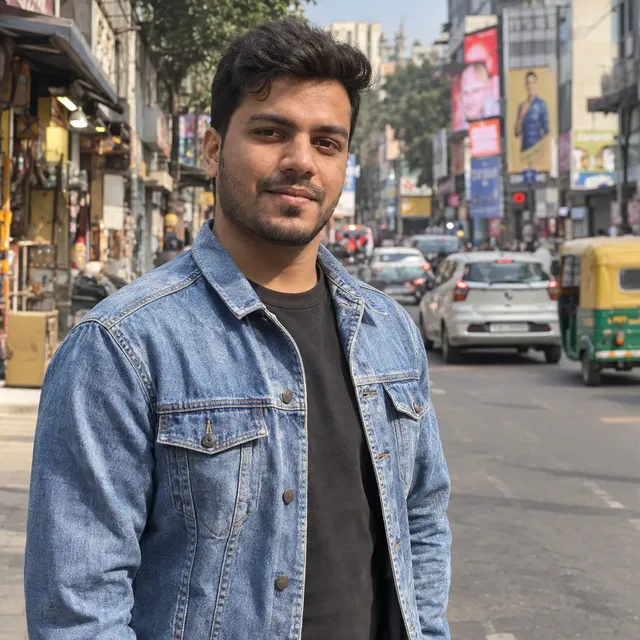
5.Remove people: where it invents things
Remove the passers-by behind a man on a busy street. GPT Image 2.5 removed them but filled the gap with extra cars and shop goods. No model gave a clean result: Nano Banana 2.1 invented a stool and a crate, and Muse Image redrew a shop.
Prompt we ran
Remove the people and the motorbike rider behind the man. Keep the man, his face, jacket and pose, and the street exactly as they are.
Suggested model: GPT Image 2.5
For removals, look at the whole background, not just the spot where the people were. Try a smaller request (one person at a time) or another model.
6.Restore an old print: where it overdoes it
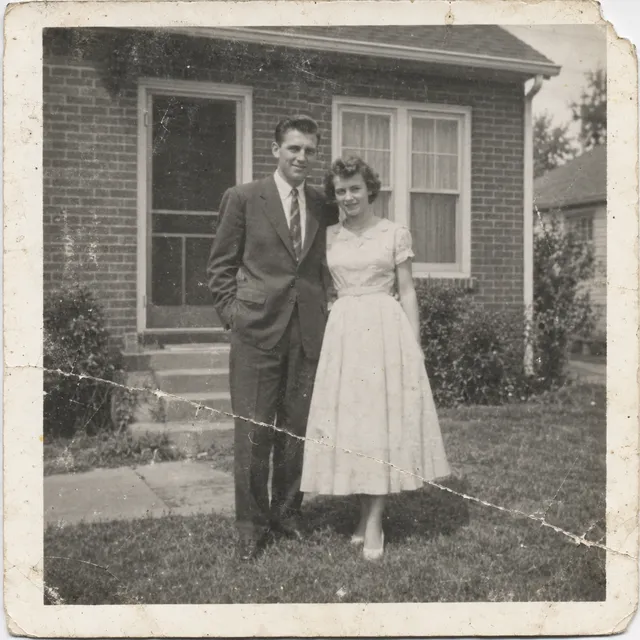
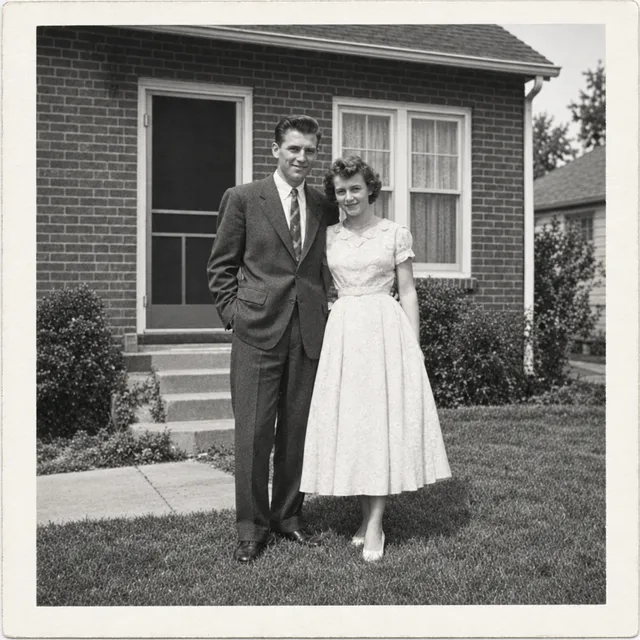
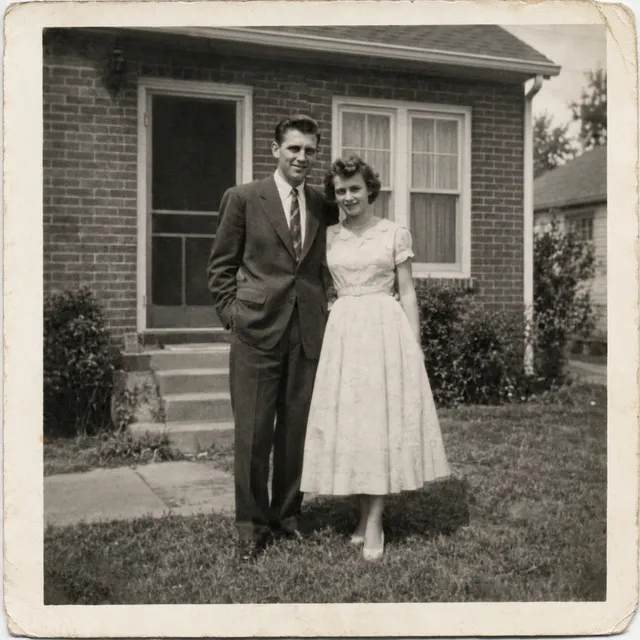
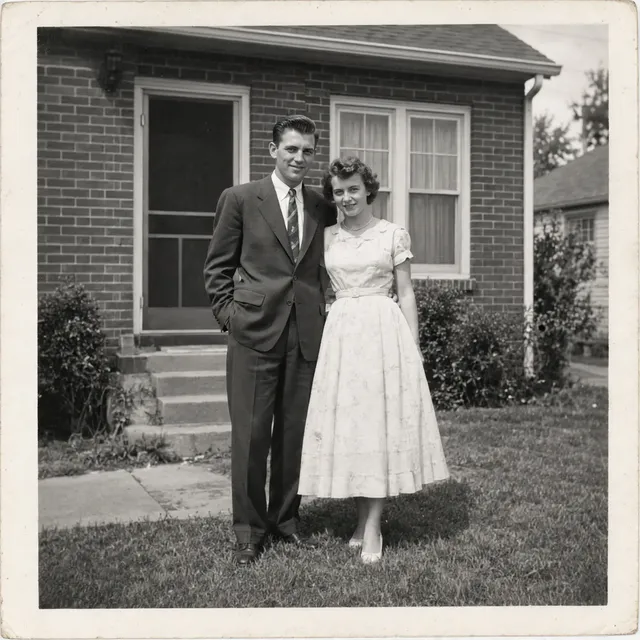
Repair a damaged 1950s print and “improve contrast gently”. GPT Image 2.5 removed all the damage but pushed contrast and sharpness so far that it no longer looks like a period print. Muse Image stayed faithful, if a little flat; Nano Banana 2.1 left a sepia tint.
Prompt we ran
Restore this old photograph: remove the scratches, the crease, the dust spots and repair the torn corner. Improve contrast gently. Keep it black and white and keep both people's faces, clothes and poses exactly as they are.
Suggested model: Muse Image
In the same test Nano Banana Pro gave the most faithful, neutral black-and-white result; see the full comparison of four models.
Our verdict on the model behind ChatGPT
- Use it for precise small changes: adding an object in a named place, a gentle retouch, and anything with lettering.
- Watch it on removals: it fills gaps with new objects. Check the whole background before you share.
- Watch it on old photos: “gently” did not stop it from boosting contrast and sharpness. A faithful restoration needs another model.
- Say how many people the result must show whenever you add or remove someone, and compare faces at full size.
- If an edit goes wrong, run the same prompt on another model before rewriting it. In these tests a different model often fixed exactly what GPT Image 2.5 got wrong.
When to use which model
ChatGPT gives you one image model. In AI Media Studio you can pick the model per edit, and every model draws from the same credits. Prices are for one edit in the web app.
| Model | Credits per edit | On Starter | Use it for |
|---|---|---|---|
| GPT Image 2.5high quality | 11 | $0.209 | The model behind ChatGPT: adding objects, lettering, gentle retouching. |
| Nano Banana 2.11K | 9 | $0.171 | Scene changes and adding people. 14 credits at 2K for a sharper print. |
| Muse Imageone size, about 2.5 MP | 2 | $0.038 | The cheapest edit, and the faithful choice for old photos in our test. |
The editor shows the credit cost before you generate. Prices checked .
What it costs
ChatGPT Images is available on every ChatGPT tier. OpenAI says image generation has its own usage limits, separate from chat, and publishes no image count for the Free tier; Plus has higher limits.
In AI Media Studio one edit costs 11 credits on GPT Image 2.5, 9 on Nano Banana 2.1 at 1K and 2 on Muse Image. On the Starter plan ($19 for 1,000 credits a month) that is $0.038 to $0.209 per edit. Every edit needs a paid plan; unused subscription credits roll over, downloads carry no watermark, and paid plans include a commercial license.
Frequently asked questions
Can ChatGPT edit photos?
Yes. Upload a photo in a chat or in the Images editor and describe the change. You can also highlight an area with the selection tool so the edit applies there.
Which model does ChatGPT use to edit images?
ChatGPT Images 2.5, released on 8 September 2026 for all ChatGPT tiers. In the API OpenAI offers GPT Image 2.5 Flare, which it says brings the same improvements, and GPT Image 2.5 Sunburst for slower, more detailed work. Our editor runs GPT Image 2.5 Flare.
How do I edit only part of a photo in ChatGPT?
Open the image in the editor, use Select to highlight the area, then describe the change. Without the selection tool, name the area in your prompt, for example “only the sky” or “the wall behind her”.
Why did ChatGPT change things I did not ask it to change?
Generative editing redraws the image, so it can change details outside the edit. In our tests the model behind ChatGPT filled a removed crowd with new cars and shop goods, and boosted the contrast of an old print despite being asked to be gentle. End every prompt with what must stay the same, and try another model if it keeps happening.
Is ChatGPT photo editing free? Is it free here?
ChatGPT Images is available on the Free tier with image limits OpenAI does not publish. In AI Media Studio: AI Media Studio has no free tier. Every edit needs a paid plan. Plans start at $19/month.
When should I use a dedicated photo editor instead of ChatGPT?
When one model is not right for every job. In our tests GPT Image 2.5 was best at adding objects, lettering and gentle retouching, while Muse Image and Nano Banana Pro were more faithful at restoring an old print. A dedicated editor lets you choose the model per edit, shows the cost first and keeps your results in one library.
Can I use the same prompts here?
Yes. Every prompt on this page works in our editor; pick GPT Image 2.5 to use the model behind ChatGPT. One edit costs 11 credits.
Uploads are processed by the AI provider that runs the model you pick. Retention, processors and deletion requests are covered in the privacy policy.