Christmas profile picture
Christmas profile picture: make one from your own photo with AI
Upload a head-and-shoulders photo, ask for one Christmas change (a Santa hat with lights, a snowy street or an illustrated look), add a line saying your face and hair stay the same, and pick a square crop. In AI Media Studio one edit costs 2 credits on Muse Image, 9 on Nano Banana 2.1 or 11 on GPT Image 2.5, and you see the cost before you generate.
Every edit needs a paid plan. Plans start at $19/month.
How do I make a Christmas profile picture?
- 01
Pick a clear portrait
A head-and-shoulders photo with your face sharp, evenly lit and looking at the camera. Profile frames are small and round, so a face that fills the middle of the photo works best.
- 02
Ask for one Christmas change
A Santa hat and warm lights, a snowy street, a scarf or an illustrated look. One change per edit keeps your face closer to the original.
- 03
Keep your face, crop square
End the prompt with a keep line ("Keep my face, expression and hair exactly the same") and ask for a square crop centred on your face, or pick the 1:1 output in the editor.
- 04
Check it in a small circle
Compare the result with your original at full size, then look at it as a small round thumbnail: that is how most people will see it. Download the version that still looks like you.
5 Christmas profile picture ideas with copy-ready prompts
Each idea shows the source photo, what came back and the prompt we ran. Copy the prompt, replace the details with your own and paste it into the editor with your photo. Your result will differ from ours: check your face before you upload it anywhere.
1.Santa hat and Christmas lights
The classic festive profile picture. We ran the same prompt on three models: all three kept her face, and Muse Image kept the original framing closest.
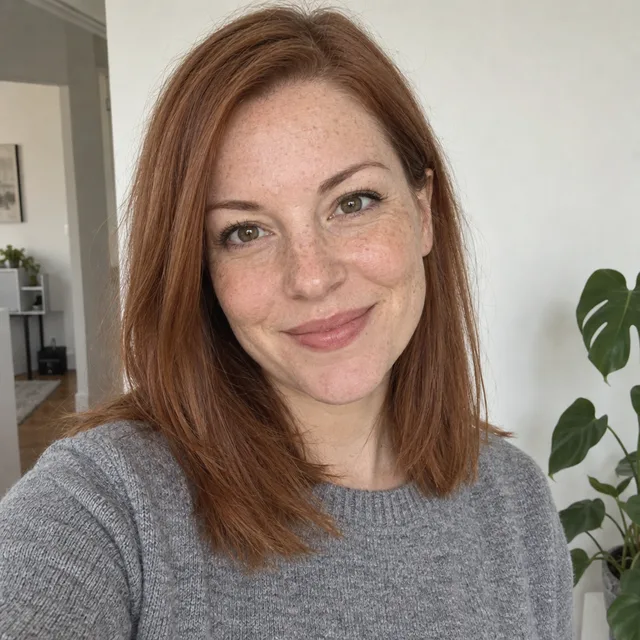
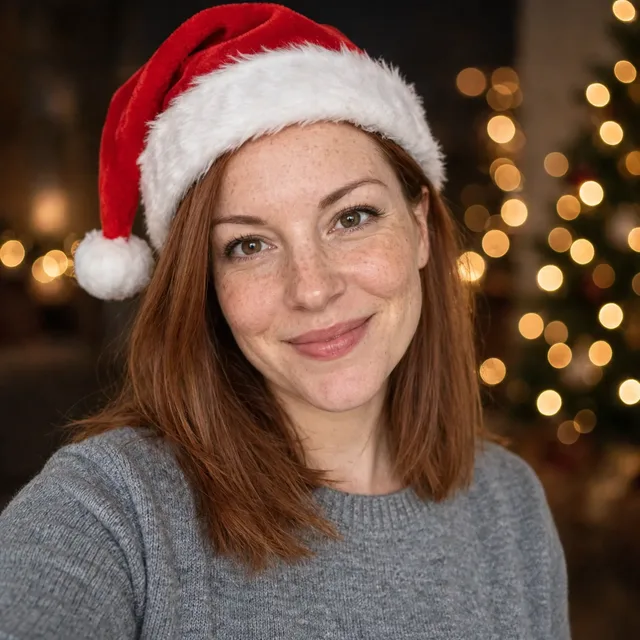
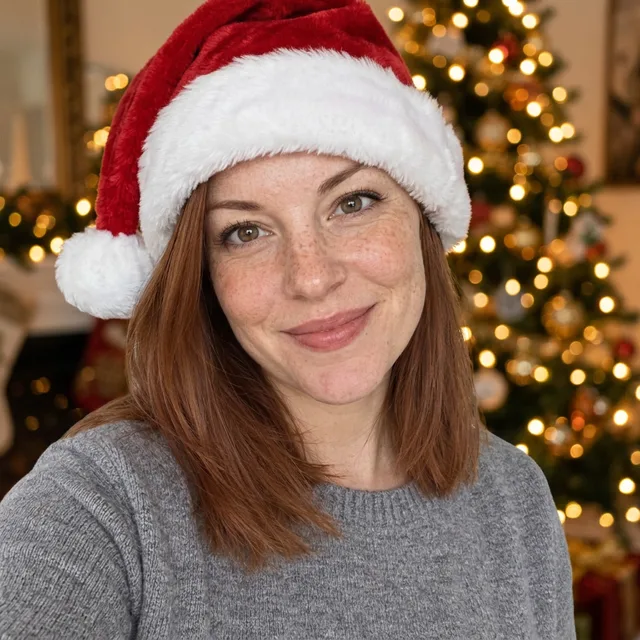
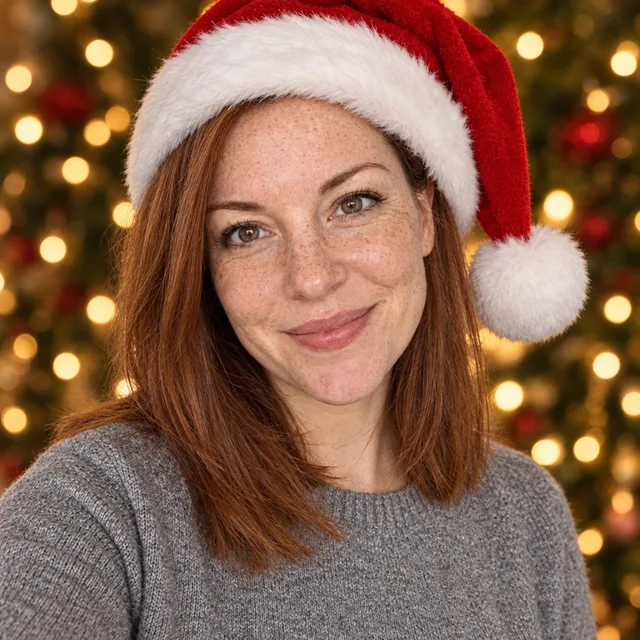
Prompt we ran
Make this a festive Christmas profile picture: a red Santa hat on her head and a soft bokeh of warm Christmas lights in the background. Keep her face, freckles, expression, eye colour and hair exactly the same. Square crop centred on her face.
Suggested model: Muse Image
2.Snowy street at night
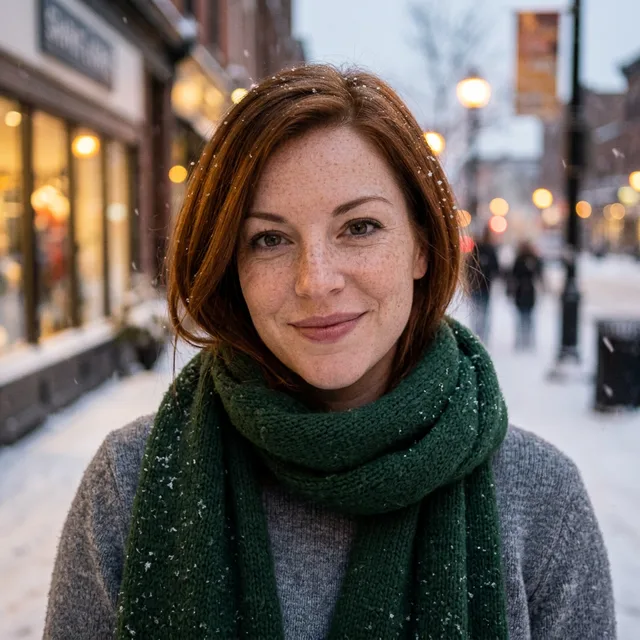
A winter scene instead of a hat. This is the edit where our keep line was not enough: the street, the snow and the scarf came out as asked, but her hair came back shorter and darker with a side parting.
Prompt we ran
Put her outdoors on a snowy evening street with soft falling snow and warm shop-window lights behind her, wearing a deep green knitted scarf over the same grey sweater. Keep her face, freckles, expression, eye colour and hair exactly the same. Square crop, head and shoulders.
Suggested model: Nano Banana 2.1
Bigger scene changes move faces and hair more. If your hair or face changes, run the same prompt on Muse Image or ask for a smaller change, such as only the scarf and falling snow.
3.Illustrated Christmas avatar
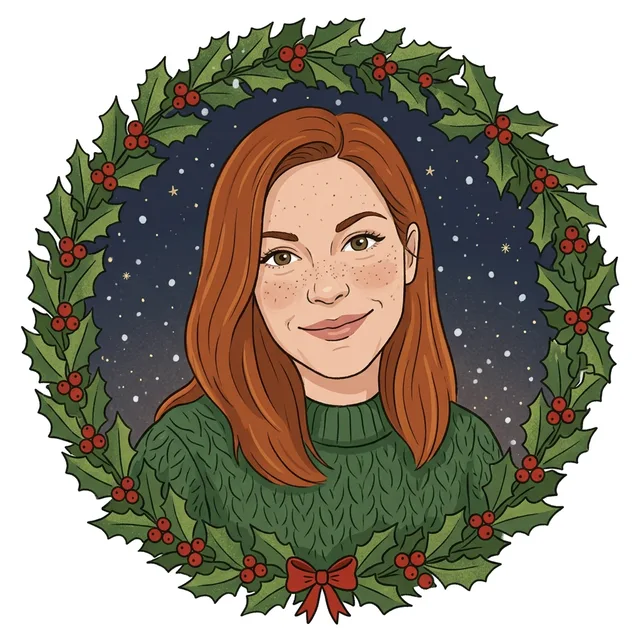
A hand-drawn version with a holly wreath that already sits in a round frame. Good when you would rather not post a photo at all.
Prompt we ran
Turn this portrait into a warm, hand-drawn Christmas illustration for a profile picture: flat colours, a wreath of holly around a round frame, light snow. Keep her recognisable: auburn shoulder-length hair, freckles, green-brown eyes and smile.
Suggested model: Nano Banana 2.1
4.Couple profile picture
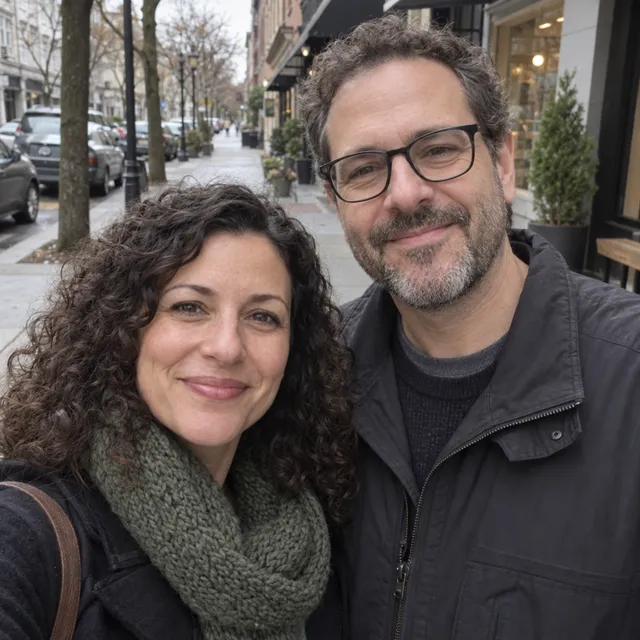
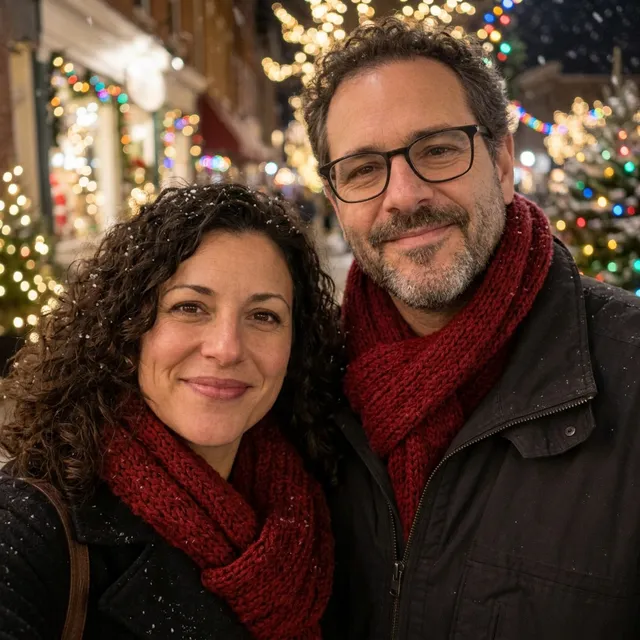
Two faces in one square, for a shared account or a matching pair of profile pictures.
Prompt we ran
Make this a festive Christmas profile picture: soft bokeh of warm Christmas lights and light snowfall in the background, both wearing knitted scarves in deep red. Keep both faces, expressions, glasses and hair exactly the same. Square crop around their faces.
Suggested model: Nano Banana 2.1
5.Your pet in a Santa hat
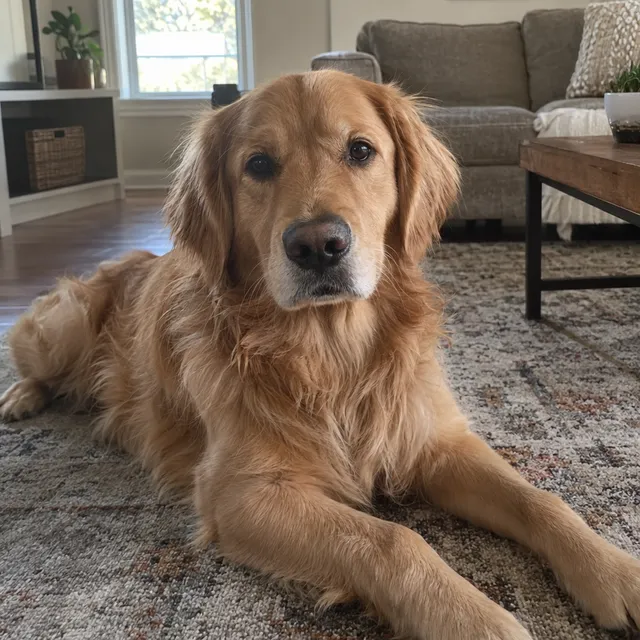
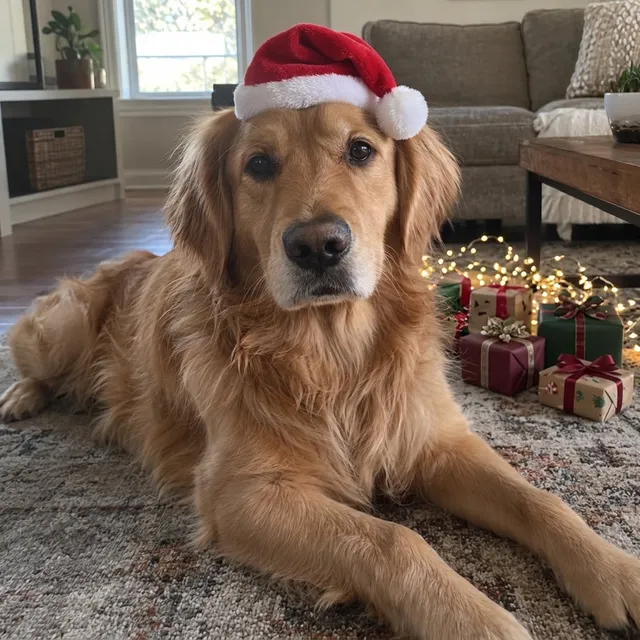
For the account that is really about the dog. The fur and markings stay theirs.
Prompt we ran
Put a small red Santa hat on the dog's head and add a few wrapped presents and warm Christmas lights on the floor behind it. Keep the dog exactly the same: breed, face, fur colour and pose.
Suggested model: Nano Banana 2.1
Pick the 1:1 output so the picture fits a round profile frame.
Keep it looking like you
- Change one thing per edit: the hat first, the background in a second edit if you still want it.
- End every prompt with a keep line: face, expression, hair, glasses.
- Bigger scene changes move faces and hair more. In our snowy-street example the keep line was not enough and her hair changed; the Santa-hat edit kept it on all three models.
- Check the result twice: at full size against the original, then as a small circle the way a profile picture is shown.
- If something drifts, do not keep editing the result. Go back to the original and run a smaller change, or switch to Muse Image.
- Generative editing can still change a face even when you ask it not to. Exact likeness is not guaranteed.
Which model to use
Every model runs in the same editor and draws from the same credits. Prices are for one edit in the web app.
| Model | Credits per edit | On Starter | Use it for |
|---|---|---|---|
| Muse Imageone size, about 2.5 MP | 2 | $0.038 | The cheapest edit, and in our runs the one that changed faces least. |
| Nano Banana 2.11K | 9 | $0.171 | Bigger scene changes and illustrated looks. 14 credits at 2K for a sharper print. |
| GPT Image 2.5high quality | 11 | $0.209 | A second opinion when the first model misplaces someone, and any lettering. |
The editor shows the credit cost before you generate. Prices checked .
What it costs
One edit costs 2 credits on Muse Image, 9 on Nano Banana 2.1 at 1K and 11 on GPT Image 2.5. On the Starter plan ($19 for 1,000 credits a month) that is $0.038 to $0.209 per edit.
Every edit needs a paid plan. Plans start at $19/month. Unused subscription credits roll over, downloads carry no watermark, and paid plans include a commercial license.
Frequently asked questions
How do I make a Christmas profile picture?
Upload a head-and-shoulders photo, ask for one Christmas change such as a Santa hat and lights, end the prompt with a line that keeps your face and hair unchanged, and pick a square crop. Compare the result with your original, then download it.
What size should a profile picture be?
Square. Most apps show profile pictures as a small circle cut from a square image, so ask for a square crop centred on your face or pick the 1:1 output in the editor. Keep your face in the middle so the circle does not cut it off.
Will it still look like me?
Usually close, but not guaranteed. Small changes like a hat keep faces best; scene changes move them more. In our tests the snowy-street edit changed the hair even though the prompt asked to keep it. Compare at full size and retry from the original if needed.
Can I make a cartoon Christmas avatar instead of a photo?
Yes. Ask for a hand-drawn Christmas illustration and name what must stay recognisable: hair colour and length, glasses, freckles, smile. It is also the better choice for a picture that shows a child.
Can I make one for two people or for my dog?
Yes. For two people, name both in the keep line and ask for a square crop around both faces. For pets, name the breed, face and fur colour in the keep line.
How much does it cost? Is there a free option?
One edit costs 2 credits on Muse Image, 9 on Nano Banana 2.1 at 1K or 11 on GPT Image 2.5. AI Media Studio has no free tier. Every edit needs a paid plan. Plans start at $19/month.
Is the result labelled as AI?
Downloads carry no visible watermark, so labelling is up to you. Several social platforms ask for AI-edited images to be labelled.
Uploads are processed by the AI provider that runs the model you pick. Retention, processors and deletion requests are covered in the privacy policy.