Photo with Santa
Photo with Santa: add Santa to your own photo with AI
Upload a photo, say where Santa goes (sitting in a chair with you beside him, standing behind your sofa, kneeling next to your dog) and how many people the result must show, then add a line saying everyone else stays unchanged. In AI Media Studio one edit costs 2 credits on Muse Image, 9 on Nano Banana 2.1 or 11 on GPT Image 2.5, and you see the cost before you generate.
Every edit needs a paid plan. Plans start at $19/month.
How do I make a photo with Santa?
- 01
Pick the photo
A sharp photo with every face visible and a little room around the people, so Santa has somewhere to go. The editor takes JPEG, PNG, WebP, HEIC and other common formats up to 10 MB.
- 02
Give Santa a place
Say where he is and what he does: "sits in a red armchair with the couple on either side", "stands behind the sofa between the parents". Without a place, the model may put him where one of your people was.
- 03
Count the people
Say how many people the result must show ("Santa as a fifth person") and add a keep line for everyone else: faces, expressions, hair, clothes.
- 04
Count, compare, download
Count the people in the result, compare every face with the original at full size and check Santa’s hands. Then download the version you like.
3 photos with Santa, with the prompts we ran
Each example shows the source photo, what came back and the prompt we ran. Copy the prompt, replace the details with your own and paste it into the editor with your photo. Your result will differ from ours: count the people and check every face before you share it.
1.A visit to Santa
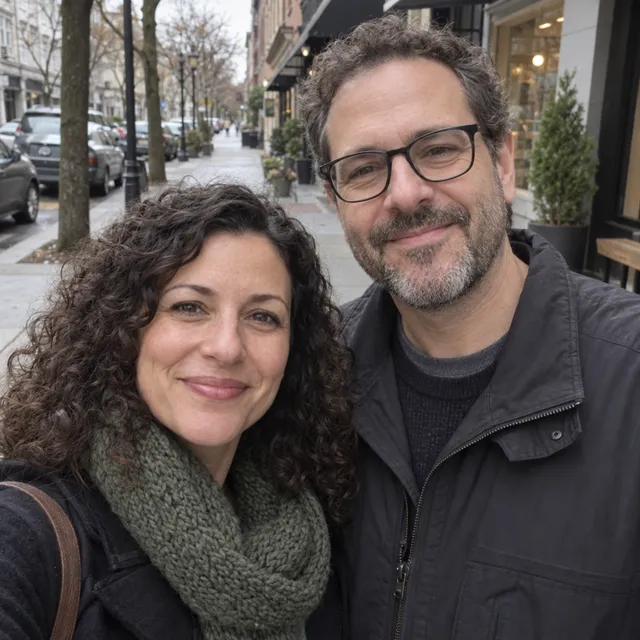
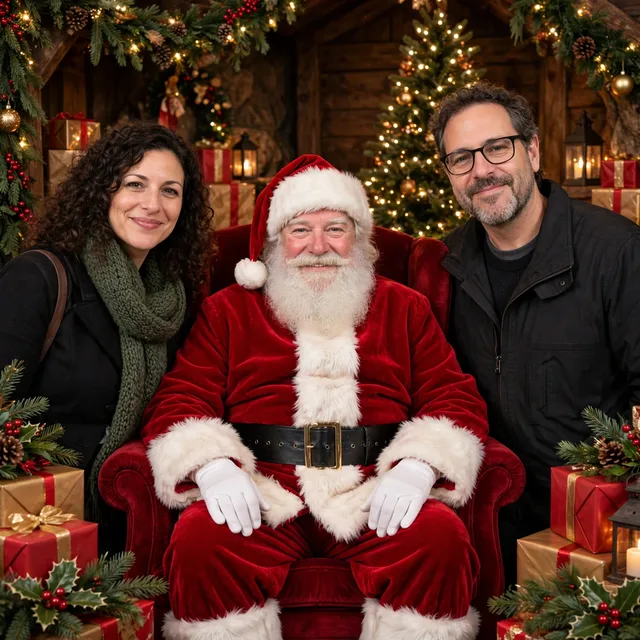
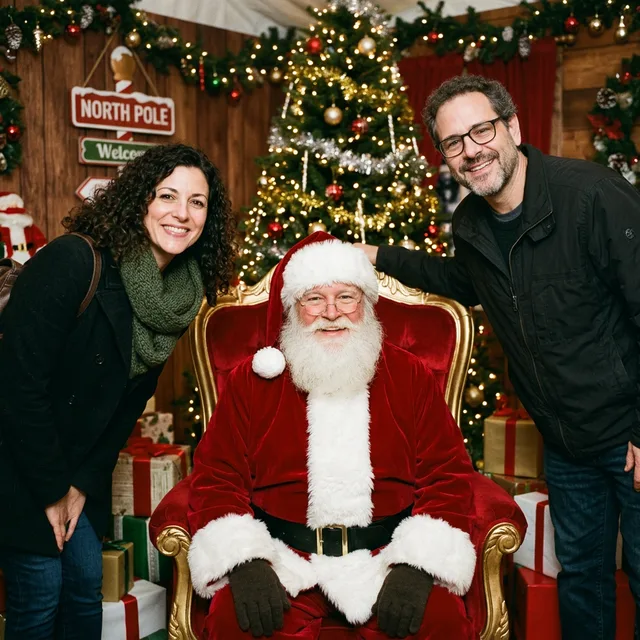
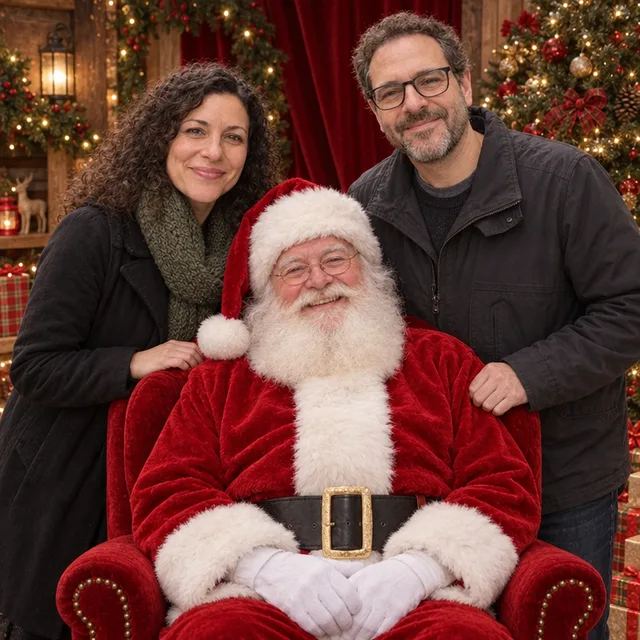
The photo you would get at a Santa grotto: Santa in his armchair, you beside him. We ran the same prompt on three models. Muse Image followed it closest; Nano Banana 2.1 changed the woman’s smile; GPT Image 2.5 put the couple behind the chair instead of beside it.
Prompt we ran
Put this couple in a classic photo with Santa: Santa Claus sits in a red velvet armchair in a decorated Christmas grotto with a lit tree and presents, and the couple stands on either side of his chair, smiling. Santa has a white beard and a classic red suit, lit like the couple. Keep both people exactly as they are: same faces, expressions, glasses, hair and clothes.
Suggested model: Muse Image
2.Santa in your living room
Santa joins the family photo on your own sofa. Our first attempt asked to keep “all four people” and the model kept four: Santa replaced the daughter. Asking for Santa as a fifth person fixed it.
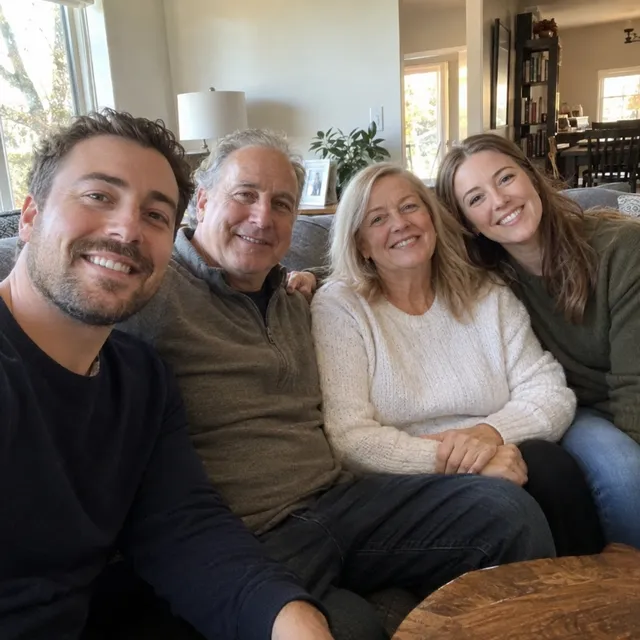
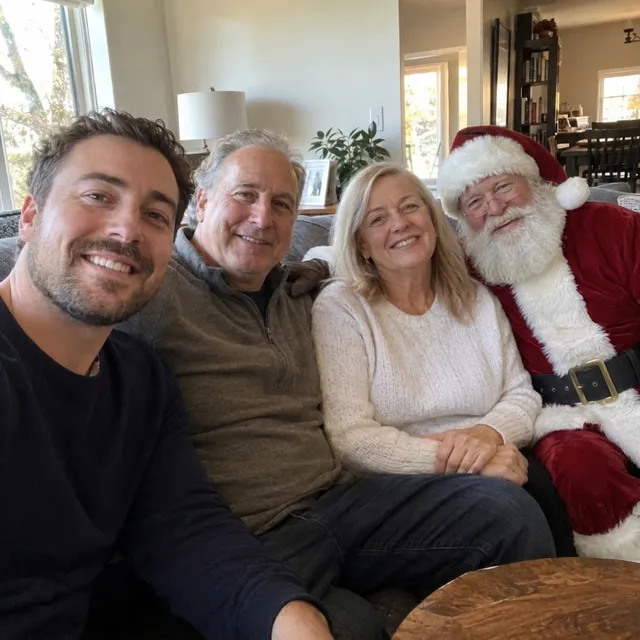
Exact prompt we ran
Add Santa Claus sitting on the arm of the sofa next to the family, smiling, in a classic red suit with a white beard, lit the same way as the room. Keep all four people exactly as they are: same faces, expressions, hair, number of people and poses.
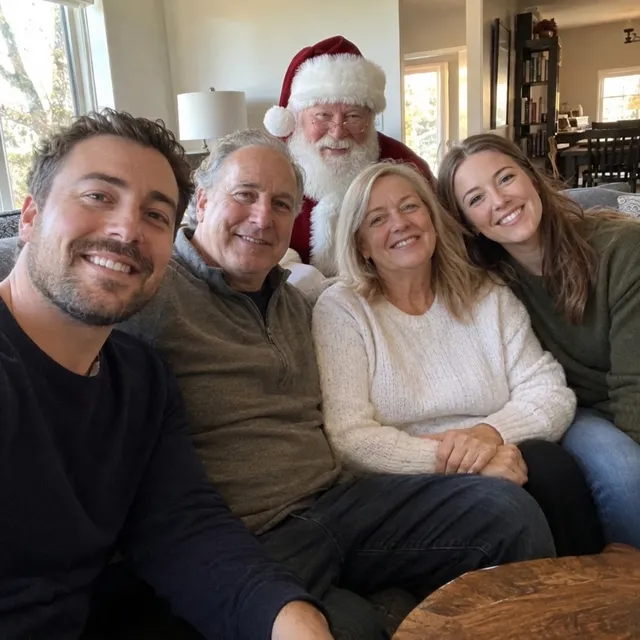
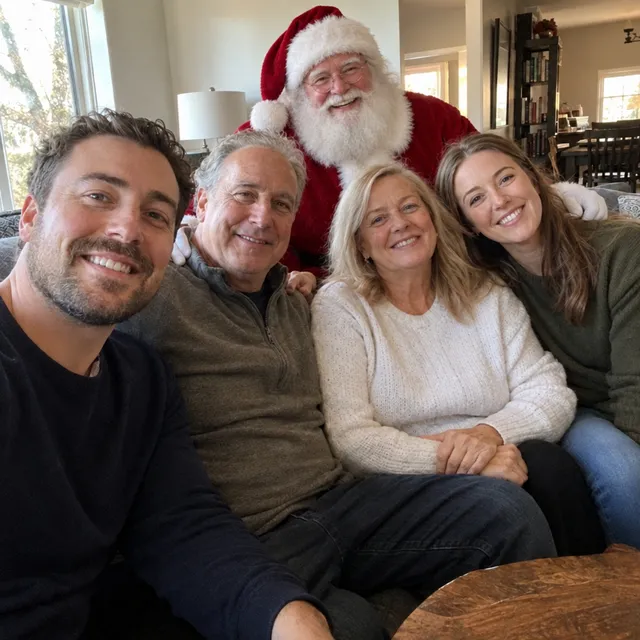
Prompt we ran
Add Santa Claus as a fifth person standing behind the sofa, between the father and the mother, smiling, in a classic red suit with a white beard, lit like the room. All four family members must stay in the photo exactly as they are: same faces, expressions, hair, clothes and seating. The photo must show five people.
Suggested model: Nano Banana 2.1
Count the people in the result, then check that the people next to Santa still look like themselves and that every visible hand has five fingers.
3.Santa with your pet
Santa kneels next to the dog in your own living room. The dog came back unchanged; the hand we asked to rest on its back ended up hidden behind the dog.
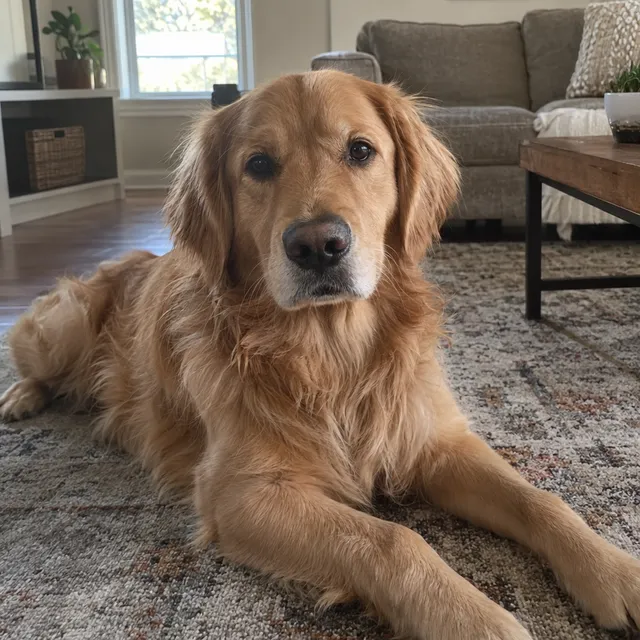
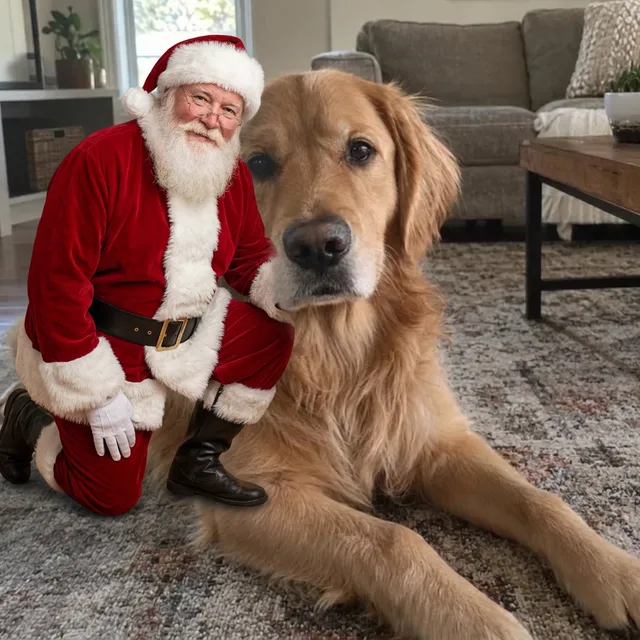
Prompt we ran
Add Santa Claus kneeling on the rug next to the dog, one hand resting gently on its back, smiling at the camera, in a classic red suit with a white beard, lit like the room. Keep the dog exactly the same: breed, face, fur colour and pose.
Suggested model: Nano Banana 2.1
4.Photos with Santa and your kids
A photo with Santa is often for the children. Before you upload a photo that shows them:
- Upload photos of children only if you are their parent or guardian, or have the guardian’s consent.
- Prefer stylized looks (cartoon, storybook, illustration) to photorealistic edits of children.
- Share results inside the family rather than posting them publicly.
- Your images stay in your workspace unless you share them, and you can delete them from your library.
- Uploads are processed by the AI provider that runs the model you pick. Retention, processors and deletion requests are covered in the privacy policy.
Get Santa in without losing anyone
- Give Santa a place in the photo and say how many people the result must show. A keep line alone (“keep all four people”) let the model swap a family member for Santa.
- End the prompt with a keep line for everyone already in the photo: faces, expressions, hair, glasses, clothes.
- Count the people, then compare every face with the original at full size. Santa is generated, so check his hands as well.
- If one model misplaces someone, run the same prompt on another model before rewriting it. In our Santa-visit test each model placed the couple differently.
- Generative editing can still change a face even when you ask it not to. Exact likeness is not guaranteed, so check before you print or share.
Which model to use
Every model runs in the same editor and draws from the same credits. Prices are for one edit in the web app.
| Model | Credits per edit | On Starter | Use it for |
|---|---|---|---|
| Muse Imageone size, about 2.5 MP | 2 | $0.038 | The cheapest edit, and in our runs the one that changed faces least. |
| Nano Banana 2.11K | 9 | $0.171 | Bigger scene changes and illustrated looks. 14 credits at 2K for a sharper print. |
| GPT Image 2.5high quality | 11 | $0.209 | A second opinion when the first model misplaces someone, and any lettering. |
The editor shows the credit cost before you generate. Prices checked .
What it costs
One edit costs 2 credits on Muse Image, 9 on Nano Banana 2.1 at 1K and 11 on GPT Image 2.5. On the Starter plan ($19 for 1,000 credits a month) that is $0.038 to $0.209 per edit.
Every edit needs a paid plan. Plans start at $19/month. Unused subscription credits roll over, downloads carry no watermark, and paid plans include a commercial license.
Frequently asked questions
How do I make a photo with Santa?
Upload a photo, describe where Santa goes and what he does, say how many people the result must show, and add a keep line for everyone else. Generate, count the people, compare faces with the original and download the version you like.
Why did Santa replace someone in my photo?
Because the prompt only said to keep a number of people. In our test, “keep all four people” made the model keep four by swapping the daughter for Santa. Ask for Santa “as a fifth person” and add “The photo must show five people”.
Can I add Santa to a photo of my kids?
Only as their parent or guardian or with the guardian’s consent. Prefer a stylized look such as a cartoon for photos of children, and share the result inside the family. Your images stay in your workspace unless you share them, and you can delete them from your library.
Will the faces still look like us?
Usually close, but not guaranteed. In our Santa-visit test one model changed a closed-mouth smile into an open one. Compare every face at full size and retry from the original or on another model if someone looks different.
Can I add Santa to a photo of my pet?
Yes. Name where Santa goes and keep the pet’s breed, face, fur colour and pose in the keep line. Check anything Santa is meant to be touching: in our test his hand ended up hidden behind the dog.
How much does it cost? Is there a free option?
One edit costs 2 credits on Muse Image, 9 on Nano Banana 2.1 at 1K or 11 on GPT Image 2.5. AI Media Studio has no free tier. Every edit needs a paid plan. Plans start at $19/month.
Can I print it?
Muse Image outputs one size of about 2.5 MP, fine for screens and small prints. For larger prints, edit with Nano Banana 2.1 at 2K (14 credits) or 4K (31 credits); 4K is available on paid plans. Check faces and hands at full size before you print.
Uploads are processed by the AI provider that runs the model you pick. Retention, processors and deletion requests are covered in the privacy policy.