Unblur image
Unblur an image with AI: what comes back and what gets invented
Upload the blurry photo to the editor, say what kind of blur it is (out of focus or camera shake), name what should become sharp, and end with “Keep … exactly the same” and “Do not add or remove anything”. In our tests Muse Image, Nano Banana 2.1 and GPT Image 2.5 all made three blurred photos sharp. The model redraws detail it cannot see: tiny price tags came back with invented words and prices. One edit costs 2 credits on Muse Image, 9 on Nano Banana 2.1 or 11 on GPT Image 2.5.
Every edit needs a paid plan. Plans start at $19/month.
How do I unblur a photo?
- 01
Upload the original file
Use the photo straight from the camera or phone, not a screenshot or a messaging-app copy. Every bit of detail the blur left behind helps the model.
- 02
Say what kind of blur it is
“It is out of focus” or “it has motion blur from camera shake”. Then name what must become sharp: “her face, eyes and hair”, “the lettering on the sign”.
- 03
Keep everything else
End with “Keep … exactly the same” for the people, words and scene, and “Do not add or remove anything”. That line kept every face and every large word in our tests.
- 04
Compare with what you remember
Zoom in on faces, small text, numbers and logos. Where the blur hid the detail completely, the model fills it in with something plausible, which may not be what was there.
Four blurry photos, unblurred and checked against the sharp original
We blurred three sharp synthetic photos ourselves, so each result can sit next to the original. The prompt card is the exact prompt we ran; copy it and change the description to your photo.
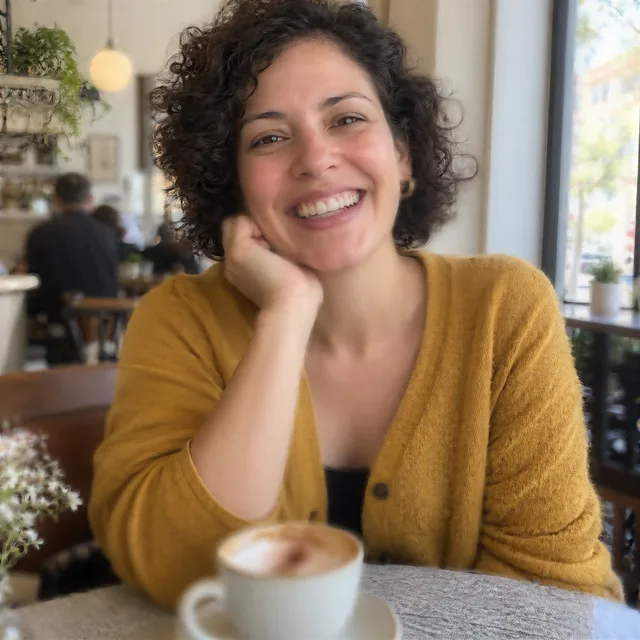
1.Out-of-focus portrait
The camera focused on the background instead of her face. Both models brought back a sharp face that is still her. Nano Banana 2.1 came closest to the original; Muse Image was a little softer for less than a quarter of the credits.
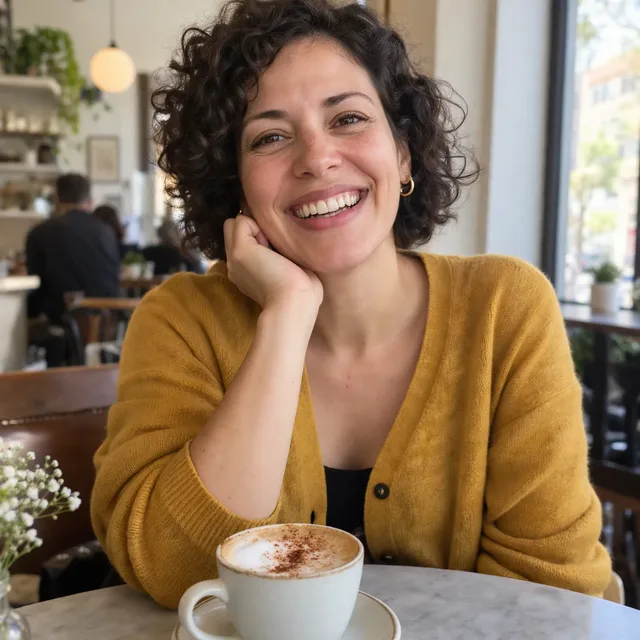
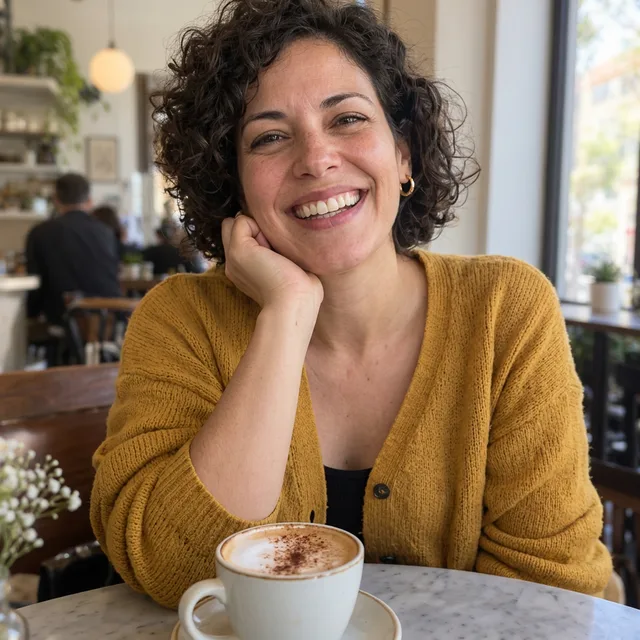
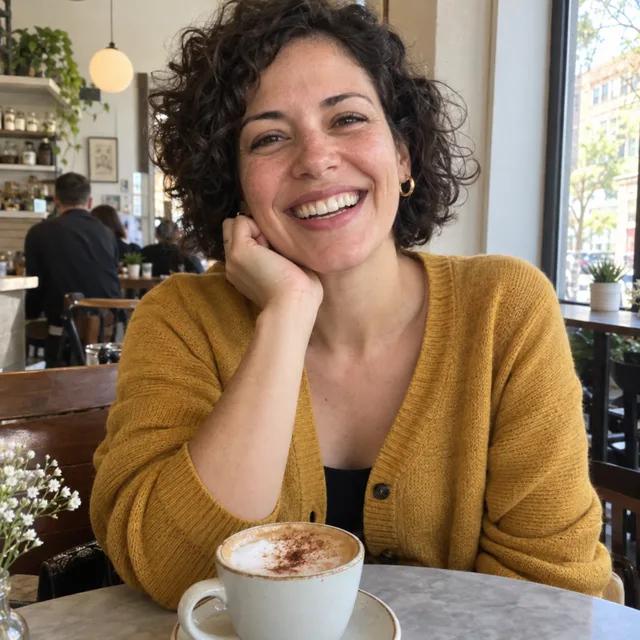
Prompt we ran
Unblur this photo: it is out of focus. Make it sharp and in focus, with crisp detail in her face, eyes, curly hair, cardigan and the cappuccino. Keep everything else exactly the same: her face, expression, hair, clothes, the cafe and the light. Do not add or remove anything.
Suggested model: Nano Banana 2.1
2.Camera shake on a shop sign
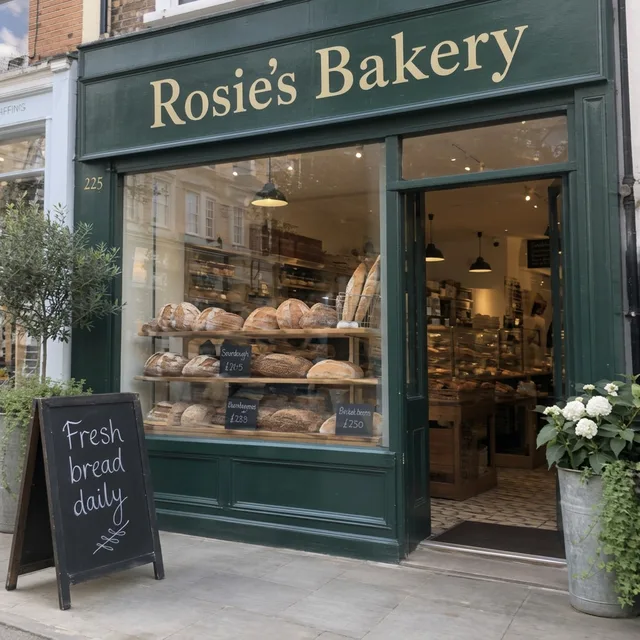
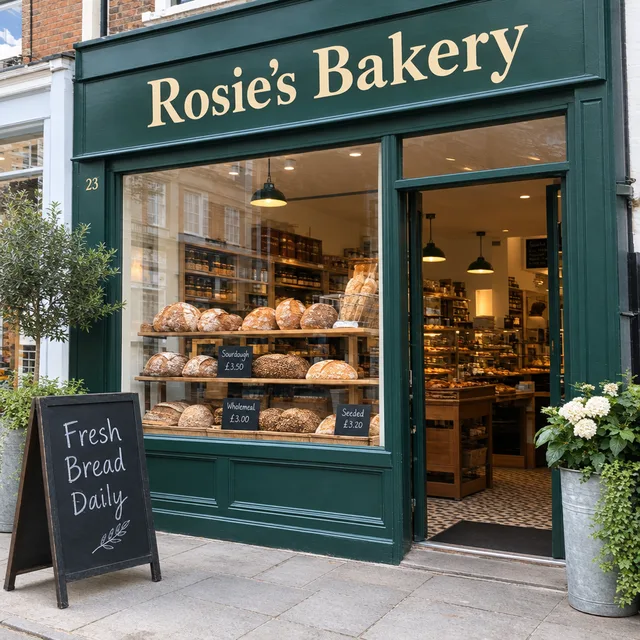
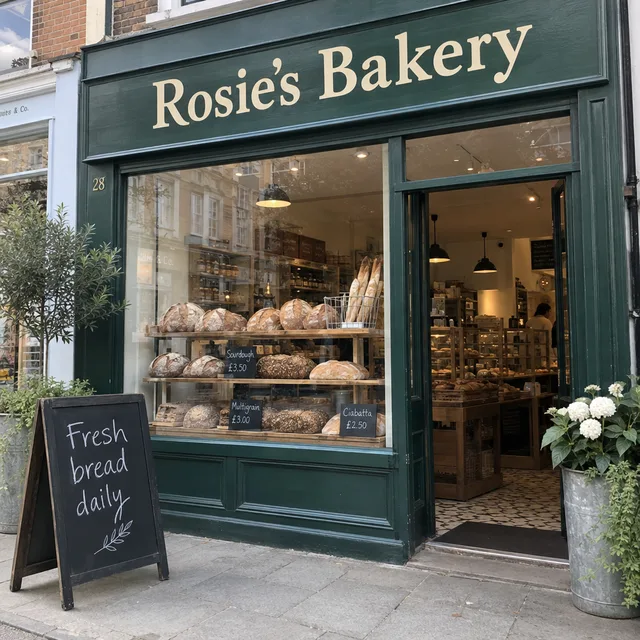
Shaky photo of a bakery front. The shop sign and the chalkboard came back with the right words on both models. GPT Image 2.5 changed “Fresh bread daily” to “Fresh Bread Daily”, capitals it did not have.
Prompt we ran
Unblur this photo: it has motion blur from camera shake. Make it sharp, with clean edges and readable lettering on the shop sign and the chalkboard. Keep the exact same words, the shop front, the bread in the window and the light. Do not add or remove anything.
Suggested model: Nano Banana 2.1
Large words you can still half-read through the blur usually come back right. Check each one against what the sign actually said.
3.Small text: recovered or invented?
The tiny price tags in the same window were unreadable in the blurry photo. Nano Banana 2.1 and GPT Image 2.5 both wrote new ones: different bread names and prices that look real. Muse Image left them soft and unreadable instead. Only “Sourdough £3.50” on the GPT Image 2.5 result matches the original.
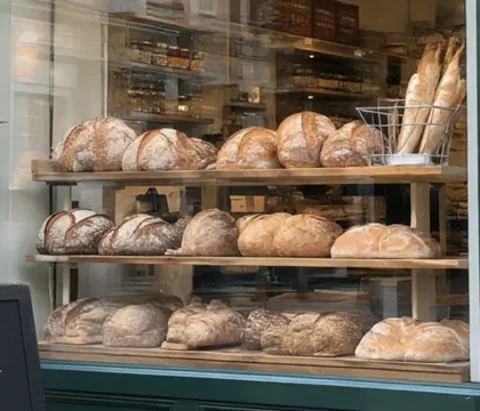
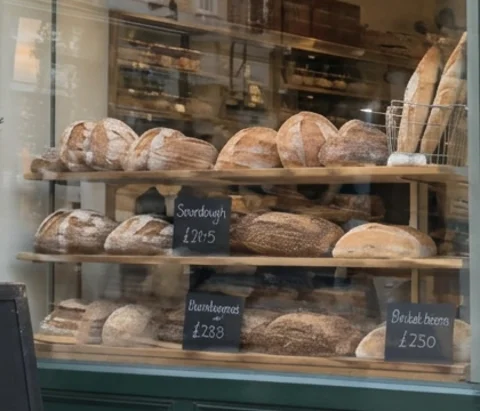
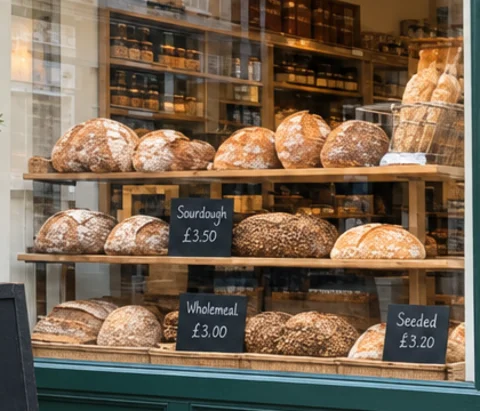
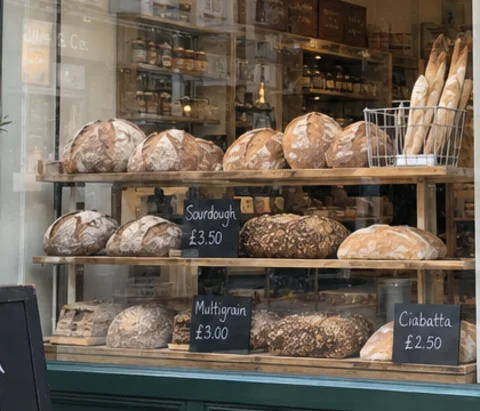
Never trust numbers, prices, licence plates or names that you could not read in the blurry photo. If it matters, keep the original or check the real object.
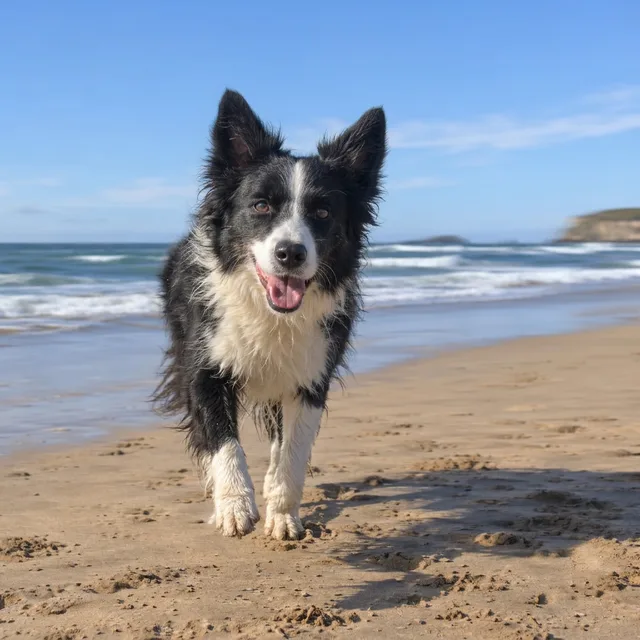
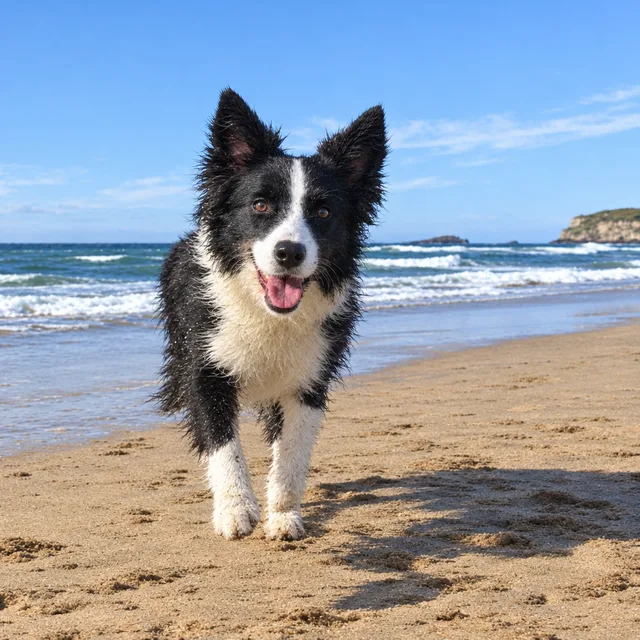
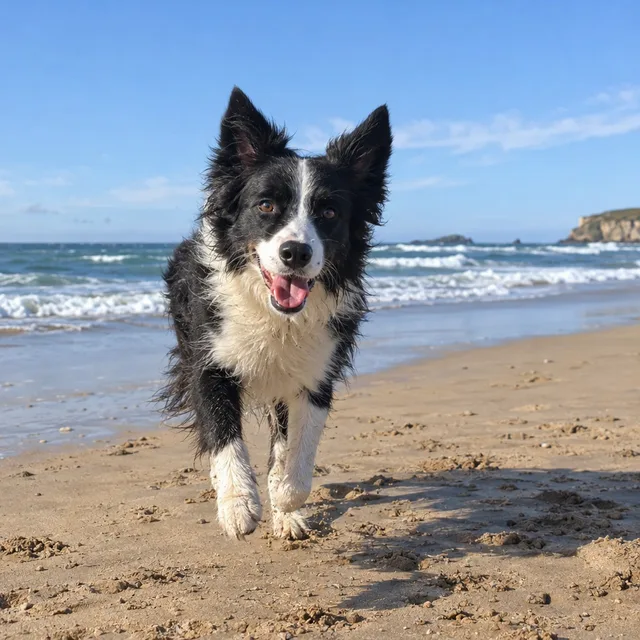
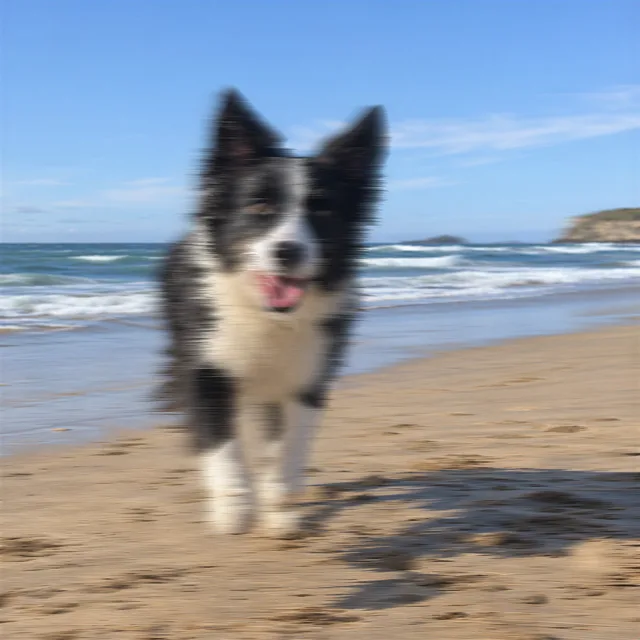
4.Motion blur on a running dog
Fast subject, slow shutter. Both models gave back a sharp dog with the same markings and pose, and clear waves behind it.
Prompt we ran
Unblur this photo: it has motion blur from camera shake. Make it sharp, with crisp fur, eyes and paws on the dog and clear waves and sand. Keep the dog, its pose and markings, the beach and the light exactly the same. Do not add or remove anything.
Suggested model: Nano Banana 2.1
5.Why not the photo enhancer?
The editor also has a photo enhancer, which upscales with SeedVR2 and needs no prompt. We ran it on the same blurry photos at its strongest setting. It made the out-of-focus portrait somewhat clearer but did not remove motion blur: the dog stayed smeared. Use the enhancer for small or soft photos, and an edit prompt for real blur.
Check before you use it
- Compare faces with what the person really looks like. An unblurred face is redrawn; in our tests it stayed the same person, but small features can shift.
- Read every word and number. Words you could half-read came back right; words you could not read at all were replaced by invented ones.
- Do not use an unblurred photo as evidence, for example of a licence plate, a document or who was somewhere. The detail is generated, not recovered.
- If the result looks too smooth or too contrasty, try another model from the original photo rather than editing the edit.
Which model to use
Every model runs in the same editor and draws from the same credits. Prices are for one edit in the web app.
| Model | Credits per edit | On Starter | Use it for |
|---|---|---|---|
| Muse Imageone size, about 2.5 MP | 2 | $0.038 | Cheapest; unblurred all three photos, a little softer, and left unreadable small text alone. |
| Nano Banana 2.11K | 9 | $0.171 | Closest to the originals in our tests; invents small text it cannot read. 14 credits at 2K for a larger file. |
| GPT Image 2.5high quality | 11 | $0.209 | Sharpest and most contrasty; changed capitalisation on a sign, so check text. |
The editor shows the credit cost before you generate. Prices checked .
What it costs
One edit costs 2 credits on Muse Image, 9 on Nano Banana 2.1 at 1K and 11 on GPT Image 2.5. On the Starter plan ($19 for 1,000 credits a month) that is $0.038 to $0.209 per photo.
Every edit needs a paid plan. Plans start at $19/month. Unused subscription credits roll over, downloads carry no watermark, and paid plans include a commercial license.
Frequently asked questions
How do I unblur an image?
Upload it to the editor, write “Unblur this photo: it is out of focus” (or “it has motion blur from camera shake”), name what should be sharp, and end with what must stay the same and “Do not add or remove anything”. Compare the result with the blurry original before you use it.
Can AI really unblur a photo?
It can make a blurry photo look sharp, and in our tests faces, large words and a running dog came back close to the originals. It does not recover hidden detail: it redraws it. Small text that was unreadable came back as invented words and prices.
Does it work for motion blur and camera shake?
Yes, with an edit model. Muse Image, Nano Banana 2.1 and GPT Image 2.5 all removed camera-shake blur from a shop sign and a running dog. The photo enhancer (SeedVR2) did not; it helps with soft or small photos.
Can it make blurry text readable?
If you can half-read the text, usually yes: “Rosie’s Bakery” and “Fresh bread daily” came back right. If you cannot read it at all, the model writes something plausible instead. Do not trust recovered prices, numbers or plates.
Will the person still look like themselves?
In our out-of-focus portrait, every model kept the same person. The face is redrawn, though, so compare it closely, especially eyes and teeth, before you share it.
How much does it cost? Is there a free option?
One edit costs 2 credits on Muse Image, 9 on Nano Banana 2.1 at 1K or 11 on GPT Image 2.5. AI Media Studio has no free tier. Every edit needs a paid plan. Plans start at $19/month.
Uploads are processed by the AI provider that runs the model you pick. Retention, processors and deletion requests are covered in the privacy policy.