AI profile picture generator
AI profile picture generator from your own photo
Upload a photo of yourself, describe the background and style (a plain colour, a softly blurred outdoor scene, a vector, 3D or anime avatar) and ask for a square head-and-shoulders frame with the face centred, because most apps crop profile pictures to a circle. End with what must stay: face, hair, age. We made 11 profile pictures from three everyday photos; every one kept the person recognisable. One edit costs 2 credits on Muse Image, 9 on Nano Banana 2.1 or 11 on GPT Image 2.5, and you see the cost before you generate.
Every edit needs a paid plan. Plans start at $19/month.
How do I make a profile picture with AI?
- 01
Start from your own photo
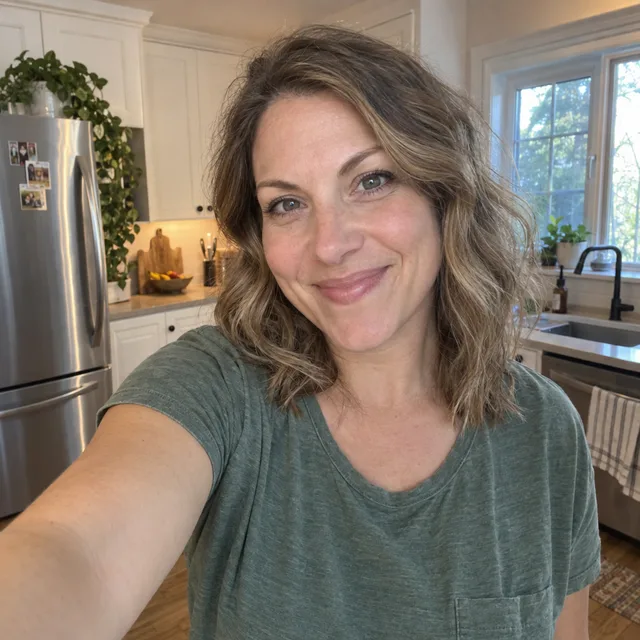
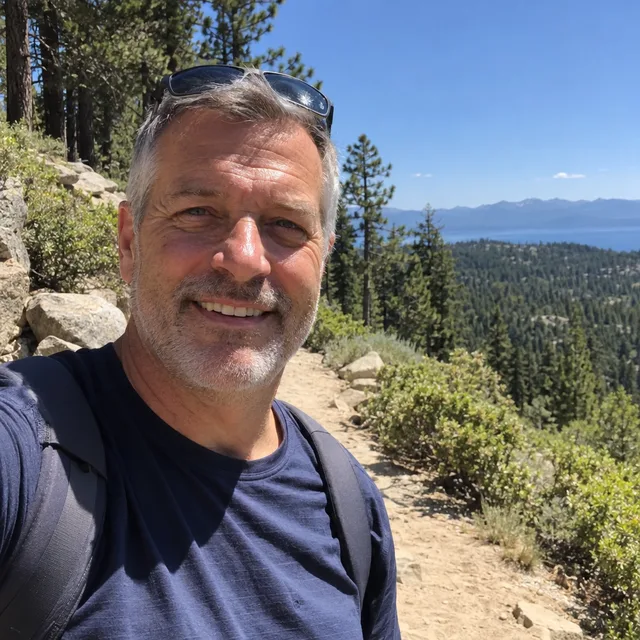
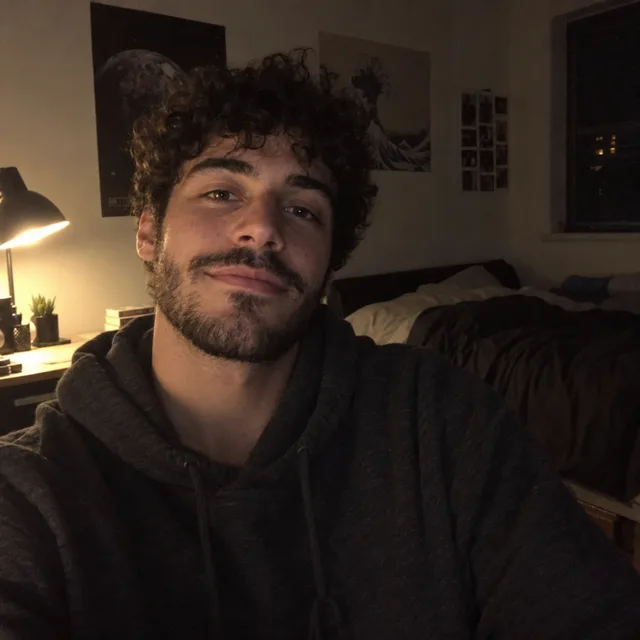
One photo where your face is clear. It does not have to be good: our examples start from an arm’s-length selfie, a harsh-sun hiking photo and a dark bedroom selfie.
- 02
Pick a background or a style
A plain bright colour stands out in a list of small circles. For an avatar, name the style: “flat vector illustration”, “3D cartoon”, “anime with cel shading”.
- 03
Ask for the circle crop
“Square, head and shoulders, face centred with space around the head so it still works when cropped to a circle.” Without the space, hair or a chin gets cut off in the circle.
- 04
Say what to remove and keep
Name what should go (an outstretched arm, sunglasses on your head): models keep anything you do not mention. Then keep your face, hair and age, and check the result as a small circle.
11 profile pictures from three everyday photos
Every result starts from one of three synthetic everyday photos. Open “Prompt we ran” under an image for the exact prompt, or copy the prompt card and change the background or style.
1.A bright colour background, on three models
The simplest upgrade: the kitchen and the outstretched arm gone, a plain coral background, even light. All three kept her face and smile. Nano Banana 2.1 and Muse Image left room around her head for the circle; GPT Image 2.5 cropped tighter, with her hair close to the top edge.
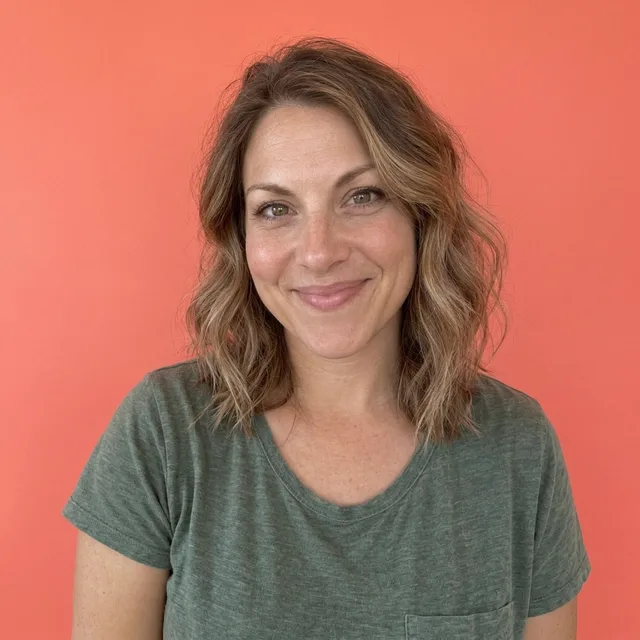
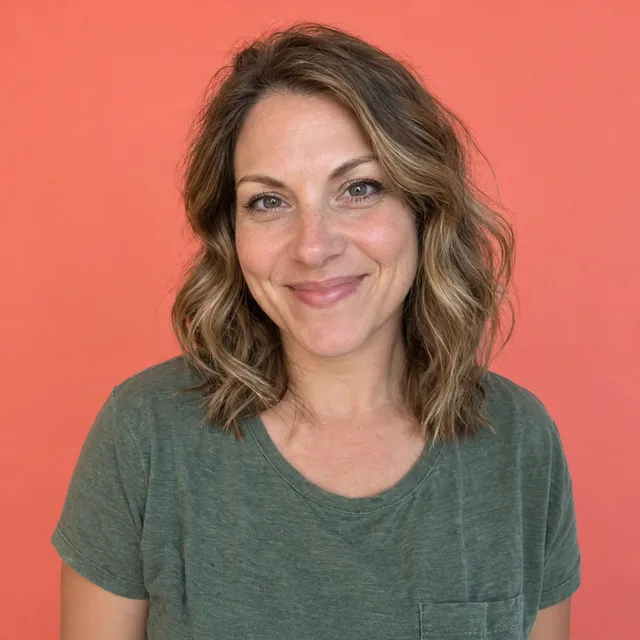
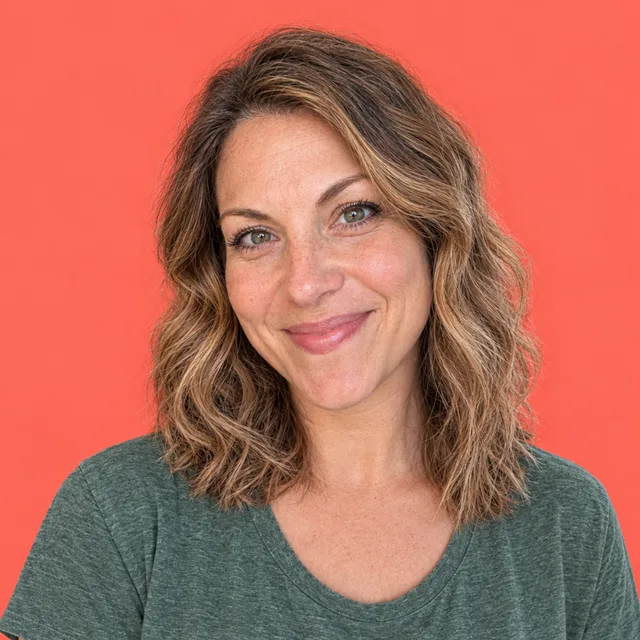
Prompt we ran
Turn this selfie into a profile picture on a plain, bright coral background with soft, even light. Remove the outstretched arm. Frame it as a square profile picture: head and shoulders, face centred with space around the head so it still works when cropped to a circle. Keep her face, eye colour, wavy hair, smile and age exactly the same; do not smooth her skin.
Suggested model: Nano Banana 2.1
2.Keep the outdoors, fix the light
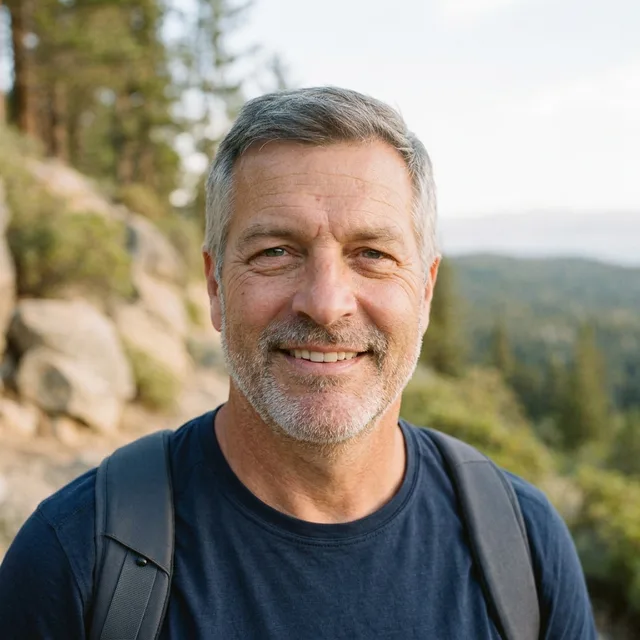
Not every profile picture needs a studio look. Here the trail stays, softly blurred, the hard midday shadows are gone and the sunglasses on his head were removed as asked. The backpack straps stayed: the prompt did not mention them.
Prompt we ran
Turn this photo into a natural profile picture: soft late-afternoon light, the hiking trail softly blurred behind him, no hard shadows on his face. Remove the sunglasses from his head. Frame it as a square profile picture: head and shoulders, face centred with space around the head so it still works when cropped to a circle. Keep his face, grey hair, stubble, smile and age exactly the same.
Suggested model: Nano Banana 2.1
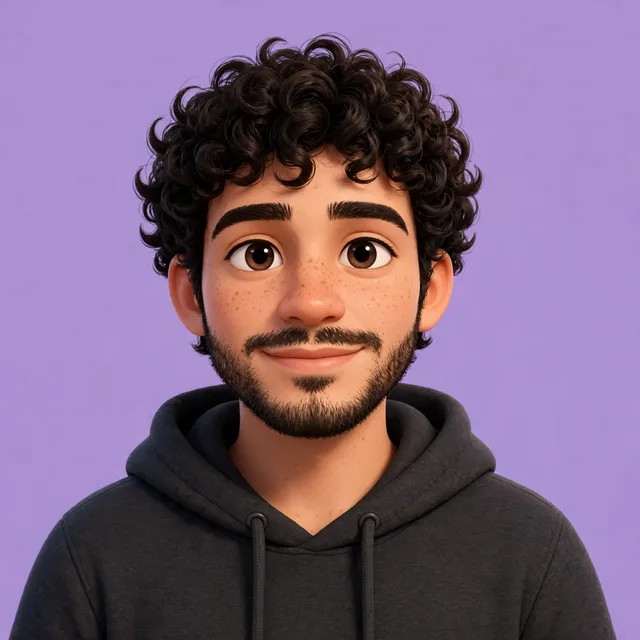
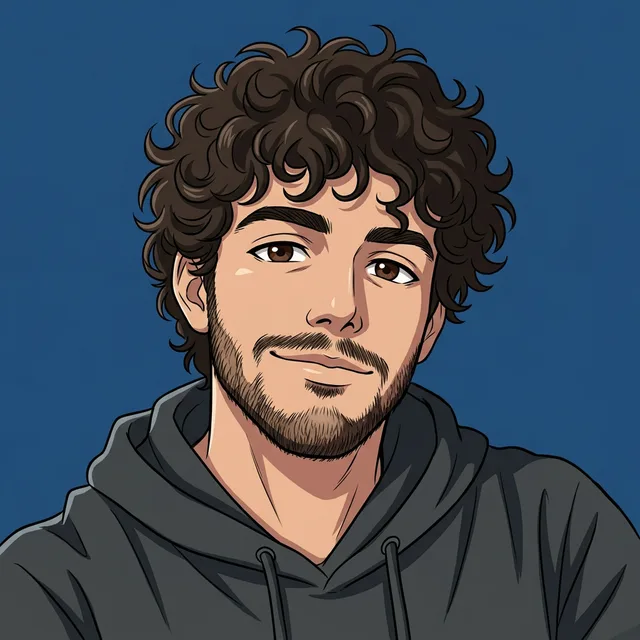
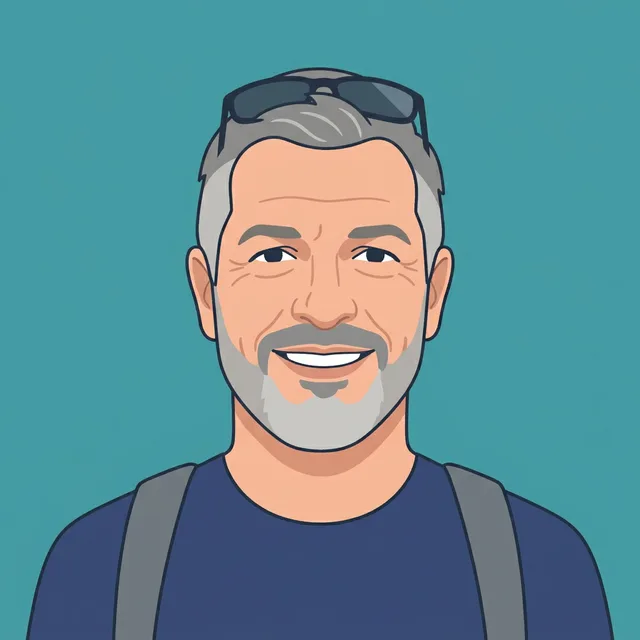
3.Illustrated avatars: vector, 3D and anime
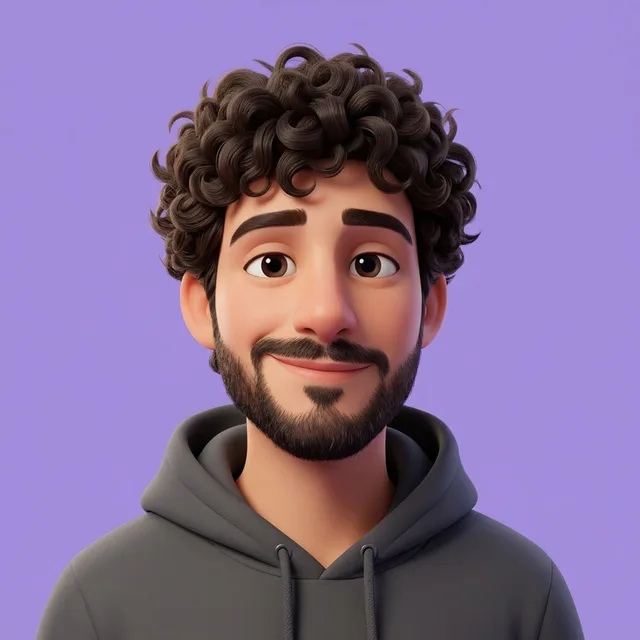
For a gaming, forum or social account where you would rather not show a photo. All three styles stayed recognisable. The vector version kept his sunglasses on his head, because only the outdoor prompt asked to remove them.
Exact prompt we ran
Turn this selfie into an anime-style avatar with clean line art and cel shading on a solid deep blue background. Frame it as a square profile picture: head and shoulders, face centred with space around the head so it still works when cropped to a circle. Keep his face, curly hair, beard and expression recognisable.
Exact prompt we ran
Turn this photo into a flat vector illustration avatar with simple shapes, clean lines and a solid teal background. Frame it as a square profile picture: head and shoulders, face centred with space around the head so it still works when cropped to a circle. Keep his face, grey hair, stubble, smile and age exactly the same.
Prompt we ran
Turn this selfie into a 3D cartoon avatar with soft rounded features on a solid lavender background, bright even light. Frame it as a square profile picture: head and shoulders, face centred with space around the head so it still works when cropped to a circle. Keep his face, curly hair, beard and expression recognisable.
Suggested model: Nano Banana 2.1
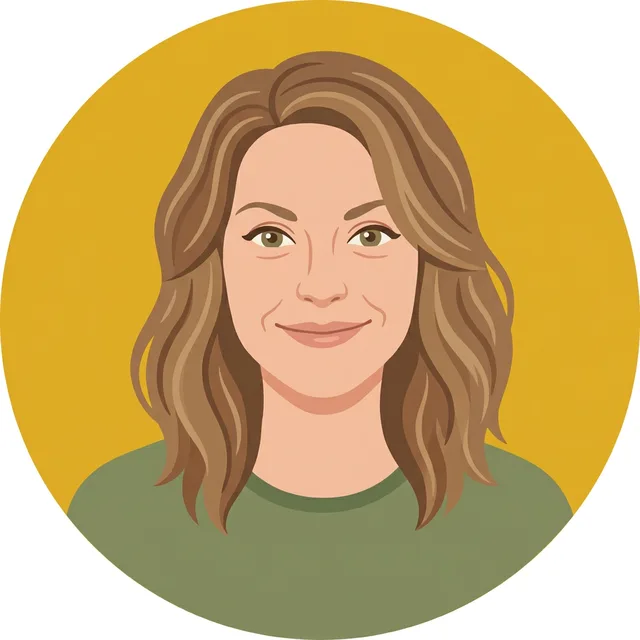
4.Matching avatars for a team or a group
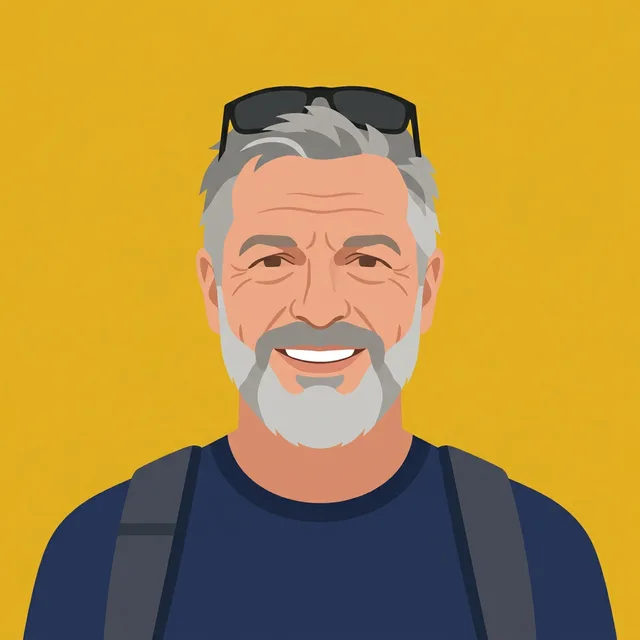
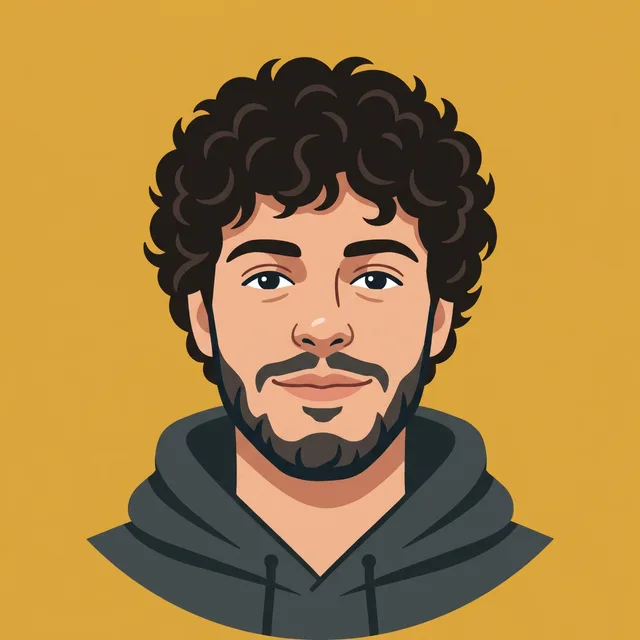
One prompt, three very different photos (top row): the same vector style, mustard background and framing came back for all three, so they sit together on a team page, a podcast page or a group chat.
Prompt we ran
Turn this photo into a flat vector illustration avatar with simple shapes and clean lines on a solid mustard yellow background. Head and shoulders, face centred so it works when cropped to a circle. Keep the face, hair, facial hair, expression and age recognisable.
Suggested model: Nano Banana 2.1
Use exactly the same prompt and model for everyone. If something should not appear (sunglasses, straps), say so in the shared prompt.
Before you upload it
- Look at it as a small circle. Most apps crop profile pictures to a circle and show them tiny; check that the face fills it and nothing important is cut off.
- Name everything that should go. Models keep what you do not mention: sunglasses and backpack straps stayed whenever the prompt left them out.
- Keep your face, hair and age in the prompt, and compare with your photo. A profile picture should still look like you to people who know you.
- A plain, bright background reads better at small sizes than a busy scene.
- Use photos of yourself, or of people who agreed. For a LinkedIn or company headshot with business clothes, see our professional headshot guide.
Which model to use
Every model runs in the same editor and draws from the same credits. Prices are for one edit in the web app.
| Model | Credits per edit | On Starter | Use it for |
|---|---|---|---|
| Muse Imageone size, about 2.5 MP | 2 | $0.038 | The cheapest way to try backgrounds and avatar styles; matched Nano Banana on the colour background. |
| Nano Banana 2.11K | 9 | $0.171 | Our default: all styles, and consistent for matching avatars. 14 credits at 2K. |
| GPT Image 2.5high quality | 11 | $0.209 | Strong likeness, but it cropped tighter than asked; check the circle. |
The editor shows the credit cost before you generate. Prices checked .
What it costs
One edit costs 2 credits on Muse Image, 9 on Nano Banana 2.1 at 1K and 11 on GPT Image 2.5. On the Starter plan ($19 for 1,000 credits a month) that is $0.038 to $0.209 per profile picture; three matching avatars on Nano Banana 2.1 cost 27 credits.
Every edit needs a paid plan. Plans start at $19/month. Unused subscription credits roll over, downloads carry no watermark, and paid plans include a commercial license.
Frequently asked questions
How do I make a profile picture with AI?
Upload a photo of yourself, describe the background or avatar style, ask for a square head-and-shoulders frame with the face centred for the circle crop, and say what must stay the same. Check the result as a small circle, then download it.
What makes a good profile picture?
Your face filling most of the circle, even light, and a plain or softly blurred background. A bright solid colour stands out among other small profile pictures.
Can I make a cartoon or anime profile picture?
Yes. Name the style: we made 3D cartoon, anime and flat vector avatars from the same kind of everyday photos, and all stayed recognisable.
Does it work with a bad selfie?
Our examples start from an arm’s-length kitchen selfie, a harsh-sun photo and a dark, grainy selfie. Each became a usable profile picture. The darker the photo, the more the model has to guess, so compare the face closely.
What size should a profile picture be?
Make it square. Our results came back square from a square photo; most apps then shrink it and crop it to a circle, so keep the face centred with space around the head.
Can I make matching profile pictures for a team?
Yes. Run the same prompt and model on each person’s photo. Our three different photos came back in the same style, background and framing. Get each person’s agreement first.
How much does it cost? Is there a free option?
One edit costs 2 credits on Muse Image, 9 on Nano Banana 2.1 at 1K or 11 on GPT Image 2.5. AI Media Studio has no free tier. Every edit needs a paid plan. Plans start at $19/month.
Uploads are processed by the AI provider that runs the model you pick. Retention, processors and deletion requests are covered in the privacy policy.