Gemini photo editor
Gemini photo editor: what Nano Banana does well and where it drifts
Yes, Gemini edits your photos: upload one in the Gemini app and describe the change. It uses Google’s Nano Banana models: Nano Banana 2 on the free plan, Nano Banana 2.1 with a Google AI plan, and Nano Banana Pro through “Redo with Pro”. In our test edits Nano Banana 2.1 retouched skin well and kept faces, but it placed objects loosely, invented things when removing people, left an old print sepia and changed eye colour; Nano Banana Pro fixed the restoration. In AI Media Studio you can run Nano Banana 2.1 for 9 credits and switch models when it drifts.
Every edit needs a paid plan. Plans start at $19/month.
How do I edit a photo in Gemini?
- 01
Open image creation and upload
In the Gemini app, choose “Create images” from the tools menu, then upload the photo you want to change. You can upload several photos to combine them.
- 02
Describe the change and what stays
Say what should change and where, then what must not: faces, the number of people, eye colour, the framing. Nano Banana follows a named keep list much better than a vague one.
- 03
Refine in the conversation, or redo with Pro
Ask for follow-up changes in the same chat. On a Google AI plan, open the three-dot menu and choose “Redo with Pro” to run the same request on Nano Banana Pro.
- 04
Check, then download
Compare the result with your original at full size: faces, eyes, hands and anything you asked it to remove. Without a Google AI plan, downloads are 1K; with one, 2K.
Six edits with the Nano Banana models behind Gemini
Each edit shows the source photo and the Nano Banana results, next to GPT Image 2.5 where we ran it. Copy a prompt and try it in Gemini or here; your result will differ from ours.
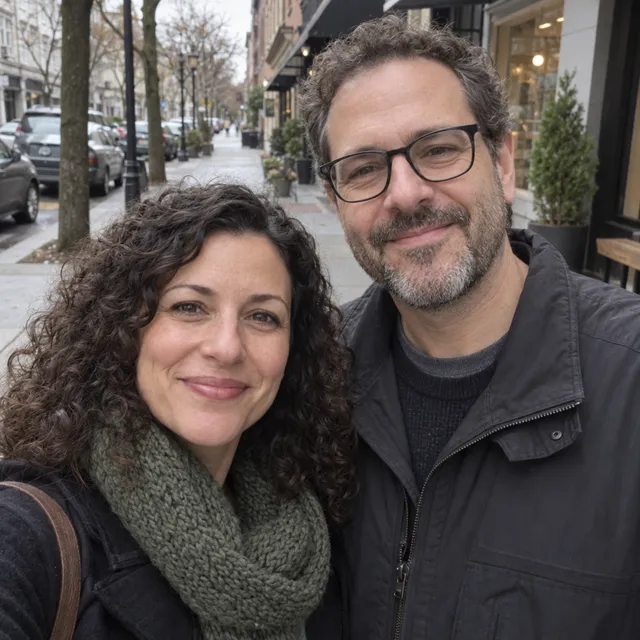
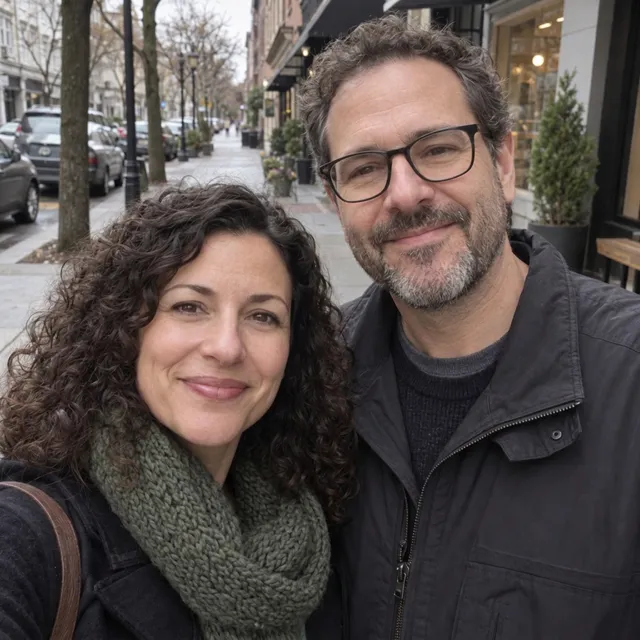
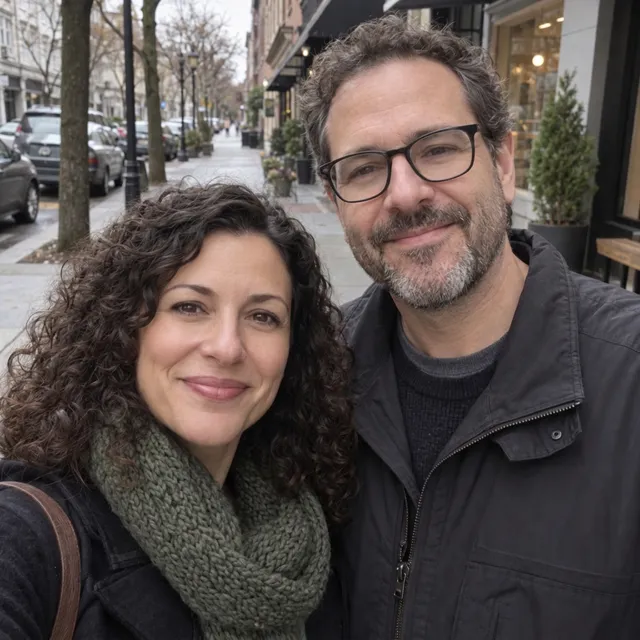
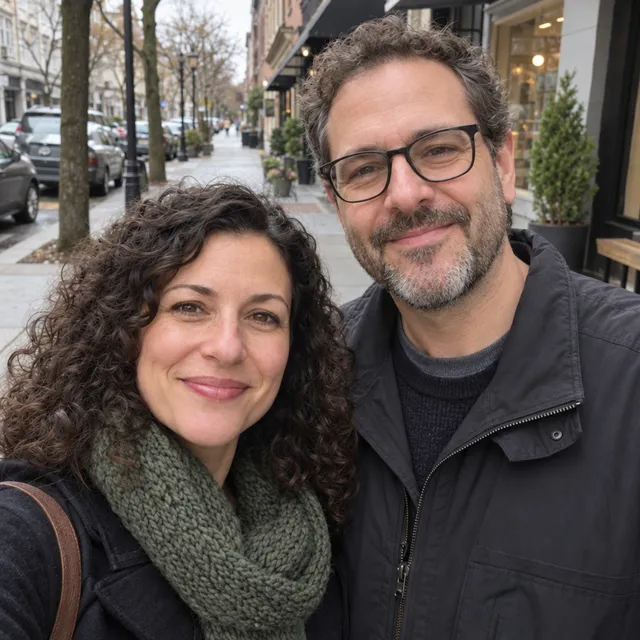
1.Gentle skin retouch: where Nano Banana shines
Soften under-eye shadows without changing faces. Nano Banana 2.1 gave the smoothest skin and the lightest under-eyes and kept both faces; Nano Banana Pro made a subtler change. GPT Image 2.5 was the most restrained of the three.
Prompt we ran
Gently retouch both faces: soften under-eye shadows and even out skin tone. Do not change their faces, features, age, hair, glasses or expressions.
Suggested model: Nano Banana 2.1
We judged the faces at reduced size, not pixel by pixel. If the skin looks too smooth on your photo, say “keep the skin texture”.
2.Add an object: close, not exact
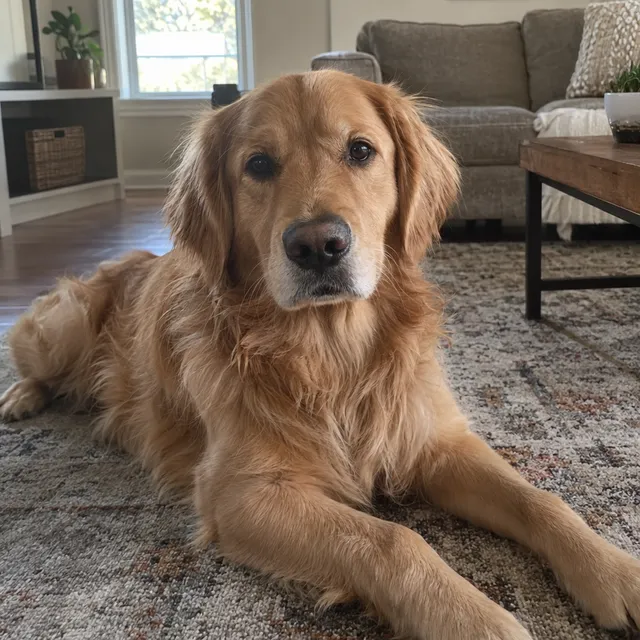
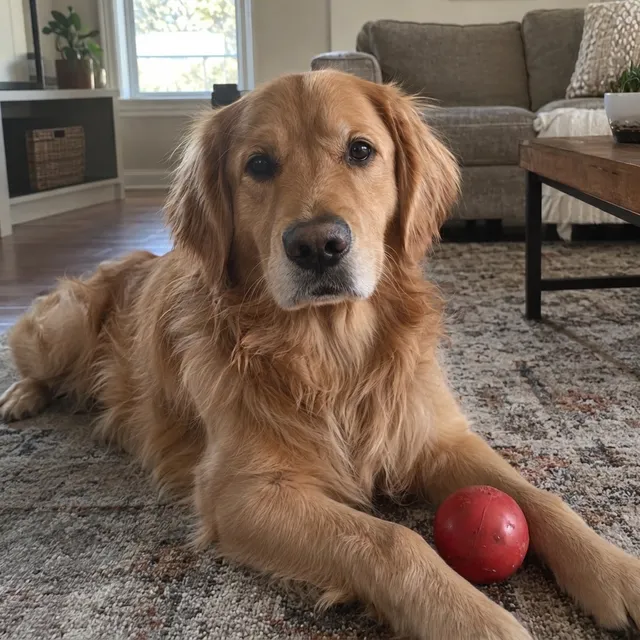
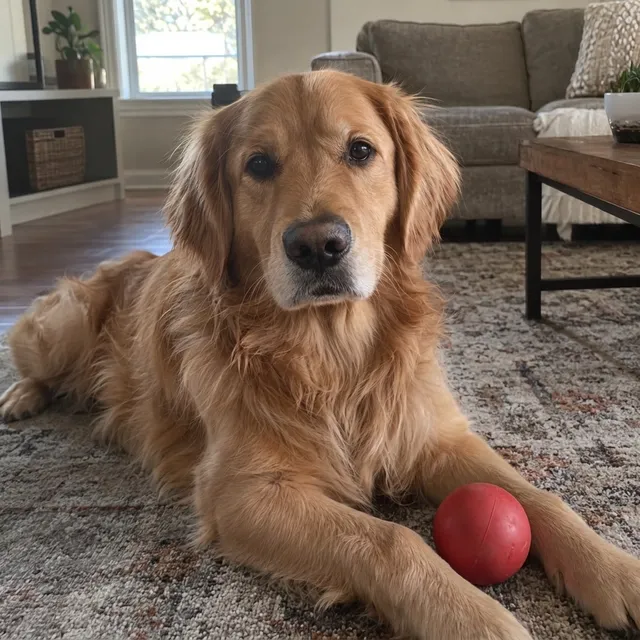
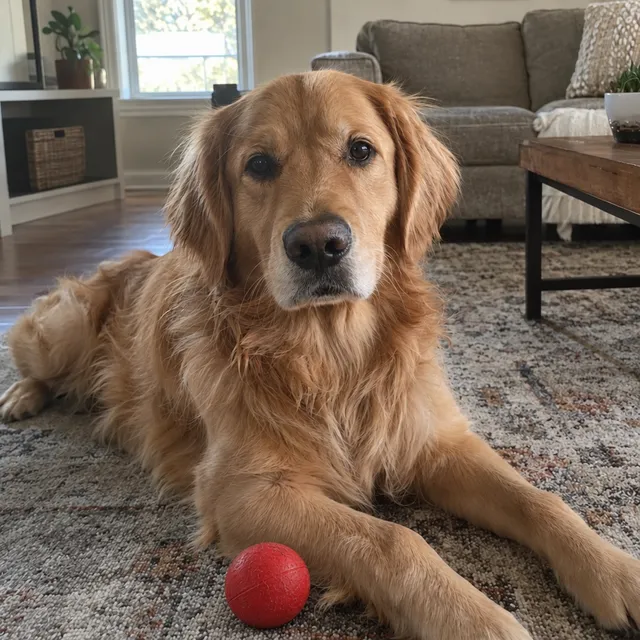
A red ball “just in front of the dog’s front paws”. Both Nano Banana models added the ball and kept the dog and the room, but put it beside a paw rather than in front. GPT Image 2.5 placed it exactly where asked.
Prompt we ran
Add a red rubber ball on the rug just in front of the dog's front paws. Keep the dog, the rug and the room exactly as they are.
Suggested model: Nano Banana 2.1
When position matters, describe it twice in different words (“on the rug, in front of the paws, between the dog and the camera”), or try another model.
3.Remove a person: watch what appears behind
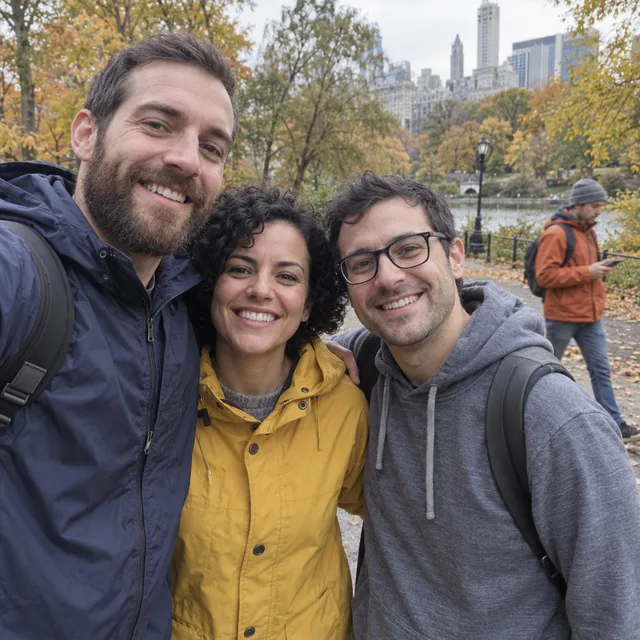
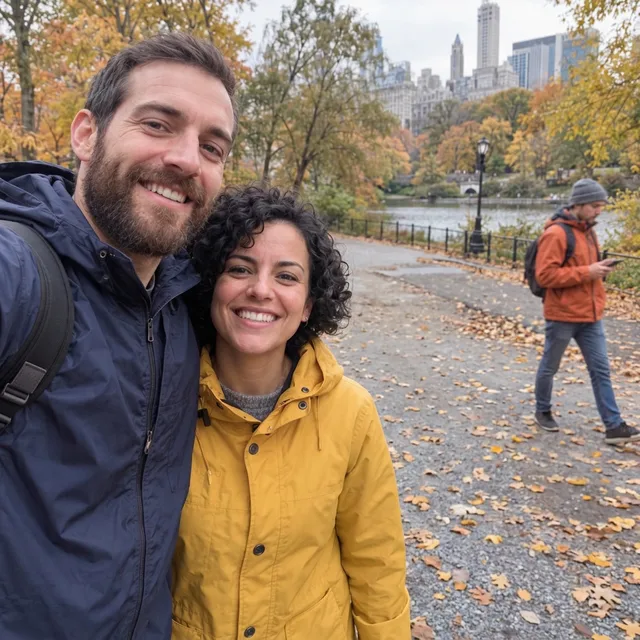
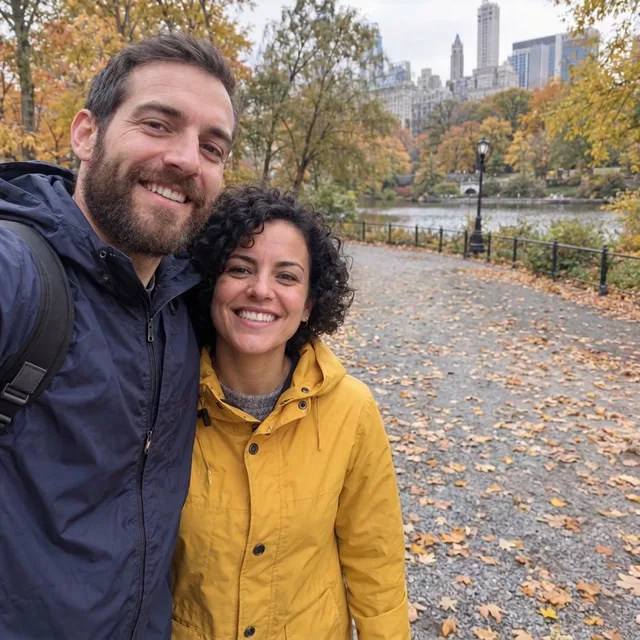
Removing the friend on the right uncovered the stranger he had been hiding. Removing the stranger first, then the friend from that result, gave a clean photo of two people. Nano Banana 2.1 did both steps.
Prompt we ran
Remove the man with glasses in the grey hoodie on the right, so only the bearded man and the woman in the yellow raincoat remain. Fill the space with the park background that would be behind him. Keep the other two people, their faces, expressions, clothes and poses exactly the same.
Suggested model: Nano Banana 2.1
4.Remove a crowd: where it invents things
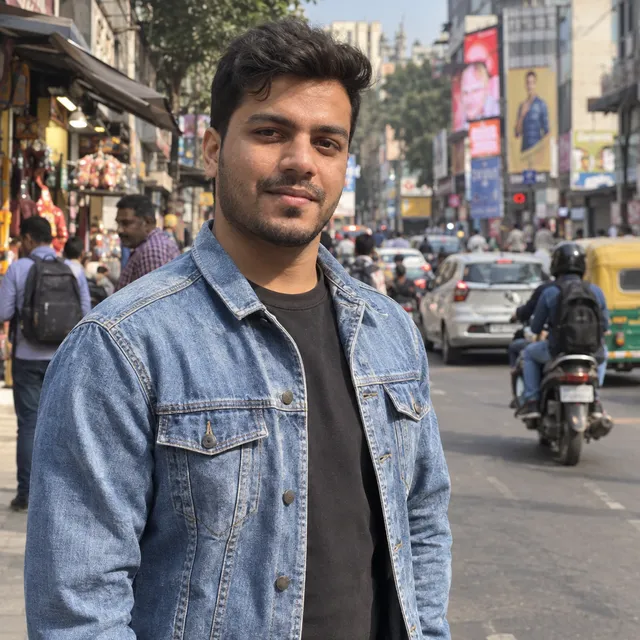
Remove the passers-by behind a man on a busy street. Nano Banana 2.1 removed them but invented a blue stool and a crate; Nano Banana Pro left a pedestrian and a rider further back. No model gave a clean result.
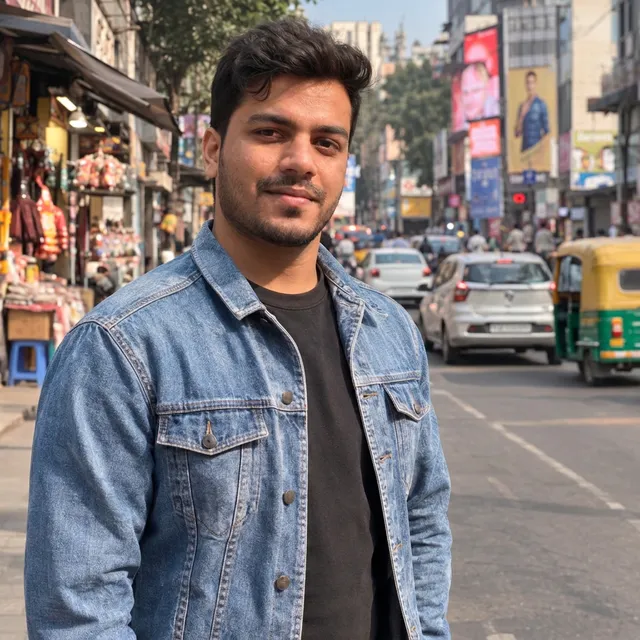
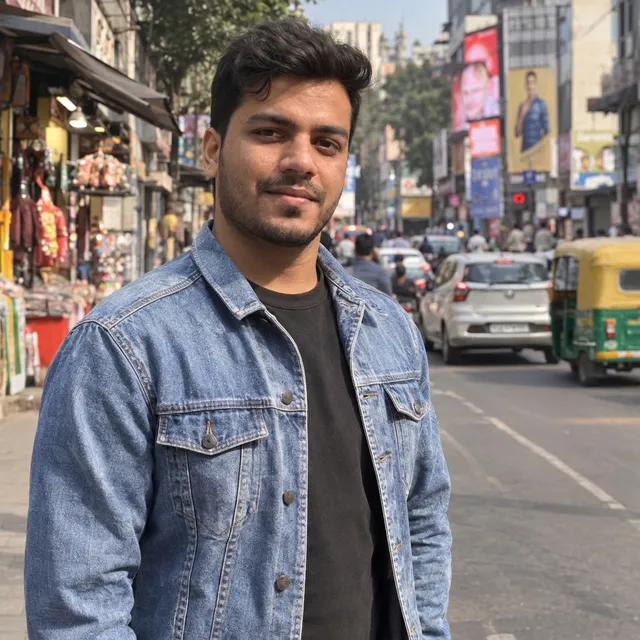

Prompt we ran
Remove the people and the motorbike rider behind the man. Keep the man, his face, jacket and pose, and the street exactly as they are.
Suggested model: Nano Banana 2.1
For removals, look at the whole background, not just the spot where the people were. Remove one person or group at a time.
5.Restore an old print: redo with Pro
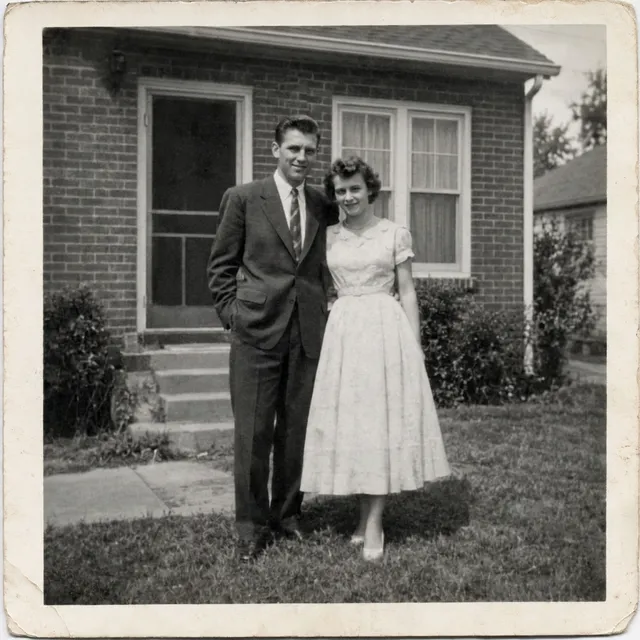
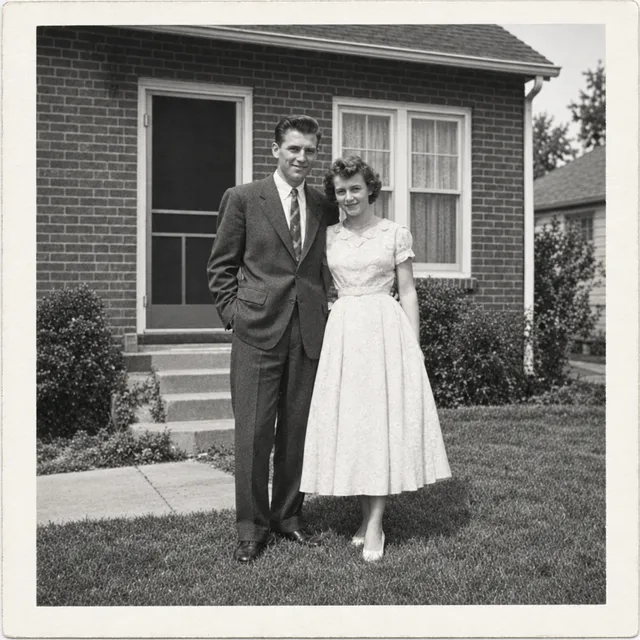
Repair a damaged 1950s print and keep it black and white. Nano Banana 2.1 removed all the damage but left a warm sepia tint. Nano Banana Pro, what Gemini’s “Redo with Pro” runs, gave the most faithful neutral black and white of all the models we tried.
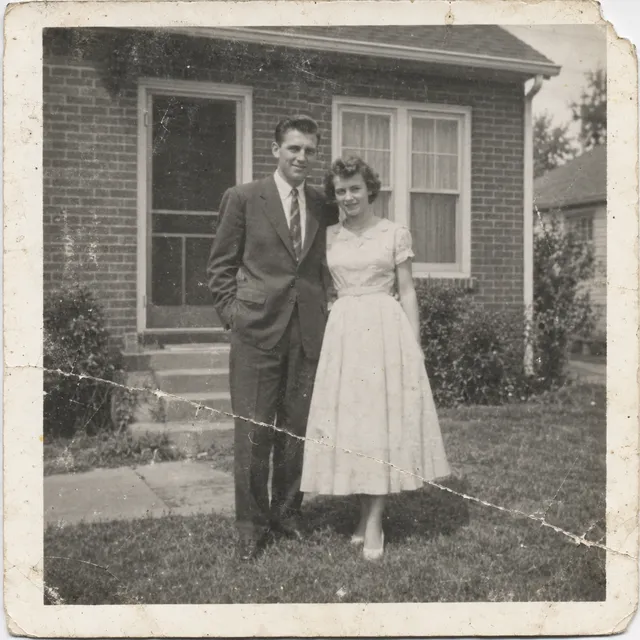
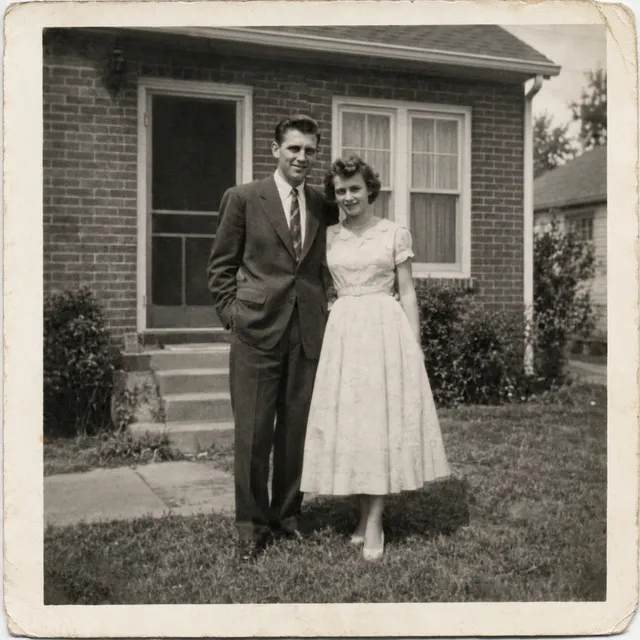
Prompt we ran
Restore this old photograph: remove the scratches, the crease, the dust spots and repair the torn corner. Improve contrast gently. Keep it black and white and keep both people's faces, clothes and poses exactly as they are.
Suggested model: Nano Banana Pro
6.Colorize a photo: name the eye colour
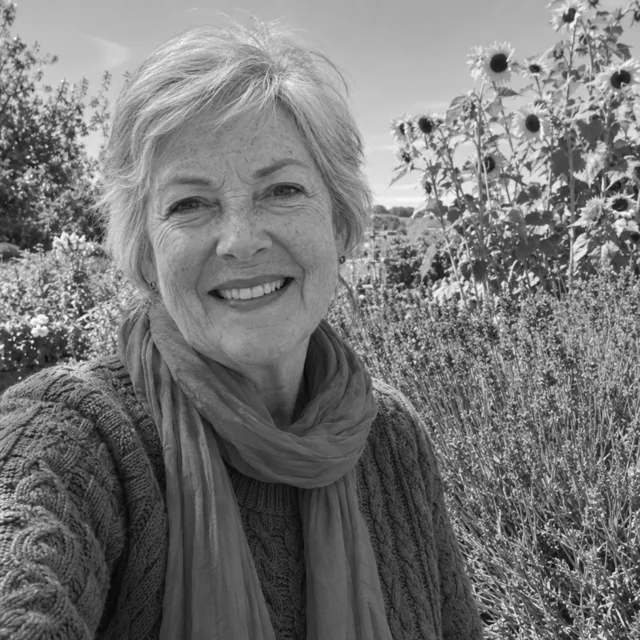
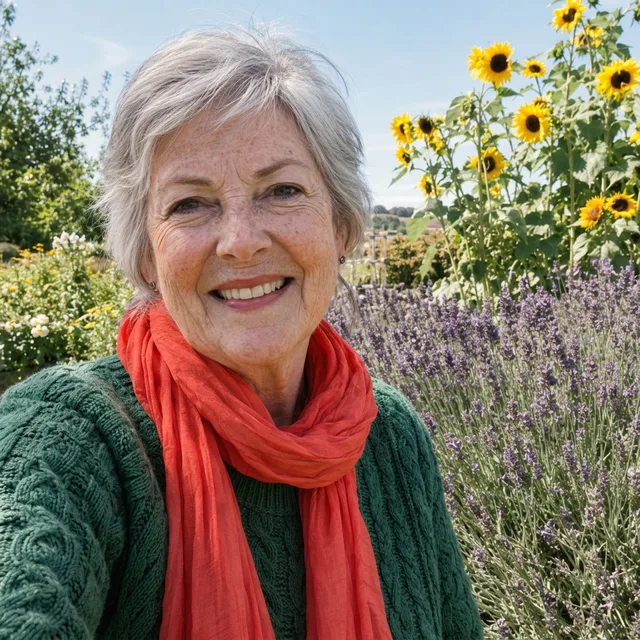
Colorizing a black and white portrait, Nano Banana 2.1 turned her gray-blue eyes hazel in every run, including the one where we named the clothing colours. Anything you do not name, it guesses; name the eye colour if you know it.
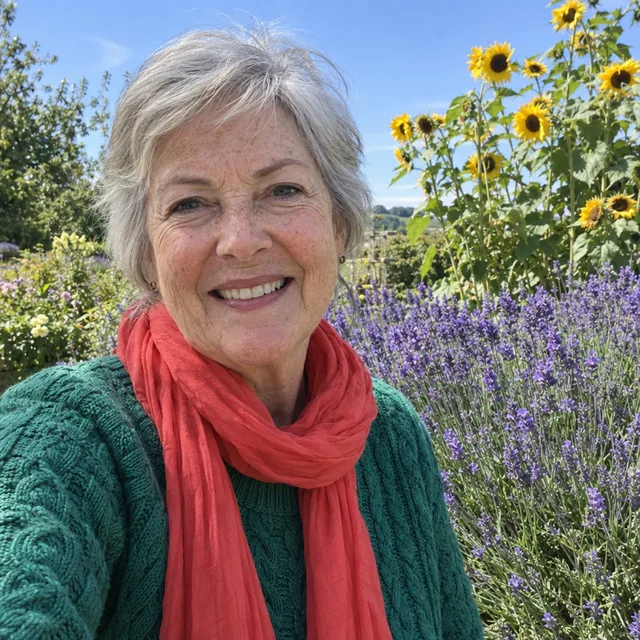
Prompt we ran
Colorize this black and white photo with natural, realistic colors. Her sweater is emerald green, her scarf is coral red, the flowers behind her are purple lavender and yellow sunflowers. Keep everything else exactly the same: her face, expression, hair, clothes, the garden and the light. Do not add or remove anything.
Suggested model: Nano Banana 2.1
Our verdict on the models behind Gemini
- Use Nano Banana 2.1 for retouching and scene changes; it kept faces in every test here.
- Expect loose placement: it put a ball beside the paw we named, and it reframed some photos. Say exactly where, and what must not move.
- On removals, check the whole background: it invented a stool and a crate, and removing one person uncovered another.
- Name colours you care about, eye colour included. It guesses everything you leave out.
- For old photos, redo with Pro: Nano Banana Pro gave the most faithful restoration in our test.
When to use which model
Gemini gives you Nano Banana, with Pro as a redo on paid plans. In AI Media Studio you can pick the model per edit, and every model draws from the same credits. Prices are for one edit in the web app.
| Model | Credits per edit | On Starter | Use it for |
|---|---|---|---|
| Nano Banana 2.11K | 9 | $0.171 | The model on Gemini’s paid plans: retouching, scene changes, two-step removals. 14 credits at 2K. |
| Nano Banana Pro1K | 30 | $0.570 | Gemini’s “Redo with Pro”: the most faithful old-photo restoration in our test. |
| GPT Image 2.5high quality | 11 | $0.209 | When placement must be exact, and for lettering. |
| Muse Imageone size, about 2.5 MP | 2 | $0.038 | The cheapest edit; faithful on old photos. |
The editor shows the credit cost before you generate. Prices checked .
What it costs
Gemini’s free plan includes image editing with Nano Banana 2, at limits Google does not publish as a number, and 1K downloads. Google AI Pro (US$19.99/month on Google’s subscriptions page, read 31 October 2026) unlocks Nano Banana 2.1, “Redo with Pro” and 2K downloads.
In AI Media Studio one edit costs 9 credits on Nano Banana 2.1 at 1K, 30 on Nano Banana Pro, 11 on GPT Image 2.5 and 2 on Muse Image. On the Starter plan ($19 for 1,000 credits a month) a Nano Banana 2.1 edit is $0.171.
Frequently asked questions
Can Gemini edit photos?
Yes. In the Gemini app choose “Create images”, upload a photo and describe the change. Google says editing images is not available to users under 18.
Which model does Gemini use to edit images?
Nano Banana. Google’s overview page says the free plan uses Nano Banana 2 and Google AI plans unlock Nano Banana 2.1, released on 6 October 2026. Paid subscribers can also choose “Redo with Pro” to run Nano Banana Pro. Our editor runs Nano Banana 2.1 and Nano Banana Pro through Google’s API.
Why did Gemini change things I did not ask it to change?
Generative editing redraws the image. In our tests Nano Banana 2.1 placed an object beside where we asked, invented a stool when removing a crowd, left an old print sepia and changed eye colour. Name what must stay the same, and compare the result with your original at full size.
Is the Gemini photo editor free? Is it free here?
Gemini’s free plan includes image editing with Nano Banana 2 at limits Google does not publish, with 1K downloads. In AI Media Studio: AI Media Studio has no free tier. Every edit needs a paid plan. Plans start at $19/month.
Nano Banana or ChatGPT for photo editing?
In our tests Nano Banana 2.1 retouched skin more and placed objects less precisely; GPT Image 2.5, the model behind ChatGPT, was the most precise at placing objects and the most restrained at retouching. For a damaged old print, Nano Banana Pro beat both. Run the same prompt on two models and keep the better result.
Can I use the same prompts here?
Yes. Every prompt on this page works in our editor; pick Nano Banana 2.1 for the model on Gemini’s paid plans (9 credits) or Nano Banana Pro for “Redo with Pro” (30 credits).
Uploads are processed by the AI provider that runs the model you pick. Retention, processors and deletion requests are covered in the privacy policy.