For creators and small businesses
AI Images for Marketing
AI-generated images for marketing can help you explore a campaign idea before you commit to a final visual. Start from a prompt or an existing photo, then inspect the result before using it in your campaign.
Image generation and photo edits require a paid plan, from $19/month. Check the credit cost before generating.
Example campaign
A little color.
A weekend for you.
Weekend watercolor workshop
One brief. A result you can inspect.
A campaign example, from brief to visual
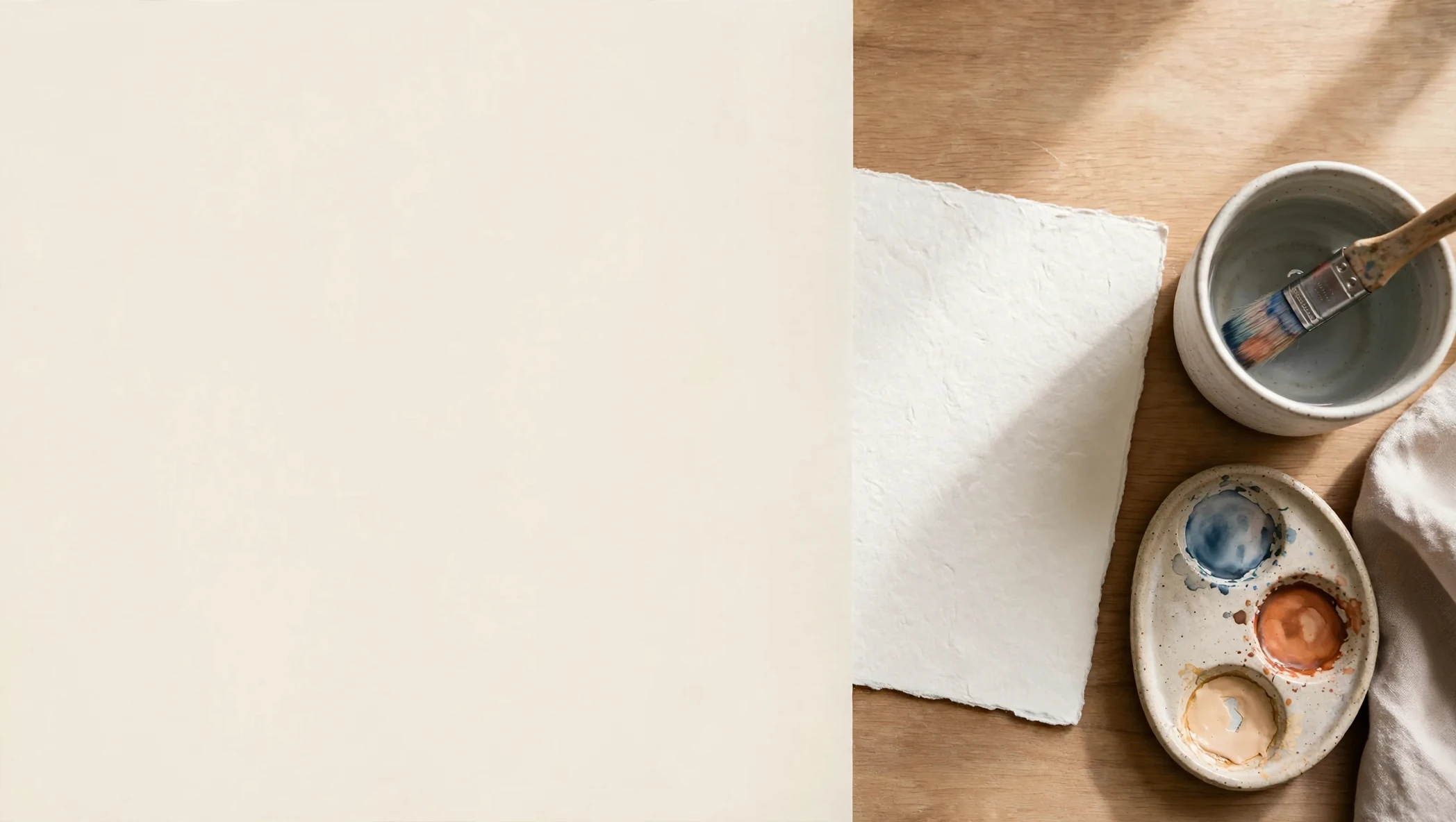
The brief: illustrate a fictional weekend watercolor workshop for a social promotion and a landing page. Use a muted blue, terracotta and cream palette, with room for a headline. We made the image from text in AI Media Studio, then used that output as the reference for one edit.
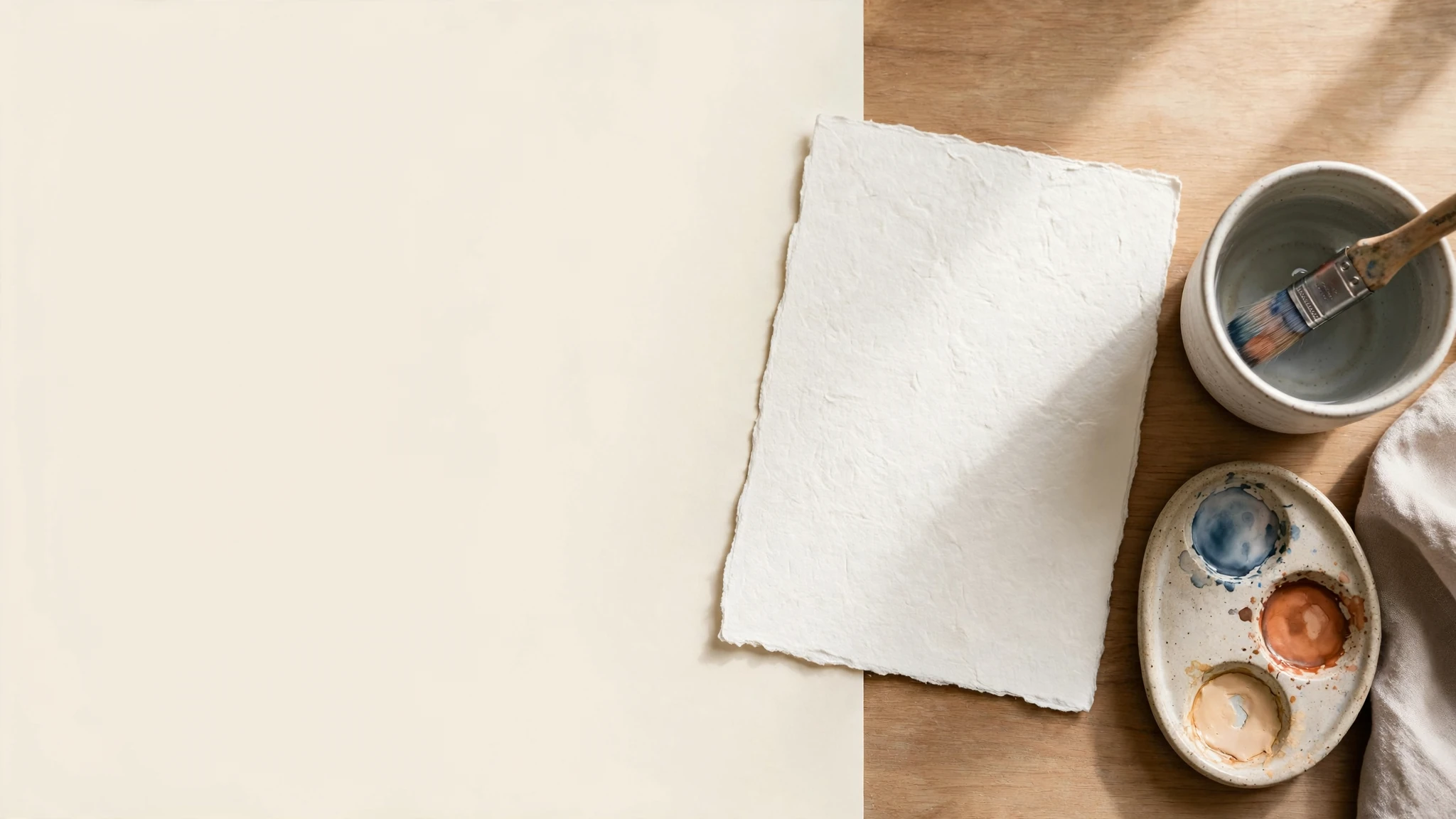
The edit moved the paper farther right, creating more copy space, but did not clear the full two-thirds requested. The output dimensions also changed. Check the actual file and the placement you need rather than assume a prompt or reference will preserve every detail.
Read and copy the original prompt
Create an editorial still life to illustrate a weekend watercolor workshop campaign. Show a wooden desk with watercolor paper, a ceramic water cup, a used brush and a small palette of muted blue, terracotta and warm cream. Use soft daylight, natural shadows and believable paper texture. Place the materials mainly on the right and leave an uncluttered cream area on the left for a headline that will be added separately. No people, readable text, logos, watermarks or claims about a real venue. The scene should feel welcoming and practical, with no exaggerated paint splashes.
Read and copy the revision instruction
Move the watercolor paper, water cup, brush and palette farther to the right so the left two-thirds of the image is an uncluttered warm cream background for a headline. Keep the muted blue, terracotta and cream palette, natural daylight and paper texture. Keep the scene wide. Do not add readable text, logos, people or new objects.
Generated in AI Media Studio on October 12, 2026. Each run requested one output; both downloaded as PNG, then were compressed to WebP for this page without resizing. These two runs are examples, not a benchmark. View the example settings and prompts.
How to create a marketing image
1. Brief the placement and message
Name the audience, offer, palette and where the image will appear. Leave space for the headline and check the dimensions your placement requires.
2. Choose your starting point
Use a prompt to explore a scene, or edit a photo you already have. For an actual product, start with its real photo and inspect the result for changes to labels and shape.
3. Check the model and credit cost
Choose an available aspect ratio and review the displayed cost before generating. Use the model comparison to see example tradeoffs, not a guarantee of your own result.
4. Review, refine and place
Inspect small details and the downloaded dimensions. Make one clear revision at a time, then review the crop and add your campaign text separately.
Need help writing the instruction? Use the text-to-image prompt examples. The image generation workflow explains the prompt-first path.
Where these visuals fit
Social promotion
One clear subject, with space for a short message.
Landing-page image
A wider composition beside your headline and action.
Newsletter header
A simple image that still reads at a small size.
Make room
for a little color.
Your weekend.
In watercolor.
When to use AI, stock images or real photos
| Your need | A useful starting point | What to check |
|---|---|---|
| Explore a campaign concept | AI-generated scene or illustration | Does the result communicate the idea without implying it documents a real event? |
| Add a generic supporting visual | A licensed stock image | Does the selected asset and its actual license suit this placement? |
| Show the real offer, team or product | A genuine photo, with reviewed edits | Does it accurately represent what the customer receives? |
For product-specific scenes and listing needs, use the AI product photography workflow.
Keep the look consistent and check the details
Reuse a short creative brief with the same palette, lighting, subject and composition. A reference can help you refine an image, but review every output for changed objects, textures and copy space. This is a repeatable working method, not a promise of automatic brand-kit application.
Inspect faces, hands, labels and small text before publishing. Compare against the original when accuracy matters, and choose a genuine photograph when the picture must document your real offer.
Before you generate
Image generation and photo edits require a paid plan, from $19/month. Review the plans and credits and the cost shown in the studio before each run. Model choice and output settings can affect that cost.
Paid plans include a commercial license, subject to the current terms of use. Check your source material and the result before publishing.
Questions about AI marketing images
Can I use AI-generated marketing images commercially?
Paid plans include a commercial license, subject to the current terms. Check the rights to your source material and review the result before publishing. We do not promise unrestricted rights for every project.
Is image generation included without a paid plan?
No. Image generation and photo edits require a paid plan, from $19/month.
Can I make different sizes for ads and social posts?
Choose from the aspect ratios available in your selected model. Our text-to-image example used 16:9 and returned 2048 × 1152 pixels; the reference edit returned 2096 × 1184 pixels. Inspect the actual output, then review each crop for its placement. We do not promise every network format or automatic resizing.
How do I keep campaign images consistent?
Reuse a brief that specifies your palette, lighting, subject and composition, then review each output. Start from a reference image when you want to refine an existing result. A prompt can guide a look, but it does not guarantee identical details or replace a brand review.
For commercial use, read the terms of use.