Box mockup generator
Box mockup generator: your logo or label on a box, mailer or pouch
To make a box mockup, upload a photo of a plain box and your logo or label artwork as the second photo, and ask for the artwork on the lid or front panel while the box and the background stay as they are. Without a box photo, upload only the artwork and describe the box. The AI redraws the whole photo, so it can change text and fine detail on your artwork: compare the mockup with your file before you show it. It is a picture for a pitch, a launch post or a crowdfunding page, not a dieline, a 3D model or a print file. One mockup costs 15 credits on GPT Image 2.6 with a box photo, or 9 on Nano Banana 2.1, and you see the cost before you generate.
Every edit needs a paid plan. Plans start at $19/month. Paid plans include a commercial license.
How do I make a box or packaging mockup?
- 01
Photograph a plain box, or describe one
A blank mailer, shipping box or carton, at a slight angle with the panel you want printed facing the camera. No sample yet? Upload only the artwork and describe the box, as in the carton idea below.
- 02
Add the logo or panel artwork
A flat PNG or JPG of the logo, label or front panel, large enough that the smallest text is easy to read. Upload it after the box photo.
- 03
Say where it goes and how it is printed
“Print the logo from the second image on the lid of the mailer box in the first photo, centered.” Name the print style (one color on kraft, full color, gold foil) and what must stay.
- 04
Check the artwork on the mockup
Compare the logo, colors and every word with your file at full size. If something changed, run it again from the original photos, not from the result.
Box and packaging mockup ideas, with prompts to copy
Each idea has a prompt to copy. The pattern stays the same: which photo is the box and which is the artwork, or a description of the box, where the artwork goes, and everything that must stay.
1.Logo on a mailer or shipping box
The usual mailer box mockup for an online shop: a kraft box with a one-color logo on the lid. Start from a photo of the blank box you plan to order, so the shape and board color match.
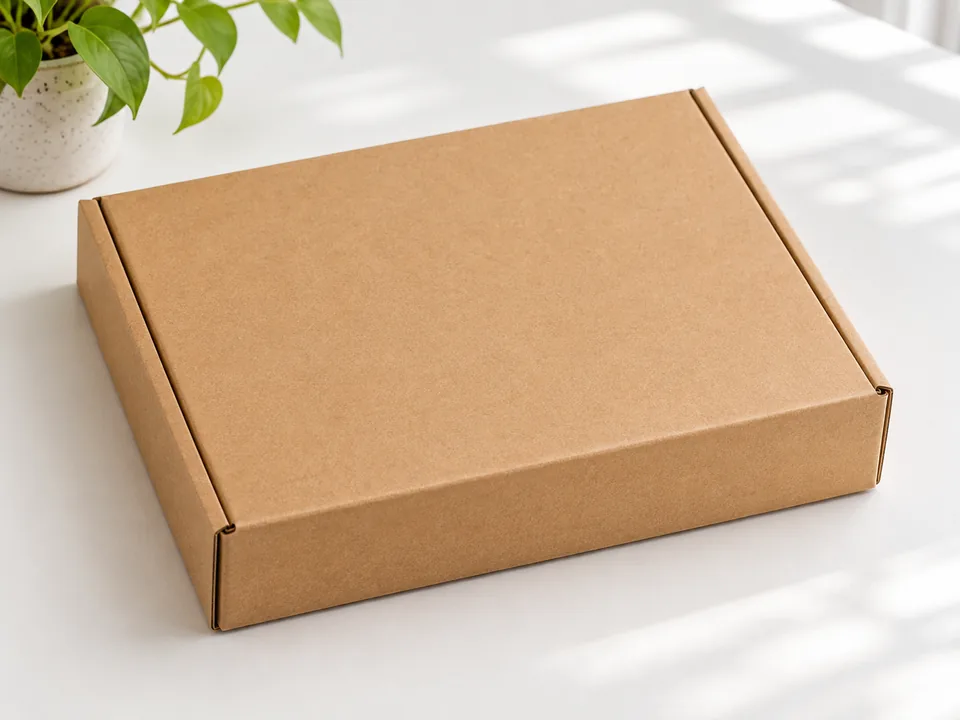
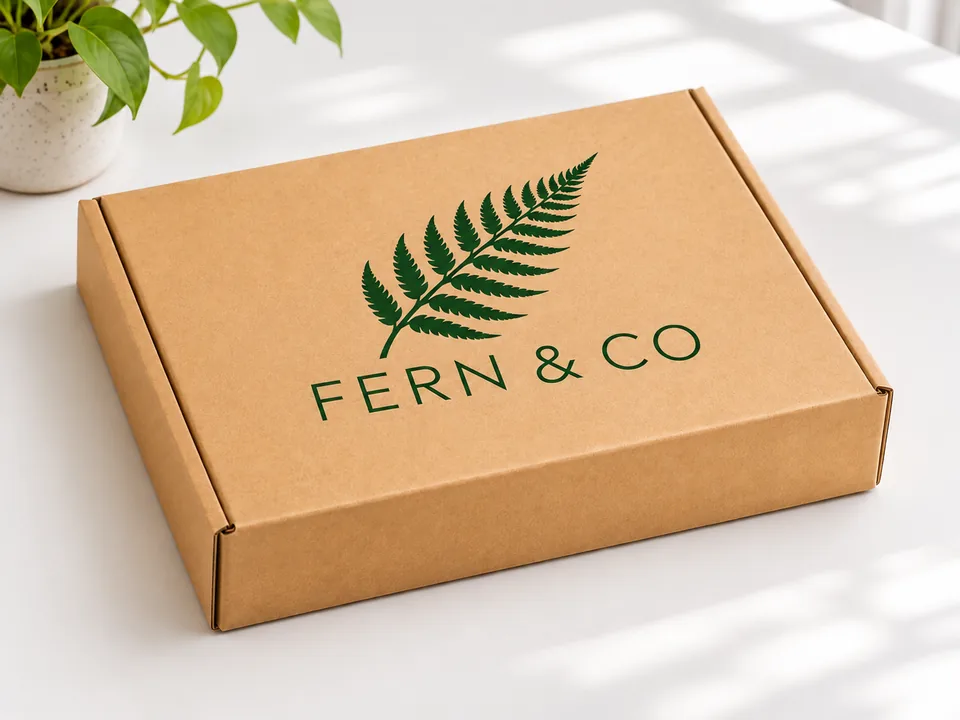
- Upload the box first and the logo second, and say so in the prompt.
- Name the print style: one color on kraft, full color on white board, or foil.
- Read the lettering of the logo on the mockup against your file.
- The mockup does not tell you whether the logo fits your supplier’s print area. Ask them for the dieline.
- Uploads are processed by the AI provider that runs the model you pick. Retention, processors and deletion requests are covered in the privacy policy.
Prompt to try
Print the logo from the second image on the lid of the mailer box in the first photo, centered, in one color like a flexo print on kraft board, following the box's surface and perspective. Copy the artwork exactly: the same shapes, colors and text, letter for letter, with nothing added. Keep the box, its shape, the kraft texture, the background and the light exactly as they are.
Suggested model: GPT Image 2.6
2.Retail carton from a flat front panel
For a product box on a shelf, such as a tea, cereal or cosmetics carton, upload the flat front panel and describe the carton and the scene. The model draws the box around your panel and invents its sides. In this example it kept the panel but left out the scene: no shelf and no mug. If that happens, run it again from the panel, or ask for the carton first and the scene in a second edit.
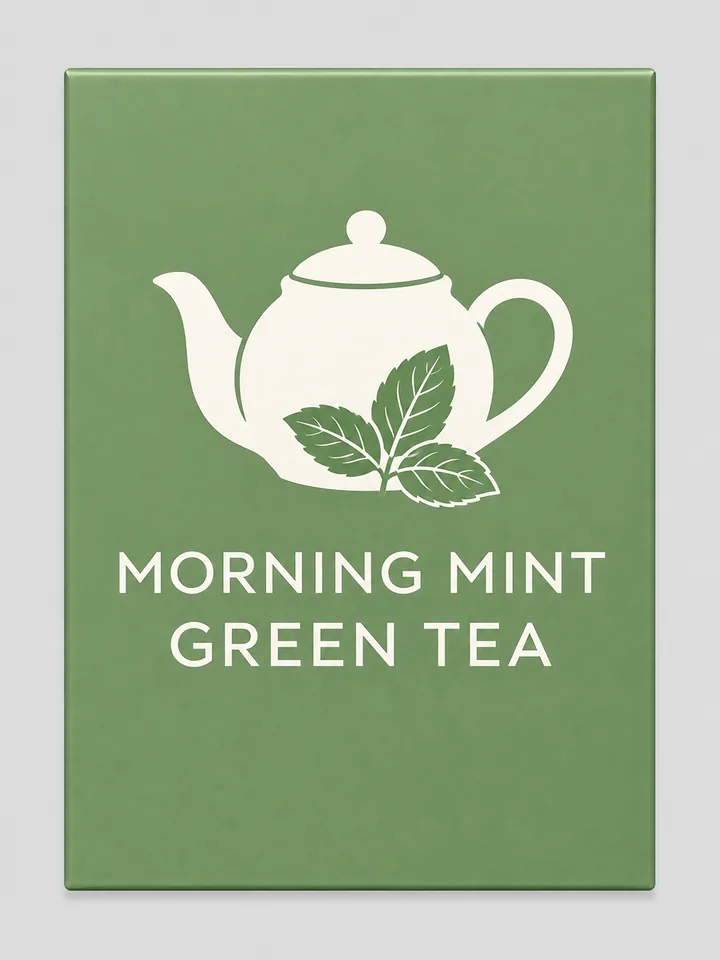
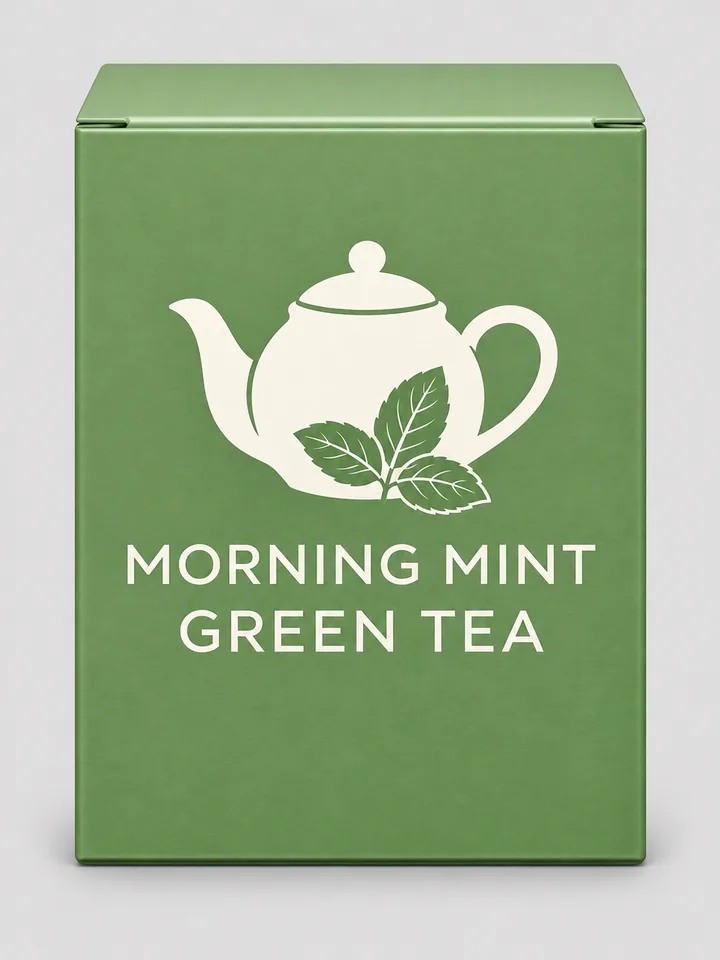
Prompt to try
Make a photo of a rectangular tea carton standing on a kitchen shelf next to a ceramic mug, with the artwork from this image as its front panel, facing the camera and turned slightly to the left. Copy the artwork exactly: the same shapes, colors and text, letter for letter, with nothing added. Plain sides in the front panel's main color. Soft morning light.
Suggested model: GPT Image 2.6
3.Gift box with a foil logo
For a premium look, describe a rigid gift box, its color and the finish of the logo: gold or silver foil, embossing or a printed sleeve. The finish is a picture of the idea, not a sample of the material.
Prompt to try
Make a photo of a square gift box with a separate lid, in matte white, with the logo from this image printed in gold foil in the center of the lid, on a marble table with a sprig of eucalyptus. Copy the artwork exactly: the same shapes, colors and text, letter for letter, with nothing added.
Suggested model: GPT Image 2.6
4.Label on a pouch, jar or bottle
The same pattern works for packaging that is not a box: a label on a stand-up pouch, a jar or a bottle. Name the container and ask for the label to follow its curve.
Prompt to try
Make a photo of a matte stand-up pouch on a light stone counter, with the label from this image on its front, centered and following the pouch's curve. Copy the artwork exactly: the same shapes, colors and text, letter for letter, with nothing added.
Suggested model: GPT Image 2.6
5.Show the front and a side with their own artwork
An edit takes up to four images. Upload the box photo, then the front panel and a side panel, and say which artwork goes on which face. Anything you do not upload, such as the back or the bottom, is drawn by the model. Each angle of the box is its own edit.
What an AI box mockup can and cannot do
- It shows your artwork on a box in a scene, for a pitch deck, a launch post, a crowdfunding page or a quick decision between two designs.
- It is not pixel-exact. The model redraws the artwork with the box, so small text, barcodes and thin lines can change. Compare every mockup with your file.
- It makes no dielines, no print-ready files and no 3D model. Your packaging supplier provides the dieline and a physical sample.
- It invents what you did not upload: sides, inside, flaps and the back.
- Already have the packaged product? Photograph it and use the packaging mockup template on the AI mockup generator, or see food packaging product photography.
Which model to use
Both models run in the same editor and draw from the same credits. Prices are for one mockup in the web app.
| Model | Credits per edit | On Starter | Use it for |
|---|---|---|---|
| GPT Image 2.6high quality, with two images | 15 | $0.285 | 13 credits plus 2 for the second image. From the artwork alone it costs 13. The examples on this page use it. |
| Nano Banana 2.11K | 9 | $0.171 | No charge for the second image. Run the same prompt on both models if the lettering matters and keep the closer result. |
The editor shows the credit cost, including any extra image, before you generate. Prices checked .
What a box mockup costs
One mockup with a box photo and a logo costs 15 credits on GPT Image 2.6 (13 plus 2 for the second image), 13 from the artwork alone, or 9 on Nano Banana 2.1 at 1K. On the Starter plan ($19 for 1,000 credits a month) that is $0.171 to $0.285 per mockup. Two designs on the same box are two edits.
Every edit needs a paid plan. Plans start at $19/month. Unused subscription credits roll over, downloads carry no watermark, and paid plans include a commercial license.
Frequently asked questions
What is a box mockup?
A box mockup is a picture of a box with your logo or packaging design on it, made before the box is produced. Brands use it to choose between designs, to show packaging in a pitch or on a crowdfunding page, and to announce a product before stock arrives. A packaging mockup is the same idea for any container: a pouch, a jar, a bottle or a bag.
How do I create a packaging mockup?
Upload a photo of a plain box or container, then your artwork as the second image, and write where it goes, such as “Print the logo from the second image on the lid of the mailer box in the first photo, centered.” Without a container photo, upload only the artwork and describe the box. Then compare the mockup with your file at full size.
Why use packaging mockups for a product launch?
A mockup lets you show the packaging before it exists: in a pre-launch post, a crowdfunding page, a retailer pitch or a survey that asks which design buyers prefer. It is also a cheap way to compare two or three designs before you pay for printed samples. Replace mockups with photos of the real packaging once you have it.
Can it make a 3D box mockup?
It makes a photo with a three-dimensional look: a box at an angle with depth, light and shadow. It is not 3D packaging software, so you cannot rotate the box or unfold it, and each angle is a new edit. For a rotatable 3D model built from a dieline, use dedicated 3D packaging software.
Can it make a dieline or a print-ready file?
No. A dieline comes from your packaging supplier or a packaging designer, and the print file is built on it. A mockup here is a picture for decisions and marketing, made from a flat image of your artwork.
Where can I get physical packaging mockups made quickly?
Physical samples and prototypes come from packaging printers and prototyping services, usually from your dieline and print file. An AI mockup does not replace them, but it helps you pick the design before you order a sample, and it gives you pictures to use while the sample is on its way.
Will the logo and text on my box stay exact?
Not guaranteed. The model redraws the artwork with the box, so small text, ingredient lists, barcodes and thin lines can change. Upload a large, sharp file, ask for an exact copy, and read the mockup against your file. Never use a mockup to check legal text or a barcode.
Can I make a mailer box or shipping box mockup?
Yes. Photograph a blank mailer or shipping box, or describe one, and upload your logo as the second image, as in the mailer box idea above. Name the print style, such as one color on kraft board, so the logo looks printed rather than pasted on.
Can I make a cereal, pizza or gift box mockup?
Yes. Describe the box in the prompt: a tall cereal carton, a flat pizza box, a rigid gift box with a lid. Upload the front panel or the logo as the image. The model draws the box from your words, so it shows the idea of the box, not your supplier’s exact model.
Can I put a label on a pouch, jar or bottle?
Yes. Upload the flat label and describe the container, or upload a photo of the blank container and the label, and ask for the label to follow the curve. Read the label text on the mockup closely: curved surfaces are where lettering most often bends or changes.
I already have the packaged product. Which page do I need?
Start from a photo of the real product instead of a mockup. The AI mockup generator turns one product photo into listing images, including a packaging mockup template, and product background replacement puts the photo on white or in a new scene.
Is there a template or PSD for box mockups?
No. There is no template library and no PSD export: every mockup is an AI edit from your photos or a description. Template sites such as Canva place artwork on boxes they already photographed; the Canva mockup generator comparison explains that route.
Is there a free box mockup generator?
AI Media Studio has no free plan: plans start at $19/month. What each mockup tool gives you without paying compares the template tools and their limits.
How much does a box mockup cost?
15 credits on GPT Image 2.6 with a box photo and a logo, 13 from the artwork alone, or 9 on Nano Banana 2.1 at 1K. Every edit needs a paid plan. Plans start at $19/month.
Uploads are processed by the AI provider that runs the model you pick. Retention, processors and deletion requests are covered in the privacy policy.