T-shirt mockup generator
T-shirt mockup generator: put your design on a shirt photo
To make a t-shirt mockup, upload a photo of a blank shirt, add your design as the second photo, and ask for the design on the chest while the shirt, its folds and the background stay as they are. The AI redraws the whole photo with the print, so it can change small details of your design, especially lettering: compare the mockup with your file before you post it. There are no stock templates or PSD files here; you bring the shirt photo or describe the shirt. One mockup costs 15 credits on GPT Image 2.6 or 9 on Nano Banana 2.1, and you see the cost before you generate.
Every edit needs a paid plan. Plans start at $19/month. Paid plans include a commercial license.
How do I make a t-shirt mockup?
- 01
Take or pick a photo of a blank shirt
A plain t-shirt on a hanger, laid flat or worn, straight on, in even light. White and black shirts both work. No shirt photo? Describe the shirt instead, as in the hoodie idea below.
- 02
Add your design as the second photo
Export the design as a PNG or JPG on a plain background, large enough that the smallest text is easy to read. Upload it after the shirt photo.
- 03
Say where the print goes and what stays
“Print the design from the second image on the chest of the t-shirt in the first photo, centered.” Then list what must stay: the shirt color, the folds, the hanger and the background.
- 04
Check the print against your design
Zoom in and compare shapes, colors and every letter with your file. If something changed, run it again from the original shirt photo, not from the result.
T-shirt mockup ideas, with prompts to copy
Each idea has a prompt to copy. The pattern stays the same: which photo is the shirt, which is the design, where the print goes, and everything that must stay.
1.White t-shirt mockup from a photo of your shirt
The classic print-on-demand shot: a white tee on a hanger or laid flat, with your design on the chest. A plain background and even light give the model a clean surface to print on.
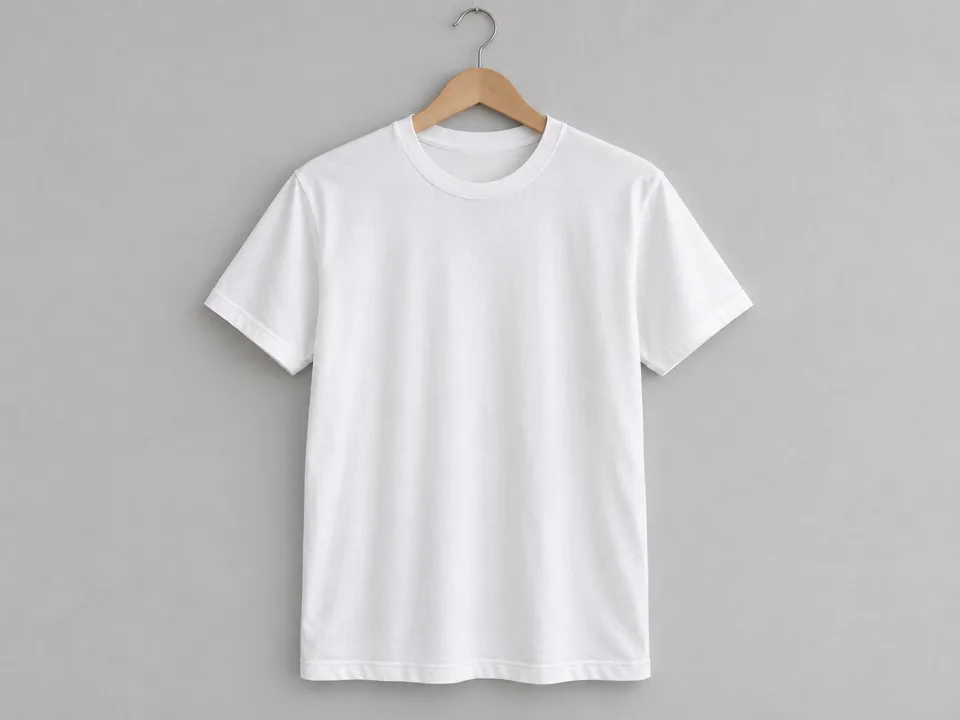

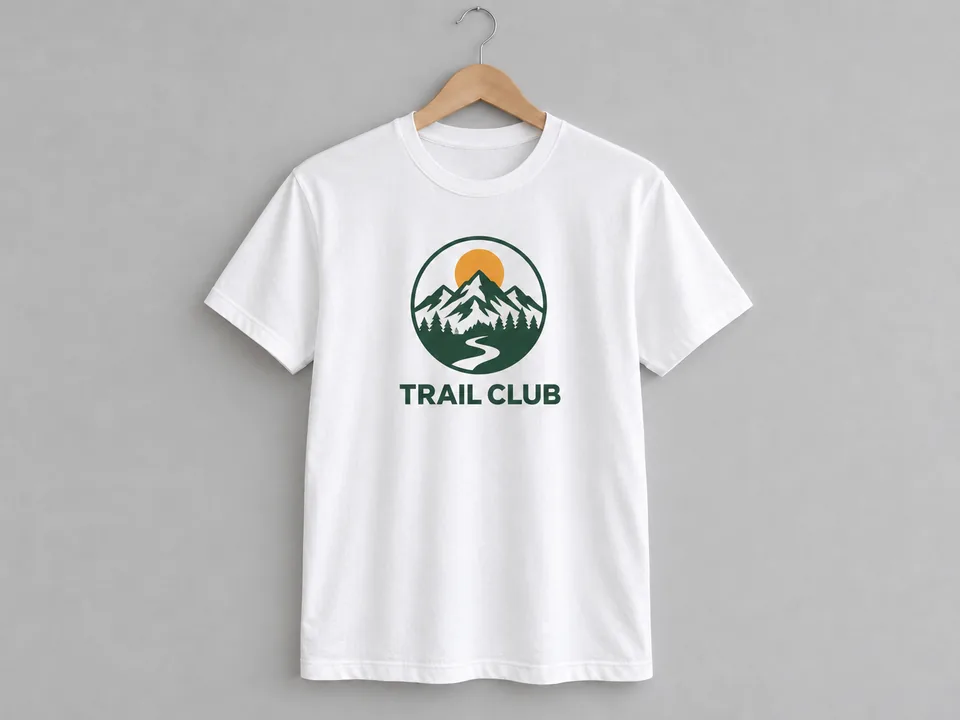
- Upload the shirt first and the design second, and say so in the prompt.
- Name the placement and size: centered on the chest, a third of the shirt’s width, or a small logo on the left chest.
- Lettering is where the model most often slips. Read every word of the mockup against your file.
- The mockup is a picture for your listing, not a print file: your print shop works from your original design.
- Uploads are processed by the AI provider that runs the model you pick. Retention, processors and deletion requests are covered in the privacy policy.
Prompt to try
Print the design from the second image on the chest of the t-shirt in the first photo, centered, about a third of the shirt's width, following the folds and the cotton texture like a screen print. Copy the design exactly: the same shapes, colors and text, letter for letter, with nothing added. Keep the t-shirt, its color, folds and seams, the hanger, the background and the light exactly as they are.
Suggested model: GPT Image 2.6
2.Black t-shirt mockup
On a black shirt, a design printed in light colors is what buyers expect to see. Say that the shirt stays black and that the print keeps the design’s own colors. Export the design on a transparent background if you can: in this example part of the white background ended up on the shirt.
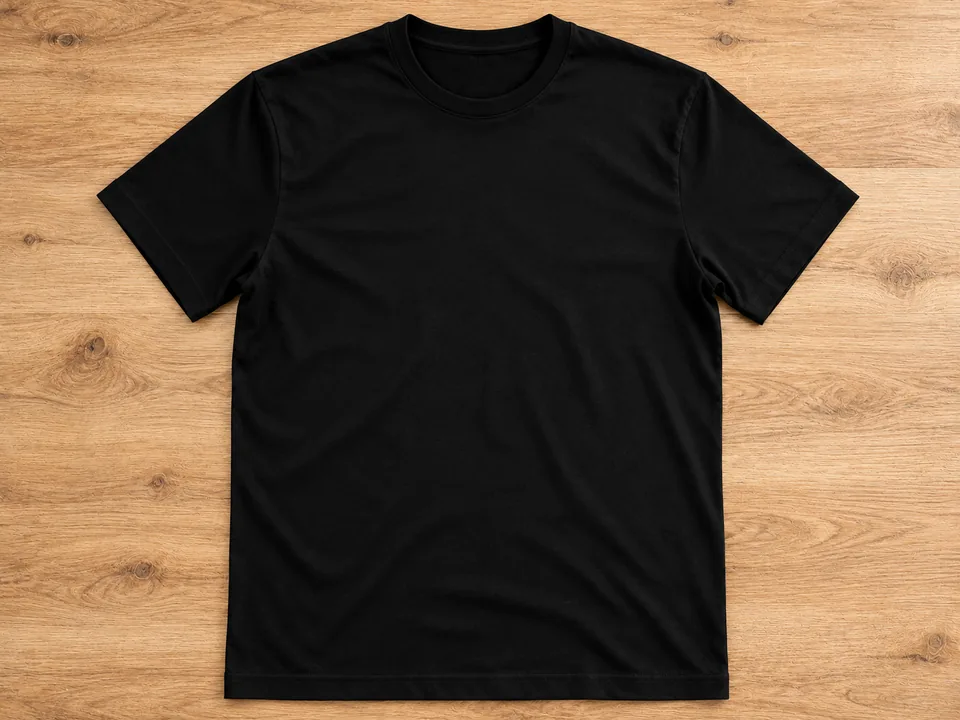
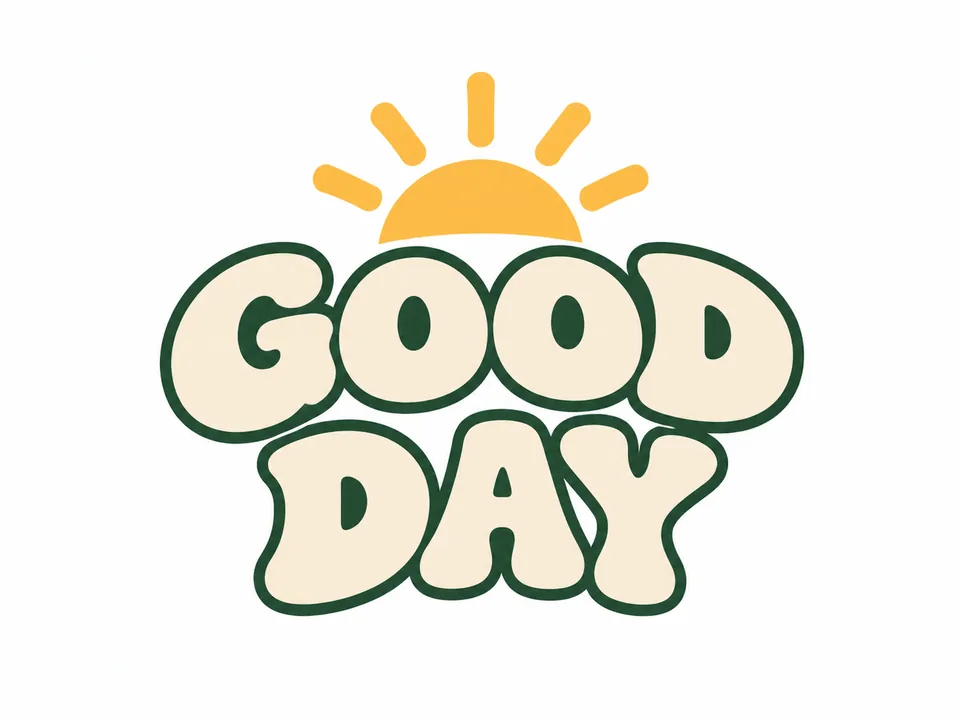
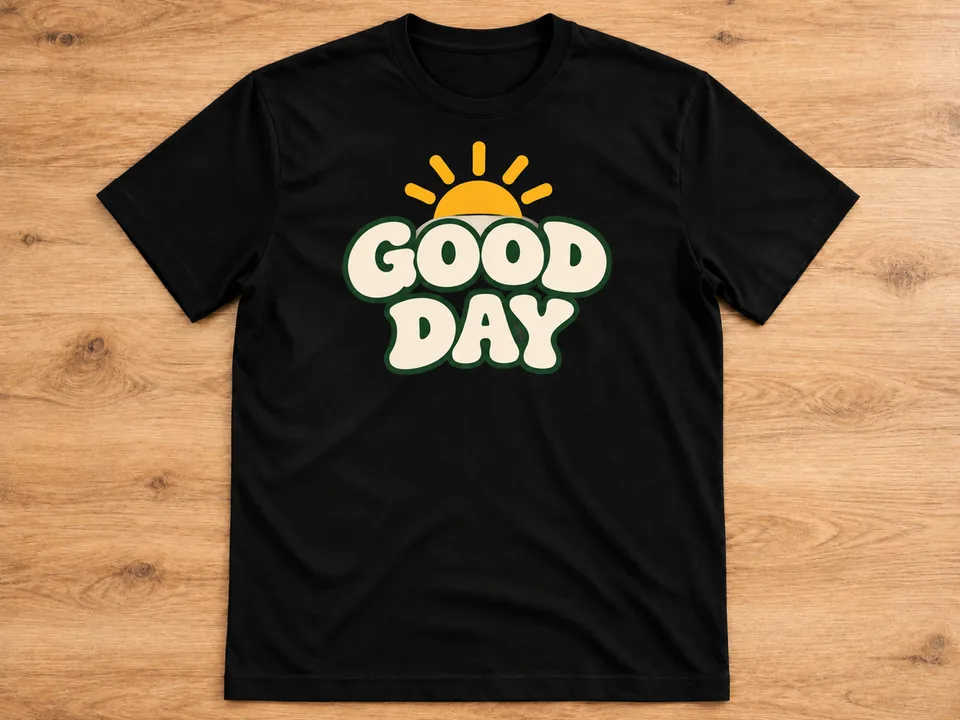
Prompt to try
Print the design from the second image on the chest of the black t-shirt in the first photo, centered, about a third of the shirt's width, in the design's own light colors, following the folds and the cotton texture like a screen print. Copy the design exactly: the same shapes, colors and text, letter for letter, with nothing added. Keep the t-shirt, its color, folds and seams, the hanger, the background and the light exactly as they are.
Suggested model: GPT Image 2.6
3.The same shirt, worn
Once a flat mockup looks right, use it as the only photo and ask for the same shirt worn by a person. Cropping below the chin keeps the focus on the print and avoids a face you would have to check. This example starts from the white t-shirt mockup above: the words stayed, but the print grew, so check the size against your flat mockup.
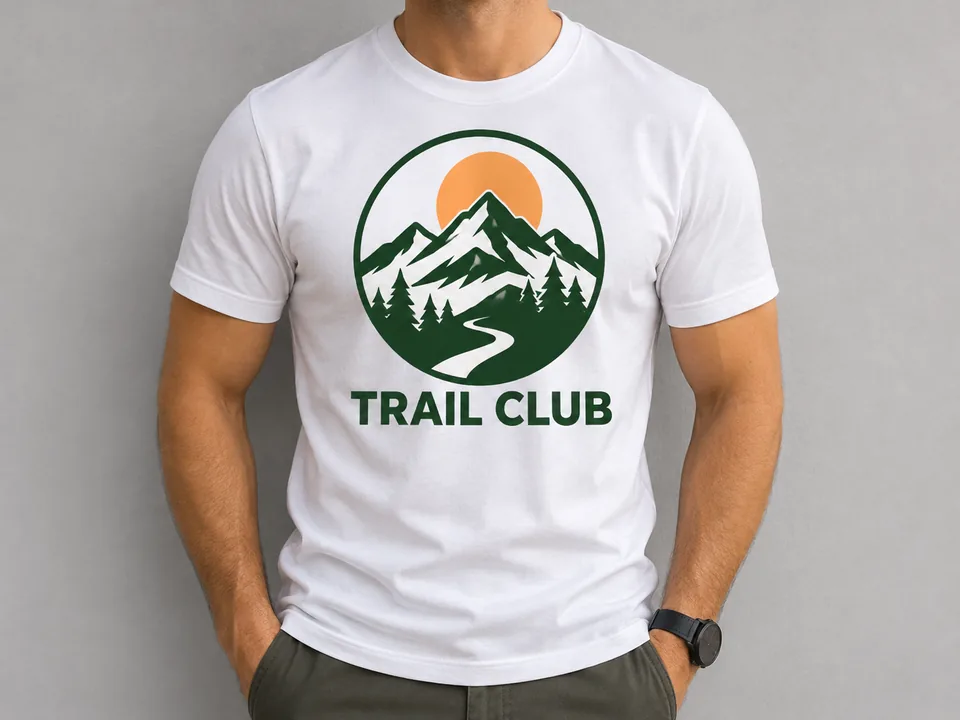
Prompt to try
Show the t-shirt from this photo, with the same print in the same place and at the same size, worn by a man standing in front of a plain light grey wall, cropped from the chin to the waist so no face is shown. Copy the print exactly: the same shapes, colors and text. Soft daylight.
Suggested model: GPT Image 2.6
4.Hoodie and other clothing, described instead of photographed
No blank to photograph? Upload only the design and describe the garment: a hoodie, a sweatshirt, a tank top or a tote bag, its color and how it is shown. The model draws a garment that matches the words, so treat it as a presentation shot, not a picture of the blank you will order.
Prompt to try
Make a photo of a heather grey pullover hoodie on a wooden hanger against a white wall, with the design from this image printed on the chest, centered, following the fabric. Copy the design exactly: the same shapes, colors and text, letter for letter. Soft daylight.
Suggested model: GPT Image 2.6
5.One design on several shirt colors
Run each shirt color as its own edit with the same design file, then put the mockups next to each other. Using the same shirt photo style for every color keeps the set consistent. Each color is one edit, so four colors cost four edits.
What an AI t-shirt mockup can and cannot do
- It shows how a design looks on a shirt: placement, size and how the colors sit on white or black fabric.
- It is not pixel-exact. The model redraws the design with the shirt, so thin lines, small text and exact colors can change. Compare every mockup with your file.
- It is not a template library: there are no stock shirt templates, PSD files or smart objects, and nothing to export for printing.
- It does not check print quality, ink colors or print size. Ask your print shop or print-on-demand supplier for a sample.
- For photos of a shirt that is already printed, start from that photo instead: ghost mannequin photos for apparel listings, or the AI mockup generator for product listings.
Which model to use
Both models run in the same editor and draw from the same credits. Prices are for one mockup in the web app.
| Model | Credits per edit | On Starter | Use it for |
|---|---|---|---|
| GPT Image 2.6high quality, with a design file | 15 | $0.285 | 13 credits plus 2 for the design file as the second photo. The examples on this page use it. |
| Nano Banana 2.11K | 9 | $0.171 | No charge for the second photo. Run the same prompt on both models if the lettering matters and keep the closer result. |
The editor shows the credit cost, including the extra photo, before you generate. Prices checked .
What a t-shirt mockup costs
One mockup with a design file costs 15 credits on GPT Image 2.6 (13 plus 2 for the second photo) or 9 on Nano Banana 2.1 at 1K. On the Starter plan ($19 for 1,000 credits a month) that is $0.171 to $0.285 per mockup. Four shirt colors are four edits.
Every edit needs a paid plan. Plans start at $19/month. Unused subscription credits roll over, downloads carry no watermark, and paid plans include a commercial license.
Frequently asked questions
What is a t-shirt mockup?
A t-shirt mockup is a photo of a shirt with your design on it, made before the shirt is printed. Sellers use it in print-on-demand and shop listings, designers use it to show a client the design, and brands use it to test a design before ordering stock. Template sites place your design on a stock shirt photo; this guide does it with an AI edit of a shirt photo you choose.
How do I make a t-shirt mockup?
Upload a photo of a blank shirt, then your design as the second photo, and write “Print the design from the second image on the chest of the t-shirt in the first photo, centered.” Add what must stay, such as the shirt color, the folds and the background. Then compare the mockup with your design file at full size.
Can I make a black or white t-shirt mockup?
Yes. Start from a photo of a black or a white shirt and say in the prompt that the shirt keeps its color. On a black shirt, ask for the design in its own light colors so the model does not lighten the fabric or darken the print.
Will my design stay exactly the same?
Not guaranteed. The model redraws the whole photo with the print, so thin lines, small text and exact colors can change. Upload a large, sharp design file, ask for an exact copy, and read every letter of the mockup against your file. Your print shop always works from the original design, never from the mockup.
Can I use a photo of my own shirt?
Yes, that is the point of it: your blank, in its color and cut, photographed the way your shop looks. If the shirt is already printed and you need listing photos of it, start from that photo with ghost mannequin photos or the AI mockup generator for product listings.
How do I get t-shirt mockups for my Shopify store?
Make one mockup per design and shirt color, download it, and add it to the product in Shopify as you would any product photo. Keep every mockup in the same shirt photo style so the collection looks consistent. The Shopify image size guide lists the sizes Shopify recommends, and the Shopify product photo editor covers photos of products you already have.
Should I use a free or a paid t-shirt mockup tool?
AI Media Studio has no free plan: plans start at $19/month. A template site is the quicker pick when one stock shirt photo with your design on it is all you need. An AI edit fits when you want your own shirt photo, a worn shot or a shirt described in words. What each mockup tool gives you without paying compares the limits of each option.
How do I make a t-shirt mockup in Photoshop?
In Photoshop, a t-shirt mockup is usually a PSD template with a smart object: you paste your design into the smart object and a displacement map bends it to the folds. That gives exact placement but needs a template for every shirt and pose. This guide works without Photoshop or a template, and it does not export PSD files.
How can I see a t-shirt design before printing?
A mockup shows the look: placement, size and how the colors sit on the fabric. It cannot show the real ink color, the print size in centimeters or how the print feels. For those, order a sample from your print shop or print-on-demand supplier before you order in bulk.
Can I make a hoodie or other clothing mockup?
Yes. Upload a photo of the blank hoodie, sweatshirt or tote bag with your design, or upload only the design and describe the garment, as in the hoodie idea above. A described garment is drawn from your words, so it shows the idea, not the exact blank you will order.
How is this different from Canva’s t-shirt mockups?
Canva places your design on t-shirt templates it already photographed, inside its design editor. This guide starts from a shirt photo you choose, or a shirt you describe, and redraws it with your design. The Canva mockup generator comparison covers Canva’s mockups and pricing in detail.
Can I use the mockups in my shop and ads?
Paid plans include a commercial license for what you generate, so you can use the mockups in listings, on your website and in ads. The design itself must be yours or licensed to you, and the shirt in the mockup should match the shirt buyers receive.
How much does a t-shirt mockup cost?
15 credits on GPT Image 2.6 with a design file, or 9 on Nano Banana 2.1 at 1K. Every edit needs a paid plan. Plans start at $19/month.
Uploads are processed by the AI provider that runs the model you pick. Retention, processors and deletion requests are covered in the privacy policy.