AI shirt design
AI t-shirt design generator: create a shirt design from a prompt
To design a t-shirt with AI, describe the graphic, the colors and the exact words, and ask for a flat graphic centered on a plain background with no shirt in the picture. Then remove the background so you get a transparent PNG, check every letter, and preview the design on a shirt before you order or list it. A design costs 15 credits on GPT Image 2.6 and Remove background 4 more. The largest image is 4K and there is no print file export, so check what your print shop asks for.
Every edit needs a paid plan. Plans start at $19/month. Paid plans include a commercial license.
How do I design a t-shirt with AI?
- 01
Start from the shirt
Pick the shirt color first: a design for a black shirt needs light, bright colors, a design for a white shirt dark ones. Fewer colors also print more cheaply with screen printing.
- 02
Describe the graphic and the words
Subject, style, three to five colors, and the text in quotation marks. End with “a flat graphic centered on a plain white background, no t-shirt, no mockup”, or the model draws a shirt photo instead of a design.
- 03
Check it and remove the background
Read every letter: image models still misspell. Then open the result and use Remove background with a transparent canvas, so no white box prints around the design.
- 04
Preview it on a shirt
Upload a shirt photo and your design to the t-shirt mockup generator and see the print at chest size before you order or list it.
T-shirt design ideas, with prompts to copy
Every prompt asks for a flat graphic, not a photo of a shirt. Change the words, the colors and the subject to make the design yours.
1.A text t-shirt design
Lettering is where AI designs fail most often, so give the words in quotation marks, say how many lines, and end with “spell every word exactly as written”. GPT Image 2.6 spelled every word right in our three mockup runs; still read each letter before you print.
Prompt to try
A bold text design that reads “SUNDAY MORNING CLUB” in rounded retro capitals, stacked on three lines, cream letters with a thick dark green outline, a small steaming coffee cup above the words. A flat graphic for a t-shirt print, centered on a plain white background, no t-shirt, no mockup, no shadow, no border. Spell every word exactly as written.
Suggested model: GPT Image 2.6
2.A vintage badge
Round badges work on the chest and on the back. Name the scene inside the circle, the words around it and a limited palette; “slightly faded print texture” gives the worn look without blurring the edges.
Prompt to try
A vintage round badge: a desert road running toward a setting orange sun between two cactus silhouettes, a sky in three bands of orange, pink and purple, the words “HIGH DESERT” in bold capitals arched along the top of the circle. Limited palette of five colors, slightly faded print texture. A flat graphic for a t-shirt print, centered on a plain white background, no t-shirt, no mockup, no shadow, no border.
Suggested model: GPT Image 2.6
3.Minimal line art in one color
One color is the cheapest design to screen print and the easiest to clean up. Ask for continuous lines, lots of empty space and no shading.
Prompt to try
Minimal one-color line art of a mountain range with a crescent moon and three pine trees, continuous thin black lines, lots of empty space, elegant and simple. A flat graphic for a t-shirt print, centered on a plain white background, no t-shirt, no mockup, no shadow, no border.
Suggested model: Nano Banana 2.1
4.A t-shirt design from your pet’s photo
Upload a clear photo of your dog or cat and ask for a bold cartoon portrait. Name the markings, ear shape and eye color so the drawing still looks like your pet.
Prompt to try
Turn the dog in this photo into a t-shirt graphic: a bold cartoon portrait of its head with thick outlines and flat colors, the same markings, ear shape and eye color, centered on a plain white background, no t-shirt, no text.
Suggested model: Nano Banana 2.1
5.A design for a black shirt
Ask for the design on a black background and only colors that show on black. A design made on white often keeps pale edges that look like a halo on a dark shirt.
Prompt to try
A design for a black t-shirt: a glowing neon outline of a palm tree and a sunset in pink, orange and cyan, with the words “NIGHT SHIFT” underneath in neon script. Only bright colors that show on black, centered on a plain black background, no t-shirt, no mockup.
Suggested model: GPT Image 2.6
6.Shirts for a team, a reunion or a birthday
Group shirts need words that read from a distance: a name, an event and a year around one simple illustration. Make one design, then change only the year or the name for the next event.
Prompt to try
A team shirt design for a family reunion: the words “MILLER FAMILY REUNION 2026” around a simple oak tree illustration in dark green and gold, clean and readable from a distance. A flat graphic for a t-shirt print, centered on a plain white background, no t-shirt, no mockup, no shadow, no border. Spell every word exactly as written.
Suggested model: GPT Image 2.6
7.Preview the design on a shirt
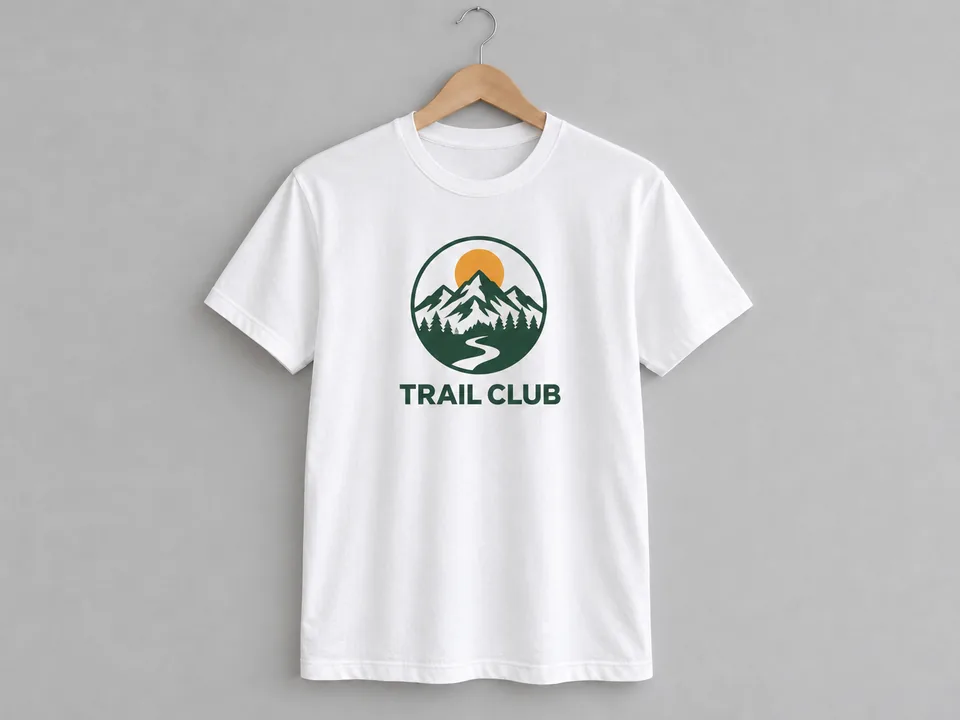
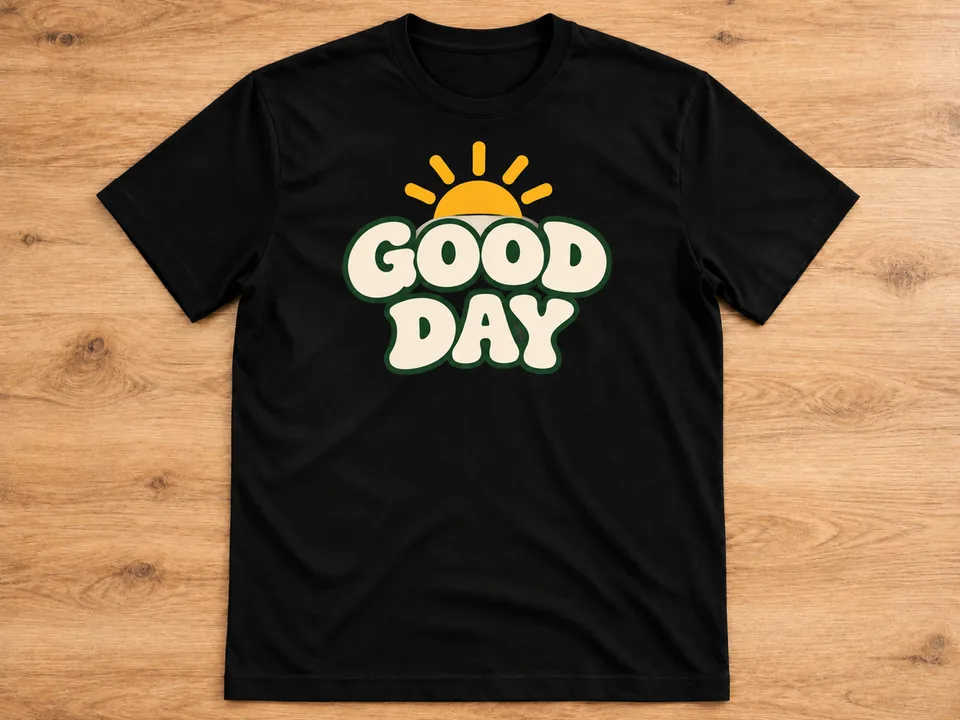
The t-shirt mockup generator puts your design on a photo of a blank shirt. These two mockups come from that guide. The black one shows why the background matters: the design file had a white background, and a pale patch of it ended up on the shirt.
Before you print or sell it
- Remove the background and download a PNG, so only the design prints.
- Read every letter of the text, including small words and dates.
- Check the file size against your print shop’s requirements: the largest image here is 4K, and there is no DPI setting, CMYK or SVG export.
- Use no brand names, logos, sports teams or characters you do not own, in the prompt or in the design.
- Order one sample shirt before you sell a design: colors on fabric look different from the screen.
Which model to use
Every model runs in the same editor and draws from the same credits. Prices are for one image from text in the web app.
| Model | Credits per edit | On Starter | Use it for |
|---|---|---|---|
| GPT Image 2.6high quality | 15 | $0.285 | Designs with words: it spelled the lettering right in all three of our mockup runs. |
| Nano Banana 2.11K | 8 | $0.152 | Illustrations and designs from a photo. 12 credits at 2K and 27 at 4K, the largest size. |
| Muse Imageone size, about 2.5 MP | 2 | $0.038 | The cheapest way to try ideas before you run the final design. |
Remove background adds 4 credits and returns a PNG. The editor shows the credit cost before you generate. Prices checked .
What a t-shirt design costs
A design on GPT Image 2.6 plus Remove background costs 19 credits, $0.361 on the Starter plan ($19 for 1,000 credits a month), before the tries you throw away. On Nano Banana 2.1 at 4K it is 31 credits.
Plans start at $19/month. Unused subscription credits roll over, downloads carry no watermark, and paid plans include a commercial license.
Frequently asked questions
How do I make a t-shirt design with AI?
Describe the graphic, three to five colors and the exact words in quotation marks, and ask for a flat graphic centered on a plain background with no shirt. Check the text, remove the background for a transparent PNG, and preview it on a shirt.
What is the best AI for t-shirt design?
For designs with words, GPT Image 2.6: it spelled the lettering right in all three of our mockup runs. For illustrations and designs from a photo, Nano Banana 2.1, which also goes up to 4K. Run one prompt on both and keep the better design.
Are AI t-shirt designs ready to print?
Not automatically. You get a PNG of up to 4K; there is no DPI setting, CMYK conversion or vector export. Remove the background, check the pixel size your print shop or print-on-demand service asks for, and order a sample before you sell.
Can I get a transparent background?
Yes. Generate the design on a plain background, open it and use Remove background with a transparent canvas (4 credits). It cuts out the design without redrawing it, and you download a PNG.
Can AI put text on a t-shirt design?
Yes, but check it. Put the words in quotation marks, keep them short and end the prompt with “spell every word exactly as written”. Long sentences and small text are where letters go wrong.
Can I sell t-shirts with AI designs?
Designs made on a paid plan come with a commercial license. Check the rules of the marketplace you sell on, and keep brand names, logos and characters you do not own out of the design.
Can I see my design on a shirt?
Yes. Upload a photo of a blank shirt and your design to the t-shirt mockup generator and ask for the print on the chest. Check the print against your file: the AI redraws it.
Is there a free AI t-shirt design generator?
AI Media Studio has no free tier. Every edit needs a paid plan. Plans start at $19/month. A design costs 15 credits on GPT Image 2.6, plus 4 for a transparent background.
Uploads are processed by the AI provider that runs the model you pick. Retention, processors and deletion requests are covered in the privacy policy.