AI silhouette maker
Silhouette maker: turn a photo into a black silhouette with AI
To make a silhouette from a photo, upload it and ask for “a solid black silhouette on a pure white background, no detail inside, clean edges”, and name the subject: the person, the pet or the object. For a transparent background, run Remove background on the result and download it as a PNG. The silhouette costs 2 credits on Muse Image, 9 on Nano Banana 2.1 at 1K or 13 on GPT Image 2.6, and Remove background 4 more.
Plans start at $19/month. Paid plans include a commercial license.
How do I make a silhouette from a photo?
- 01
Pick a photo with a clear outline
The silhouette is only the outline, so it has to be readable: a face in profile, a dog standing side-on, a bicycle from the side. Arms crossed in front of the body disappear into one shape.
- 02
Ask for solid black on pure white
“A solid black silhouette on a pure white background, no detail, shading or gray inside, smooth clean edges.” Name the subject and say what to leave out, such as the background or other people.
- 03
Make the background transparent
For a decal, a sticker or a logo, open the result and use Remove background with a transparent canvas (4 credits). It cuts out the shape without redrawing it, and you download a PNG.
- 04
Check the edges before you cut
Zoom in on the outline at full size. Cutting machines and laser software follow every bump, so a smooth edge matters more than fine detail. Trace the PNG in your cutting software and preview the path.
Silhouette ideas, with prompts to copy
Each idea comes with a prompt. The middle of each prompt is the same: solid black, no detail inside, pure white, clean edges.
1.A silhouette of a person from a photo
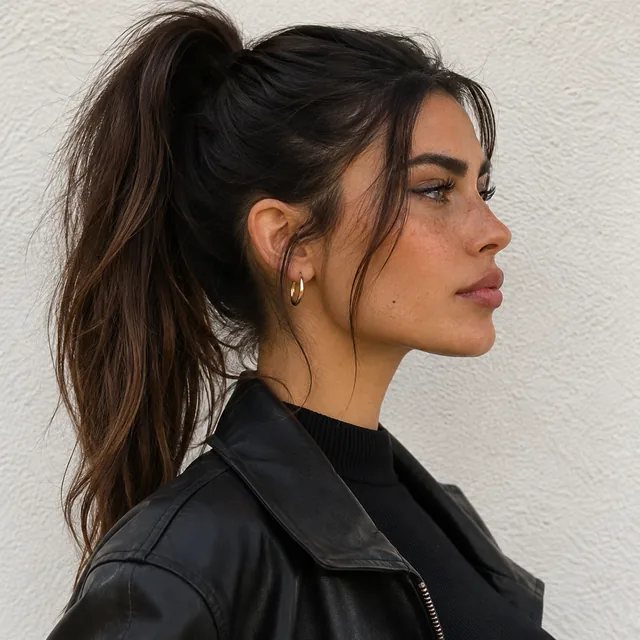
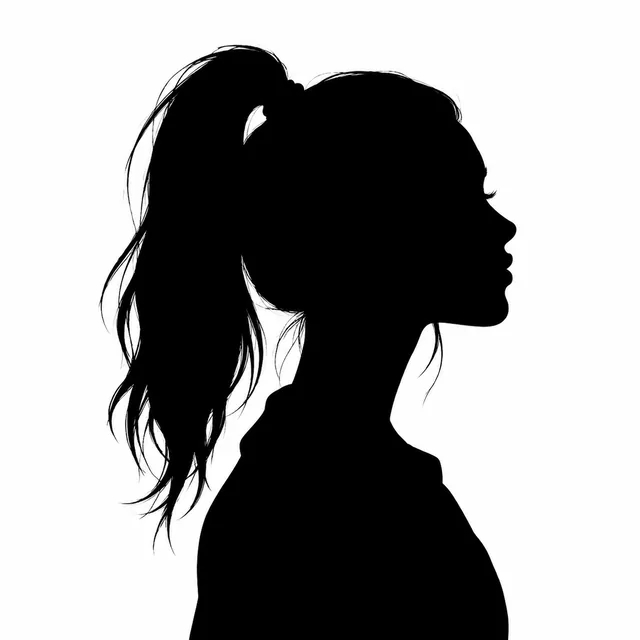
A profile photo gives the most recognisable silhouette: the forehead, nose, lips and chin carry the likeness. From the front, most people become the same oval, so pick a side view if you have one.
Prompt to try
Turn the person in this photo into a solid black silhouette in profile. Fill the whole shape with solid pure black, with no detail, shading or gray inside it, on a pure white background. Keep the outline exactly as it is in the photo, with smooth, clean edges. Remove everything else from the photo.
Suggested model: Nano Banana 2.1
2.A pet silhouette for a decal or a memorial
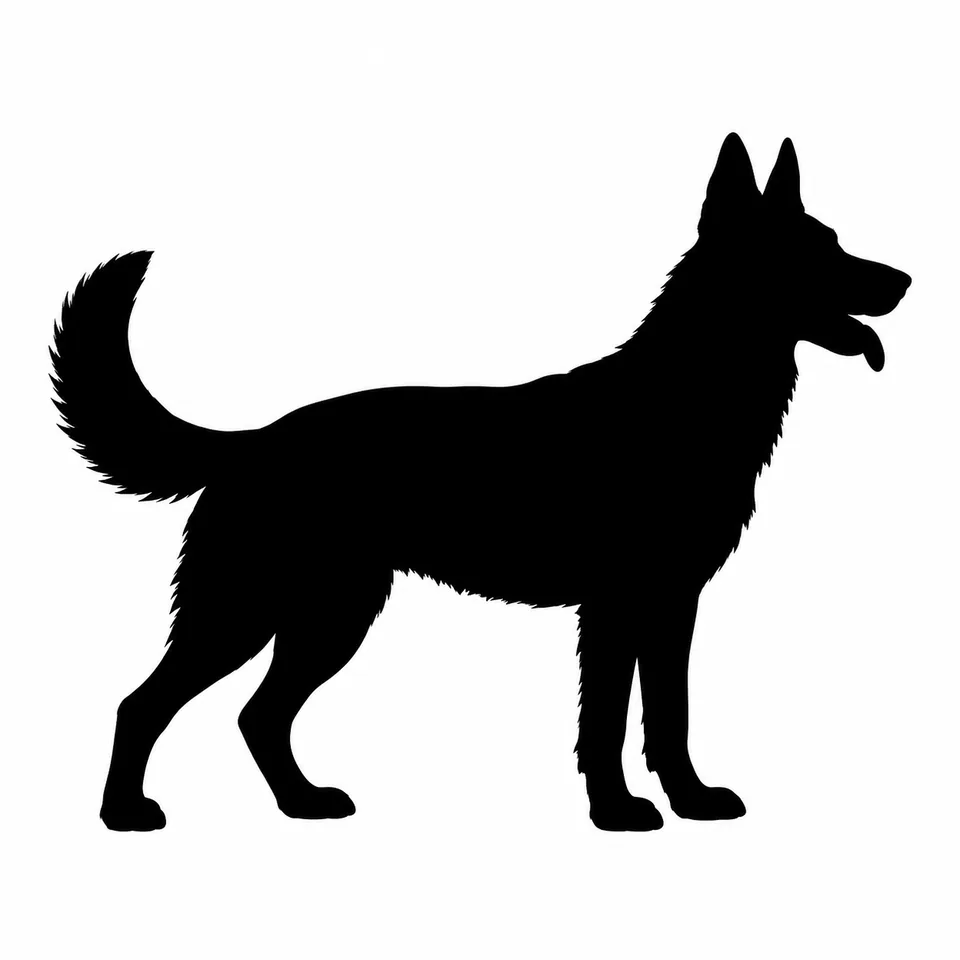
Ears, tail and the line of the fur are what make a pet silhouette look like your pet. Ask to keep them, and pick a photo where the pet stands side-on with all four legs visible.
Prompt to try
Turn the dog in this photo into a solid black silhouette. Fill the whole shape with solid pure black, with no detail, shading or gray inside it, on a pure white background. Keep the outline exactly as it is in the photo, with smooth, clean edges. Keep the shape of the ears, the tail and the fur on the outline. Remove everything else from the photo.
Suggested model: Nano Banana 2.1
3.A silhouette of an object
Bicycles, chairs, plants and tools make clean silhouettes. Ask to keep the gaps open, such as between spokes or chair legs, or they fill in black.
Prompt to try
Turn the bicycle in this photo into a solid black silhouette. Fill the whole shape with solid pure black, with no detail, shading or gray inside it, on a pure white background. Keep the outline exactly as it is in the photo, with smooth, clean edges. Keep the gaps between the spokes and the frame open and white. Remove everything else from the photo.
Suggested model: Nano Banana 2.1
4.A family silhouette for a wall decal
Several people in one silhouette work when they are holding hands or standing apart. Ask for a small white gap between them, so the decal does not become one blob.
Prompt to try
Turn the family in this photo into one solid black silhouette of all four people holding hands. Fill every shape with solid pure black, with no detail inside, on a pure white background, and keep a small white gap between the people so each one is a separate shape.
Suggested model: Nano Banana 2.1
5.A sunset silhouette photo
Not every silhouette is black on white: keep the sky and turn the people into dark shapes against it, the classic sunset photo. This one is for prints and posts, not for cutting.
Prompt to try
Turn this photo into a sunset silhouette: the couple and the tree become solid black shapes against a bright orange and pink sunset sky. Keep their outlines and pose exactly as they are.
Suggested model: Nano Banana 2.1
6.Use it with Cricut, vinyl decals and laser cutters
The download is a PNG, not an SVG or DXF cut file. Cutting and laser software can trace a black on white PNG into a cut path; preview that path before you cut.
- Cricut Design Space: upload the PNG as an image and check that only the black shape is kept as the cut.
- Vinyl decals: use the transparent PNG and remove any small islands of black that would be too small to weed.
- Laser cutting: trace the shape in your laser software and test on scrap material first.
- For engraving with fine lines instead of a solid shape, see the laser engraving designs guide.
- Uploads are processed by the AI provider that runs the model you pick. Retention, processors and deletion requests are covered in the privacy policy.
Get a clean silhouette
- Say “solid pure black, no detail inside” every time: models like to leave a hint of the face or the fur.
- Ask for a pure white background, then use Remove background for transparency instead of asking the model for it.
- Keep gaps open: between legs, arms, spokes and fingers, or they fill in black.
- Run every new attempt from the original photo, not from a silhouette.
- Only make silhouettes of people who agreed, and do not trace someone else’s artwork.
Which model to use
Every model runs in the same editor and draws from the same credits. Prices are for one silhouette in the web app; a transparent background adds Remove background.
| Model | Credits per edit | On Starter | Use it for |
|---|---|---|---|
| Muse Imageone size, about 2.5 MP | 2 | $0.038 | The cheapest way to see whether a photo gives a readable outline. |
| Nano Banana 2.11K | 9 | $0.171 | The editor’s button opens it by default. 14 credits at 2K and 31 at 4K, for a large decal or a smoother traced edge. |
| GPT Image 2.6high quality | 13 | $0.247 | A second opinion on the same prompt when the outline needs another try. |
The editor shows the credit cost before you generate. Remove background costs 4 credits. Prices checked .
What it costs
One silhouette costs 2 credits on Muse Image, 9 on Nano Banana 2.1 at 1K and 13 on GPT Image 2.6, and Remove background for a transparent PNG 4 more. On the Starter plan ($19 for 1,000 credits a month) a silhouette with a transparent background costs $0.114 to $0.323.
Plans start at $19/month. Unused subscription credits roll over, downloads carry no watermark, and paid plans include a commercial license.
Frequently asked questions
What is a silhouette?
A silhouette is the outline of a person, animal or object filled with one solid color, usually black, against a plain background. It shows the shape and leaves out every detail inside it.
How do I make a silhouette from a photo?
Upload the photo, ask for a solid black silhouette on a pure white background with no detail inside and clean edges, and name the subject. For a transparent background, run Remove background on the result and download the PNG.
Can I get a silhouette with a transparent background?
Yes, in a second step: open the silhouette and use Remove background with a transparent canvas. It costs 4 credits and gives a PNG.
Can I use the silhouette with Cricut?
Yes, as an image: upload the PNG to Cricut Design Space and keep the black shape as the cut. There is no SVG export, so the tracing happens in Cricut’s software; check the edges before you cut.
How do I make a silhouette in Canva or Photoshop?
In Canva or Photoshop you remove the background, then fill the subject with black by hand or with a color adjustment. Here you describe it in one prompt and get the filled shape back, and you can still finish it in Canva or Photoshop.
Will the silhouette look like the person?
A side profile usually does: the nose, lips and chin carry the likeness. From the front, a silhouette shows the hair and shoulders but little of the face, so pick a profile photo for portraits.
Can I make a silhouette without a photo?
Yes. Describe the subject and pose, such as “a solid black silhouette of a deer standing in profile on pure white”, and the editor generates it from text. On Nano Banana 2.1 at 1K that costs 8 credits.
How much does a silhouette cost?
2 to 13 credits for the silhouette depending on the model, and 4 credits more for a transparent background. Plans start at $19/month.
Uploads are processed by the AI provider that runs the model you pick. Retention, processors and deletion requests are covered in the privacy policy.