AI transition video
AI transition: turn one photo into another in a single video
An AI transition is a short video that the AI generates between two images: your start frame and your end frame. Instead of a cut or a fade, the scene changes continuously, such as an outfit turning into another or a damaged photo becoming the restored one. Upload the start frame, add the end frame, describe the change, and pick the length. On Kling O3 Pro, the model this page's buttons open, a 5-second transition costs 85 credits with audio off.
Every edit needs a paid plan. Plans start at $19/month. Paid plans include a commercial license.
How do I make an AI transition video?
- 01
Pick two frames that belong together
The same shape, framing and camera angle, with one clear difference between them: the outfit, the season, the light, an edit. The closer the two frames, the cleaner the transition.
- 02
Add the start and the end frame
Open the Video tab, attach the start frame, then attach the second image as the end frame. Kling O3 Pro, Kling v3 Pro, Kling 4.0, Seedance 2.0 and FLUX 3 Max take an end frame.
- 03
Describe the change, not the frames
Say what happens in between (“her t-shirt turns into the camel coat”), how the camera moves, and what must not change. Add “no cut, no fade” so you get a continuous change.
- 04
Check the middle of the clip
The first and last frames are yours; the middle is invented. Scrub through it for warped faces, hands and text, and run it again or change the prompt if something breaks.
AI transition ideas, with prompts and frame pairs
Each idea shows a start and an end frame that work as a pair, and the prompt to describe what happens between them.
1.An outfit transition
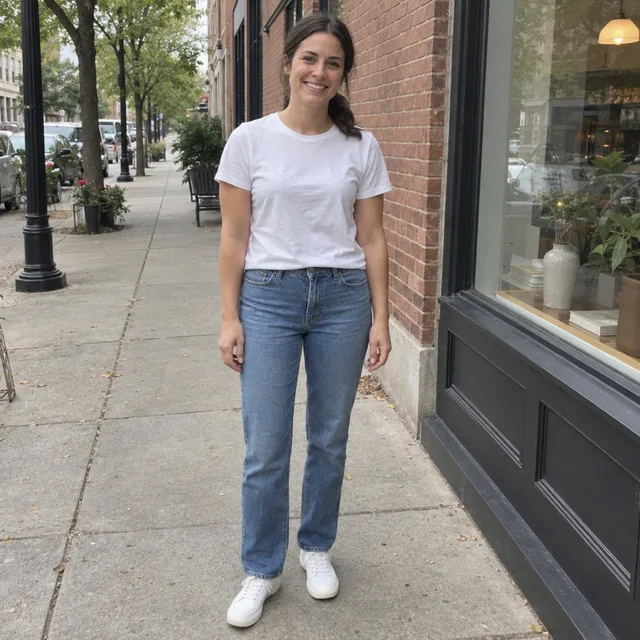
The classic social video: the same person, the same spot, a new outfit. Make the end frame as an edit of the start frame, so the face, pose and background already match and only the clothes have to change.

Prompt to try
A smooth transition from the start frame to the end frame: as she shifts her weight, her white t-shirt and jeans turn into the long camel coat, cream scarf, dark jeans and ankle boots. Static camera, no cut, no fade. Keep her face, hair, pose and the street unchanged.
Suggested model: Kling O3 Pro
2.A before and after transition
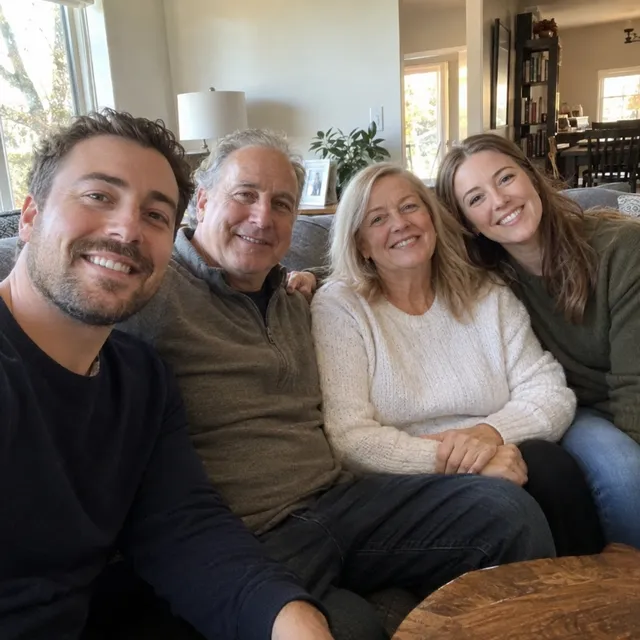
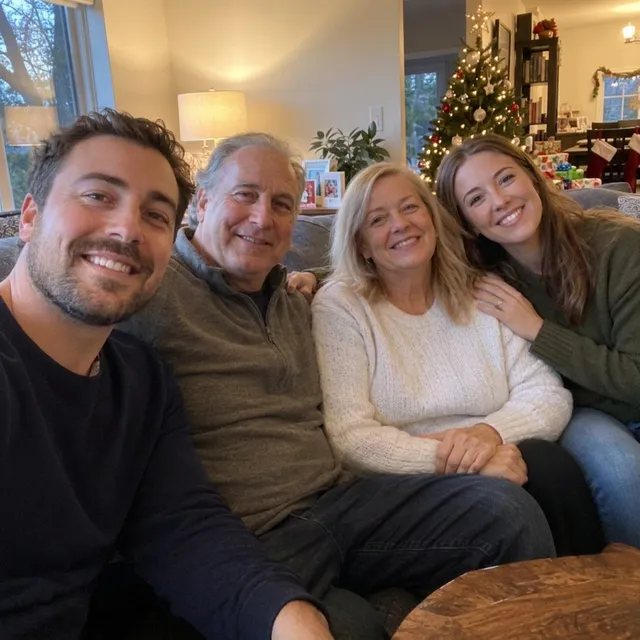
A photo edit and its original are a ready-made frame pair: the transition shows the edit happening. Here the end frame is a Christmas edit of the start frame, with the tree and the presents added and the family kept.
Prompt to try
A smooth transition from the start frame to the end frame: the evening light warms, the Christmas tree with warm lights and the presents appear behind the sofa. The family stay seated and smile. Static camera, no cut, no fade. Keep every face unchanged.
Suggested model: Kling O3 Pro
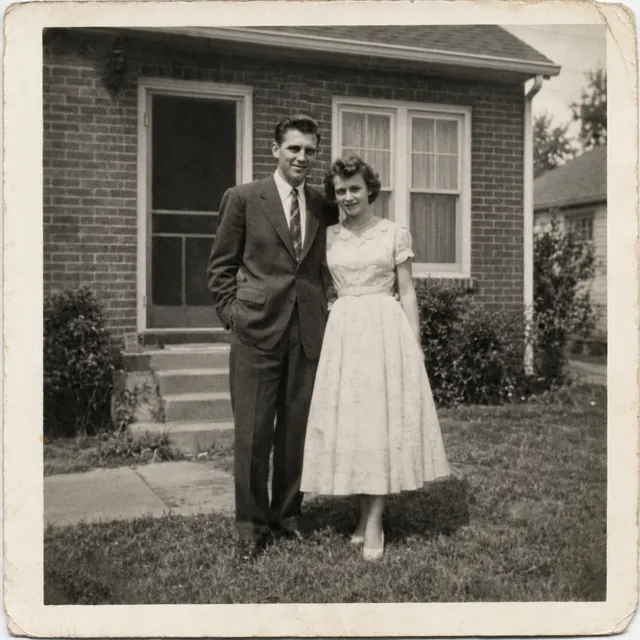
3.An old photo restoration reveal
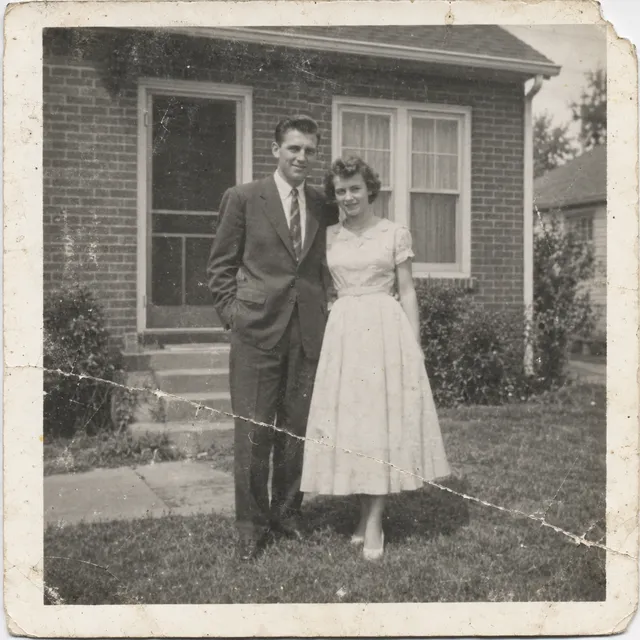
Start from the damaged scan and end on the restored print, and ask the model to keep everything else the same, so the clip shows the damage disappearing rather than a new photo.
Prompt to try
A smooth transition from the start frame to the end frame: the scratches, the crease, the dust and the torn corner fade away and the print becomes clean and sharp. Keep the couple, the house and the black and white exactly the same. Static camera, no cut.
Suggested model: Kling O3 Pro
4.More than two frames: keyframes
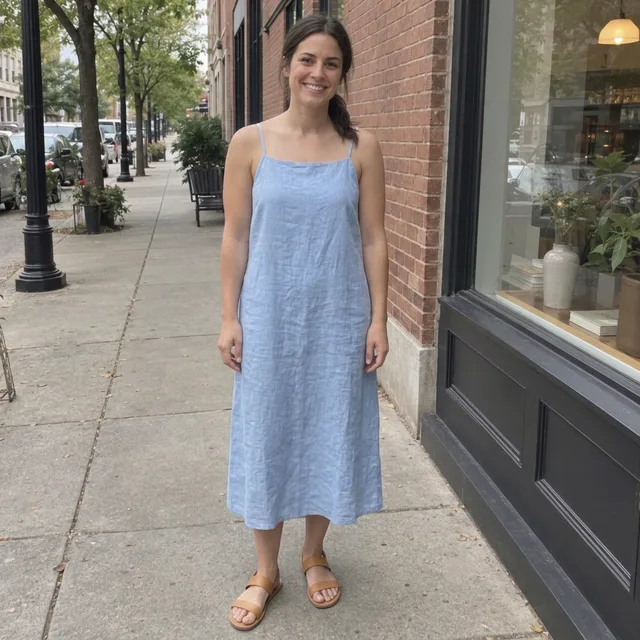
FLUX 3 Max takes up to 10 images and moves through them in order, spread evenly over a 5 to 20-second clip. Use it for a sequence, such as three outfits or four seasons. It joined the studio in November and we have not tested it yet.
Prompt to try
Move through the keyframes in order: her white t-shirt outfit, then the summer dress, then the winter coat, each outfit turning into the next as she stands on the same street. Static camera. Keep her face and hair unchanged.
Suggested model: FLUX 3 Max
5.Day to night
Make the night frame as an edit of the day frame (“make it night, keep everything else”), so the buildings stay in place. Then ask for a time-lapse from one to the other.
Prompt to try
A smooth time-lapse transition from the start frame (daytime) to the end frame (night): the sky darkens to deep blue, the windows and street lamps light up one by one. Static camera on a tripod, no cut. Keep the buildings and the street unchanged.
Suggested model: Kling O3 Pro
6.A product reveal
A closed box as the start frame and the open box as the end frame. Check the product in the last second against your photo: the end frame is kept, but labels in the middle of the clip are drawn by the model.
Prompt to try
A product reveal: the camera slowly orbits from the start frame, the closed box, to the end frame, the open box with the product inside, as the lid lifts on its own. Soft studio light, no cut. Keep the product and its label exactly as in the end frame.
Suggested model: Kling O3 Pro
7.A transition between two video clips
Frames are images, not clips. To bridge two videos, save the last frame of the first clip and the first frame of the second as images, use them as the start and end frames, and place the generated transition between the two clips in your video editor.
Frame pairs that work
- Same aspect ratio and the same framing in both frames; a close-up next to a wide shot makes the camera jump.
- One clear change between the frames. Several changes at once turn into a blur of morphing shapes.
- Make the end frame as an edit of the start frame when you can: the background, the light and the people already match.
- For realistic people, use Kling: Seedance 2.0 declines photos with a real-looking face.
- Only use photos of people who agreed to it, and none of children without their parents’ permission.
Which video model to use
Every model below takes a start and an end frame. Prices are per second of video in the web app.
| Model | Credits per second | On Starter | Use it for |
|---|---|---|---|
| Kling O3 Pro3 to 15 s, audio off | 17 | $0.323 | Our pick: start and end frames and realistic people. |
| Kling v3 Proaudio off | 17 | $0.323 | Bolder camera moves between the two frames. |
| Kling 4.0720p, with sound | 23 | $0.437 | Illustrated looks and planned camera moves; slow, several minutes per clip. |
| Seedance 2.0720p | 44 | $0.836 | Products and scenes without a real-looking face, which it declines. |
| FLUX 3 Max720p, with sound | 25 | $0.475 | Up to 10 keyframes in one clip. Not tested by us yet. |
The editor shows the credit cost before you generate. Prices checked .
What an AI transition costs
A 5-second transition on Kling O3 Pro costs 85 credits with audio off, $1.61 on the Starter plan ($19 for 1,000 credits a month). If you make the end frame as an edit, add 9 credits on Nano Banana 2.1.
Plans start at $19/month. Unused subscription credits roll over, downloads carry no watermark, and paid plans include a commercial license.
Frequently asked questions
What is an AI transition?
A video clip that an AI model generates between a start frame and an end frame. A cut jumps from one image to the other and a crossfade blends them; an AI transition invents the frames in between, so one scene turns into the other.
How do I make an AI transition video?
Open the Video tab, attach the start frame and the end frame, describe what changes between them and how the camera moves, pick the length and generate. Check the middle of the clip before you use it.
Which AI models make transitions?
In AI Media Studio, Kling O3 Pro, Kling v3 Pro, Kling 4.0, Seedance 2.0 and FLUX 3 Max take an end frame. Start with Kling O3 Pro; use FLUX 3 Max when you have more than two frames.
Can I make a transition between two videos?
Not directly: the frames are images. Save the last frame of the first clip and the first frame of the second, use them as start and end frames, and put the generated clip between the two in your editor.
How long is an AI transition?
On Kling O3 Pro, 3 to 15 seconds; on FLUX 3 Max, 5 to 20. Short transitions of 5 seconds or less look most natural for one change.
Can I use AI transitions on TikTok, Reels and Shorts?
Yes. Make both frames in 9:16 so the clip comes out vertical, and label realistic AI content where the platform asks for it. Clips made on a paid plan include a commercial license.
Is there a free AI transition generator?
AI Media Studio has no free tier. Every edit needs a paid plan. Plans start at $19/month. A 5-second transition on Kling O3 Pro costs 85 credits.
Uploads are processed by the AI provider that runs the model you pick. Retention, processors and deletion requests are covered in the privacy policy.