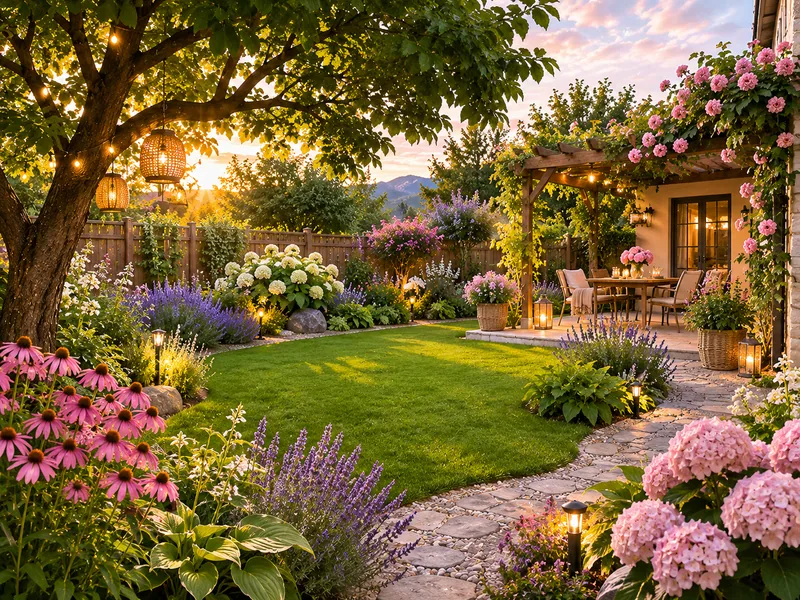
AI image recolor
Recolor an image: change the color of one object with AI
To recolor an image with AI, upload the photo and write which object changes and to which color, such as “change the color of the sweater to sage green”. Then list what must stay: the texture, the shadows and everything else in the photo. The model redraws the photo with the new color, so compare the rest with the original. A recolor costs 2 credits on Muse Image, 9 on Nano Banana 2.1 at 1K or 13 on GPT Image 2.6, and you see the cost before you generate.
Plans start at $19/month. Paid plans include a commercial license.
How can I recolor an image?
- 01
Upload the photo
A sharp, evenly lit photo recolors best. Strong colored light, such as a sunset or neon, tints the new color too, so start from daylight or a neutral studio photo if you can.
- 02
Name the object and the new color
“Change the color of the armchair to deep mustard yellow.” Name one object and one color. A color name plus a hex code, such as “sage green (#9CAF88)”, gets closer than a name alone.
- 03
List what must stay
The texture, folds, shadows and shape of the object, and every other object in the photo. The model redraws the whole picture, so whatever you do not name can change too.
- 04
Compare at full size
Check the edges of the object, the texture and the rest of the photo against the original. If something else changed, run it again from the original and add that thing to the keep list.
Recolor ideas, with prompts to copy
Each idea comes with a prompt. The pattern stays the same: one object, one color, then everything that must stay as it is.
1.Product colorways for your shop
One product photo in the colors you sell keeps a listing consistent without a new shoot for every variant. Show only colorways that exist, and check each one against the real product or a fabric swatch: a color that looks different in the photo leads to returns.
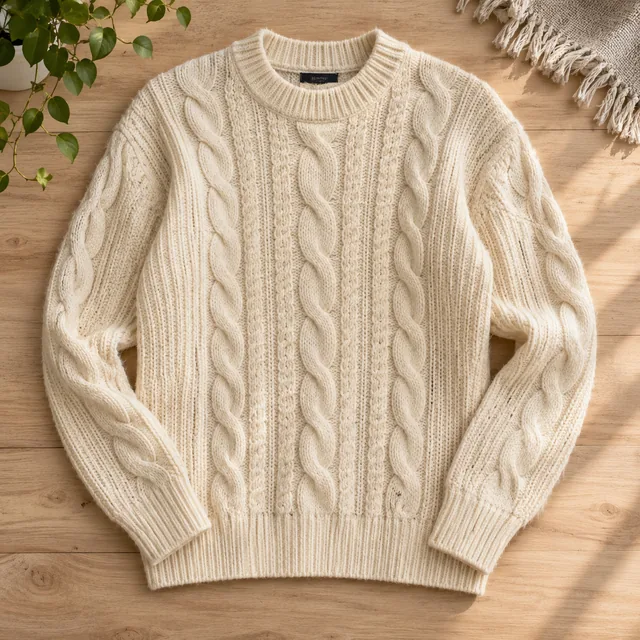
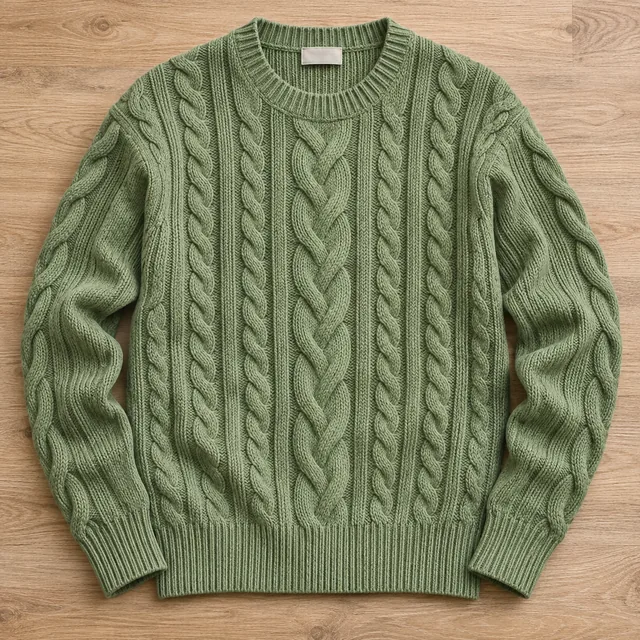
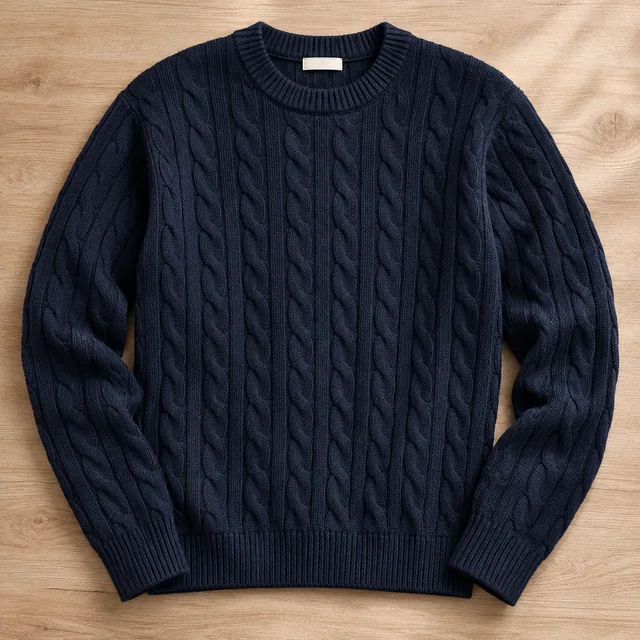
- Run each color as its own edit from the original photo, not from the last colorway.
- Keep the same light and background across colorways, so the variant swatches in your listing match.
- Put the hex code from your product sheet in the prompt, then compare the result with the real product.
- Check that the knit pattern, label and folds match the original: in a recolor only the color should change. The three sweaters above are separate photos, so their patterns differ.
- Uploads are processed by the AI provider that runs the model you pick. Retention, processors and deletion requests are covered in the privacy policy.
Prompt to try
Change the color of the sweater to sage green (#9CAF88). Keep the knit texture, the folds, the shadows, the label, the wooden surface and the light exactly as they are. Change nothing else.
Suggested model: Nano Banana 2.1
2.Change the color of one object in a room
In a busy photo, say which object changes and name the objects around it that must stay. A sofa next to the armchair is the first thing a model recolors by mistake.
Prompt to try
Change the color of the armchair to deep mustard yellow. Keep the fabric texture, the shadows and its shape exactly as they are, and keep the walls, the floor, the rug, the plant and every other object in the room exactly as they are.
Suggested model: Nano Banana 2.1
3.Recolor clothes in a photo
Name the garment, the new color and the person’s face, hair and skin tone in the keep list. To change the whole outfit rather than its color, use the outfit changer.
Prompt to try
Change the color of her dress to emerald green. Keep the fabric, the folds, her face, hair, skin tone, pose and the background exactly as they are.
Suggested model: Nano Banana 2.1
4.Try a new paint color on a car
Reflections are what make car paint look real. Ask to keep them along with the chrome and the windows, and say “metallic” or “matte” for the finish.
Prompt to try
Change the paint of the car to metallic dark green. Keep the reflections, the chrome, the wheels, the windows, the number plate and the background exactly as they are.
Suggested model: Nano Banana 2.1
5.Preview a wall color
Recolor a wall to see a paint color before you buy it. Screens and paint never match exactly, so treat it as a preview and test a sample on the real wall.
Prompt to try
Repaint the wall behind the sofa in a warm terracotta color with a matte finish. Keep the sofa, the pictures on the wall, the lamp, the floor and the light exactly as they are.
Suggested model: Nano Banana 2.1
Recolor without changing the rest
- One object and one color per edit. Two recolors in one prompt often bleed into each other.
- Name the objects next to the one you change: they are the most likely to change by mistake.
- Ask to keep texture, folds, reflections and shadows, or the new color looks painted on.
- Run every new color from the original photo, not from the last result.
- For a product, compare the color with the real item before you publish it.
Which model to use
Every model runs in the same editor and draws from the same credits. Prices are for one recolor in the web app.
| Model | Credits per edit | On Starter | Use it for |
|---|---|---|---|
| Muse Imageone size, about 2.5 MP | 2 | $0.038 | The cheapest way to try a color before you run it at a larger size. |
| Nano Banana 2.11K | 9 | $0.171 | The editor’s button opens it by default. 14 credits at 2K and 31 at 4K, to keep a product photo large. |
| GPT Image 2.6high quality | 13 | $0.247 | A second opinion on the same prompt when the color or the edges need another try. |
The editor shows the credit cost before you generate. Prices checked .
What it costs
One recolor costs 2 credits on Muse Image, 9 on Nano Banana 2.1 at 1K and 13 on GPT Image 2.6. On the Starter plan ($19 for 1,000 credits a month) that is $0.038 to $0.247 per color. Five colorways of one product are five edits.
Plans start at $19/month. Unused subscription credits roll over, downloads carry no watermark, and paid plans include a commercial license.
Frequently asked questions
What is image recoloring?
Image recoloring changes the color of something in a photo, such as a product, a garment, a car or a wall, while the shape, texture and light stay the same. With AI you describe the change in words instead of selecting and painting it by hand.
How can I recolor an image?
Upload the photo, write which object changes and to which color, and list what must stay: the texture, the shadows and the rest of the photo. Then compare the result with the original at full size.
What is the easiest way to recolor an image?
One sentence: “Change the color of the [object] to [color]. Keep everything else exactly as it is.” There is nothing to select or mask. Add the objects next to it to the keep list if they change too.
Will the rest of the photo stay the same?
Mostly, if you name it. The model redraws the whole photo with the new color, so nothing is locked: list the objects, the background and the light that must stay, and compare with the original. Run it again from the original if something else changed.
Can I match an exact color or hex code?
You can get close. Put the color name and the hex code in the prompt, such as “navy blue (#1F2A44)”. The model treats it as a target, not an exact value, so check the result against your swatch or product.
How do I change the color of an image in Canva or Photoshop?
In Canva or Photoshop you select the object and shift its hue, which works well for flat colors but struggles with dark-to-light changes and textured fabric. Here you describe the change and the model redraws the color with its shadows. You can still finish the result in Canva or Photoshop.
Can I recolor product photos for my shop?
Yes. Recolor one photo into each colorway you sell, run each color from the original and compare it with the real product before you publish. Paid plans include a commercial license.
How much does it cost to recolor an image?
One recolor costs 2 credits on Muse Image, 9 on Nano Banana 2.1 at 1K or 13 on GPT Image 2.6. Plans start at $19/month.
Uploads are processed by the AI provider that runs the model you pick. Retention, processors and deletion requests are covered in the privacy policy.