AI photo retouching
Photo retouching with AI: touch up a portrait and keep the face
To retouch a photo with AI, upload the portrait and write what to fix: blemishes, stray hairs, under-eye shadows, uneven skin that needs smoothing, teeth, shine or glare on glasses. Then say what must stay, such as freckles, skin texture, lines and age, so the photo touch up looks natural and the face stays recognisable. A retouch costs 2 credits on Muse Image, 9 on Nano Banana 2.1 at 1K or 13 on GPT Image 2.6, and you see the cost before you generate.
Plans start at $19/month. Paid plans include a commercial license.
How do I retouch a photo with AI?
- 01
Upload the original photo
Start from the sharpest, largest version you have, not a screenshot or a photo that was already filtered. Retouching works on what is there; it cannot recover detail a filter removed.
- 02
Name each fix
“Remove the spot on her chin”, “remove the stray hairs around her head”, “soften the shadows under his eyes”. Specific fixes give a natural retouch; “make it look better” gives a different face.
- 03
Say what must stay
Freckles, moles, skin texture, laughter lines, grey hair, age and expression. Image models smooth and rejuvenate by default, so the keep list matters more than the fix list.
- 04
Compare at full size
Open the original and the result side by side and zoom in on the eyes and mouth. If one fix went too far, run the edit again from the original with that fix toned down.
Retouch photos by prompt: natural, heavy and targeted
Each idea comes with a prompt to copy. Use it as a template: the fixes first, then everything that must stay.
1.A natural touch-up that keeps the age
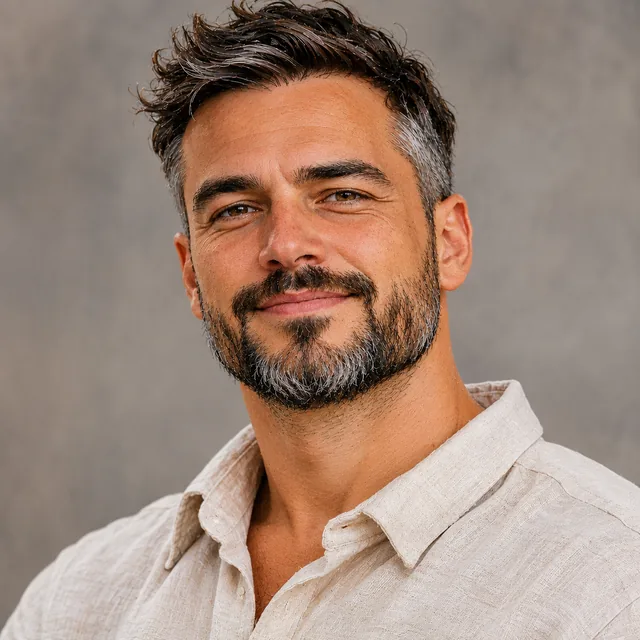
Skin tone, shine, redness and teeth are fair game; lines and grey hair are part of the face. Ask to keep them, and say the person must not look younger, or the model may smooth lines and darken grey.

Prompt to try
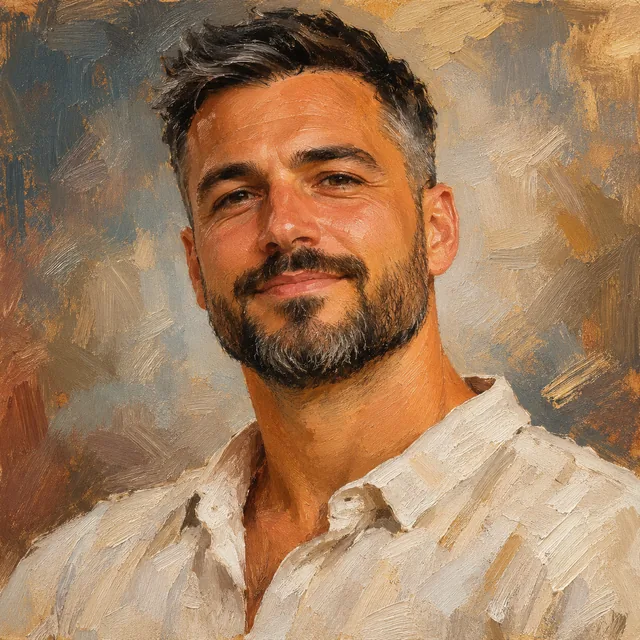
Retouch this portrait naturally: even out his skin tone, reduce the shine and redness on his face and brighten his teeth slightly. Keep his skin texture, the lines around his eyes, the grey in his hair and beard, his age and his expression exactly as they are.
Suggested model: Nano Banana 2.1
2.A heavy, glamour retouch
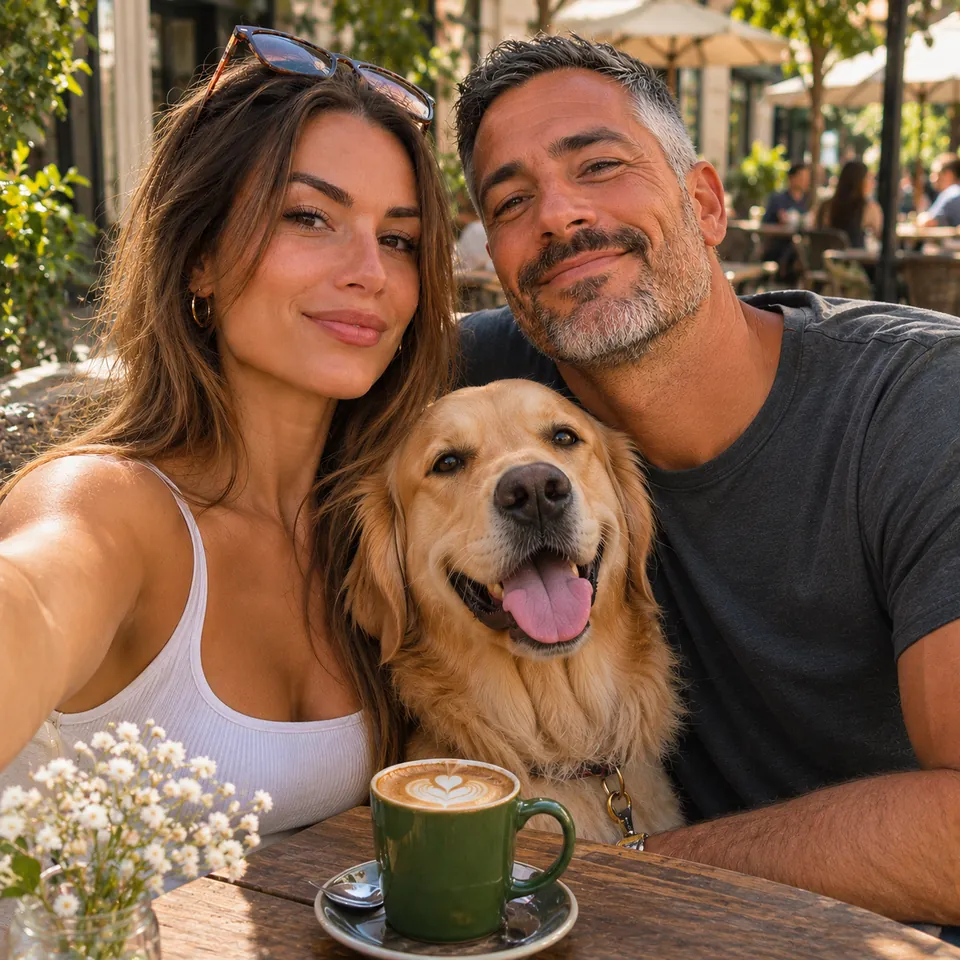
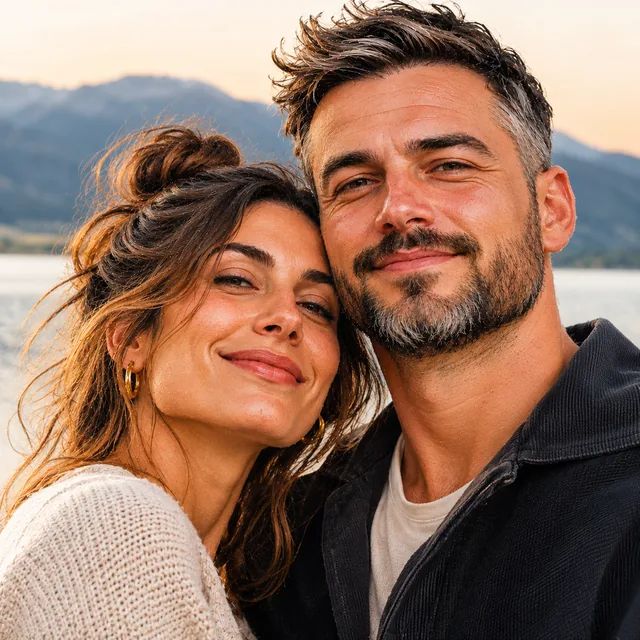
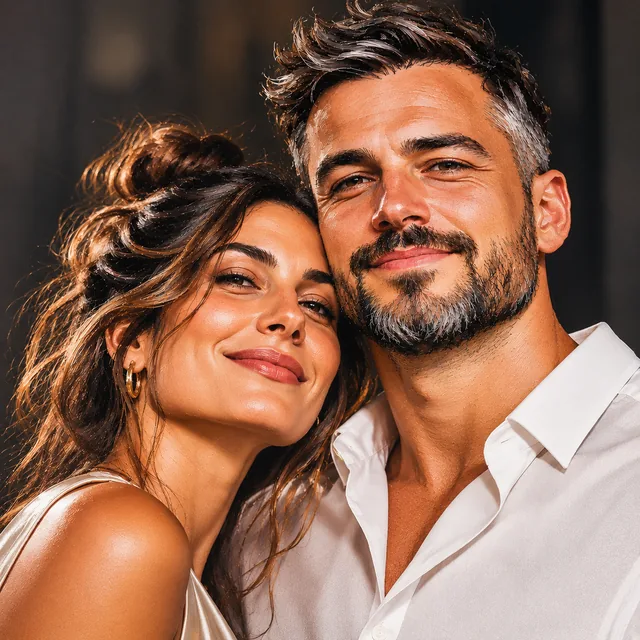
A heavy retouch smooths the skin and adds glow and studio light, the magazine look. Compare it with the natural touch-up above: for most portraits, headshots and dating photos, the natural one is the safer choice. In this example the clothes and the background changed too; if you only want the skin retouched, say “keep their clothes and the background exactly as they are”.
Prompt to try
Retouch this photo like a glamour magazine portrait: smooth, glowing skin on both faces, bright eyes and warm studio light. Keep both faces, her hair and earrings, his beard and their expressions.
Suggested model: Nano Banana 2.1
3.Remove stray hairs and soften under-eye shadows, keep the freckles
Freckles and moles are what a generic “retouch” removes first. Ask to keep every freckle and the skin texture, and change only the stray hairs and the shadows.
Prompt to try
Remove the stray hairs around her head and soften the shadows under her eyes. Keep every freckle, her skin texture, eye colour, hair colour and expression exactly as they are. Change nothing else.
Suggested model: Nano Banana 2.1
4.Remove glare from glasses
Reflections on lenses can hide the eyes. Ask to remove the reflection and keep the eyes and frame. Check the eyes closely afterwards: where the glare covered them completely, the model has to draw them.
Prompt to try
Remove the white reflection on the lenses of his glasses so his eyes are clearly visible. Keep his eyes, eye colour, the glasses frame and everything else in the photo exactly as it is.
Suggested model: Nano Banana 2.1
Retouch without changing the face
- Fix a few named things at a time. A long list of fixes in one prompt drifts toward a different, smoother face.
- Always end with a keep list: freckles, moles, skin texture, lines, age, eye colour, expression.
- Run every new attempt from the original photo, not from a retouched one, so changes do not add up.
- Check teeth and eyes at full size: heavy whitening and bright eyes are what make a retouch look fake.
- Only retouch photos of yourself or of people who agreed, and do not use a retouched photo where an unedited one is required, such as an ID photo.
Which model to use
Every model runs in the same editor and draws from the same credits. Prices are for one retouch in the web app.
| Model | Credits per edit | On Starter | Use it for |
|---|---|---|---|
| Muse Imageone size, about 2.5 MP | 2 | $0.038 | The cheapest way to try a fix before you run it at a larger size. |
| Nano Banana 2.11K | 9 | $0.171 | The editor’s button opens it by default. 14 credits at 2K and 31 at 4K, to keep a large photo large. |
| GPT Image 2.6high quality | 13 | $0.247 | A second opinion on the same prompt when a fix needs another try. |
The editor shows the credit cost before you generate. Prices checked .
What it costs
One retouch costs 2 credits on Muse Image, 9 on Nano Banana 2.1 at 1K and 13 on GPT Image 2.6. On the Starter plan ($19 for 1,000 credits a month) that is $0.038 to $0.247 per photo. Fixing a photo in several steps costs one edit per step.
Plans start at $19/month. Unused subscription credits roll over, downloads carry no watermark, and paid plans include a commercial license.
Frequently asked questions
What is photo retouching?
Photo retouching is fixing details in a photo after it was taken: blemishes, stray hairs, under-eye shadows, teeth, shine, glare and small distractions. With AI you describe each fix in words instead of painting it by hand.
How does AI photo retouching work?
You describe the fixes in words, and the image model redraws the photo with those changes while keeping what you tell it to keep. Because it redraws rather than painting over pixels, the keep list matters: name the features, the clothes and the background that must not change.
Can AI retouch a photo without changing the face?
Yes, if the prompt says what must stay. Name the fixes, then add “keep her freckles, skin texture, eye colour, age and expression exactly as they are”, and compare the result with the original at full size.
How do I remove blemishes from a photo?
Name them: “remove the small spots on his forehead and chin”. Add that moles, freckles and skin texture stay, otherwise they may be removed too.
Can I smooth skin without making it look fake?
Yes: ask to “even out skin tone” and “keep skin texture” rather than to “smooth the skin”. Full smoothing gives the glossy magazine look shown above; even tone with texture kept looks like a good photo of the same person.
How do I retouch photos on an iPhone?
The editor is a web app, so open it in your phone’s browser, upload the photo from your library, write the fixes and what must stay, then download the result.
Can I whiten teeth or remove glare from glasses?
Yes. Ask for “slightly whiter teeth” rather than “white teeth” for a natural look. For glasses, ask to remove the reflection and keep the eyes and frame, then check the eyes closely.
What is the difference between natural and heavy retouching?
A natural retouch fixes temporary things (spots, tired eyes, stray hairs) and keeps skin texture. A heavy retouch smooths the skin and brightens everything, the magazine look. Write which one you want in the prompt.
Do I still need a professional photo retoucher?
For everyday portraits, headshots and social photos, a prompt is usually enough. For print campaigns, magazine covers or work that needs exact, pixel-level control, a professional retoucher is still the better choice.
How much does photo retouching cost?
One retouch costs 2 credits on Muse Image, 9 on Nano Banana 2.1 at 1K or 13 on GPT Image 2.6. Plans start at $19/month.
Uploads are processed by the AI provider that runs the model you pick. Retention, processors and deletion requests are covered in the privacy policy.