AI cat videos
AI cat video generator: turn your cat into a story, a dance or a meme
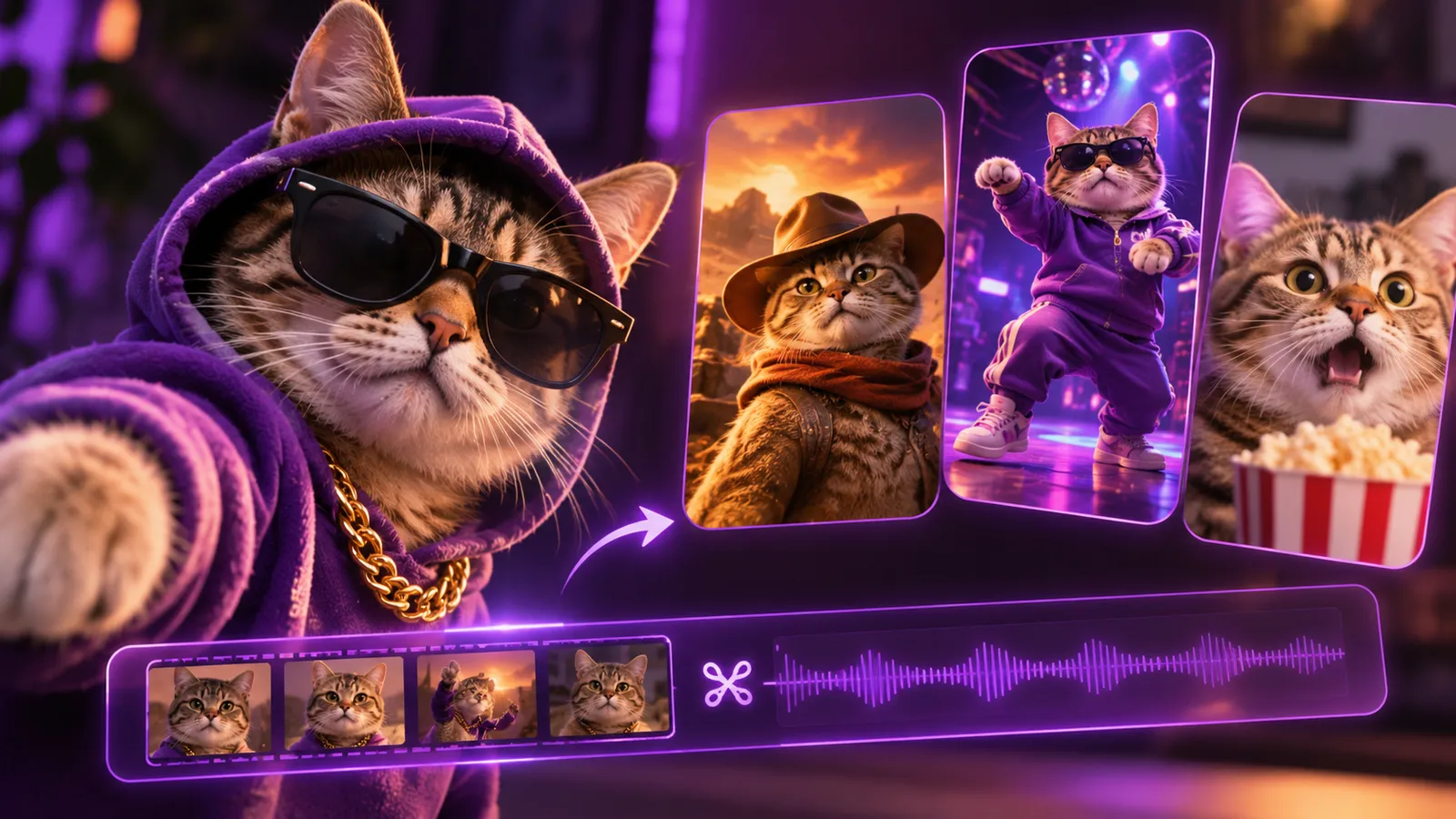
To make an AI cat video, upload a photo of your cat (or describe a cat in words), write one short sentence about what the cat does, and generate. In AI Media Studio this runs on Kling 4.0, the video composer's default model: a 5-second clip at 720p costs 115 credits, with sound. Cat dances, funny moments and multi-part cat stories are all made this way, one short clip at a time.
Every edit needs a paid plan. Plans start at $19/month. Paid plans include a commercial license.
How do I make an AI cat video?
- 01
Pick a photo of your cat, or describe one
A sharp photo with the whole cat in view and good light works best. No photo? Describe the cat (breed, color, markings) and use text to video instead.
- 02
Open the Video tab
Attach the photo for image to video, or leave it empty for text to video. Kling 4.0 is selected by default.
- 03
Describe one action in a short prompt
What the cat does, how the camera moves, and what must stay the same, in two or three sentences. Short prompts keep the cat looking like your cat.
- 04
Pick the length and check the result
Kling 4.0 makes 3 to 15-second clips. Watch the paws, the tail and the face; if a leg multiplies or the markings change, run it again or simplify the prompt.
AI cat video ideas, with prompts
Each idea has a prompt you can copy. Most start from a photo of your cat; the story and the cooking show also work from text alone.
1.A cat dance from one photo
Upload one photo of your cat and ask for simple moves in rhythm: head bobs, swaying, paw lifts. A cat does not bend like a human dancer, so moves a cat could almost make look better than full choreography. Add your music in your video editor or from the Audio studio.
Prompt to try
The cat bobs its head to a beat, sways its body from side to side and lifts one front paw, then the other, in rhythm. Static camera at cat height. Keep the cat's fur, markings and the room exactly as in the photo.
Suggested model: Kling 4.0
2.A cat story series
Cat soap operas and "poor cat" stories are told in several short clips: the kitten alone in the rain, the kind stranger, the warm home. Plan 4 to 6 scenes, make one clip per scene and keep the cat's description identical in every prompt. Tell the story with captions, since the cats do not speak.
Prompt to try
A small grey kitten sits alone under a bus shelter on a rainy city street at night, wet and shivering. Warm light from a bakery window falls on it and the kitten looks up, hopeful. Slow push-in, realistic, cinematic. No dialogue, no text on screen.
Suggested model: Kling 4.0
3.A funny cat moment
The best funny AI cat videos are one small, very cat thing done with a straight face. Start from a photo of your cat on the counter or the sofa and describe the moment in one sentence.
Prompt to try
The cat stares at the camera while slowly pushing a cup off the edge of the kitchen counter with one paw. The cup falls out of frame and the cat keeps staring, unbothered. Static camera. Keep the cat exactly as in the photo.
Suggested model: Kling 4.0
4.Your cat in a costume
Dress your cat in the image composer first, with an edit such as "put a small knitted pumpkin costume on the cat, keep its face and markings". Then animate the edited image. Your cat never has to wear anything.
Prompt to try
The cat in its small knitted pumpkin costume walks toward the camera across the living room carpet, then sits down and tilts its head. Static camera at cat height. Keep the cat's face, markings and the costume exactly as in the image.
Suggested model: Kling 4.0
5.A cat cooking show, without words
A chef cat in a hat stirring a pot reads instantly without a voice. Write it as text to video, or make a still of your own cat in a chef's hat first and animate that.
Prompt to try
A ginger tabby cat in a tiny white chef's hat and apron stands on a stool behind a kitchen counter, stirs a small pot with a wooden spoon held in its paw, then looks proudly at the camera. Bright cooking-show lighting, static front camera. No dialogue, no text on screen.
Suggested model: Kling 4.0
6.Cat zoomies
Fast motion is harder for video models than slow motion. Keep the room simple and the path short, and expect to run it more than once.
Prompt to try
The cat suddenly sprints across the living room, skids on the wooden floor, jumps onto the sofa and freezes as if nothing happened. Camera follows the cat at floor height. Keep the cat exactly as in the photo.
Suggested model: Kling 4.0
Tips for AI cat videos
- Use the same source photo for every clip of a series, so the cat keeps the same fur, markings and eyes.
- For new scenes with the same cat, attach up to 3 photos of your cat as references in the Video tab. That runs reference-to-video on Kling O3 Pro, because Kling 4.0 does not take references.
- Keep prompts short: one action, the camera, and "keep the cat exactly as in the photo".
- For TikTok and Instagram Reels, crop the cat photo to 9:16 before you upload it: image to video starts from the photo, so a vertical photo gives a vertical clip.
- Talking cats: make the words in the Audio studio, press Use in video and add your cat photo. Seedance 2.0 animates the photo to up to 15 seconds of the audio and is asked to lip-sync the words; we have not tested that on cats yet. Otherwise use captions, or add a narration in your own video editor.
- If a person with a visible face is in the photo, use Kling: Seedance 2.0 declines photos with a real-looking human face.
Which video model to use for cat videos
Prices are per second of video in the web app. Kling 4.0 is the default in the Video tab.
| Model | Credits per second | On Starter | Use it for |
|---|---|---|---|
| Kling 4.03 to 15 s, 720p, with sound | 23 | $0.437 | Our pick and the default: steady motion from your cat photo. 34 credits per second at 1080p. |
| Kling O3 Pro3 to 15 s, audio off | 17 | $0.323 | Up to 3 reference photos of your cat for new scenes. |
| Grok Imagine Video 1.51 to 15 s, 720p, with sound | 21 | $0.399 | Livelier motion from a photo. We have not compared it with Kling 4.0 on cat clips yet. |
| Seedance 2.0720p | 44 | $0.836 | Top quality at a higher price. Declines photos with a real-looking human face. |
The editor shows the credit cost before you generate. Prices checked .
What an AI cat video costs
A 5-second cat clip on Kling 4.0 costs 115 credits at 720p and 170 credits at 1080p. A cat story of 4 clips of 5 seconds comes to 460 credits at 720p if every clip works the first time. A costume or chef edit of your photo before you animate it costs 30 credits on Nano Banana Pro.
Plans start at $19/month. Downloads carry no watermark, and paid plans include a commercial license.
Frequently asked questions
How do I make an AI cat video?
Open the Video tab, attach a photo of your cat (or leave it empty and describe a cat), write one short sentence about what the cat does and how the camera moves, pick the length and generate. Kling 4.0 is the default model.
Can I make an AI video from a photo of my own cat?
Yes. Image to video starts from your photo, so the clip shows your cat in your room. Use a sharp photo with the whole cat in view, and say "keep the cat exactly as in the photo" in the prompt.
How do I make an AI cat dance video?
Upload one photo of your cat and describe simple moves in rhythm, such as head bobs, swaying and paw lifts, on image to video. Add the music in your video editor. Results vary from photo to photo, so expect to run a dance more than once.
What are AI cat story videos?
AI-generated cat soap operas told in several short clips: a stray kitten in the rain, a rescue, a new home, often with captions. You make one clip per scene and join them in your editor.
How do I make funny AI cat videos?
Pick one very cat thing (pushing a cup off a table, zoomies, a deadpan stare) and describe it in one sentence on a photo of your cat. Short clips of 3 to 5 seconds suit the format.
How do I keep the same cat across several clips?
Start every clip from the same photo of your cat and describe the cat with the same words each time. For new scenes, attach up to 3 photos of your cat as references, which runs reference-to-video on Kling O3 Pro.
Can the cat talk in an AI cat video?
You can try, for up to 15 seconds. Make the words in the Audio studio, press Use in video and add your cat photo: Seedance 2.0 animates the photo to the audio and is asked to lip-sync the words. We have not tested its lip-sync on cats yet. For longer stories, use captions or add a narration over the clip in your own editor.
Can I post AI generated cat videos on TikTok and Instagram?
Yes. Start from a vertical 9:16 photo so the clip is vertical, and label AI content where the platform asks for it. Clips made on a paid plan include a commercial license and carry no watermark.
Is there a free AI cat video generator?
AI Media Studio has no free tier. Every edit needs a paid plan. Plans start at $19/month. A 5-second cat clip on Kling 4.0 costs 115 credits at 720p.
Uploads are processed by the AI provider that runs the model you pick. Retention, processors and deletion requests are covered in the privacy policy.