AI sound generator
AI sound effect generator: describe a sound, get the effect
To make a sound effect (SFX) with AI, describe the sound in Sound effects (what makes it, where, how close and how long), set a length from 0.5 to 22 seconds and generate. Turn on Seamless loop for ambience that repeats. You get an MP3, and each 10 seconds cost 4 credits, so a 5-second effect costs 2.
Plans start at $19/month. Paid plans include a commercial license.
How to generate sound effects with AI
- 01
Describe the sound
Open Audio and choose Sound effects. Name the source, the action and the space, up to 1,000 characters: “a heavy wooden door creaking open slowly in a stone hallway”.
- 02
Set the length
Pick 0.5 to 22 seconds. Short hits such as a click or a whoosh need 1 to 2 seconds; ambience works better at 10 seconds or more.
- 03
Loop it if it repeats
Turn on Seamless loop for rain, crowds, wind or room tone, so the end joins the start when it repeats in a game or a video.
- 04
Generate and pick a take
Generate up to 4 takes of the same prompt, keep the best and download the MP3, or press Use in video.
AI sound effect examples with their prompts
Three effects are the studio’s own examples, shown with the exact prompt and settings that made them. The other five are prompts to make yourself in the studio. Copy a prompt, change the source or the space, and generate your own.
1.Ambience and background loops
Ambience sits under a scene: waves, a café, rain or a city at night. Make it 10 seconds or longer with Seamless loop on, and end the prompt with “no voices or music” so nothing distracts from your own audio.
PromptOcean waves rolling onto a sandy beach, wide and immersive, seagulls in the distance, no voices or music.
Waves washing onto the shore. The seagulls the prompt asked for are not audible: models can drop a quiet detail, so name it again or generate another take.
PromptBusy café ambience, quiet chatter, cups clinking and an espresso machine in the background, no music.
An indistinct murmur of voices with cups and cutlery clinking. No words can be made out and there is no music.
Make it yourself
Rain on a window
- In the studio:
- Sound effects · duration 10 seconds · Seamless loop on
- Cost:
- 4 credits per take
Prompt to paste
Gentle rain on a window, soft distant thunder, cozy indoor atmosphere, no voices or music.
2.Whooshes and transitions for video
A transition needs a fast start and a short tail. Set 1 to 2 seconds and describe the motion: “fast”, “airy”, “with a short tail”. At 2 seconds, an effect costs 1 credit.
PromptFast cinematic whoosh transition, airy and clean, with a short tail.
A short, airy swoosh that rises quickly and fades out in about a second.
3.Crowds, applause and laughter
Crowd sounds carry a lot of emotion. Say how big the crowd is, what it reacts to and how the reaction ends, such as “then settling down”.
Make it yourself
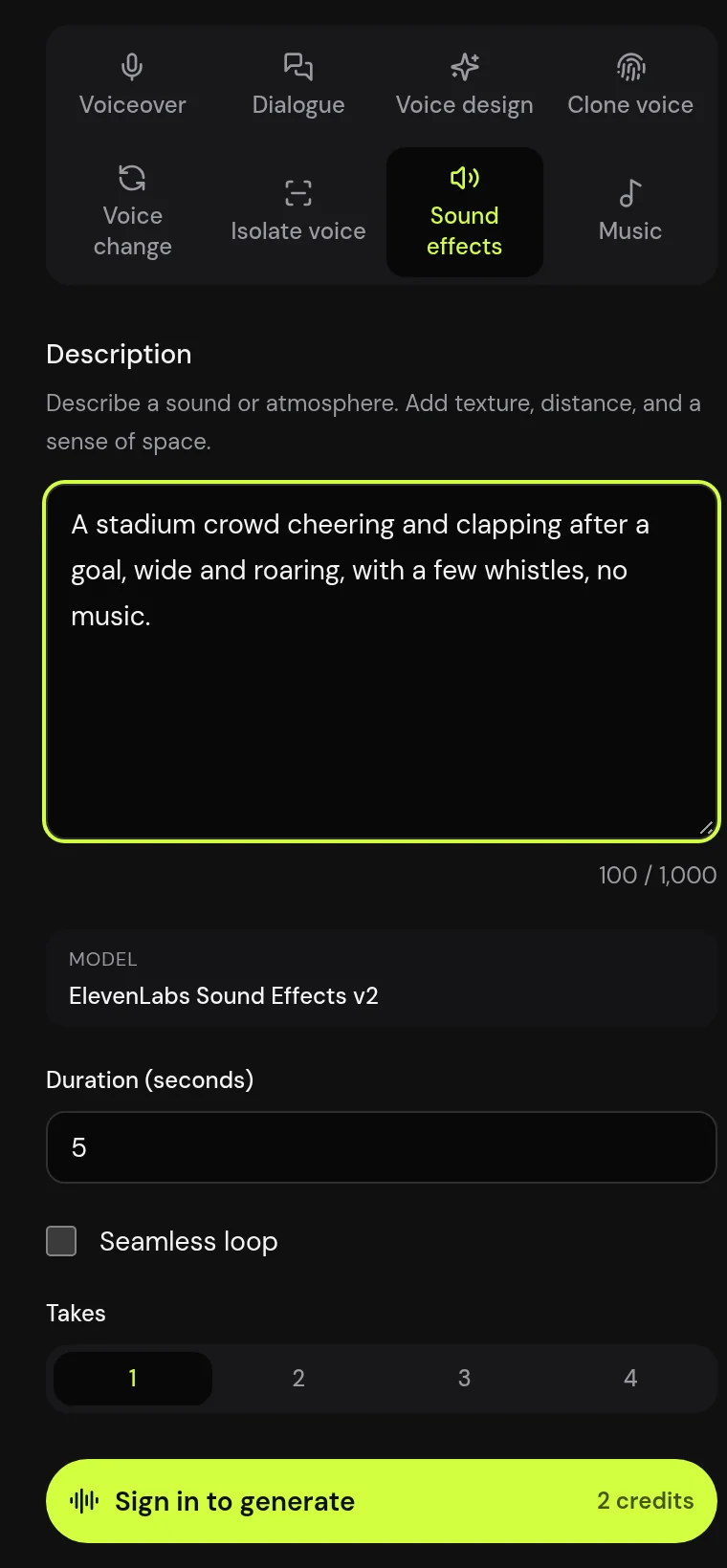
Stadium crowd cheering
- In the studio:
- Sound effects · duration 5 seconds · Seamless loop off
- Cost:
- 2 credits per take
Prompt to paste
A stadium crowd cheering and clapping after a goal, wide and roaring, with a few whistles, no music.
Make it yourself
Studio audience laughing
- In the studio:
- Sound effects · duration 5 seconds · Seamless loop off
- Cost:
- 2 credits per take
Prompt to paste
A small studio audience laughing warmly at a joke, then settling down, no music.
4.Short hits: bells and crashes
For a single event, describe the object, the material and the room it happens in. The room is what makes a bell sound like a school and not a bicycle.
Make it yourself
School bell
- In the studio:
- Sound effects · duration 4 seconds · Seamless loop off
- Cost:
- 2 credits per take
Prompt to paste
An old electric school bell ringing loudly in a tiled hallway for three seconds, then echoing out.
Make it yourself
Car crash
- In the studio:
- Sound effects · duration 4 seconds · Seamless loop off
- Cost:
- 2 credits per take
Prompt to paste
A car skidding on wet asphalt and crashing into a metal barrier, glass breaking, close and loud.
5.How to write a sound effect prompt
A good prompt answers four questions: what makes the sound, what it does, where it happens and how close it is. Add what must not be there.
- Source and action: “a wooden door creaking open”, not “a door sound”.
- Space: “in a stone hallway”, “outdoors in an open field”, “inside a small car”.
- Distance and size: “close and loud”, “far away”, “a huge crowd”, “a few people”.
- Exclusions: “no voices or music” for clean ambience.
Prompt to try
A heavy wooden door creaking open slowly in a stone hallway, close, with a faint echo, no music.
6.Use your sound effects in videos, games and slides
Every effect downloads as an MP3 that you can drop into an editor, a game engine or a presentation.
- Video: import the MP3 into your editor, or press Use in video to animate a photo to it with Seedance 2.0, for up to 15 seconds.
- Games and apps: generate ambience with Seamless loop on, so it repeats without a jump.
- Google Slides: upload the MP3 to Google Drive, then choose Insert, Audio. In PowerPoint, choose Insert, Audio, Audio on My PC.
- AI voice over: add narration to the same video.
- Image to video: turn a photo into a clip first.
Get the sound you hear in your head
- One sound per prompt. A list of five sounds turns into a muddle.
- Name the material: metal, wood, glass and water all sound different.
- Generate two or three takes: the same prompt gives a different sound each time.
- For speech, use Voiceover; for a soundtrack, use Music. Sound effects is for everything else.
Lengths and prices
Sound effects are billed by length, rounded up to a whole credit. You see the cost on the Generate button before you start.
| Mode | Credits | On the Starter plan | Use it for |
|---|---|---|---|
| Sound effectsElevenLabs Sound Effects v2, 0.5 to 22 s | 4 credits per 10 seconds | $0.076 per 10 seconds | Every sound effect and loop, from a 0.5-second click to 22 seconds of ambience. |
1 credit for 2 seconds, 2 for 5, 4 for 10 and 9 for 22. Each take is billed at the full price. Prices checked in the app on .
What an AI sound effect costs
4 credits per 10 seconds, rounded up: a 5-second effect costs 2 credits, which is $0.038 on the Starter plan ($19 for 1,000 credits a month). The longest effect, 22 seconds, costs 9 credits.
Plans start at $19/month. Every audio mode needs a paid plan and enough workspace credits.
Frequently asked questions
How do I generate a sound effect with AI?
Open Sound effects in the Audio studio, describe the sound (source, action, space and distance), set the length and generate. Download the MP3 you like best.
How long can an AI sound effect be?
From 0.5 to 22 seconds per generation. For longer ambience, turn on Seamless loop and repeat the clip in your editor or game.
Can I make a seamless loop?
Yes. Turn on Seamless loop before you generate, so the end of the clip is made to join its start. Check the loop in your editor: some players add a short gap when an MP3 repeats.
How do I add a laughter sound effect to a video?
Generate it with a prompt such as “a small studio audience laughing warmly, then settling down, no music”, download the MP3 and place it on your video’s timeline in your editor.
How do I add sound effects to Google Slides?
Upload the MP3 to Google Drive, then in Slides choose Insert, Audio and pick the file. You can set it to play on click or automatically.
What file format do I get?
An MP3 at 44.1 kHz.
Can it make music or speech?
Use the other modes for that. Music makes instrumental tracks of 3 to 120 seconds or songs from your lyrics, and Voiceover reads a script aloud. Sound effects works best for everything that is neither.
Can I use the sound effects commercially?
Paid plans include a commercial license. You are responsible for how you use what you generate.
How much does an AI sound effect cost?
4 credits per 10 seconds, rounded up: 2 credits for 5 seconds, 9 for 22. Plans start at $19/month.
How we handle your uploads and recordings: privacy policy.