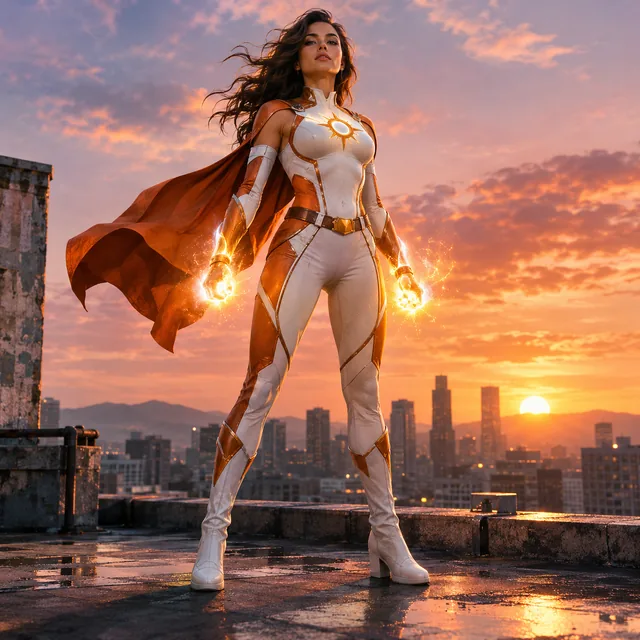
Photo to painting
Turn a photo into a painting with AI: oil, watercolor or acrylic
To turn a photo into a painting, use the editor as a photo to painting converter: upload the photo, name the medium (oil on canvas, watercolor on paper or acrylic) and describe the brushwork, then list what must stay: face, hair, eye colour, a pet’s markings. The AI paints the same photo in that style, so a portrait, a pet, a couple or a house becomes a painting you can print or give as a gift. One painting costs 2 credits on Muse Image, 9 on Nano Banana 2.1 at 1K or 31 at 4K for a print, and you see the cost before you generate.
Plans start at $19/month. Paid plans include a commercial license.
How do I make a photo look like a painting?
- 01
Pick a sharp photo with good light
A painting keeps the light and colours of the photo, so a photo with soft, even light gives the nicest result. Faces and a pet’s eyes should be in focus.
- 02
Name the medium and the brushwork
“An oil painting on canvas with visible brushstrokes”, “a loose watercolor on textured paper”, “an acrylic painting with bold, opaque colours”. Naming the surface and the strokes gets you a painting rather than a filter.
- 03
Say what must stay
Face, hair colour, eye colour, freckles, glasses, a pet’s coat and markings, the shape of a house. Painted styles soften detail, and whatever you name is kept.
- 04
Pick the size, then compare
For a screen, 1K is enough. For a print or a canvas, generate at 2K or 4K on Nano Banana 2.1. Compare the face with the photo before you order anything.
Photo to painting: a portrait, a pet, a couple and a house
Each idea shows example paintings and a prompt to copy. Change the medium in the prompt to try another style on the same photo.
1.One portrait as an oil, watercolor and acrylic painting
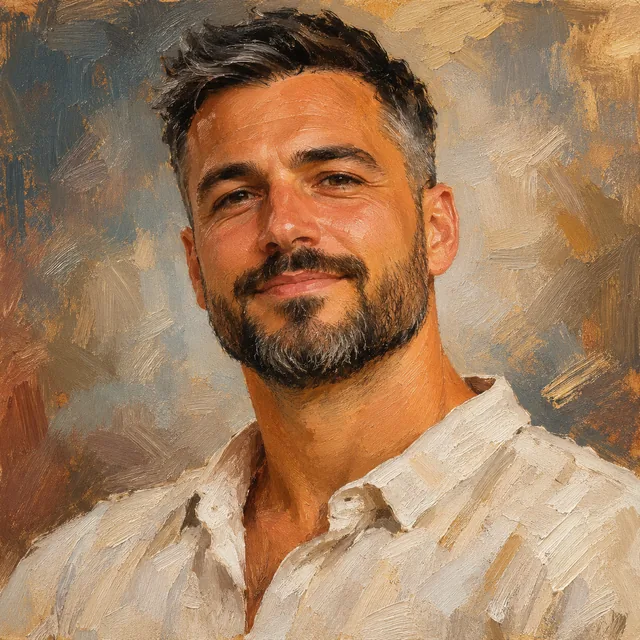
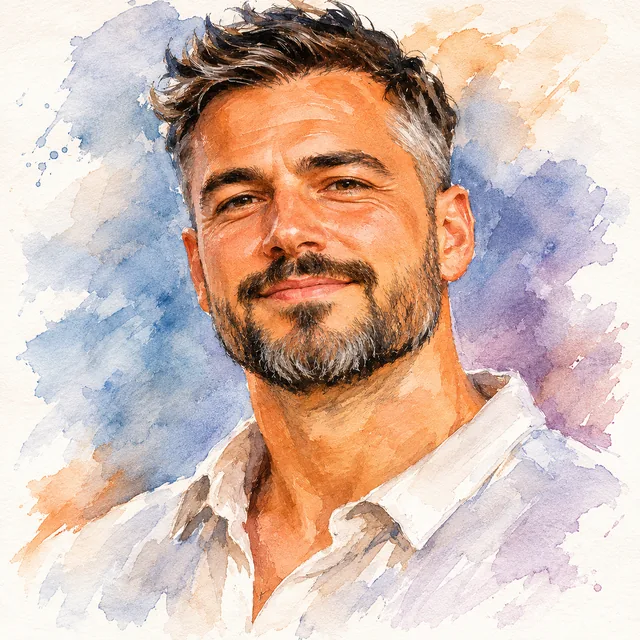
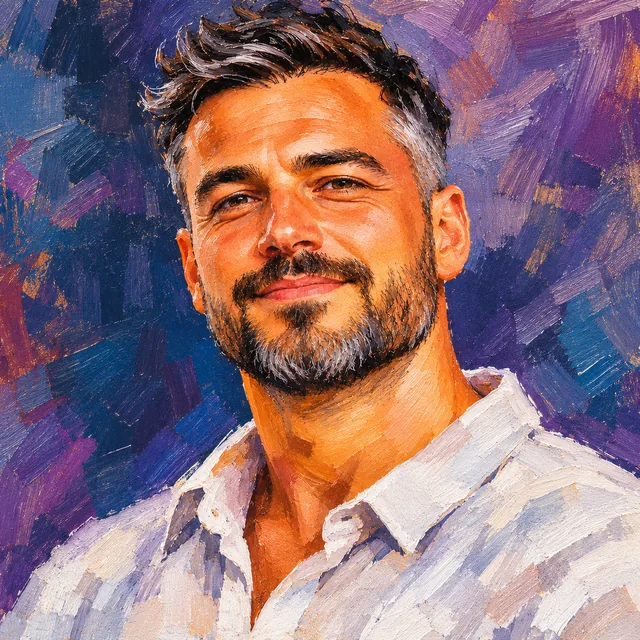
One portrait in the three classic media. Oil gives depth and texture, watercolor is light and airy, acrylic is bold and bright. To try another medium, change only the first sentence of the prompt.

Prompt for this style
Turn this photo into a loose watercolor painting on textured paper, with soft washes, gentle bleeding edges and white paper showing through. Keep his face, beard, grey-streaked hair, linen shirt, smile and pose.
Prompt for this style
Turn this photo into an acrylic painting with bold, visible brushwork, bright opaque colours and a simple painted background. Keep his face, beard, grey-streaked hair, linen shirt, smile and pose.
Prompt to try
Turn this photo into an oil painting on canvas, with visible brushstrokes, rich colours and soft window light, like a classic portrait. Keep his face, beard, grey-streaked hair, linen shirt, smile and pose.
Suggested model: Nano Banana 2.1
2.A painting of your pet
A painting of a pet makes a personal gift. Name the breed, coat colour and markings so the painting is clearly your pet, and pick a plain background if it will hang on a wall.
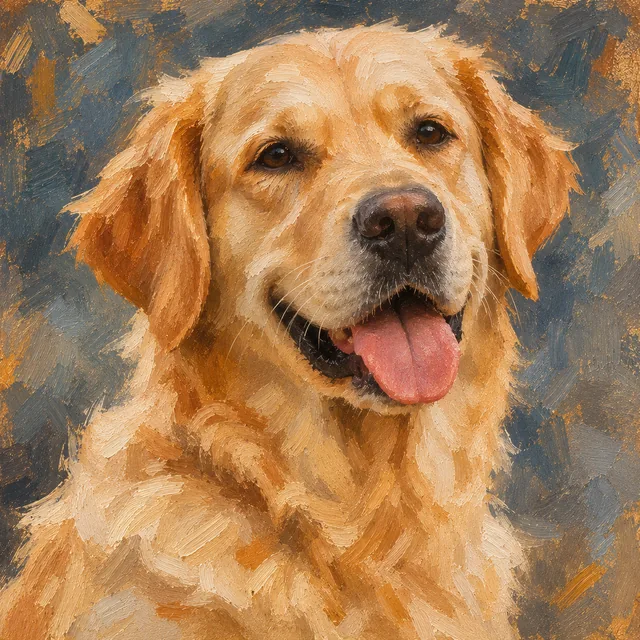
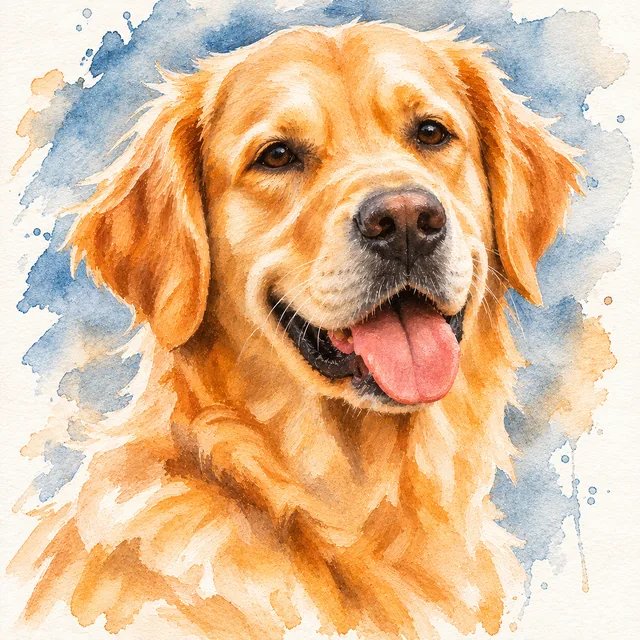
Prompt for this style
Turn this photo into a watercolor painting of this dog on white paper, with soft washes and loose edges. Keep the dog’s breed, golden coat, face and pose.
Prompt to try
Turn this photo into a classic oil pet portrait on canvas, with thick, visible brushstrokes and a muted blue-grey background. Keep the dog’s breed, golden coat, face and pose.
Suggested model: Nano Banana 2.1
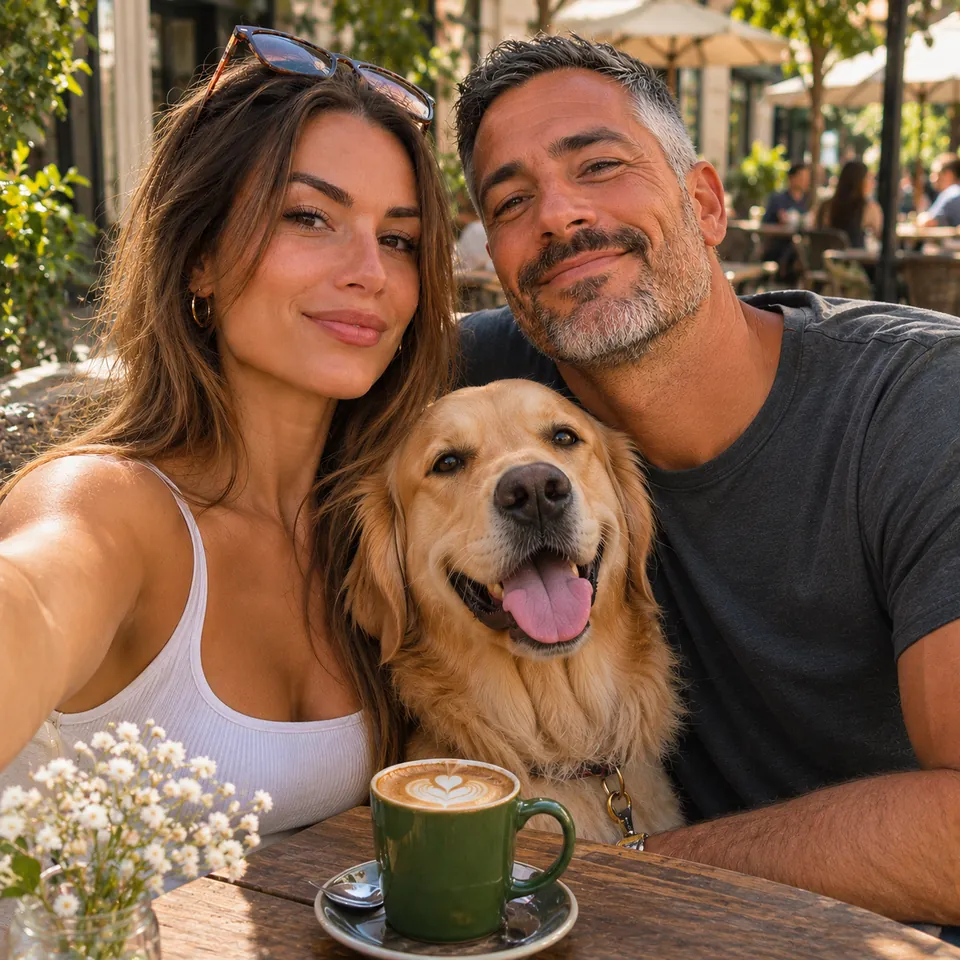
3.A couple painting for an anniversary or wedding gift
With two people, name what makes each of them recognisable and ask to keep both faces. An oil painting of a favourite selfie makes a personal anniversary gift.
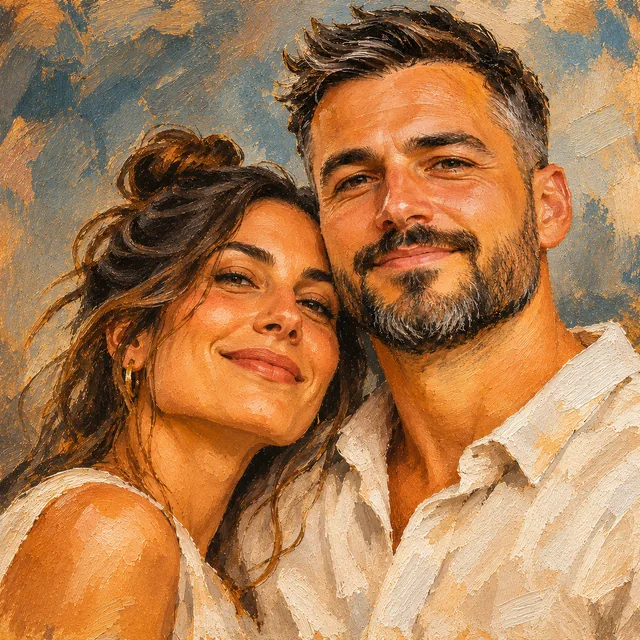
Prompt to try
Turn this photo into an oil painting on canvas, with visible brushstrokes and warm golden light. Keep both faces, her long wavy hair and hoop earrings, his beard, their clothes and smiles.
Suggested model: Nano Banana 2.1
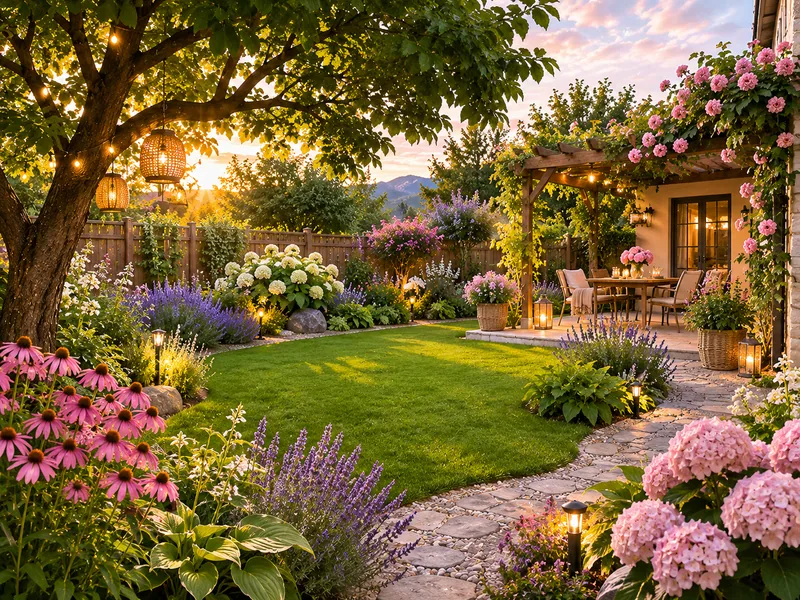
4.A watercolor of your house
A painting of a home is a classic housewarming or moving-away gift. Ask to keep the shape of the house, the windows and the colours, and choose ink outlines for an architectural look.
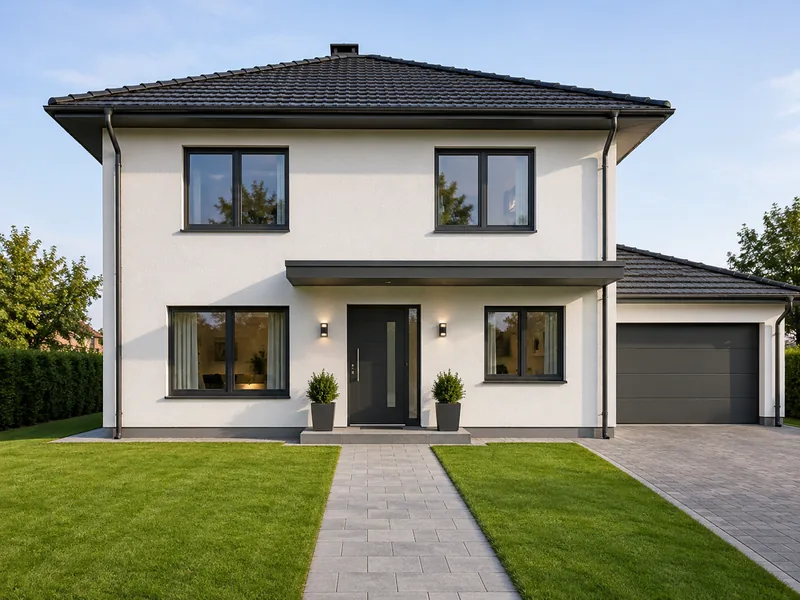
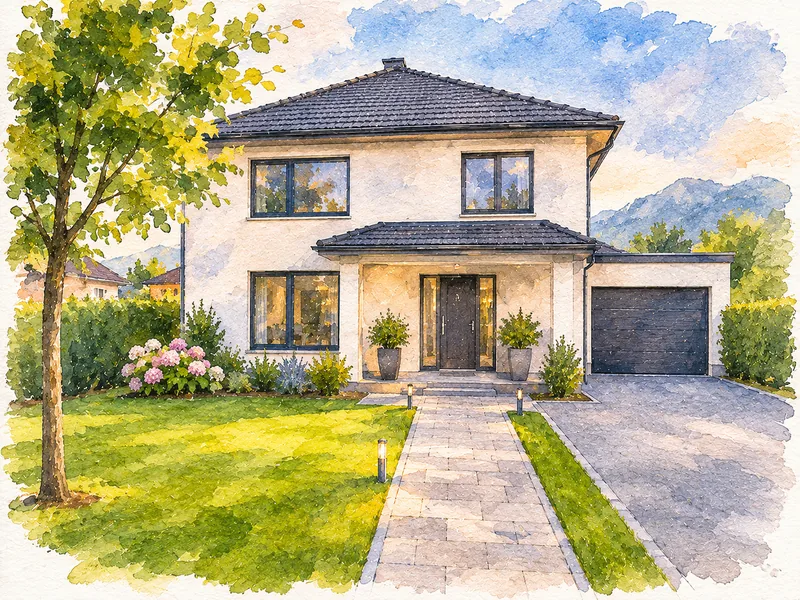
Prompt to try
Turn this photo of a house into a watercolor painting on textured paper, with fine ink outlines and soft washes, like an architectural sketch. Keep the shape of the house, its windows, door, roof and colours, and the garden in front.
Suggested model: Nano Banana 2.1
5.Make the painting print-ready
A painting for the wall needs more pixels than one for a phone screen. Plan the size before you generate:
- Generate with Nano Banana 2.1 at 2K (14 credits) or 4K (31 credits), and confirm the pixel size your print or canvas service needs.
- Pick the aspect ratio of the frame before you generate (a portrait 2:3 or 4:5, a landscape 3:2), so nothing important is cropped later.
- Ask for a plain or softly painted background if the painting will be framed, and leave space around the subject for a mount.
- Zoom in on the face before you order: small changes to the eyes or mouth are easy to miss at screen size.
- Uploads are processed by the AI provider that runs the model you pick. Retention, processors and deletion requests are covered in the privacy policy.
Keep it looking like them
- Name eye colour, hair colour and anything distinctive: freckles, glasses, a beard, a pet’s markings. Painted styles drift toward a generic face when you do not.
- Loose styles such as watercolor simplify a face more than a detailed oil portrait. If the likeness matters most, ask for “fine detail on the face” and compare it with the photo.
- Try each new style from the original photo, not from a painting, so changes do not add up.
- Only paint photos of yourself or of people who agreed, and of houses you have the right to show.
Which model to use
Every model runs in the same editor and draws from the same credits. Prices are for one painting in the web app.
| Model | Credits per edit | On Starter | Use it for |
|---|---|---|---|
| Muse Imageone size, about 2.5 MP | 2 | $0.038 | The cheapest way to try several media on one photo before you choose. |
| Nano Banana 2.11K | 9 | $0.171 | The editor’s button opens it by default. 14 credits at 2K and 31 at 4K for prints. |
| GPT Image 2.6high quality | 13 | $0.247 | A second opinion on the same prompt when you want a different take on the style. |
The editor shows the credit cost before you generate. Prices checked .
What it costs
One painting costs 2 credits on Muse Image, 9 on Nano Banana 2.1 at 1K (31 at 4K) and 13 on GPT Image 2.6. On the Starter plan ($19 for 1,000 credits a month) that is $0.038 to $0.589 per painting; trying oil, watercolor and acrylic on Nano Banana 2.1 at 1K costs 27 credits.
Plans start at $19/month. Unused subscription credits roll over, downloads carry no watermark, and paid plans include a commercial license.
Frequently asked questions
How do I turn a picture into a painting?
Upload the photo to the editor, write the medium and brushwork (“an oil painting on canvas with visible brushstrokes”), list what must stay (face, hair, eye colour) and generate. Compare it with the photo, then download it.
Which painting styles can I make from a photo?
Any medium you can describe: oil on canvas, watercolor, acrylic, gouache, pastel or palette-knife impasto. You can also describe a period, such as “an impressionist painting with short, broken brushstrokes”.
Can I turn a picture of my pet into a painting?
Yes. Name the breed, coat colour and markings and ask to keep the face and pose. A plain or dark background suits a framed pet portrait.
Can I get a photo made into a real, hand-painted painting?
This editor makes a digital painting, not a hand-painted one. You can print it on canvas or paper, or give it to a painter as a reference for a commission.
Can I print the painting on canvas?
Yes, it is an image file you can send to any print service. Generate at 2K (14 credits) or 4K (31 credits) on Nano Banana 2.1 and check the pixel size the service asks for.
Will the painting still look like the person?
Usually, if you name the features that make them recognisable. Loose styles like watercolor simplify faces more than oil, so compare the eyes, mouth and hair with the photo.
What is the difference from a cartoon or a sketch?
A painting keeps realistic proportions and light and adds brushwork and paint texture. A cartoon simplifies the face, and a sketch is line work. Both have their own guides, linked below.
How much does it cost?
One painting costs 2 credits on Muse Image, 9 on Nano Banana 2.1 at 1K or 13 on GPT Image 2.6. Plans start at $19/month.
Uploads are processed by the AI provider that runs the model you pick. Retention, processors and deletion requests are covered in the privacy policy.